вступ
Thank you for choosing the Rapoo H100 Wired Stereo Headset. This manual provides detailed instructions for setting up, operating, and maintaining your headset to ensure optimal performance and longevity. The Rapoo H100 is designed for clear audio communication and comfortable wear, featuring smooth HD voice calls, microphone noise reduction, adjustable rotation, volume control, microphone mute, and a standard 3.5mm audio port.
Вміст упаковки
Будь ласка, перевірте вміст упаковки, щоб переконатися, що всі елементи присутні:
- Rapoo H100 Wired Stereo Headset
Продукт закінченийview
Familiarize yourself with the components of your Rapoo H100 headset for proper use and understanding.

малюнок 1: Передній кут view of the Rapoo H100 Wired Stereo Headset, showcasing the earcups, adjustable headband, and microphone arm.
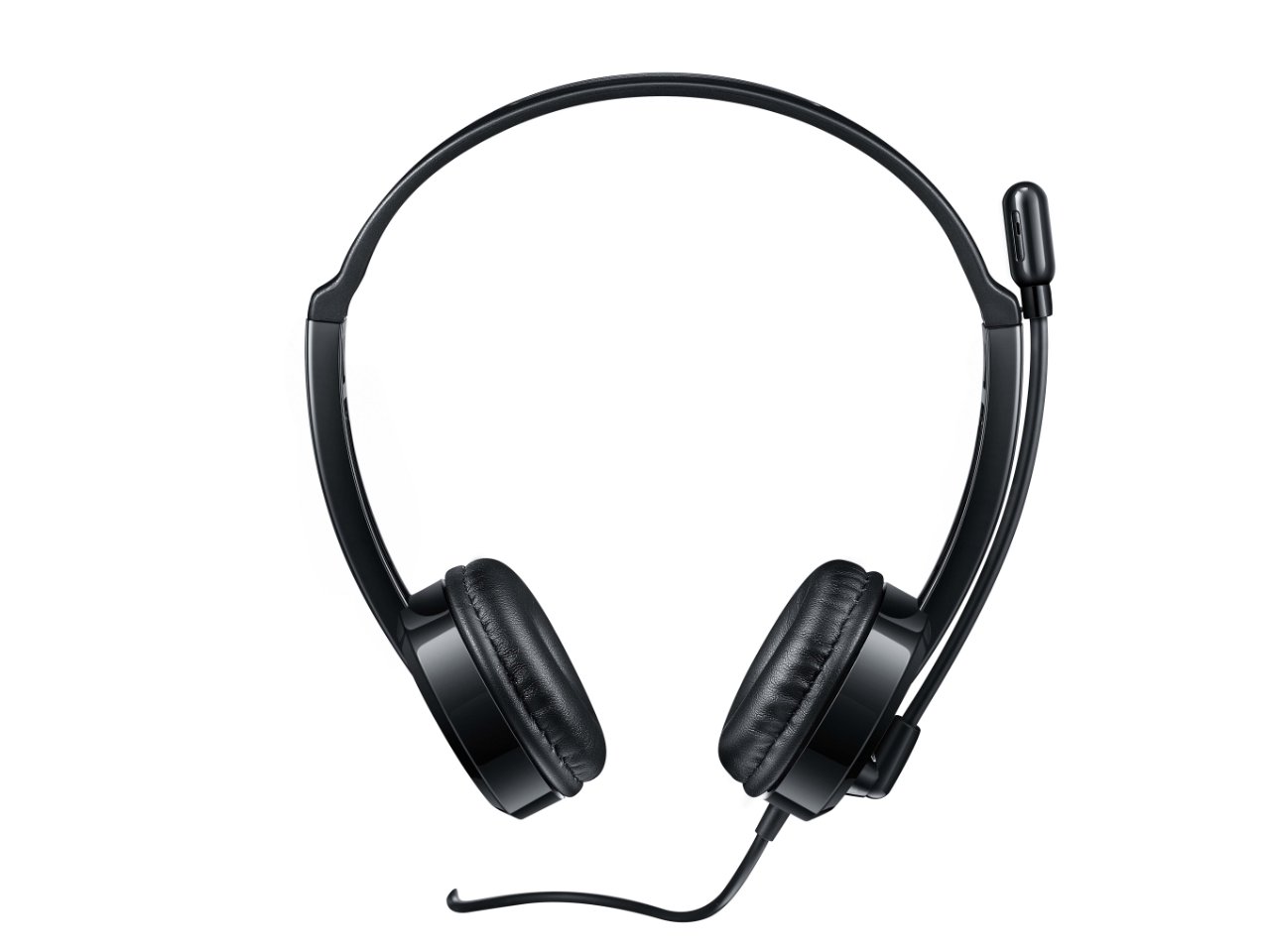
малюнок 2: Верхня передня частина view of the headset, providing a clear perspective of the headband's curvature and the design of both earcups.
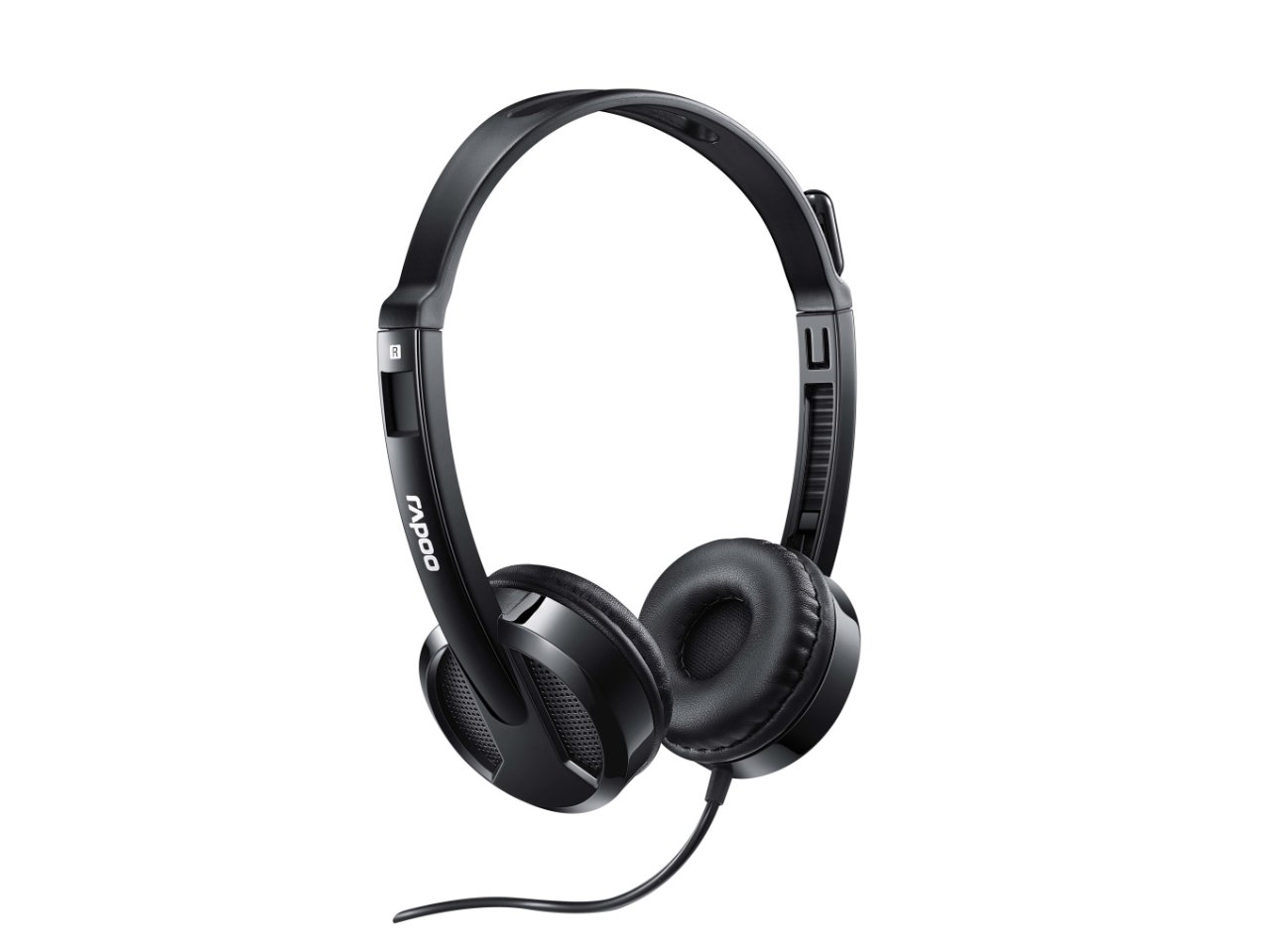
малюнок 3: Під кутом view from behind the headset, showing the connection point of the audio cable to the earcup.

малюнок 4: Крупним планом view of the rotatable microphone arm, illustrating its design for optimal voice capture.

малюнок 5: Сторона проfile view of the Rapoo H100 headset, showing the slim design and the headband adjustment mechanism.
Ключові компоненти:
- Регульоване наголов'я: Allows for a comfortable fit for various head sizes.
- М'які амбушури: Розроблено для комфорту під час тривалого використання.
- Поворотний мікрофон: Can be adjusted for optimal voice pickup and rotated out of the way when not in use.
- Вбудований блок керування: Contains the volume control wheel and microphone mute switch for easy access.
- 3.5 мм аудіороз’єм: Standard connector for universal compatibility with devices.
Налаштування
- Підключіть гарнітуру: Insert the 3.5mm audio jack into the corresponding audio port on your computer, laptop, tablet, or smartphone. Ensure the connection is secure.
- Відрегулюйте пов’язку на голову: Gently extend or retract the headband on both sides until the earcups rest comfortably over your ears.
- Розташуйте мікрофон: Rotate the microphone arm downwards and position the microphone approximately 2-3 cm (1 inch) from your mouth for clear voice pickup. The microphone is adjustable for optimal placement.
- Налаштуйте параметри звуку (за потреби): On your device, navigate to the sound settings and ensure the Rapoo H100 is selected as the default input (microphone) and output (speaker) device.
Інструкція з експлуатації
- Регулювання гучності: Use the in-line volume control wheel on the headset cable to adjust the listening volume. Rotate the wheel upwards to increase volume and downwards to decrease it.
- Вимкнення мікрофона: Locate the mute switch on the in-line control. Slide the switch to mute or unmute the microphone. This is useful for privacy during calls or when you do not wish your voice to be transmitted.
- Здійснення дзвінків: Once connected and configured, you can use the headset for voice calls through various communication applications (e.g., Skype, Zoom, Microsoft Teams) or for standard phone calls on compatible devices.
- Прослуховування аудіо: The headset will output audio from your connected device, allowing you to listen to music, videos, or game audio.
Технічне обслуговування
Proper maintenance will extend the life of your headset.
- Прибирання: Використовуйте м’яку суху тканину, щоб протерти амбушури та наголов’я. Для стійкого бруду злегкаamp Можна використовувати тканину, але переконайтеся, що волога не потрапила на решітки динаміка або мікрофон. Не використовуйте агресивні хімікати або абразивні засоби для чищення.
- Зберігання: Коли гарнітура не використовується, зберігайте її в чистому, сухому місці, подалі від прямих сонячних променів та екстремальних температур. Уникайте заплутування кабелю.
- Догляд за кабелем: Do not pull the cable forcefully or wrap it too tightly around the headset. This can damage the internal wires.
Усунення несправностей
If you encounter issues with your Rapoo H100 headset, refer to the following common problems and solutions:
| проблема | Можлива причина | Рішення |
|---|---|---|
| Немає звуку з гарнітури |
|
|
| Мікрофон не працює |
|
|
| Якість звуку низька |
|
|
Технічні характеристики
| Особливість | Деталь |
|---|---|
| Назва моделі | H100 |
| Технологія підключення | Провідний |
| Включені компоненти | Гарнітура |
| Сумісні пристрої | Tablets, Telephones, Laptops, Desktops |
| Тип управління | Регулювання гучності |
| Вага товару | 400 грамів |
| Форма навушника | Над вухом |
| Виробник | Rapoo |
| Форм-фактор | Over Ear, On ear |
| Розміри продукту (ДxШxВ) | 1.8 х 18.6 х 11.6 см |
| Гніздо для навушників | 3.5 мм джек |
| Колір | чорний |
Гарантія та підтримка
Щоб отримати інформацію про гарантію та технічну підтримку, зверніться до офіційного постачальника Rapoo. webсайт або зверніться до служби підтримки клієнтів. Зберігайте чек про покупку як підтвердження покупки для гарантійних претензій.
Виробник: Rapoo
Webсайт: www.rapoo.com (Please note: This is a general placeholder. Refer to your product packaging or Rapoo's official documentation for the most accurate support contact information.)


