вступ
Дякуємо за покупкуasing the MAJORITY Histon Portable DAB/DAB+ Digital Radio. This manual provides essential information for setting up, operating, and maintaining your radio. Please read it thoroughly before use to ensure optimal performance and longevity of your device.
Що в коробці
- MAJORITY Histon Radio
- Мережевий кабель живлення
- Посібник користувача (цей документ)

Image: The contents of the product packaging, including the Histon radio, its mains power cable, and the user manual.
Продукт закінченийview
The MAJORITY Histon radio is designed for portable and mains-powered listening, offering both DAB/DAB+ and FM radio reception. It features a clear LED display, dual alarm functionality, and a sleep timer.
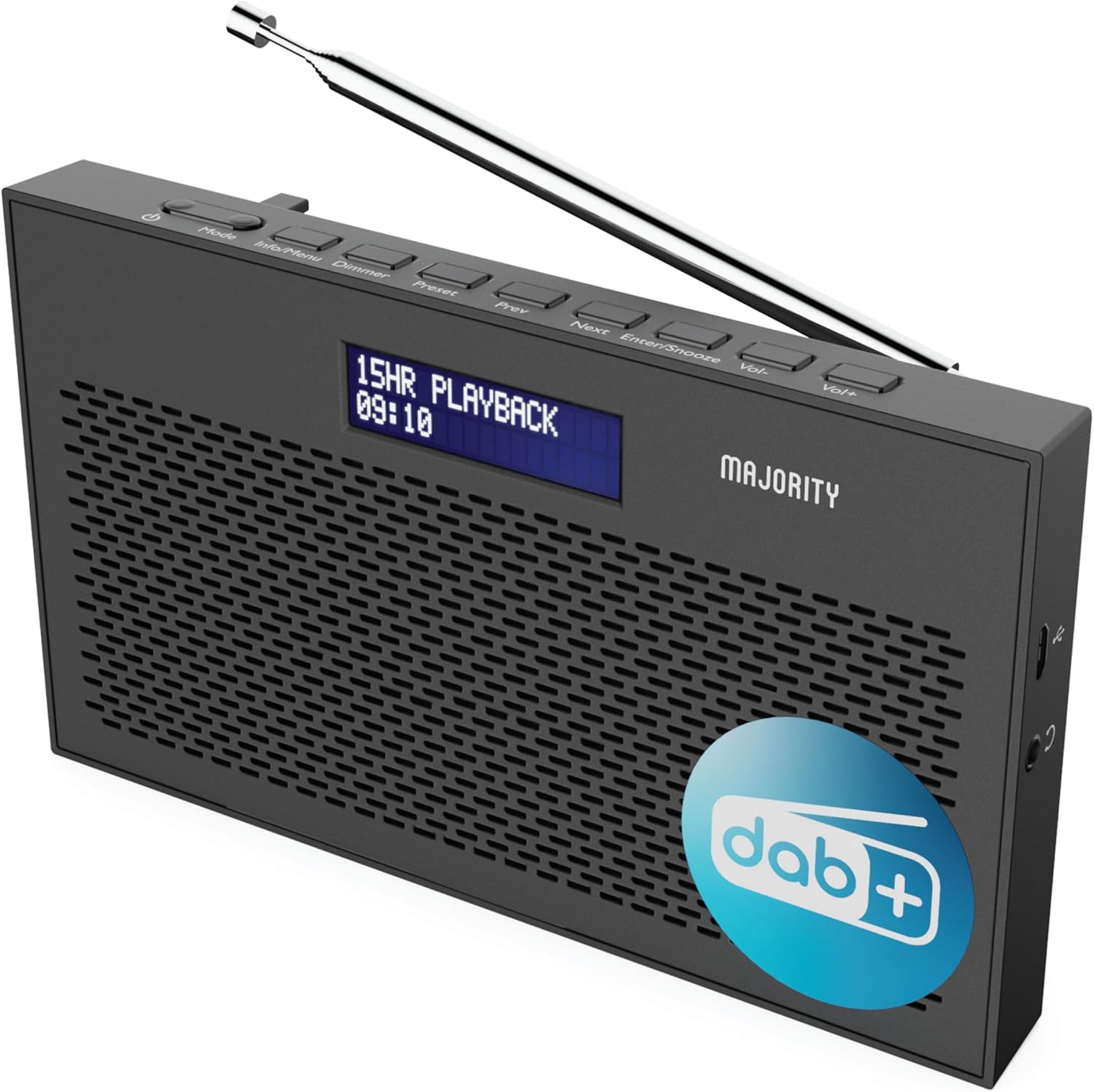
Зображення: Детальний view of the Majority Histon radio, highlighting its compact design and front speaker.
Елементи управління та дисплей
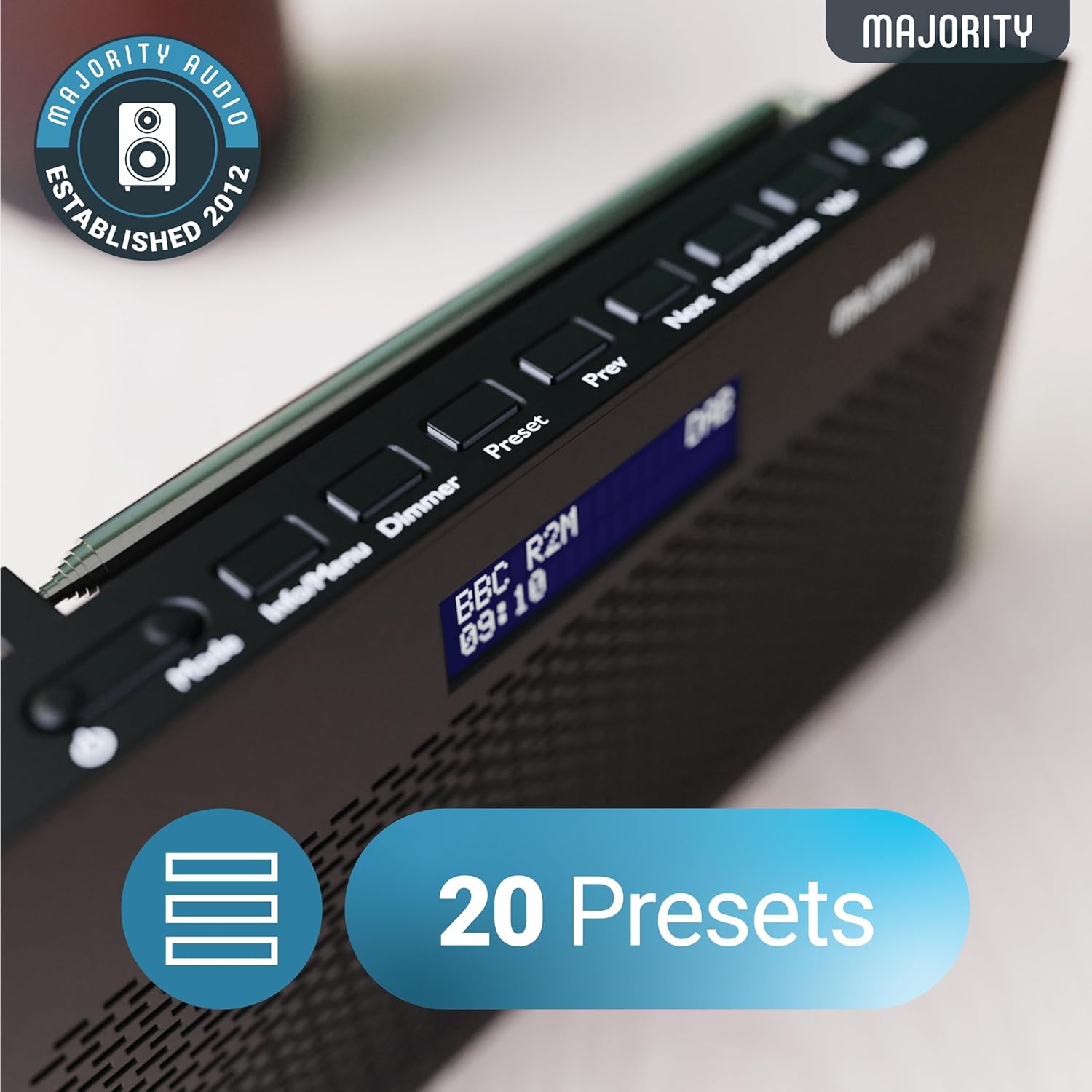
Image: A close-up of the radio's top panel, illustrating the various control buttons and the LED display showing station information.
- режим: Перемикання між режимами DAB, FM та іншими.
- Інформація/Меню: Displays station information or accesses menu settings.
- Діммер: Регулює яскравість дисплея.
- Попереднє налаштування: Accesses or saves preset stations.
- Попередня/Наступна: Навігація між станціями або пунктами меню.
- Enter/Snooze: Confirms selections or activates snooze during an alarm.
- Vol-/Vol+: Регулює гучність.
Порти та підключення
- Порт DC IN: For connecting the mains power cable.
- Гніздо для навушників 3.5 мм: Для приватного прослуховування.
- Батарейний відсік: Located on the rear for 4 AA batteries (not included).
- Телескопічна антена: Extendable for optimal signal reception.
Налаштування
Увімкнення
The Histon radio can be powered by either the included mains power cable or 4 x AA batteries (not supplied).
- Живлення від мережі: Connect the mains power cable to the DC IN port on the radio and plug the adapter into a wall socket.
- Потужність батареї: Open the battery compartment on the rear of the radio and insert 4 x AA batteries, ensuring correct polarity.

Image: The radio in a portable setting, emphasizing its 15-hour battery life capability.
Регулювання антени
Extend the telescopic antenna fully for the best possible signal reception, especially for DAB/DAB+ and FM broadcasts.
Початкове сканування (DAB/DAB+)
Upon first power-on, the radio will automatically perform a full scan for DAB/DAB+ stations. This process may take a few minutes. Once complete, the radio will tune to the first available station.
- If no stations are found, ensure the antenna is fully extended and reposition the radio, then perform a manual scan (see Operating Instructions).
Інструкція з експлуатації
Робота радіо DAB/DAB+
- Selecting DAB Mode: Натисніть Режим кнопку, доки не з’явиться напис «DAB».
- Вибір станції: Використовуйте попередня or Далі buttons to scroll through available DAB stations. Press Введіть щоб вибрати станцію.
- Повне сканування: To perform a full scan for new stations, press and hold the Інформація/Меню button to enter the menu, then navigate to "Full Scan" and press Введіть.
- Попередньо встановлені станції:
- Збереження попереднього налаштування: While listening to a station, press and hold the Попереднє налаштування кнопку. Використовуйте Назад/Далі щоб вибрати номер попереднього налаштування (1-20), потім натисніть Введіть зберегти.
- Виклик попереднього налаштування: Коротко натисніть Попереднє налаштування кнопку. Використовуйте Назад/Далі to scroll through saved presets, then press Введіть to tune.
Image: The radio's control panel, highlighting the capability to store up to 20 preset radio stations.
Робота FM-радіо
- Selecting FM Mode: Натисніть Режим кнопку, доки не з’явиться напис «FM».
- Авто сканування: Натисніть і утримуйте Введіть to automatically scan for the next available FM station.
- Ручна настройка: Коротко натисніть попередня or Далі to fine-tune the frequency in 0.05 MHz steps.
- Попередньо встановлені станції: Saving and recalling FM presets follows the same procedure as DAB presets.
Налаштування будильників
The Histon radio features a dual alarm function.

Image: The radio displaying "DUAL ALARM" on its screen, illustrating its dual alarm capability.
- Натисніть і утримуйте Інформація/Меню щоб увійти в меню.
- використання Назад/Далі to navigate to "System Settings" and press Введіть.
- Navigate to "Alarm" and press Введіть.
- Select "Alarm 1" or "Alarm 2" and press Введіть.
- Configure the alarm time, duration, source (Buzzer, DAB, FM), frequency (Daily, Once, Weekends, Weekdays), and volume using Назад/Далі і Введіть.
- To activate/deactivate an alarm, select "On" or "Off" for the chosen alarm.
- Коли лунає будильник, натисніть Увійти/Відкласти to snooze for 9 minutes, or press the потужність кнопку, щоб вимкнути будильник.
Таймер сну
Таймер сну дозволяє радіо автоматично вимикатися після встановленого періоду часу.
- Натисніть і утримуйте Інформація/Меню щоб увійти в меню.
- Navigate to "System Settings" and press Введіть.
- Navigate to "Sleep" and press Введіть.
- використання Назад/Далі to select the desired sleep duration (e.g., 15, 30, 45, 60, 90, 120 minutes) or "Off". Press Введіть для підтвердження.
Яскравість дисплея
Відрегулюйте яскравість світлодіодного дисплея.
- Коротко натисніть Диммер кнопку для перемикання рівнів яскравості.
Використання навушників
For private listening, connect standard 3.5mm headphones to the headphone jack on the side of the radio. The internal speaker will automatically mute when headphones are connected.
Усунення несправностей
| проблема | Можлива причина / рішення |
|---|---|
| Немає живлення / Радіо не вмикається. |
|
| Poor DAB/FM reception or no stations found. |
|
| Звук спотворений або переривчастий. |
|
| Сигналізація не звучить. |
|
| Дисплей порожній або нечитабельний. |
|
Технічні характеристики
- модель: Histon 2
- Розміри продукту: 18 x 4.5 x 11 см (Д x Ш x В)
- вага: 249 грами
- Джерело живлення: Mains (via included adapter) or 4 x AA Batteries (not included)
- Підтримувані радіодіапазони: DAB/DAB+, FM
- Пресети: 20 (DAB) / 20 (FM)
- Підключення: 3.5mm Headphone Jack, DC IN Port
- Особливості: Portable, Lightweight, Automatic and Manual Tuning, Dual Alarm Clock, Sleep Timer, LED Display, Mono/Auto Switching in FM Mode

Image: A visual representation of the radio's dimensions for reference.
Технічне обслуговування
- Прибирання: Використовуйте м’яку суху тканину для очищення поверхні радіоприймача. Не використовуйте абразивні засоби для чищення або розчинники.
- Зберігання: Якщо радіо зберігатиметься протягом тривалого часу, вийміть батарейки, щоб запобігти витіканню. Зберігайте у прохолодному, сухому місці.
- Вплив води: Цей радіоприймач не є водонепроникним. Уникайте впливу води або високої вологості.
- Догляд за антеною: Обережно поводьтеся з телескопічною антеною, щоб уникнути її погнуття або поломки.
Гарантія та підтримка
The MAJORITY Histon radio comes with a Гарантія 3 рік. To activate your warranty and for further support, please refer to the registration instructions provided with your purchase or visit the official MAJORITY webсайт.
For technical assistance or warranty claims, please contact MAJORITY customer support through their official channels. Keep your proof of purchase for warranty validation.

Image: A graphic highlighting the 3-year warranty provided with Majority audio products.


