1. Вступ
Thank you for choosing the Vandlion V8 Keychain Voice Recorder. This compact and versatile device is designed for high-quality audio recording in various environments, offering ease of use and portability. It also functions as an MP3 player and a USB storage device. Please read this manual thoroughly to understand the features and proper operation of your new device.
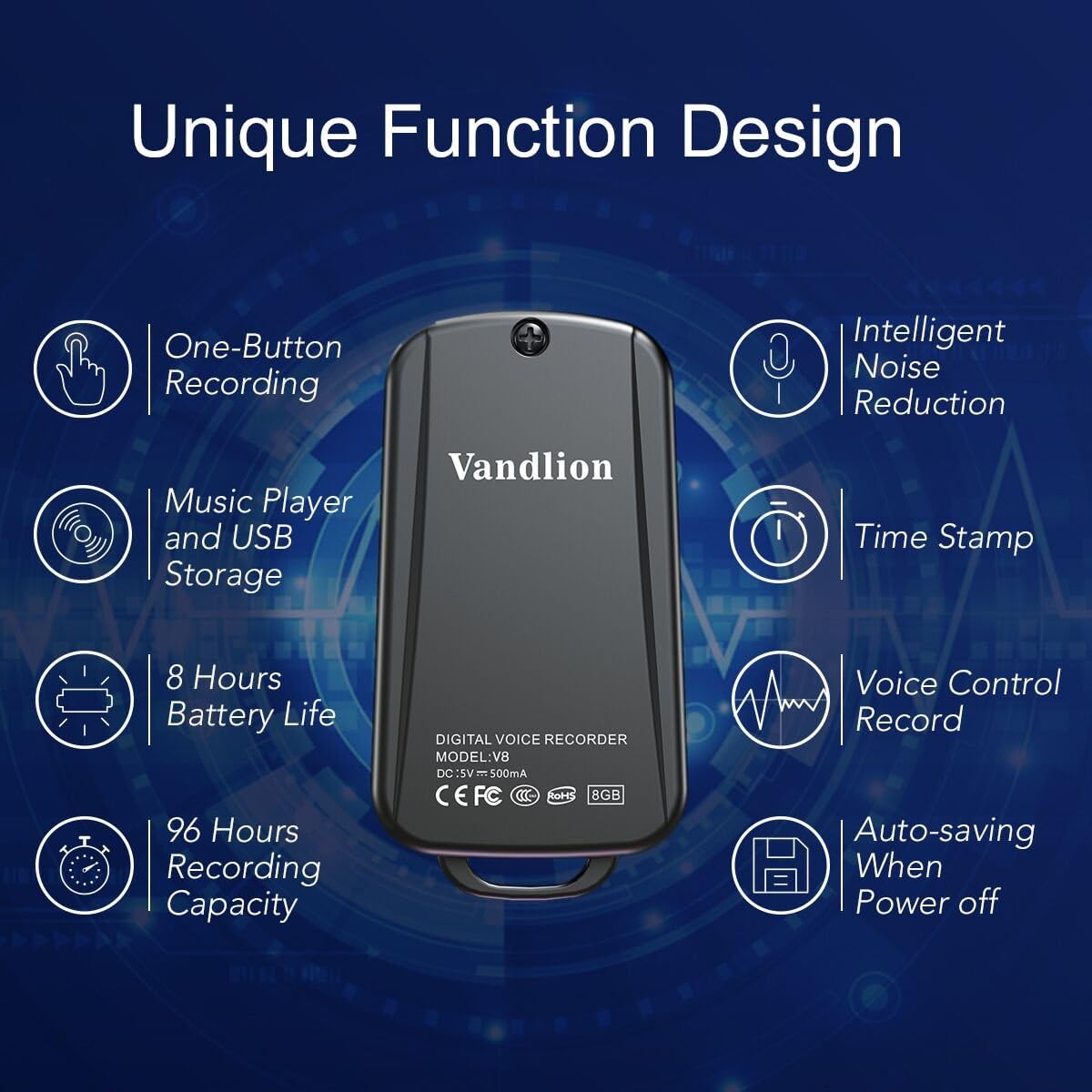
Image 1: Vandlion V8 Keychain Voice Recorder highlighting features like one-button recording, intelligent noise reduction, time stamp, voice control record, auto-saving, music player, USB storage, 8 hours battery life, and 96 hours recording capacity.
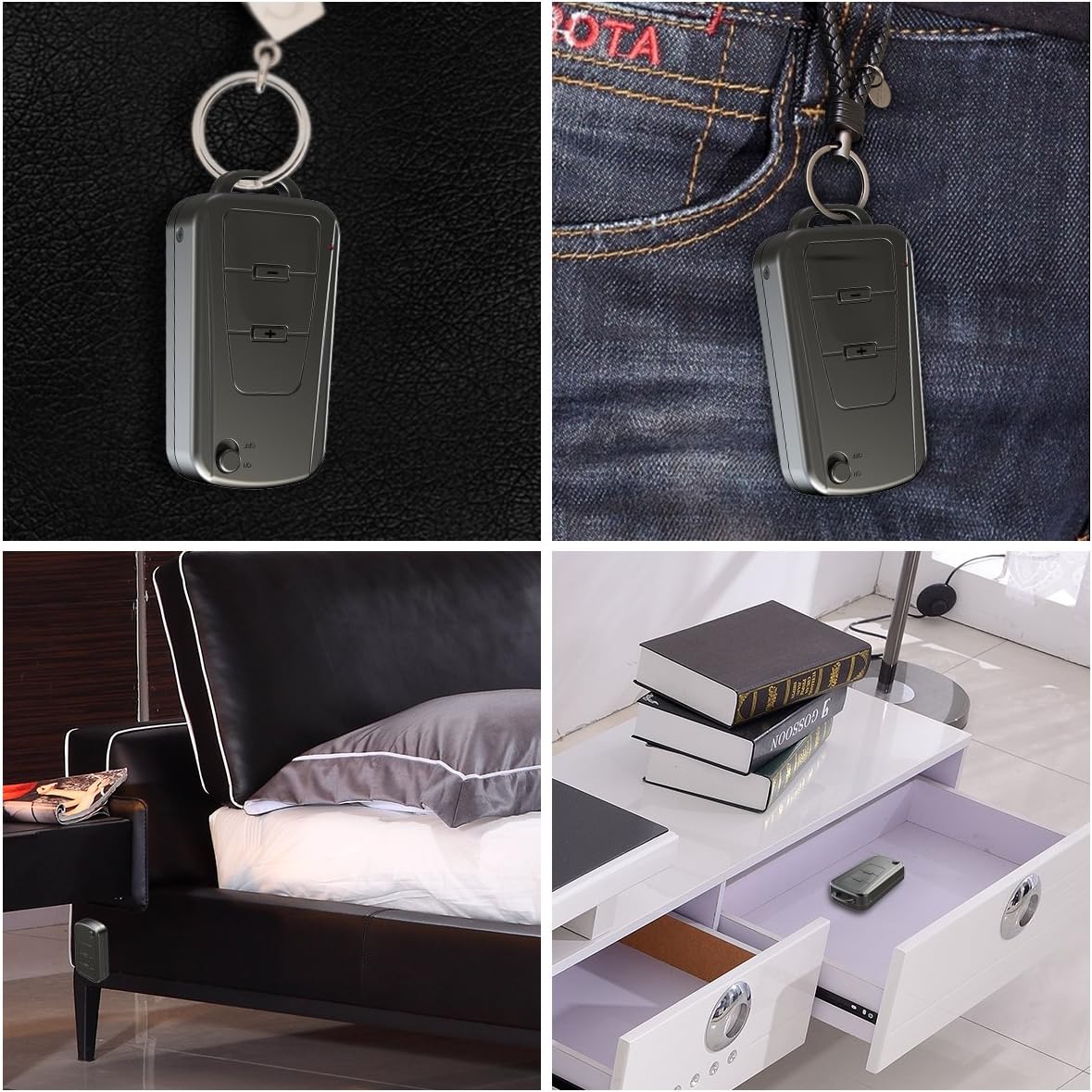
Image 2: The Vandlion V8 recorder shown in various discreet usage scenarios, including attached to a keychain, clipped to trousers, placed beside a bed, and hidden in a drawer.

Image 3: The Vandlion V8 recorder depicted in various application scenarios such as classes, meetings, speeches, concerts, interviews, and for forensic purposes.
2. Вміст упаковки
- 1 x диктофон Vandlion V8
- 1 x USB кабель
- 1 x Посібник користувача (цей документ)
3. Пристрій закінчивсяview
Ознайомтеся з фізичними компонентами вашого диктофона.
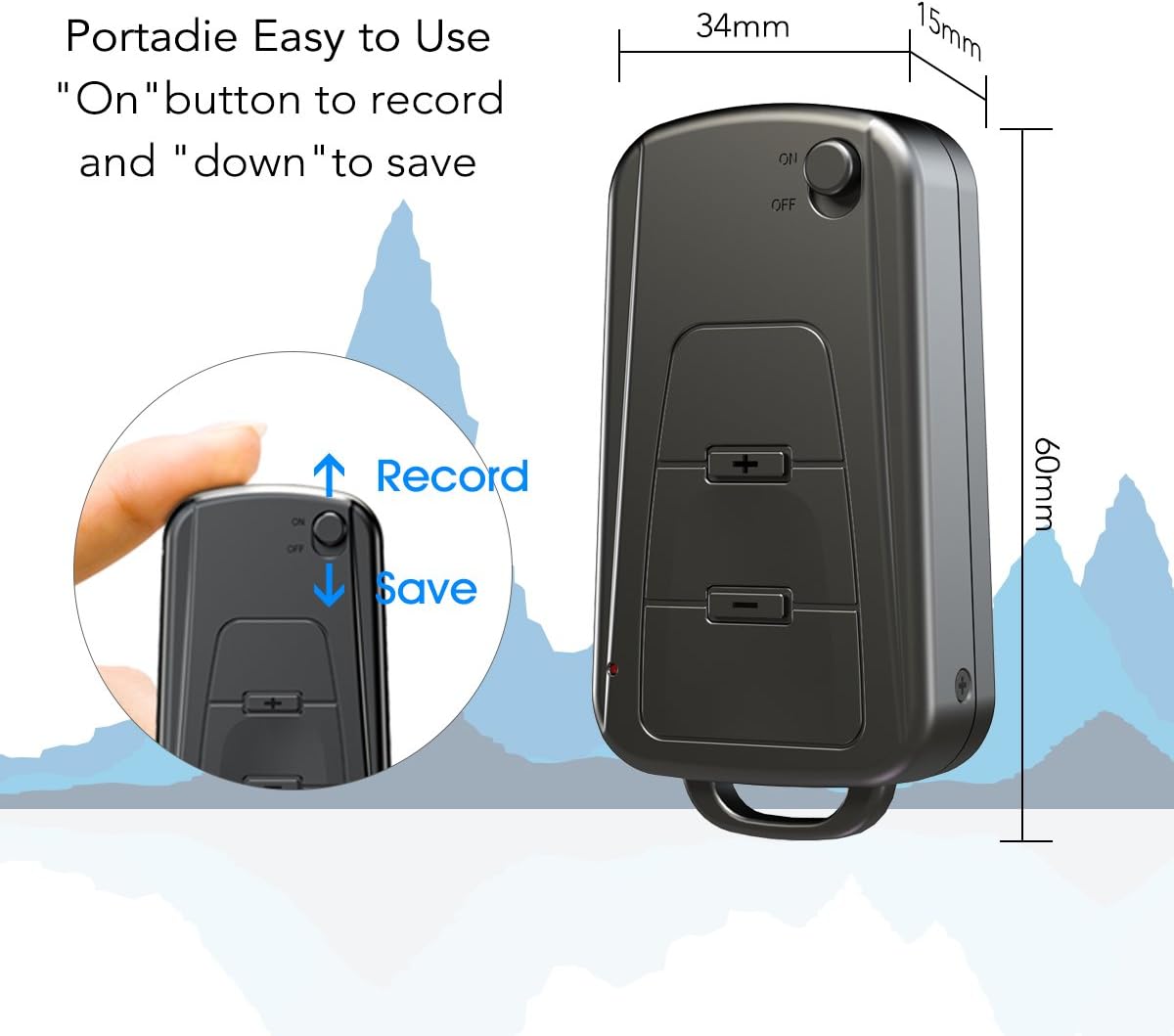
Зображення 4: Збоку view of the Vandlion V8 recorder, illustrating the ON/OFF switch for recording and saving, along with volume control buttons. Dimensions are also shown: 60mm length, 34mm width, 15mm thickness.
- Перемикач ON/OFF: Used to start and stop recording, and to power the device.
- Порт USB: Для зарядки та підключення до комп'ютера.
- Роз'єм для навушників: Для відтворення аудіо.
- Мікрофон: Integrated for audio capture.
- Світловий індикатор: Provides status feedback (e.g., recording, charging).
4. Налаштування
4.1. Зарядка пристрою
Before first use, fully charge the voice recorder. Connect the device to a computer's USB port or a USB wall adapter using the provided USB cable. The indicator light will typically show a specific color (e.g., red) during charging and change (e.g., blue or off) when fully charged. A full charge provides approximately 20 hours of operation.
4.2. Початкове увімкнення
Slide the ON/OFF switch to the "ON" position to power on the device. The indicator light will briefly illuminate.
5. Інструкція з експлуатації
5.1. Запис однією кнопкою
- Щоб розпочати запис, пересуньте перемикач УВІМК./ВИМК. у положення "УВІМК." position. The device will automatically begin recording. The indicator light will not flicker during recording to ensure discreet operation.
- To save the recording, slide the ON/OFF switch to the "ВИМК." position. The device will save the current recording and power off.
Image 5: Close-up of the Vandlion V8 recorder demonstrating the simple "ON" to record and "OFF" to save operation.
5.2. Запис з активацією голосу (VOR)
The device features a smart voice-activated system. When enabled, the recorder will only record when sound is detected, conserving storage space and battery life. Refer to the full user guide (if available from manufacturer) for detailed instructions on enabling/disabling VOR, as this feature may require specific button presses or software settings not covered by the basic one-button operation.
5.3. Playing Back Recordings
- Connect headphones to the headphone jack on the device.
- Power on the device by sliding the ON/OFF switch to "ON".
- Use the volume buttons (if present) to navigate through recordings and adjust playback volume.
Alternatively, connect the device to a computer to play back recordings.
5.4. Перенесення Files до комп’ютера
- Переконайтеся, що диктофон вимкнено.
- Connect the recorder to your computer using the supplied USB cable. The device will be recognized as a removable storage drive.
- Open the drive, locate the recording files (typically in WAV format), and drag them to your computer.
- Примітка для користувачів Mac: You may need to use VLC Media Player or similar software to play WAV files recorded by this device.
5.5. Using as an MP3 Player
The device supports WAV, WMA, and MP3 audio formats. You can transfer music files to the device's storage via USB connection, similar to transferring recordings. Once music files are on the device, connect headphones and power on the device to listen to your music.
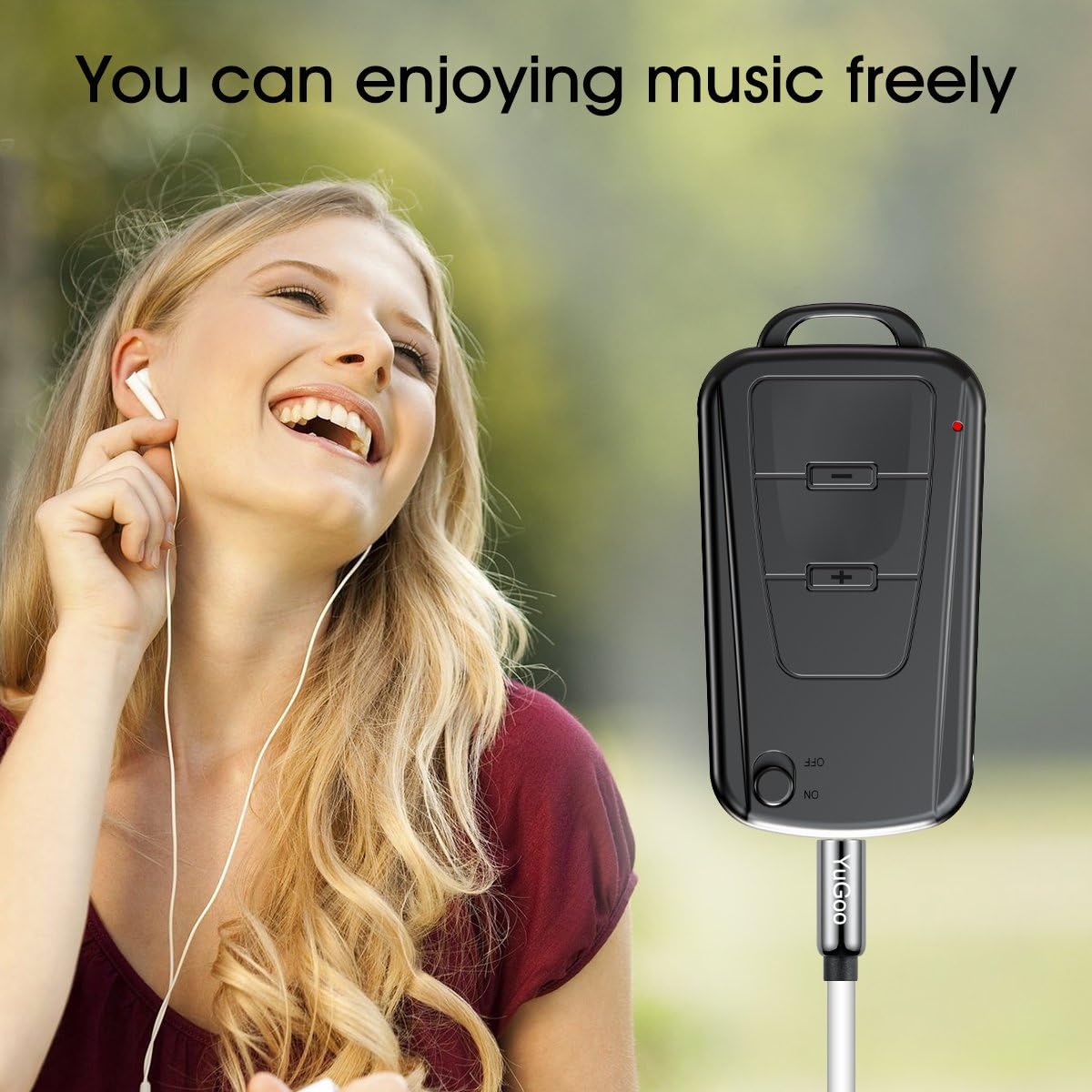
Image 6: The Vandlion V8 recorder connected to earphones, demonstrating its capability as an MP3 player for enjoying music.
6. Технічне обслуговування
- Тримайте пристрій сухим. Уникайте контакту з вологою або рідинами.
- Протирайте пристрій м’якою сухою тканиною. Не використовуйте агресивні хімікати або абразивні засоби для чищення.
- Зберігайте пристрій у прохолодному, сухому місці, подалі від прямих сонячних променів та екстремальних температур.
- Регулярно заряджайте акумулятор, навіть якщо він не використовується, щоб підтримувати його справність. Уникайте повного розряджання акумулятора протягом тривалого часу.
7. Вирішення проблем
- Пристрій не включається:
- Переконайтеся, що акумулятор заряджений. Підключіть до джерела живлення та спробуйте ще раз.
- Неможливо записати:
- Check if the device has sufficient storage space. Ensure the ON/OFF switch is in the "ON" position.
- Погана якість запису:
- Ensure the microphone is not obstructed. Record in a quiet environment. The device features DSP noise reduction for clear audio.
- Пристрій не розпізнано комп'ютером:
- Try a different USB port or cable. Ensure the device is powered off before connecting. Restart your computer.
- Не можу грати files on Mac:
- Mac users are advised to use VLC Media Player for optimal playback of recorded WAV files.
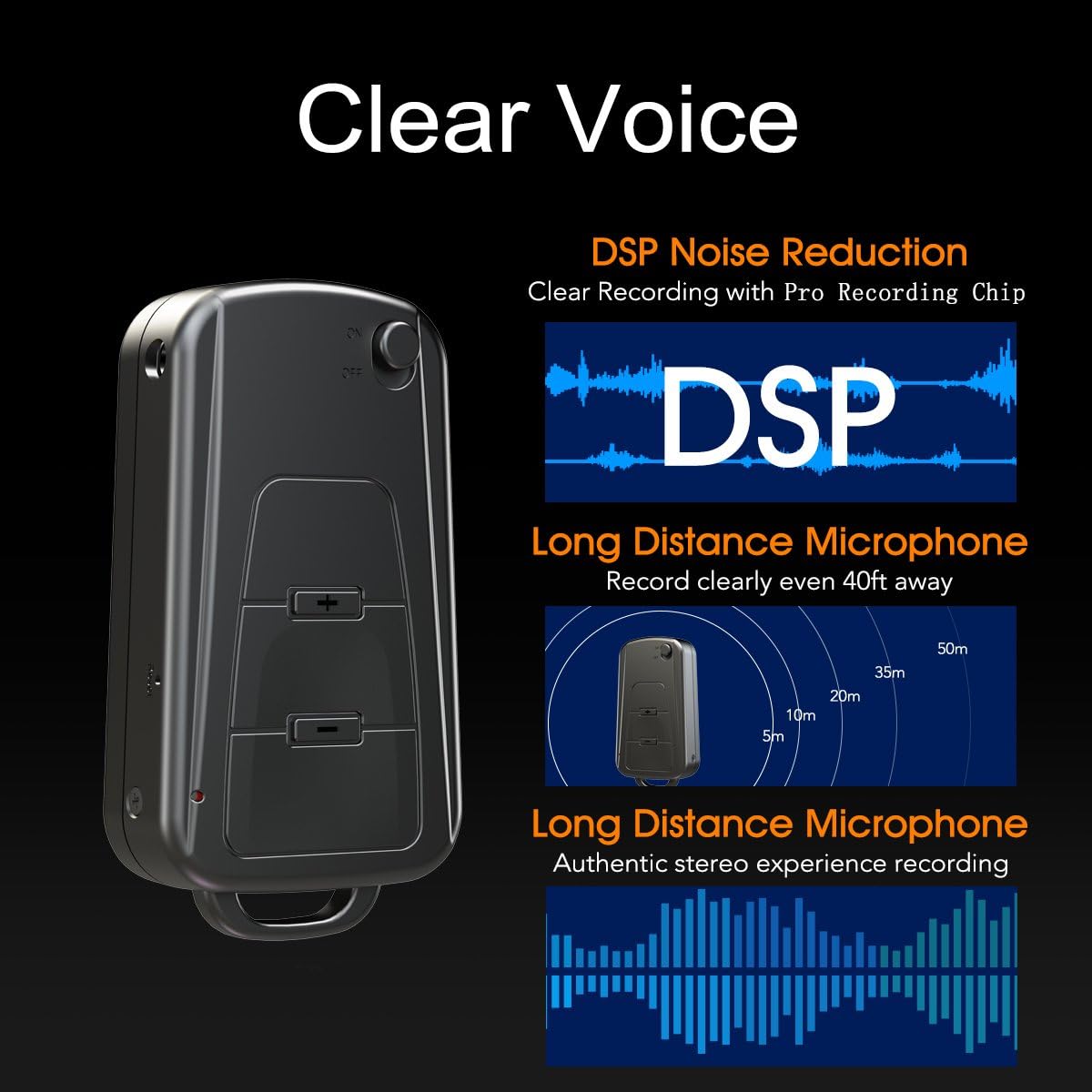
Image 7: Diagram illustrating the Vandlion V8's DSP noise reduction technology for clear recording and its long-distance microphone, capable of capturing sound clearly from up to 40 feet away, providing an authentic stereo experience.
8. Технічні характеристики
| Особливість | Специфікація |
|---|---|
| Модель | V8 |
| Ємність зберігання | 8GB (approx. 96 hours recording capacity) |
| Термін служби батареї (запис) | прибл. 20 години |
| Формат запису | WAV |
| Музичний формат | WAV, WMA, MP3 |
| Sampлінг -курс | 192Kbps |
| Розміри | 60 x 34 x 15 мм (2.36 x 1.33 x 0.59 дюймів) |
| вага | 27 г (1.46 унції) |
| Інтерфейс | USB |
| Сумісні пристрої | MP3-плеєр, персональний комп'ютер |
| Режим роботи мікрофона | Стерео |
9. Гарантія та підтримка
9.1. Гарантія виробника
This Vandlion V8 Keychain Voice Recorder comes with a Six Months Manufacturer's Warranty з дати покупки. Ця гарантія поширюється на дефекти матеріалів та виготовлення за умов нормального використання. Вона не поширюється на пошкодження, спричинені неправильним використанням, нещасними випадками, несанкціонованими модифікаціями або нормальним зносом.
9.2. Підтримка клієнтів
For further assistance, technical support, or warranty claims, please contact Vandlion customer service through the retailer where the product was purchased or refer to the official Vandlion website for contact information. Additional resources, such as a PDF version of the user manual and updated user guides, may be available for download from the manufacturer's support page.
10. Важлива інформація з безпеки
- Не намагайтеся розібрати чи модифікувати пристрій.
- Зберігати в недоступному для дітей місці.
- Утилізуйте пристрій та його батарею відповідально згідно з місцевими правилами.
- Уникайте екстремальних температур і прямих сонячних променів.