вступ
This manual provides essential information for the proper setup, operation, and maintenance of your Rapoo N1600 3-Button Quiet Wired Mouse. Designed for comfort and efficiency, the N1600 features a quiet click mechanism, ergonomic shape, and precise 1000 DPI optical tracking for a smooth user experience.
The Rapoo N1600 mouse is built for endurance, versatility, and comfort, helping you power through tasks with ease on various computer systems.
Відео: Кінецьview of the Rapoo Wired Silent Mouse, highlighting its quiet operation and design.
Video: Demonstration of the RX100WH Rapoo Wired Silent Mouse, showcasinйого особливості.
Налаштування
The Rapoo N1600 mouse is designed for simple plug-and-play functionality, requiring no additional software or drivers for most operating systems.
- Підключіть кабель USB: Locate an available USB port on your computer (desktop or laptop). Insert the USB-A connector of the mouse cable into the USB port.
- Розпізнавання системи: Your operating system (Windows, Mac OS, Linux, Chrome OS) will automatically detect and install the necessary drivers. This process usually takes a few seconds.
- Початок використання: Після розпізнавання миша готова до негайного використання.

Image: The Rapoo N1600 wired mouse in white, showcasinйого простий та чистий дизайн.

Image: A graphic illustrating the USB connection feature of the mouse.

Image: The Rapoo N1600 mouse featuring its 5-foot long cable, providing ample досягти для різних установок.
Інструкція з експлуатації
The Rapoo N1600 mouse offers standard 3-button functionality with a focus on quiet operation and ergonomic comfort.
- Ліва кнопка: Primary click function for selecting items, opening applications, and interacting with user interfaces. Features a 95% reduced click sound.
- Права кнопка: Secondary click function, typically used for accessing context menus or special functions within applications. Also features a 95% reduced click sound.
- Колесо прокрутки: Використовується для вертикального прокручування документів та web pages. The grille anti-slip pattern ensures accurate scrolling. The scroll wheel itself is designed for quiet operation.
- Оптичне відстеження: The 1000 DPI high-definition optical tracking engine provides responsive and smooth cursor control on various surfaces.

Image: A diagram illustrating the soft click buttons (Left, Right, and Middle Roller) of the Rapoo N1600 mouse.

Image: The white Rapoo N1600 mouse with a graphic indicating that silent switches reduce click noise.

Image: A layered diagram showing the Rapoo N1600 mouse's high-performance engine can be used on various surfaces like resin, wood, paper, cloth, and cortex.
Технічне обслуговування
To ensure the longevity and optimal performance of your Rapoo N1600 mouse, follow these simple maintenance guidelines:
- Прибирання: Використовуйте м’який, сухий або злегка damp cloth to wipe the exterior of the mouse. Avoid using harsh chemicals, solvents, or abrasive cleaners, as these can damage the surface.
- Оптичний датчик: Periodically inspect the optical sensor on the underside of the mouse for dust or debris. Use a soft brush or compressed air to gently clean the sensor area. Do not touch the sensor directly with your fingers.
- Догляд за кабелем: Avoid sharp bends or excessive pulling on the USB cable to prevent internal damage. Store the cable neatly when not in use.
- Зберігання: Якщо миша не використовується протягом тривалого часу, зберігайте її в чистому, сухому місці, подалі від екстремальних температур.
Усунення несправностей
If you encounter issues with your Rapoo N1600 mouse, try the following troubleshooting steps:
- Миша не реагує:
- Переконайтеся, що USB-кабель надійно підключено до робочого USB-порту вашого комп’ютера.
- Спробуйте підключити мишу до іншого USB-порту.
- Перезавантажте комп'ютер.
- Рух курсора нерівномірний або стрибкоподібний:
- Clean the optical sensor on the underside of the mouse for any dust or debris.
- Переконайтеся, що ви використовуєте мишу на відповідній поверхні. Поверхні з високим рівнем відбиття або прозорі поверхні можуть впливати на відстеження. Рекомендується використовувати килимок для миші.
- Кнопки або колесо прокручування не працюють:
- Переконайтеся, що миша правильно підключена.
- Перевірте мишу на іншому комп’ютері, щоб визначити, чи проблема пов’язана з мишею, чи з налаштуваннями комп’ютера.
- Noisy Clicks:
- The N1600 is designed for quiet clicks. If you experience unexpected noise, ensure the buttons are not obstructed.
Технічні характеристики
| Особливість | Деталь |
|---|---|
| Номер моделі | 1014-07X03-800 (N1600) |
| Розміри продукту | 4.65 x 2.48 x 1.57 дюйма (118 мм x 63 мм x 40 мм) |
| Вага товару | 3.46 унцій (84.46 г) |
| Технологія підключення | USB дротовий |
| Технологія виявлення руху | Оптичний |
| DPI | 1000 DPI |
| кнопки | 3 (ліворуч, праворуч, колесо прокручування/середня кнопка) |
| Особливості | Ergonomic Design, Soundless (Quiet Click) |
| Сумісність | Mac OS, Linux, Windows, Chrome OS |
| Виробник | Shenzhen Rapoo Technology Co., Ltd. |

Image: A diagram showing the dimensions of the Rapoo N1600 mouse: 118mm (4.65 inches) length, 63mm (2.48 inches) width, and 40mm (1.57 inches) height, with an item weight of 84.46g.
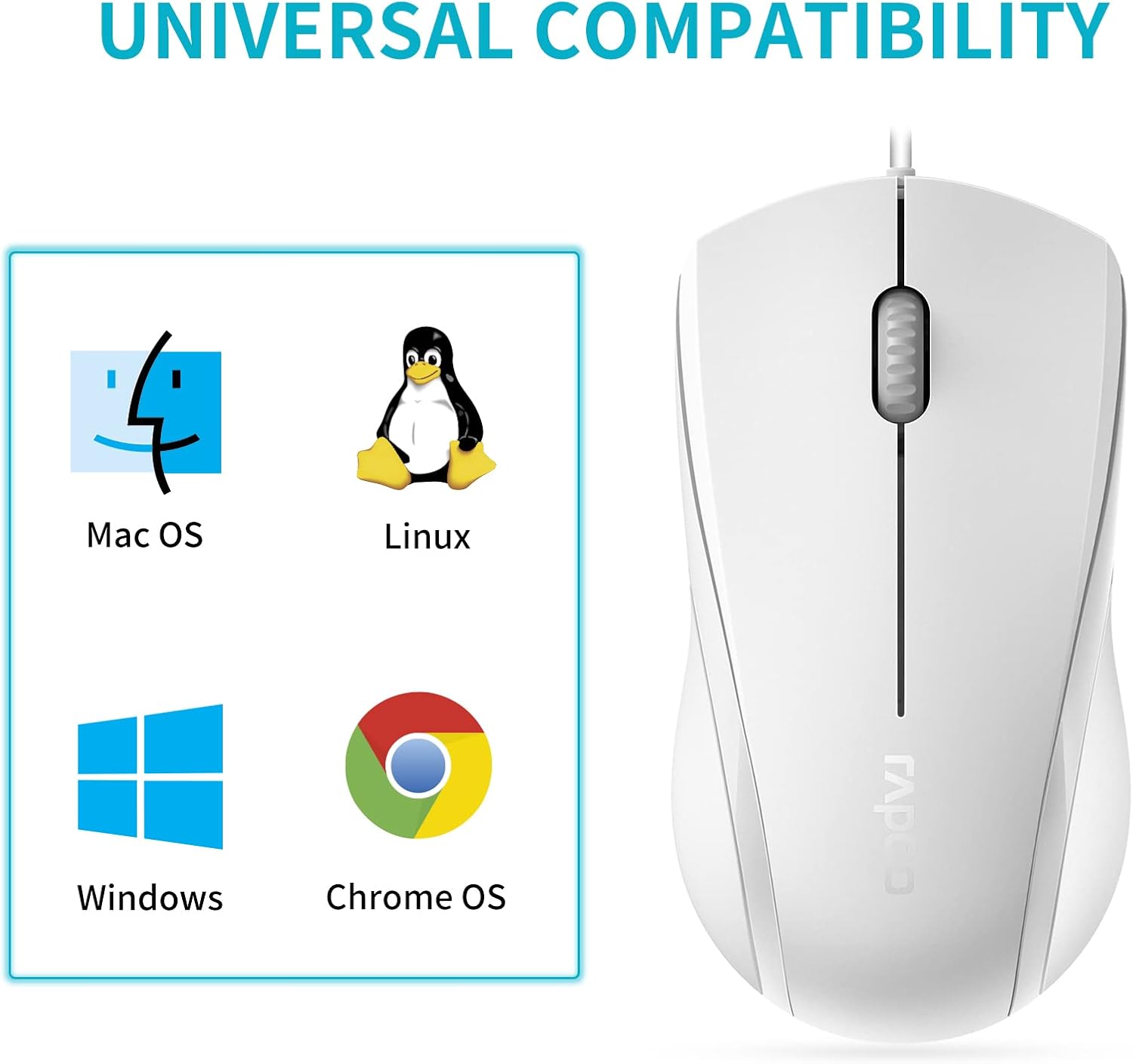
Image: A graphic illustrating the universal compatibility of the Rapoo N1600 mouse with Mac OS, Linux, Windows, and Chrome OS.
Гарантія та підтримка
Rapoo is committed to providing quality products and customer satisfaction. The Rapoo N1600 mouse comes with a standard warranty, details of which can be found on the official Rapoo webсайту або звернувшись у службу підтримки клієнтів.
For any inquiries, technical assistance, or warranty claims, please contact Rapoo customer support. Rapoo offers 7/24 customer support to assist you with your product needs.
Для отримання додаткової інформації відвідайте Rapoo Official Store.


