1. Вступ
Thank you for choosing the ASAKUKI Smart Wi-Fi Essential Oil Diffuser. This device combines aromatherapy with smart technology, allowing you to control it via a mobile application or voice commands. It is designed to humidify and purify the air, creating a relaxing atmosphere in your home or office.
This manual provides detailed instructions for the safe and efficient use of your diffuser. Please read it thoroughly before operation and retain it for future reference.

Image: The ASAKUKI Smart Wi-Fi Essential Oil Diffuser is versatile for various environments, including nurseries, family rooms, bedrooms, yoga studios, and workspaces.
2. Заходи безпеки
Для забезпечення безпечної роботи та запобігання пошкодженням, будь ласка, дотримуйтесь наступного:
- Always place the diffuser on a flat, stable surface.
- Do not exceed the maximum water fill line (500ml).
- Use only clean tap water or distilled water. Avoid using hot water.
- Add essential oils carefully to avoid spilling on the exterior of the unit.
- Тримайте дифузор у недоступному для дітей та домашніх тварин місці.
- Do not cover the mist outlet during operation.
- Unplug the device from the power outlet before cleaning or refilling.
- Не занурюйте пристрій у воду або інші рідини.
- If the unit is damaged, do not attempt to repair it yourself. Contact customer support.
- The diffuser features an automatic shut-off when water runs out, but it is recommended to monitor water levels.
3. Вміст упаковки
Перевірте наявність усіх предметів у вашій упаковці:
- ASAKUKI Smart Wi-Fi Essential Oil Diffuser (Model DF010)
- Адаптер живлення
- Посібник користувача
- Measuring Cup (may be included)
4. Продукт закінчивсяview
Familiarize yourself with the main components of your diffuser:

Image: The ASAKUKI Smart Wi-Fi Essential Oil Diffuser, showing its sleek design and the accompanying mobile app for control.
- Кришка: Top cover of the diffuser.
- Вихід туману: Де випускається туман.
- Бак для води: Holds up to 500ml of water.
- Максимальна водопровідна лінія: Вказує максимальний рівень заповнення.
- Ultrasonic Plate: Розташований внизу резервуара для води, відповідає за утворення туману.
- Вихід повітря: Located on the base.
- Drain Side: Indicated for proper water drainage.
- Світлова кнопка: Керує функціями світлодіодного освітлення.
- Mist/Wi-Fi Button: Controls mist output and initiates Wi-Fi pairing.
- Джек живлення: Для підключення адаптера живлення.
5. Інструкції з налаштування
Для початкового налаштування виконайте такі дії:
- Розмістіть дифузор: Position the diffuser on a flat, stable, and water-resistant surface.
- Зніміть кришку: Gently lift the top lid off the diffuser.
- Додати воду: Using a measuring cup, fill the water tank with clean tap water or distilled water up to the maximum water line (500ml). Do not overfill.
- Додайте ефірні масла: Add 3-5 drops of your preferred essential oil directly into the water tank. Adjust the amount based on personal preference and room size.
- Замініть кришку: Securely place the lid back onto the diffuser.
- Підключіть живлення: Plug the power adapter into the power jack at the base of the diffuser, then plug the adapter into a wall outlet.
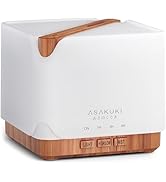
Image: Simple setup guide illustrating connecting power, app pairing, and wireless control.
6. Інструкція з експлуатації
6.1 Ручне керування
- Контроль туману: Натисніть Mist/Wi-Fi button once for continuous mist. Press again for intermittent mist (30 seconds on, 30 seconds off). Press a third time to turn off the mist.
- Контроль світла: Натисніть світло button once to turn on the LED light with automatic color cycling. Press again to fix the light to a specific color. Continue pressing to cycle through colors. Press and hold the Light button to turn off the light.
6.2 Smart Wi-Fi and App Control
The diffuser can be controlled remotely using the TuyaSmart app.
- Завантажте додаток: шукати "TuyaSmart" in your smartphone's app store (iOS or Android) and download it.
- Реєстрація/Увійти: Відкрийте застосунок і зареєструйте новий обліковий запис або увійдіть, якщо у вас вже є обліковий запис.
- Увійдіть у режим сполучення: With the diffuser plugged in, press and hold the Mist/Wi-Fi button for 5 seconds until the indicator light flashes rapidly. This indicates the diffuser is in pairing mode.
- Додати пристрій: In the TuyaSmart app, tap "Add Device" or the "+" icon. Select "Small Home Appliance" > "Diffuser" (Wi-Fi).
- Підключіться до Wi-Fi: Follow the in-app instructions to connect the diffuser to your 2.4GHz Wi-Fi network. Ensure your phone is also connected to the same 2.4GHz network during setup.
- КОНТРОЛЬ: Once successfully paired, you can control the mist, light, set timers, and create schedules directly from the TuyaSmart app.

Image: The mobile app allows for convenient control of the diffuser's functions.
6.3 Голосове керування за допомогою Alexa
The diffuser is compatible with Amazon Alexa for voice control.
- Увімкнути навик: In the Alexa app, search for and enable the "TuyaSmart" skill.
- Зв'язати обліковий запис: Link your TuyaSmart account to your Alexa account.
- Відкрийте для себе пристрої: Ask Alexa to "Discover devices" or manually discover them in the Alexa app.
- Голосові команди: Once discovered, you can use commands such as:
- "Alexa, turn on the diffuser."
- "Alexa, turn off the diffuser."
- "Alexa, set the diffuser to red."
- "Alexa, set diffuser brightness to 50%."

Image: Voice control with Alexa allows hands-free operation of the diffuser.
7. Технічне обслуговування
Регулярне очищення допомагає підтримувати оптимальну продуктивність та подовжує термін служби вашого дифузора.
7.1 Очищення
Clean the diffuser after every 5-6 uses or every 3-5 days, especially when changing essential oils.
- Відключити: Disconnect the diffuser from the power outlet.
- Пуста вода: Remove the lid and carefully pour out any remaining water from the drain side of the water tank.
- Wipe Clean: Use a soft cloth or cotton swab with a small amount of mild dish soap to gently wipe the inside of the water tank and the ultrasonic plate.
- Полоскання: Промийте резервуар для води чистою водою, намагаючись не допустити потрапляння води у вихідний отвір для повітря.
- Сухий: Wipe all parts dry with a clean, soft cloth.
- Deep Clean (Optional): For stubborn residue, add a small amount of white vinegar to the water tank and let it sit for 10-15 minutes before wiping and rinsing.
7.2 Зберігання
When not in use for an extended period, ensure the diffuser is clean and completely dry. Store it in a cool, dry place away from direct sunlight.
8. Вирішення проблем
Якщо у вас виникли проблеми, зверніться до наступних поширених проблем та способів їх вирішення:
| проблема | Можлива причина | Рішення |
|---|---|---|
| Немає туману або низький рівень туману |
|
|
| Diffuser does not power on |
|
|
| Не вдається підключитися до Wi-Fi/додатку |
|
|
| Витік води |
|
|
9. Технічні характеристики
| Особливість | Деталь |
|---|---|
| Бренд | АСАКУКІ |
| Номер моделі | DF010 |
| Ємність | 500 мілілітрів |
| Розміри | 6 см (Д) x 6 см (Ш) x 7 см (В) |
| матеріал | Акрилонітрилбутадієнстирол (АБС), поліпропілен (ПП) |
| Джерело живлення | Провідний електричний |
| Wattage | 10 Вт |
| Зона покриття | До 323 квадратних футів |
| Особливості | App Control, Automatic Shut-Off, Multiple Light Settings, Multiple Mist Settings, Voice Control (Alexa) |
| Рівень шуму | Lower than 35 dB |
| Runtime (Full Capacity) | Up to 16 hours (on weak mist setting) |
10. Гарантія та підтримка
The ASAKUKI Smart Wi-Fi Essential Oil Diffuser comes with a 1-year technical support warrantyЦя гарантія поширюється на виробничі дефекти та проблеми, що виникають внаслідок нормального використання.
For technical assistance, troubleshooting, or warranty claims, please contact ASAKUKI customer support through the retailer where you purchased the product or visit the official ASAKUKI webсайт для контактної інформації.
Please have your model number (DF010) and proof of purchase ready when contacting support.


