Sharp PNB501 50-Inch Monitor User Manual
Model: PN-B501
вступ
Thank you for choosing the Sharp PNB501 50-inch monitor. This display is designed for high-quality visual performance, featuring a 1920x1080 resolution, a 5000:1 contrast ratio, and a built-in System-on-Chip (SoC) for enhanced functionality. This manual provides essential information for the proper installation, operation, and maintenance of your monitor. Please read it thoroughly before use and keep it for future reference.

Малюнок 1: Спереду view of the Sharp PNB501 50-inch monitor, showcasinйого елегантний дизайн.
Налаштування
Follow these steps to set up your Sharp PNB501 monitor. Ensure all components are present and undamaged before proceeding.
1. Розпакування та розміщення
- Carefully remove the monitor from its packaging. Retain all packaging materials for future transport or storage.
- Place the monitor on a stable, flat surface or mount it securely using a compatible VESA mount (sold separately). Ensure adequate ventilation around the display.
2. З’єднувальні кабелі
The PNB501 features various input ports for versatile connectivity.
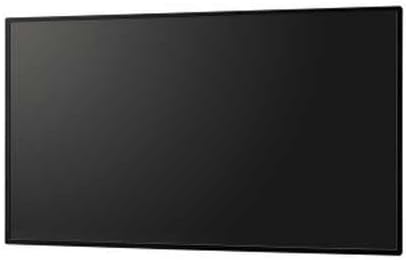
Малюнок 2: Задня частина view монітора, виділяючи різні вхідні та вихідні порти.
- Підключення живлення: Connect the power cord to the monitor's AC inlet and then to a grounded electrical outlet.
- Відео вхід: Connect your video source (e.g., PC, media player) to the monitor using a DisplayPort cable (Display Port x 1 Mini) or other available video inputs.
- Аудіоз'єднання: If your video source does not transmit audio via the video cable, connect an audio cable from your source to the monitor's audio input.
- Підключення до мережі: For network features or SoC functionality, connect an Ethernet cable to the LAN port.
3. Початкове увімкнення
- Press the power button on the monitor or remote control.
- The monitor will display the Sharp logo and then search for an active input signal.
- If no signal is detected, ensure your source device is powered on and the correct input is selected on the monitor.
Інструкція з експлуатації
This section covers the basic operation of your Sharp PNB501 monitor.
1. Увімкнення/вимкнення живлення
- Щоб увімкнути монітор, натисніть потужність button on the monitor's control panel or the remote control.
- To turn off the monitor, press the потужність button again. The monitor will enter standby mode.
2. Вибір вхідних даних
Щоб переключатися між різними джерелами відео:
- Натисніть Введення or Джерело button on the remote control or monitor.
- Use the navigation buttons to select the desired input (e.g., DisplayPort, HDMI).
- Прес Введіть or OK щоб підтвердити свій вибір.
3. Навігація по меню
Access and adjust monitor settings using the On-Screen Display (OSD) menu:
- Натисніть Меню кнопку, щоб відкрити екранне меню.
- Використовуйте Вгору/Вниз or Ліворуч/Праворуч navigation buttons to browse through menu options (e.g., Picture, Audio, System).
- Прес Введіть or OK to select a sub-menu or adjust a setting.
- Use the navigation buttons to change values or select options.
- Прес Меню знову або Вихід щоб закрити екранне меню.
Технічне обслуговування
Proper maintenance ensures the longevity and optimal performance of your Sharp PNB501 monitor.
1. Очищення екрана
- Always turn off and unplug the monitor before cleaning.
- Злегка протріть м’якою тканиною без ворсу dampводою або спеціалізованим розчином для чищення екранів.
- Обережно протріть поверхню екрана. Уникайте надмірного тиску.
- Do not use abrasive cleaners, alcohol, benzene, or thinners, as these can damage the screen surface.
2. Очищення шафи
- Wipe the monitor cabinet with a soft, dry cloth.
- Для стійкого бруду використовуйте злегка протерту тканинуampened with a mild, non-abrasive detergent solution, then wipe dry.
3. Зберігання
- If storing the monitor for an extended period, place it in its original packaging to protect it from dust and physical damage.
- Зберігайте в прохолодному, сухому місці подалі від прямих сонячних променів і екстремальних температур.
Усунення несправностей
This section provides solutions to common issues you might encounter with your Sharp PNB501 monitor. If the problem persists, please contact customer support.
Немає живлення
- Переконайтеся, що шнур живлення надійно підключено як до монітора, так і до справної електричної розетки.
- Перевірте, чи розетка активна, підключивши інший пристрій.
- Press the power button firmly on the monitor or remote control.
Немає сигналу / Порожній екран
- Verify that the video cable (e.g., DisplayPort) is securely connected to both the monitor and the source device.
- Переконайтеся, що пристрій-джерело (наприклад, комп'ютер) увімкнено та виводить сигнал.
- Use the monitor's input selection feature to ensure the correct input source is chosen.
- Try connecting a different video source or cable to rule out a faulty component.
Погана якість зображення
- Check the resolution settings on your source device. Ensure it is set to the monitor's native resolution (1920x1080).
- Adjust picture settings (brightness, contrast, sharpness) via the OSD menu.
- Ensure the video cable is not damaged or excessively long.
Немає аудіо
- Increase the volume on the monitor and the source device.
- Check if the audio cable is properly connected (if not using audio over DisplayPort).
- Ensure the audio output on your source device is not muted or set to an incorrect output.
Технічні характеристики
Detailed technical specifications for the Sharp PNB501 monitor:
| Особливість | Специфікація |
|---|---|
| Бренд | Гострий |
| Номер моделі | PN-B501 |
| Розмір екрана | 49.5 дюймів |
| Роздільна здатність екрана | 1920x1080 (FHD 1080p) |
| Співвідношення сторін | 16:9 |
| Опис поверхні екрана | Глянцевий |
| Вага товару | 49 фунта |
| Розміри продукту (ДxШxВ) | 44.21 x 2.76 x 25.47 дюймів |
| Кількість процесорів | 4 (Built-in SoC) |
| Виробник | КОРПОРАЦІЯ СТРОКОЇ ЕЛЕКТРОНИКИ |
| Дата першої доступності | 2 березня 2018 р |
Гарантія та підтримка
Sharp stands behind the quality of its products. For specific warranty terms and conditions, please refer to the warranty card included with your product or visit the official Sharp website. General support information is provided below.
Підтримка клієнтів
If you require technical assistance, have questions about your product, or need to arrange for service, please contact Sharp customer support. You can often find contact information on the official Sharp webсайті або через продавця, у якого ви придбали товар.
For additional resources and product information, you may visit the official Sharp store page:
Відвідайте магазин Sharp на Amazon
Please note that return policies, such as the 30-day easy returns, are typically handled by the retailer.


