1. Вступ
Thank you for choosing the Saitake BT 7002 Smartphone Joystick. This device is designed to enhance your mobile gaming experience by providing precise control and comfortable ergonomics. It connects wirelessly via Bluetooth to your Android smartphone or tablet, offering a seamless gaming experience.
2. Налаштування та підключення
2.1 First-Time Connection
- Ensure the joystick is powered off.
- Натисніть і утримуйте ДІМ button for 5 seconds until the gamepad indicator light begins to flash rapidly (approximately 4 flashes per second). This indicates pairing mode.
- On your Android device, activate Bluetooth and search for available devices.
- Select the gamepad when it appears in your device list to connect.
2.2 Подальші підключення
- Ensure the joystick is powered off.
- Натисніть і утримуйте ДІМ button for 3 seconds until the gamepad indicator light flashes slowly (approximately 2 flashes per second).
- The device will automatically connect to the last paired Android device.

Примітка: The Saitake BT 7002 requires Bluetooth 2.0 or higher on your Android device. It does not require a driver for installation when connecting and playing. This controller is designed exclusively for Android devices and is not compatible with iOS or PC systems.
3. Режими роботи
The Saitake BT 7002 features different operating modes to optimize compatibility with various applications:
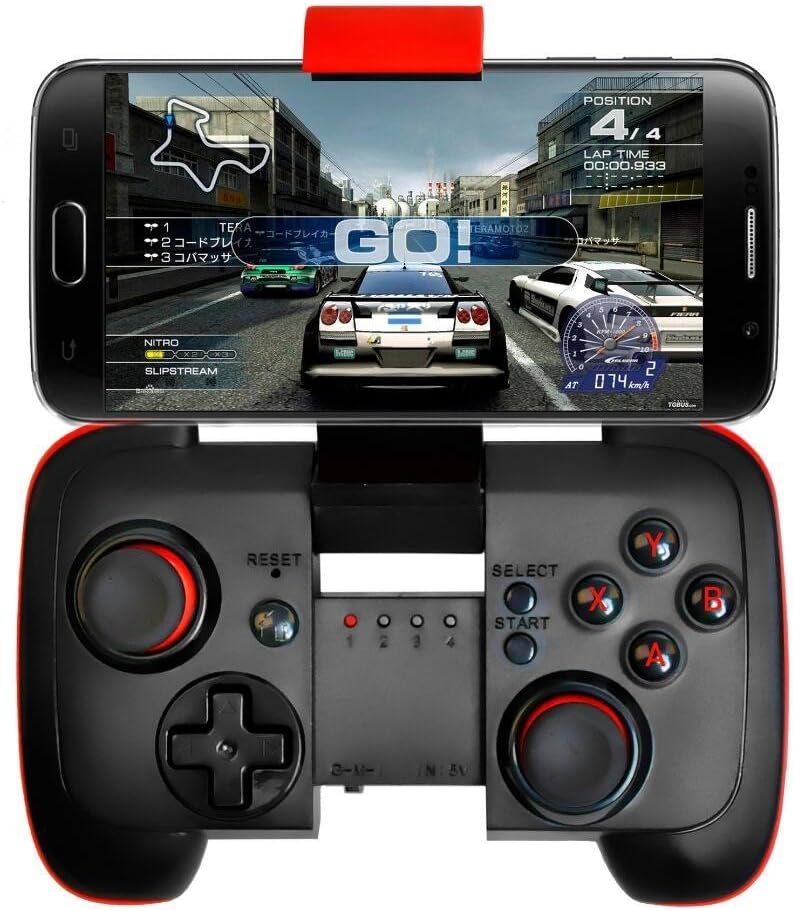
- Режим G: Designed for general Android gaming.
- Режим M: Optimized for Multimedia control.
- I Mode: Intended for specific iOS compatibility (though general product description states no iOS support, this mode might be for specific, limited scenarios or older models. For best results, use with Android as specified).
The controller supports wireless transmission via Bluetooth 2.1, allowing for an operating range of 6-8 meters.
3.1 Автоматичне вимкнення
To conserve battery life, the controller will automatically power off if it is not used for 5 minutes.
4. Ключові характеристики
- Портативний дизайн: Pocket-sized for easy transport during travel.
- Вбудована батарея: Features a 300mA built-in lithium battery, providing approximately 5-8 hours of continuous play.
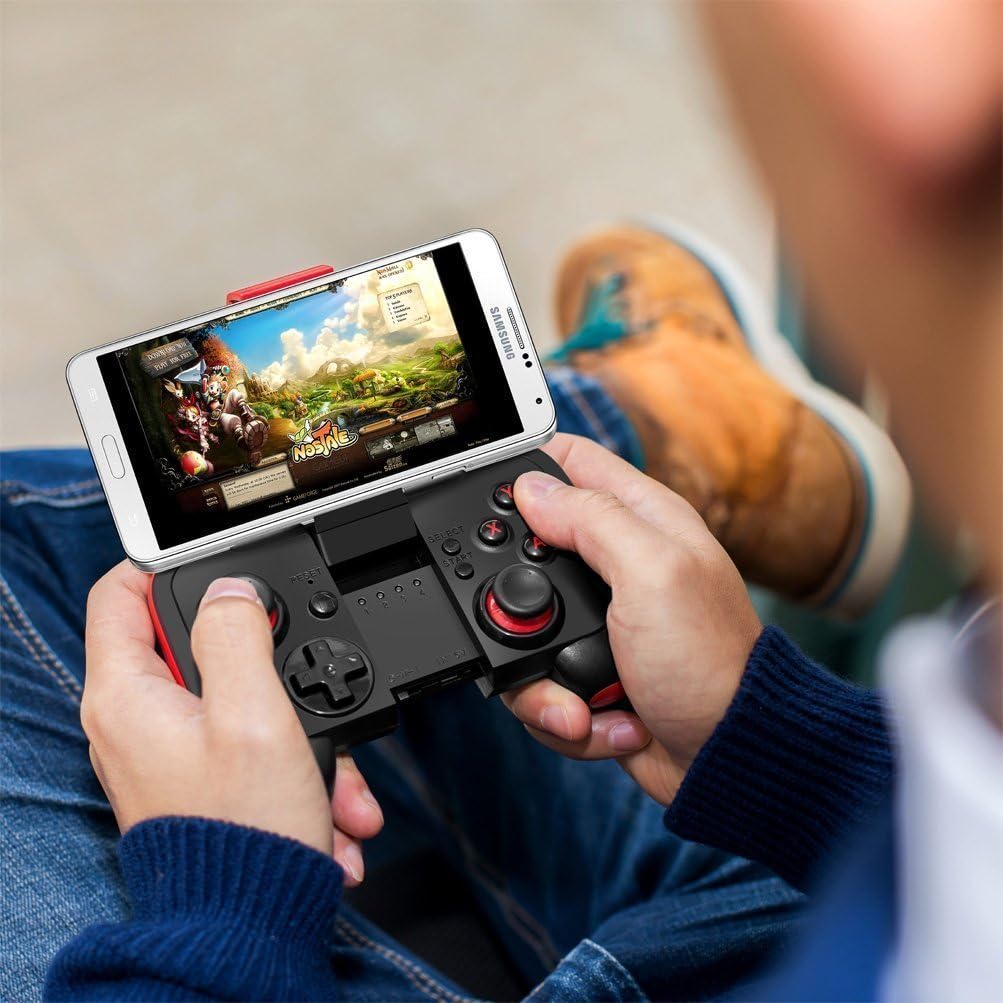
- Adjustable Phone Mount: Accommodates smartphones up to 3.0 inches (7.5 cm) wide, supporting phones with screens smaller than 5.9 inches (15 cm).
- Широка сумісність: Connects wirelessly to any Android mobile phone, tablet, or VR headset running Android 3.2 or above with Bluetooth 2.0 or higher.
- Driver-Free: No additional drivers are needed for installation.
- Бездротовий діапазон: Offers a wireless transmission range of 6-8 meters.
5. Технічне обслуговування
5.1 Заряджання батареї
When the battery is low, the indicator light may flash or the controller may stop responding. Connect the joystick to a USB power source using a compatible charging cable (not specified if included, typically micro-USB). The indicator light will show charging status and turn off when fully charged.
5.2 Очищення та зберігання
- Wipe the controller with a soft, dry cloth. Do not use harsh chemicals or abrasive cleaners.
- Avoid exposing the controller to extreme temperatures, direct sunlight, or high humidity.
- Зберігайте контролер у прохолодному сухому місці, коли він не використовується.
6. Вирішення проблем
6.1 Controller Not Turning On or Responding
- Ensure the battery is charged. Connect the controller to a power source and allow it to charge for at least 30 minutes before attempting to power it on again.
- If the controller still does not respond, try pressing the СКИДАННЯ button (usually a small pinhole button, refer to diagram if available on product).
6.2 Проблеми з підключенням
- Переконайтеся, що на вашому пристрої Android увімкнено Bluetooth.
- Ensure the controller is in pairing mode (rapid flashing for first-time connection, slow flashing for subsequent connections).
- Забудьте про пристрій у налаштуваннях Bluetooth телефону та спробуйте знову підключитися.
- Ensure your Android device's operating system is Android 3.2 or above and has Bluetooth 2.0 or higher.
- Remember, this controller is not compatible with iOS or PC systems.
6.3 Games Not Recognizing Controller
- Verify that the game you are playing supports external game controllers. Not all mobile games have controller support.
- Check the game's settings for controller configuration options.
- Ensure the controller is in the correct operating mode (G Mode for most games).
7. Технічні характеристики
| Модель | BT 7002 |
| Підключення | Bluetooth 2.1 |
| Тип батареї | 1 Lithium Ion (Built-in 300mA) |
| Термін служби батареї | Approx. 5-8 hours (continuous play) |
| Робочий діапазон | 6-8 метри |
| Сумісна ширина телефону | До 3.0 дюймів (7.5 см) |
| Supported Phone Screen Size | Below 5.9 inches (15 cm) |
| Розміри упаковки | 16.6 х 13.4 х 7 см |
| вага | 125 г |
8. Інформація про гарантію
Будь ласка, зверніться до офіційного представника виробника website or the product packaging for detailed warranty information. Keep your purchase receipt as proof of purchase for any warranty claims.
9. Підтримка клієнтів
For technical assistance, troubleshooting, or product inquiries, please contact Saitake customer support through their official webсайт або контактну інформацію, надану на упаковці вашого продукту.


