1. Налаштування
1.1 Розпакування монітора
Обережно вийміть усі компоненти з упаковки. Переконайтеся, що всі перелічені нижче елементи присутні:
- BenQ EX3501R Monitor
- Підставка для монітора (основа та шия)
- Адаптер живлення
- Шнур живлення
- Кабель HDMI
- Кабель DisplayPort
- Кабель USB-C
- Посібник користувача (цей документ)
1.2 Збірка підставки
Виконайте такі дії, щоб прикріпити підставку до монітора:
- Покладіть монітор екраном вниз на м’яку чисту тканину, щоб запобігти подряпинам.
- Прикріпіть шийку підставки до задньої панелі монітора. Переконайтеся, що вона надійно зафіксувалася.
- Connect the stand base to the neck, tightening any screws as indicated in the quick start guide.

Малюнок 1: Спереду view of the BenQ EX3501R monitor with its stand.
1.3 З'єднувальні кабелі
Connect the necessary cables to the monitor and your computer. The monitor supports various input options:
- Потужність: Підключіть адаптер живлення до монітора, а потім до розетки.
- Відео вхід: Use either the HDMI, DisplayPort, or USB-C cable to connect your computer to the monitor.
- USB-C: The USB-C port supports video, data transfer, and power delivery, allowing for a single-cable connection with compatible devices.
- Порти USB 3.0: Utilize the integrated USB 3.0 ports for connecting peripherals.
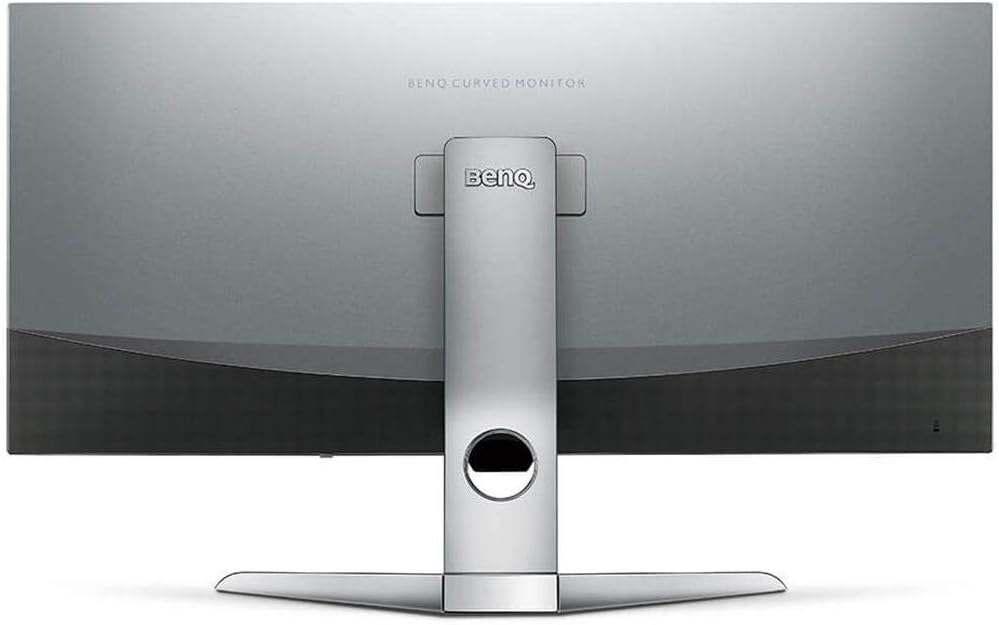
Малюнок 2: Задня частина view of the monitor displaying the connectivity ports.
2. Експлуатація монітора
2.1 Увімкнення/вимкнення живлення
Press the power button, usually located on the bottom right side of the monitor, to turn it on or off. The power indicator light will illuminate when the monitor is active.
2.2 Навігація по екранному меню (OSD)
Use the joystick or buttons located on the monitor's underside to navigate the On-Screen Display (OSD) menu. This menu allows you to adjust various settings such as brightness, contrast, color modes, and input sources.
2.3 Display Features and Eye-Care Technology
The BenQ EX3501R incorporates several technologies designed to enhance viewing experience and reduce eye strain:
- Інтелект яскравості плюс (BI+): This patented technology automatically senses ambient lighting conditions and adjusts the screen's brightness and color temperature to provide optimal viewing comfort and protect your eyes during extended use.
- Низьке синє світло: Filters out harmful blue light emissions to reduce eye fatigue. Multiple levels of blue light reduction are available.
- ZeroFlicker™: Eliminates screen flickering at all brightness levels, further reducing eye strain and discomfort.
- HDR (розширений динамічний діапазон): Offers enhanced brightness and contrast, bringing greater detail and vibrancy to HDR video content.
Відео 1: Оверview of BenQ's Eye-Care technology, including Low Blue Light, ZeroFlicker, and Brightness Intelligence Plus, demonstrating how these features work to reduce eye strain and adjust screen settings automatically based on ambient light.
2.4 Роздільна здатність та частота оновлення
The monitor features a QHD (3440x1440) resolution and a 100Hz refresh rate, providing a smooth and detailed visual experience. The 21:9 ultrawide aspect ratio offers ample screen space for multitasking, such as viewing multiple documents side-by-side without needing a second monitor.
2.5 AMD FreeSync
For a fluid gaming experience, the monitor supports AMD FreeSync technology, which synchronizes the monitor's refresh rate with your graphics card's frame rate to eliminate screen tearing and stuttering.
3. Технічне обслуговування
3.1 Очищення монітора
To maintain optimal performance and appearance, regularly clean your monitor:
- екран: Обережно протріть екран м’якою тканиною без ворсу. Для стійких плям використовуйте спеціальний розчин для чищення моніторів, нанесений на тканину, а не безпосередньо на екран.
- Зовні: Use a soft, dry cloth to wipe dust and debris from the monitor casinг і стояти.
Avoid using abrasive cleaners, waxes, or solvents as they can damage the monitor's surface.
3.2 Загальні поради щодо догляду
- Do not block ventilation openings on the monitor.
- Уникайте розміщення монітора під прямими сонячними променями або поблизу джерел тепла.
- Поводьтеся з монітором обережно, щоб запобігти фізичному пошкодженню.
4. Вирішення проблем
If you encounter issues with your BenQ EX3501R monitor, refer to the following common troubleshooting steps:
4.1 Немає зображення або чорний екран
- Переконайтеся, що кабель живлення надійно підключено як до монітора, так і до розетки.
- Verify that the video cable (HDMI, DisplayPort, or USB-C) is firmly connected to both the monitor and your computer.
- Перевірте, чи в екранному меню монітора вибрано правильне джерело вхідного сигналу.
- Перезавантажте комп'ютер.
4.2 Flickering or Unstable Image
- Ensure the ZeroFlicker™ feature is enabled in the OSD menu.
- Перевірте наявність нещільних з'єднань відеокабелю.
- Оновіть драйвери відеокарти до останньої версії.
- If using AMD FreeSync, ensure it is properly configured in your graphics card settings.
4.3 Color or Brightness Issues
- Налаштуйте яскравість, контрастність та колір через екранне меню.
- Enable or disable Brightness Intelligence Plus (B.I.+) to see if it resolves the issue.
- Виконайте скидання до заводських налаштувань через екранне меню.
5. Технічні характеристики
Key technical specifications for the BenQ EX3501R monitor:
| Особливість | Специфікація |
|---|---|
| Розмір екрана | 35 дюймів |
| Максимальна роздільна здатність екрана | 3440 x 1440 Pixels (QHD Ultrawide) |
| Співвідношення сторін | 21:9 |
| Частота оновлення | 100 Гц |
| Кривизна | 1800R |
| Тип панелі | VA (вертикальне вирівнювання) |
| Підключення | USB-C, HDMI, DisplayPort |
| Особливості | AMD FreeSync, Brightness Intelligence Plus, Low Blue Light, ZeroFlicker |
| Вага товару | 21.3 фунта |
| Розміри продукту | 6.88 x 3.47 x 12.93 дюймів |
6. Гарантія та підтримка
6.1 Гарантія на виріб
The BenQ EX3501R monitor typically comes with a 3-year manufacturer's warranty. Please refer to the warranty card included in your product packaging for specific terms and conditions, or visit the official BenQ webдля отримання детальної інформації про гарантію.
6.2 Підтримка клієнтів
For further assistance, technical support, or warranty claims, please contact BenQ customer service. You can find contact information and support resources on the official BenQ webсайт: www.benq.com/en-us/support.html


