1. Вступ
This manual provides detailed instructions for the installation, operation, and maintenance of your MERCUSYS AC1200 Wireless Dual Band Router, model AC12. Please read this guide thoroughly to ensure proper setup and optimal performance of your device.
The MERCUSYS AC1200 Router offers high-speed Wi-Fi connectivity with dual-band support, designed to provide reliable internet access for your home or office network.
2. Вміст упаковки
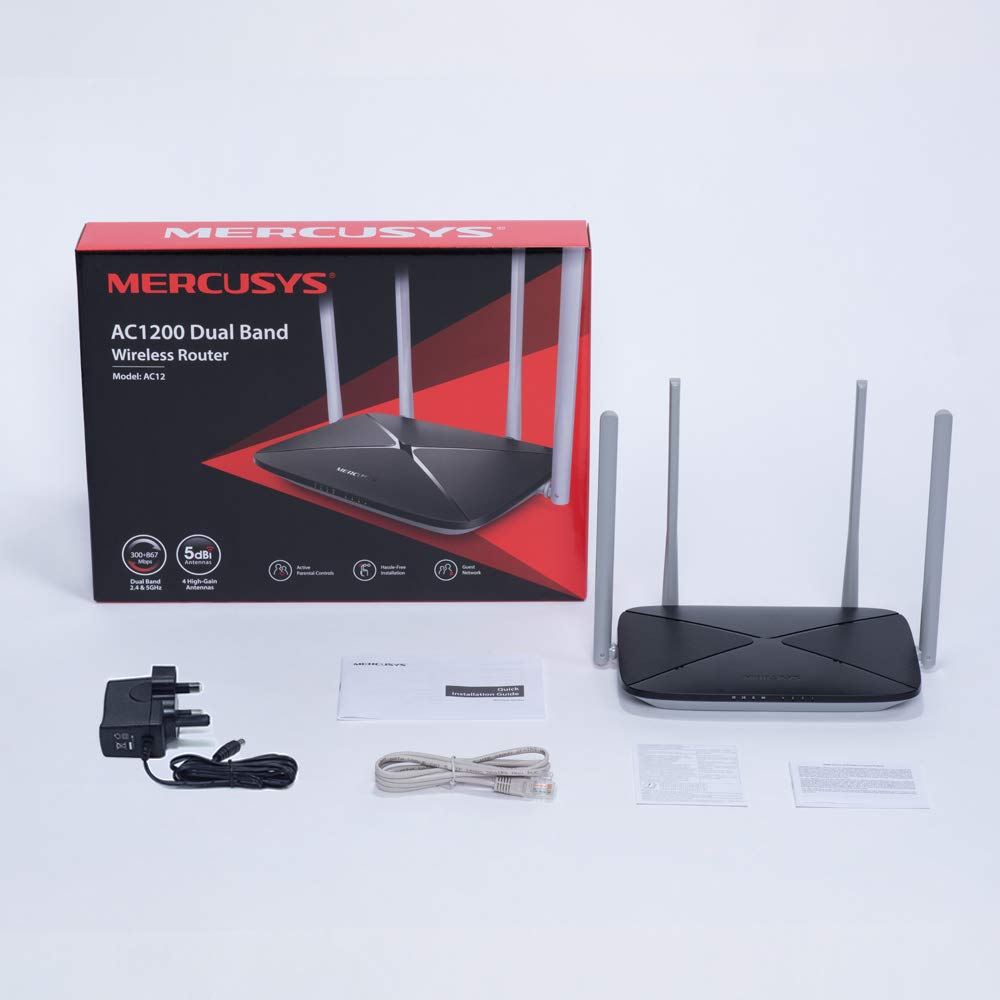
Перевірте наявність усіх елементів у вашій упаковці:
- MERCUSYS AC1200 Dual Band Wireless Router (AC12)
- Адаптер живлення
- Посібник зі швидкого встановлення
- Кабель Ethernet
3. Закінчилося обладнанняview
3.1 Передня панель
The front panel features LED indicators that provide status information about the router's operation, including power, internet connection, and Wi-Fi activity.

3.2 Задня панель
The rear panel contains all the physical ports and buttons necessary for connecting the router to your network and power source.
- WAN Port (Orange): Підключається до вашого модему або обладнання інтернет-провайдера (ISP).
- LAN Ports (Blue): Connects to wired devices such as computers, gaming consoles, or network printers. The AC12 model features 4 LAN ports.
- Споживана потужність: Підключається до наданого адаптера живлення.
- Кнопка скидання/WPS: Used to reset the router to factory settings or to initiate a Wi-Fi Protected Setup (WPS) connection.

3.3 Антени
The router is equipped with four external 5dBi omni-directional antennas, designed to enhance wireless coverage and signal strength.

4. Посібник із налаштування
Follow these steps to set up your MERCUSYS AC1200 Router:
- Підключити обладнання:
- Вимкніть модем.
- Connect the modem's Ethernet cable to the WAN port (orange) of the AC12 router.
- Connect your computer to one of the LAN ports (blue) on the router using an Ethernet cable, or connect wirelessly using the default Wi-Fi name (SSID) and password printed on the router's label.
- Power on your modem, then power on the AC12 router.
- Configure Router via Web Інтерфейс:
Відкрийте a web browser on your connected computer or device. The intuitive webpage guides you through the setup process in minutes.
- Крок 1: Create a unique login password for the router's management page.
- Крок 2: Choose your internet service type and enter any required information provided by your ISP.
- Крок 3: Set your wireless network name (SSID) and password for both 2.4 GHz and 5 GHz bands.

5. Інструкція з експлуатації
5.1 Dual Band Wi-Fi
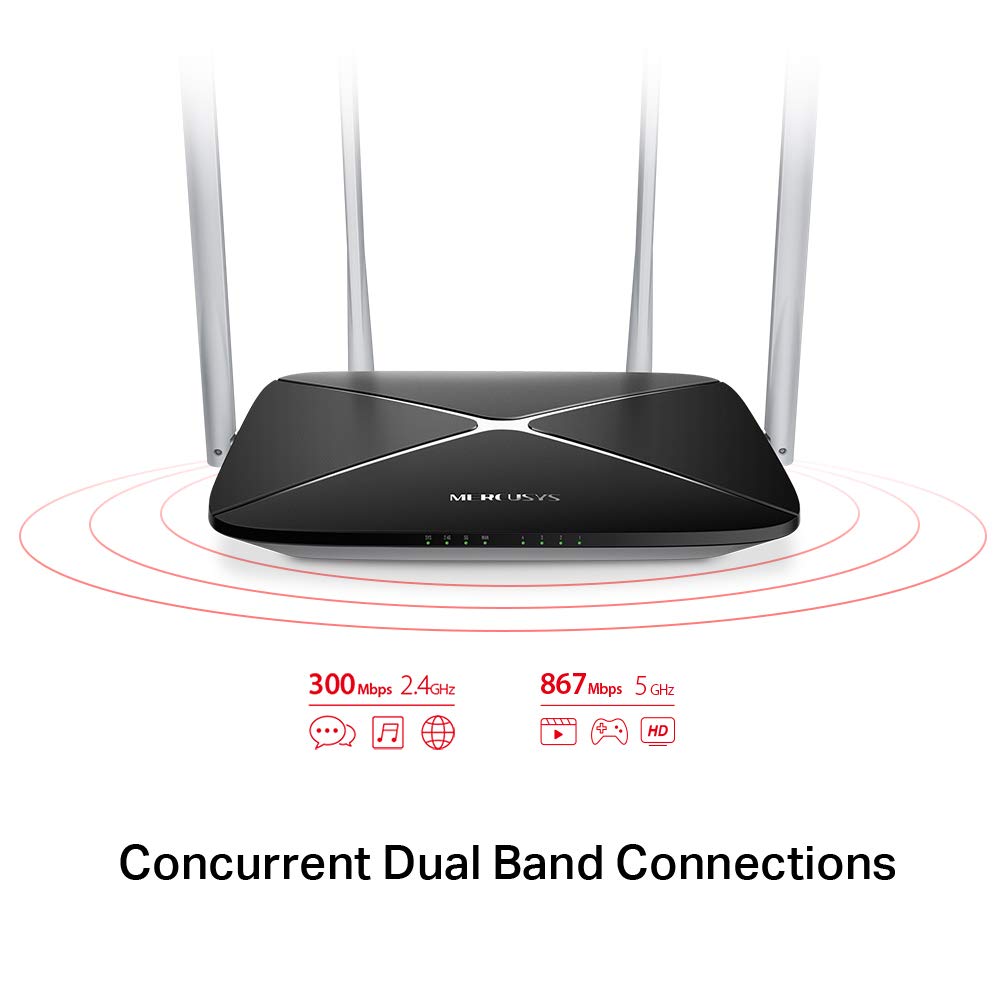
The AC1200 router operates on two distinct Wi-Fi bands:
- Діапазон 2.4 ГГц: Provides speeds of up to 300 Mbps, suitable for general internet use, web перегляду та електронної пошти.
- Діапазон 5 ГГц: Offers faster speeds of up to 867 Mbps, ideal for online gaming, HD video streaming, and other bandwidth-intensive applications.
5.2 Enhanced Wireless Coverage
The four external 5dBi omni-directional antennas are designed to provide extensive wireless coverage and strong signal intensity throughout your home or office, minimizing weak spots and dropped connections.

5.3 Гостьова мережа
The Guest Network feature allows you to provide secure Wi-Fi access to guests without sharing your main network password. This enhances security by isolating guest devices from your primary network resources.
5.4 Протокол безпеки
The router supports WPA-PSK / WPA2-PSK security protocols to protect your wireless network from unauthorized access.
6. Технічне обслуговування
- Оновлення прошивки: Регулярно перевіряйте офіційний webсайт для оновлень прошивки, щоб забезпечити оптимальну продуктивність і безпеку.
- Фізичне очищення: Тримайте маршрутизатор чистим і без пилу. Використовуйте м’яку суху тканину для очищення. Не використовуйте рідкі засоби для чищення.
- Розміщення: Place the router in a central location, away from obstructions and devices that may cause interference (e.g., microwaves, cordless phones).
- Перезапуск: Якщо у вас виникли проблеми з мережею, спробуйте перезавантажити маршрутизатор, від’єднавши адаптер живлення на 10 секунд, а потім знову підключивши його.
7. Вирішення проблем
- Без доступу до Інтернету:
- Перевірте, чи світиться світлодіод WAN-порту. Якщо ні, переконайтеся, що кабель Ethernet від вашого модему надійно підключено.
- Перевірте, чи ваш модем працює належним чином.
- Перезавантажте і модем, і маршрутизатор.
- Зверніться до свого інтернет-провайдера (ISP), якщо проблема не зникає.
- Слабкий сигнал Wi-Fi:
- Перемістіть роутер у більш центральне положення.
- Ensure antennas are positioned vertically.
- Minimize physical obstructions (walls, large furniture) between the router and your devices.
- Avoid placing the router near other electronic devices that may cause interference.
- Не вдається отримати доступ до маршрутизаторів Web Сторінка керування:
- Переконайтеся, що ваш пристрій підключено до маршрутизатора (дротовим або бездротовим способом).
- Перевірте, чи ви використовуєте правильну IP-адресу (наприклад,
192.168.1.1ormwlogin.net) у вашому web браузер. - Очистіть кеш браузера або спробуйте інший браузер.
- Забули пароль Wi-Fi або пароль для входу:
- You can reset the router to factory default settings by pressing and holding the Reset/WPS button on the rear panel for approximately 6-10 seconds until the LEDs flash. Note that this will erase all your custom settings.
8. Технічні характеристики
| Особливість | Деталь |
|---|---|
| Бренд | МЕРКУСИ |
| Назва моделі | AC12 |
| Бездротовий стандарт | 802.11ac |
| Клас діапазону частот | Дводіапазонний (2.4 ГГц та 5 ГГц) |
| Швидкість Wi-Fi 2.4 ГГц | До 300 Мбіт/с |
| Швидкість Wi-Fi 5 ГГц | До 867 Мбіт/с |
| антени | 4 всеспрямовані антени 5dBi |
| Порти Ethernet | 1 WAN, 4 LAN |
| Протокол безпеки | WPA-PSK / WPA2-PSK |
| Розміри продукту | 22.2 х 14 х 3.2 см |
| Вага товару | 260 г |
| томtage | 9 вольт |
| Сумісність операційної системи | Windows (for setup via web інтерфейс) |
9. Гарантія та підтримка
9.1 Інформація про гарантію
This MERCUSYS AC1200 Router comes with a Гарантія 3 рік. Please retain your purchase receipt for warranty claims. The warranty covers manufacturing defects under normal use conditions.
9.2 Технічна підтримка
For technical assistance, please visit the official MERCUSYS website or contact their customer support. Manufacturer: TP-Link Technologies Co.,Ltd.


