1. Вступ
The Zooz Z-Wave Plus Power Switch ZEN15 is a smart plug designed to provide Z-Wave control and energy monitoring for heavy-duty 110V appliances. This device allows integration of appliances such as AC units, sump pumps, and humidifiers into your Z-Wave smart home system, offering remote control and detailed energy usage reports. It also functions as a Z-Wave signal repeater to strengthen your network.

малюнок 1: The Zooz Z-Wave Plus Power Switch ZEN15. This image shows the compact, white circular main unit with a flexible cord extending to a standard three-prong plug on one end and a three-prong outlet on the other.
2. Важлива інформація з безпеки
- Цей пристрій призначений для використання тільки в приміщенні.
- Не піддавайте дощу або воді.
- Ensure the connected appliance's power requirements do not exceed the switch's maximum load capacity (15 Amps, 1800 Watts at 110V AC).
- Не намагайтеся розібрати чи модифікувати пристрій.
- Берегти від дітей.
- Always unplug the device from the power outlet before cleaning or when not in use for extended periods.
3. Вміст упаковки
The package for the Zooz Z-Wave Plus Power Switch ZEN15 typically includes:
- 1 x Zooz Z-Wave Plus Power Switch ZEN15
- 1 x Посібник користувача (цей документ)

малюнок 2: Packaging for the Zooz ZEN15 Power Switch. The image displays the product box, which is black with green accents, showing the power switch coiled inside.
4. Продукт закінчивсяview
The ZEN15 Power Switch features a robust design for reliable operation. Key components include:
- Основний блок: Houses the Z-Wave chip and control electronics.
- Шнур живлення: Extra-thick flexible cord for durability.
- Кутова вилка: A 45-degree angled plug design allows two smart switches to fit into a single duplex receptacle.
- Controlled Outlet: The receptacle where your appliance plugs in.
- Світлодіодний індикатор: Надає зворотний зв'язок про стан.

малюнок 3: Вибухнув view of the Zooz ZEN15 Power Switch. This image highlights internal components such as the 800 Series Z-Wave chip, strong relay, solid enclosure, and extra-thick flexible cord, emphasizing its robust hardware.
5. Налаштування та встановлення
5.1 Контрольний список перед встановленням
- A Z-Wave certified hub is required for smart control (sold separately).
- Ensure the installation location is indoors and within the operating temperature range of 14°F to 104°F (-10°C to 40°C).
- Verify the appliance to be controlled is 110V AC and does not exceed 15 Ampс або 1800 Вт.
5.2 Фізичне встановлення
- Plug the Zooz ZEN15 Power Switch into a standard 110V AC wall receptacle.
- Plug your appliance into the controlled outlet of the ZEN15 Power Switch.

малюнок 4: The 45-degree angled plug of the Zooz ZEN15. This design allows two ZEN15 switches to be plugged into a standard duplex wall outlet simultaneously without obstructing each other.
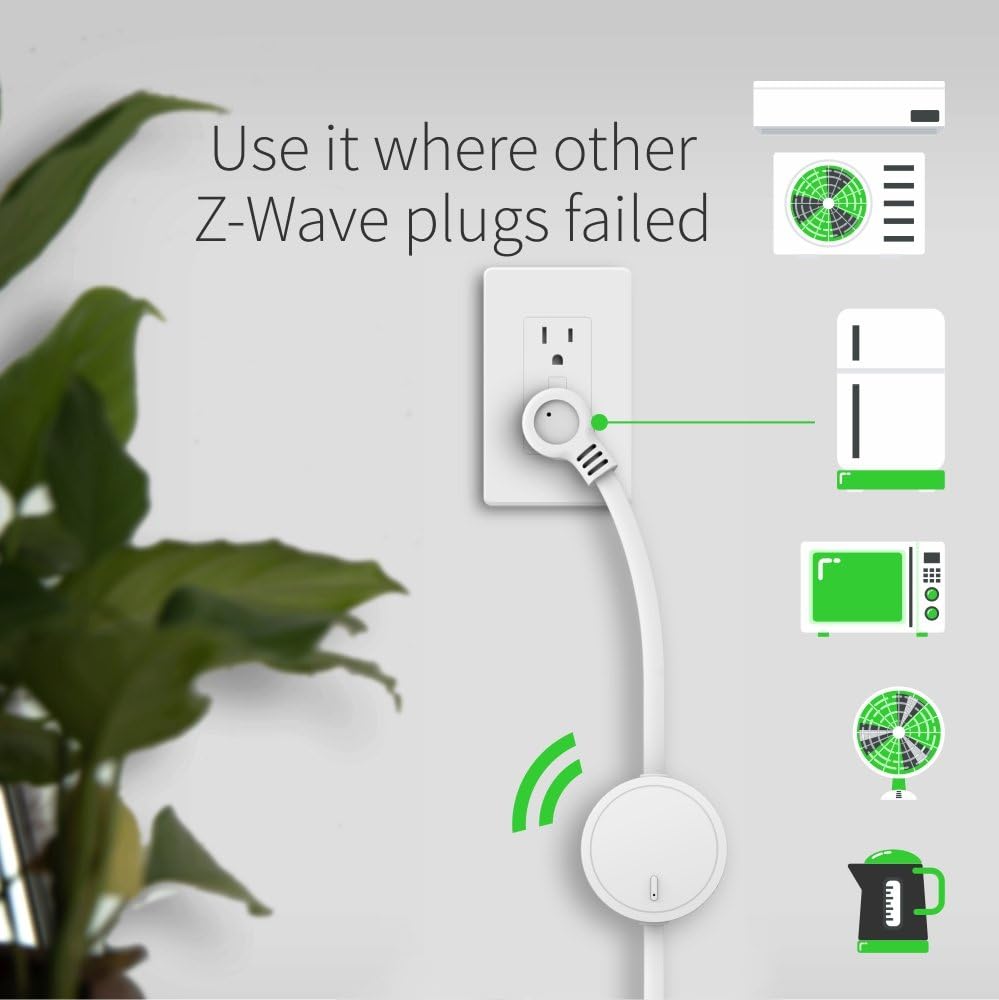
малюнок 5: The Zooz ZEN15 Power Switch in use, demonstrating its ability to control various heavy-duty appliances such as an AC unit, refrigerator, microwave, fan, and kettle, plugged into a wall outlet.
5.3 Підключення (сполучення) Z-Wave
Follow these steps to add the ZEN15 Power Switch to your Z-Wave network:
- Initiate the inclusion (pairing) mode on your Z-Wave hub. Refer to your hub's instruction manual for specific steps.
- Press the Z-Wave button on the ZEN15 Power Switch тричі швидкоСвітлодіодний індикатор блиматиме, підтверджуючи режим увімкнення.
- Your hub should detect and add the device. The LED on the ZEN15 will turn solid when successfully paired.
- If inclusion fails, try excluding the device first (see 5.4) and then repeat the inclusion process.
5.4 Z-Wave Exclusion (Removal)
To remove the ZEN15 Power Switch from your Z-Wave network:
- Initiate the exclusion (removal) mode on your Z-Wave hub. Refer to your hub's instruction manual for specific steps.
- Press the Z-Wave button on the ZEN15 Power Switch тричі швидко. The LED indicator will flash to confirm exclusion mode.
- Your hub should confirm the device has been removed. The LED on the ZEN15 will turn off.
6. Інструкція з експлуатації
6.1 Базове керування вмиканням/вимиканням
- Ручне управління: Press the Z-Wave button once to manually turn the connected appliance ON or OFF.
- Контроль Z-Wave: Use your Z-Wave hub's interface or associated voice assistant (if configured) to remotely turn the appliance ON or OFF.
6.2 Енергетичний моніторинг
The ZEN15 Power Switch can report real-time energy usage data (Watts, kWh, Amps, Volts) to your Z-Wave hub. This feature requires a Z-Wave hub that supports energy monitoring. Consult your hub's documentation for how to access and interpret this data.
Примітка: This device is not a power outage monitor. It reports current energy usage, not power loss events.

малюнок 6: Key Z-Wave features of the ZEN15 Power Switch. This graphic illustrates the device's capabilities including Z-Wave Plus Repeater functionality, a Z-Wave Range Test Tool, Secure Signal Encryption, and Energy Use Monitoring.
7. Розширені функції
- Z-Wave Plus and 800 Series Chip: Utilizes the latest Z-Wave technology for improved range, speed, and security.
- Z-Wave Long Range (LR) Ready: Compatible with Z-Wave Long Range networks for extended communication distances.
- Автентифікована безпека S2: Provides enhanced security for your Z-Wave network.
- Повторювач сигналу: Boosts your Z-Wave network by repeating signals from other devices.
- Range Test Tool: A built-in tool to help assess Z-Wave signal strength (consult your hub's documentation for activation).
- Харчуванняtage Відновлення: The switch can be configured to restore its last on/off state after a power failure.
- Сумісність: Works with certified Z-Wave hubs for basic on/off control. Advanced settings and energy monitoring are typically available with open systems like Z-Box Hub (recommended), SmartThings (custom driver may be required), Hubitat, Home Assistant, and HomeSeer.
8. Технічне обслуговування
- Протирайте пристрій м’якою сухою тканиною. Не використовуйте агресивні хімікати або абразивні засоби для чищення.
- Перед очищенням переконайтеся, що пристрій відключено від мережі.
- Regularly check for any signs of damage to the cord or housing. If damaged, discontinue use and contact support.
9. Вирішення проблем
9.1 Device Not Pairing with Z-Wave Hub
- Check Hub Mode: Ensure your Z-Wave hub is in inclusion (pairing) mode.
- Потрійне натискання: Confirm you are pressing the Z-Wave button on the ZEN15 three times quickly.
- Виключення перше: Try performing an exclusion (removal) process first, even if the device was never paired. This can reset the device.
- Відстань: Move the ZEN15 closer to your Z-Wave hub during the pairing process.
9.2 Прилад не відповідає
- Перевірте живлення: Ensure the ZEN15 is properly plugged into a live outlet and the appliance is securely plugged into the ZEN15.
- Ручний тест: Try pressing the Z-Wave button on the ZEN15 to manually toggle the appliance. If it works manually, the issue might be with your Z-Wave network or hub.
- Appliance Power: Verify the appliance itself is functional by plugging it directly into a wall outlet.
- Вантажопідйомність: Ensure the appliance's power draw does not exceed the ZEN15's maximum load (15A, 1800W).
9.3 Energy Monitoring Not Displaying Data
- Сумісність концентратора: Confirm your Z-Wave hub supports energy monitoring features.
- Custom Drivers: For some hubs (e.g., SmartThings), a custom device handler or driver may be required to access advanced features like energy monitoring. Refer to the Zooz Support Portal for details.
- Конфігурація пристрою: Check your hub's interface for any specific settings or parameters related to energy reporting for the ZEN15.
10. Технічні характеристики
| Номер моделі: | ZEN15 |
| Потужність: | 110V змінного струму, 60Hz |
| Максимальне навантаження: | 15 Ampс, 1800 Вт |
| Частота Z-хвилі: | 908.42 МГц (США) |
| Робоча температура: | Від 14°F до 104°F (від -10°C до 40°C) |
| Розміри: | Approximately 20 x 2.6 x 1.1 inches (cable length included) |
| вага: | 10.8 унції |
| Сертифікати: | Сертифікований ETL |
11. Гарантія та підтримка
For warranty information and technical support, please visit the official Zooz website or contact their customer service directly. The Zooz Support Portal often provides detailed guides, custom device drivers, and troubleshooting resources for their products.
Виробник: ЗООЗ


