1. Вступ
Thank you for choosing the Solight LED Desk Lamp WO46. This versatile lamp combines modern design with practical features, including a dimmable LED light, an integrated display showing time, date, alarm, and temperature. This manual provides essential information for the safe and efficient use of your new desk lamp.
2. Техніка безпеки
- Уважно прочитайте всі інструкції перед використанням та збережіть їх для подальшого використання.
- Переконайтеся, що блок живлення обtage matches the requirements specified on the product.
- Не піддавайте lamp до води або надмірної вологи.
- Уникайте розбирання або модифікації лampЗвертайтеся до кваліфікованого персоналу з будь-яким обслуговуванням.
- Тримайте lamp подалі від джерел тепла та прямих сонячних променів.
- Очистіть лamp лише м’якою сухою тканиною. Не використовуйте абразивні засоби для чищення або розчинники.
- Цей виріб призначений лише для використання в приміщенні.
3. Вміст упаковки
Будь ласка, перевірте упаковку на наявність наступних предметів:
- Світлодіодний стіл Solight Lamp WO46
- Кабель живлення
- Посібник користувача (цей документ)
4. Продукт закінчивсяview
The Solight LED Desk Lamp WO46 features a flexible arm, an integrated LED light panel, and a multi-functional display on its base. The base also houses the touch-sensitive controls.

Figure 1: Solight LED Desk Lamp WO46 in folded position, displaying time, date, and temperature on its integrated screen.

Figure 2: Solight LED Desk Lamp WO46 with its arm extended, highlighting the LED light panel and the functional display.
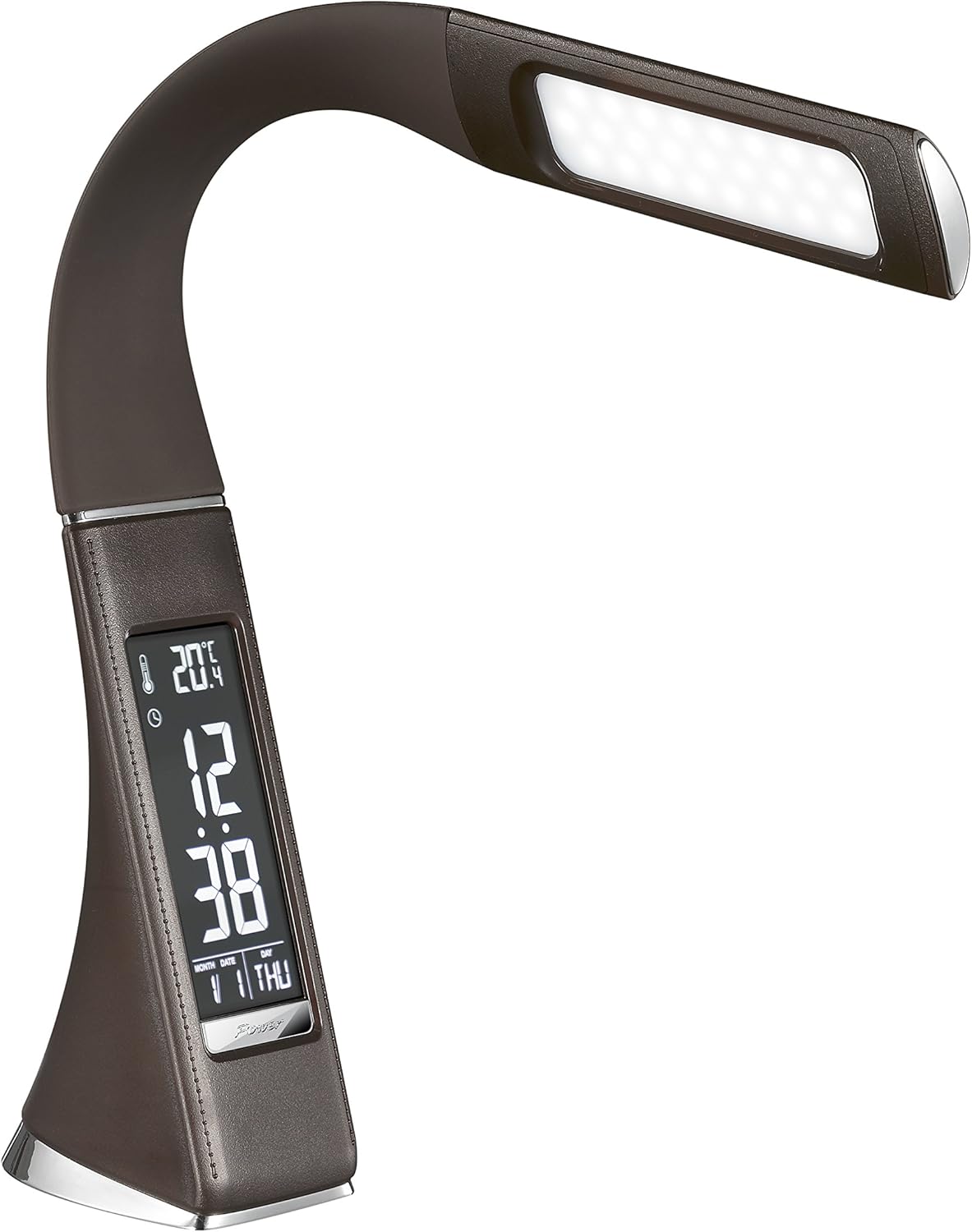
Рисунок 3: Кутовий view of the Solight LED Desk Lamp WO46, extended, emphasizing its sleek design and the display panel.
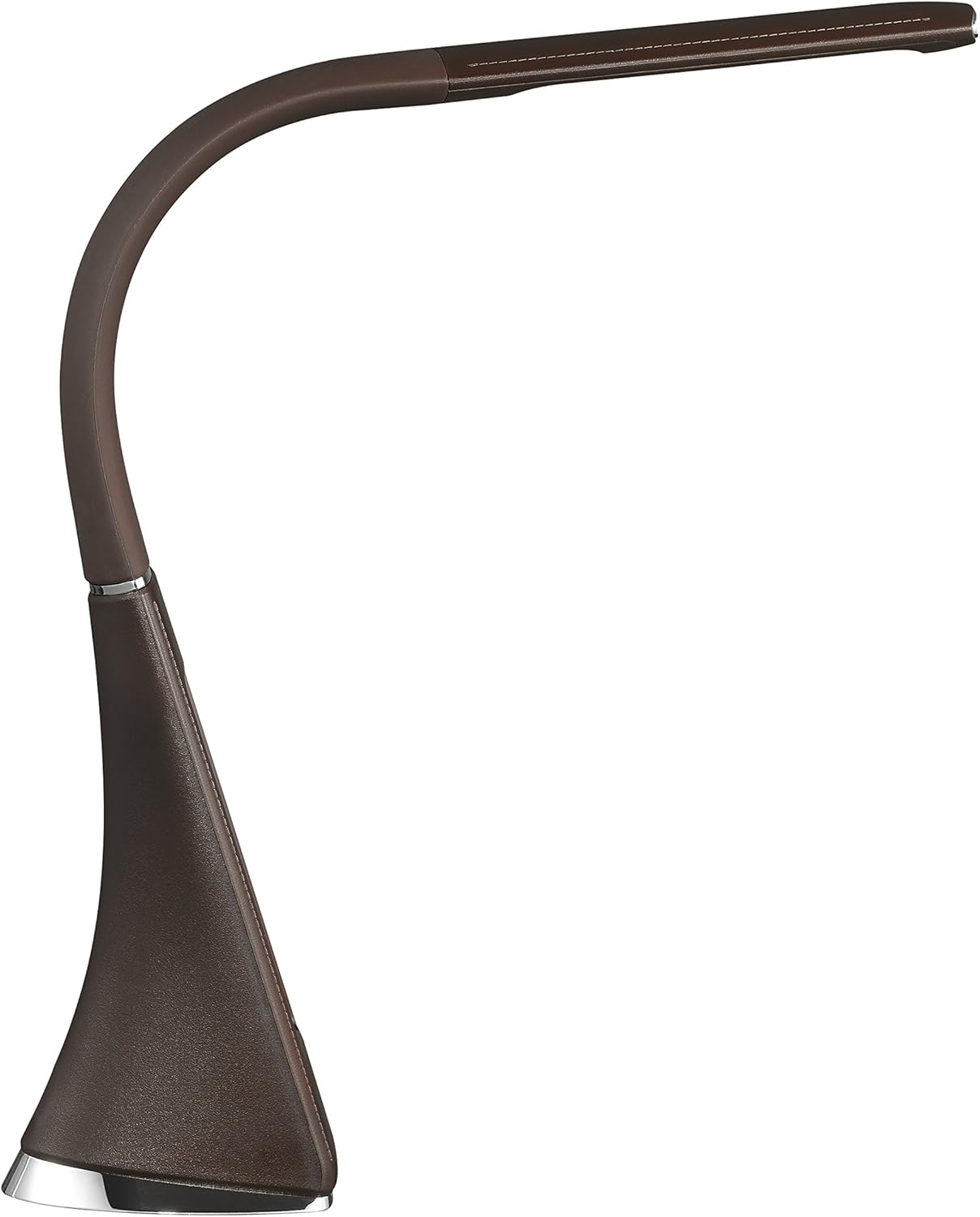
Рисунок 4: Бічний профіfile of the Solight LED Desk Lamp WO46, extended, illustrating the flexibility of its arm and the slim design of the light panel.

Малюнок 5: Задня частина view of the Solight LED Desk Lamp WO46, extended, indicating the power input port located at the back of the lampбаза.
5. Налаштування
- Розпакувати: Акуратно вийміть усі компоненти з упаковки.
- Розміщення: Розмістіть lamp on a stable, flat surface. The non-slip base ensures stability.
- Підключіть живлення: Insert the power cable into the DC input port at the back of the lamp's base, then plug the adapter into a standard electrical outlet.
- Налаштувати позицію: Gently adjust the flexible arm to your desired lighting angle.
6. Інструкція з експлуатації
6.1 Управління світлом
- Увімкнення/вимкнення живлення: Press the touch-sensitive power button on the base to turn the lamp увімкнути або вимкнути.
- Регулювання яскравості: З lamp on, press and hold the power button to cycle through the three available brightness levels. Release the button at your desired brightness.
6.2 Функції дисплея
The integrated display shows time, date, day of the week, temperature, and alarm status. Specific buttons on the base (e.g., 'Mode', 'Set', 'Up', 'Down' - refer to physical markings on your lamp if available) are used to navigate and set these functions.
- Налаштування часу та дати:
- Press the 'Mode' button until the time display flashes.
- Use the 'Up' and 'Down' buttons to adjust the hour, then press 'Set' to confirm and move to minutes.
- Повторіть для хвилин, року, місяця та дня.
- Press 'Mode' to exit setting mode.
- Встановлення будильника:
- Press the 'Mode' button repeatedly until the alarm icon appears and the alarm time flashes.
- Use 'Up' and 'Down' to set the alarm hour, then 'Set' to confirm and move to minutes.
- Press 'Mode' to activate/deactivate the alarm. An alarm icon will indicate if it's active.
- Індикація температури: Lamp automatically displays the ambient temperature. No user adjustment is typically required for this function.
7. Технічне обслуговування
- Прибирання: Від'єднайте lamp from the power supply before cleaning. Wipe the lamp's surface with a soft, dry, lint-free cloth. Do not use liquid cleaners or sprays.
- Зберігання: Якщо зберігати lamp протягом тривалого періоду, переконайтеся, що він чистий і сухий. Зберігайте його в прохолодному, сухому місці, захищеному від прямих сонячних променів.
8. Вирішення проблем
| проблема | Можлива причина | Рішення |
|---|---|---|
| Lamp не включається. | Немає джерела живлення. | Check if the power cable is securely connected to the lamp та електричну розетку. Переконайтеся, що розетка справна. |
| Display is blank or incorrect. | Power interruption or incorrect settings. | Ensure continuous power. Reset time and date settings as per Section 6.2. |
| Мерехтить світло. | Нестабільне живлення. | Спробуйте підключити lamp into a different electrical outlet. |
| Сигналізація не звучить. | Сигналізація не активована або налаштована неправильно. | Verify that the alarm is set and activated (alarm icon visible) as per Section 6.2. |
9. Технічні характеристики
| Особливість | Деталь |
|---|---|
| Номер моделі | WO46-H |
| Розміри (Д x Ш x В) | 5.5 х 9 х 50 см |
| вага | 599 г (1.32 фунта) |
| матеріал | PS (полістирол) |
| Тип обробки | Leather look |
| Тип джерела світла | LED |
| Кількість лампочок | 3 |
| Світловий потік | 300 лм |
| потужність | 1.5 Вт |
| томtage | 230 вольт |
| Середня тривалість життя | 30,000 години |
| Рейтинг IP | IP20 |
| Переключити стиль | Кнопка |
| Енергетичний ярлик | A+ |
10. Гарантія та підтримка
Solight products are designed and manufactured to the highest quality standards. For information regarding warranty coverage, technical support, or spare parts availability, please refer to the documentation provided with your purchase or visit the official Solight webсайт. Будь ласка, збережіть підтвердження покупки для будь-яких гарантійних претензій.


