1. Вступ
Welcome to the user manual for your Brother MFC-L8690CDW. This device is a high-performance color laser multifunction printer designed for efficient printing, scanning, and copying. It features an automatic document feeder, A4 paper compatibility, and duplex printing capabilities, making it suitable for various office and home office environments.
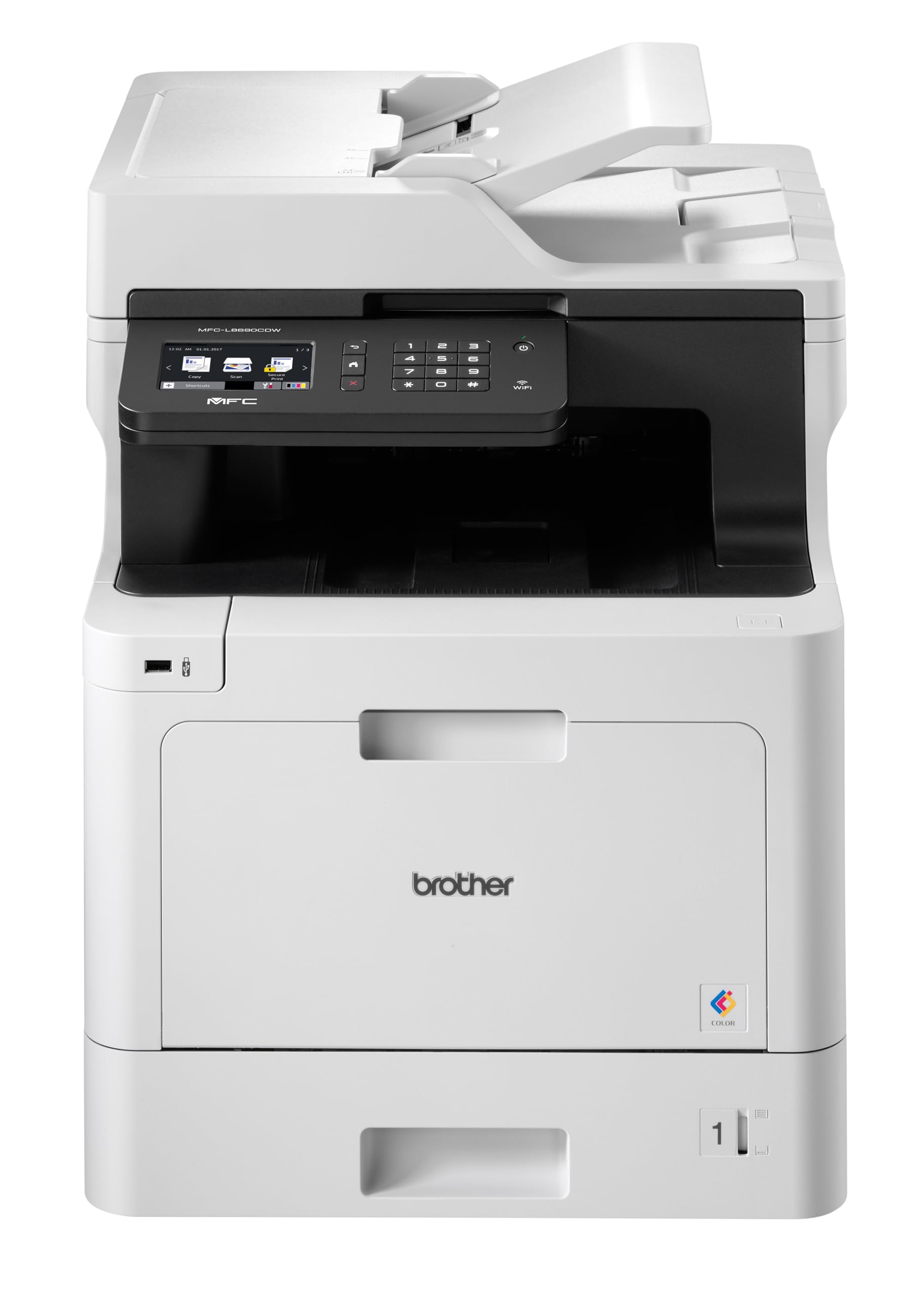
Фронт view of the Brother MFC-L8690CDW color multifunction printer, showcasinйого компактний дизайн та панель керування.
2. Налаштування
2.1 Розпакування та початкове розміщення
Carefully remove the printer from its packaging. Ensure all protective tapes and packing materials are removed from the exterior and interior of the device. Place the printer on a stable, level surface with adequate ventilation, away from direct sunlight or heat sources.
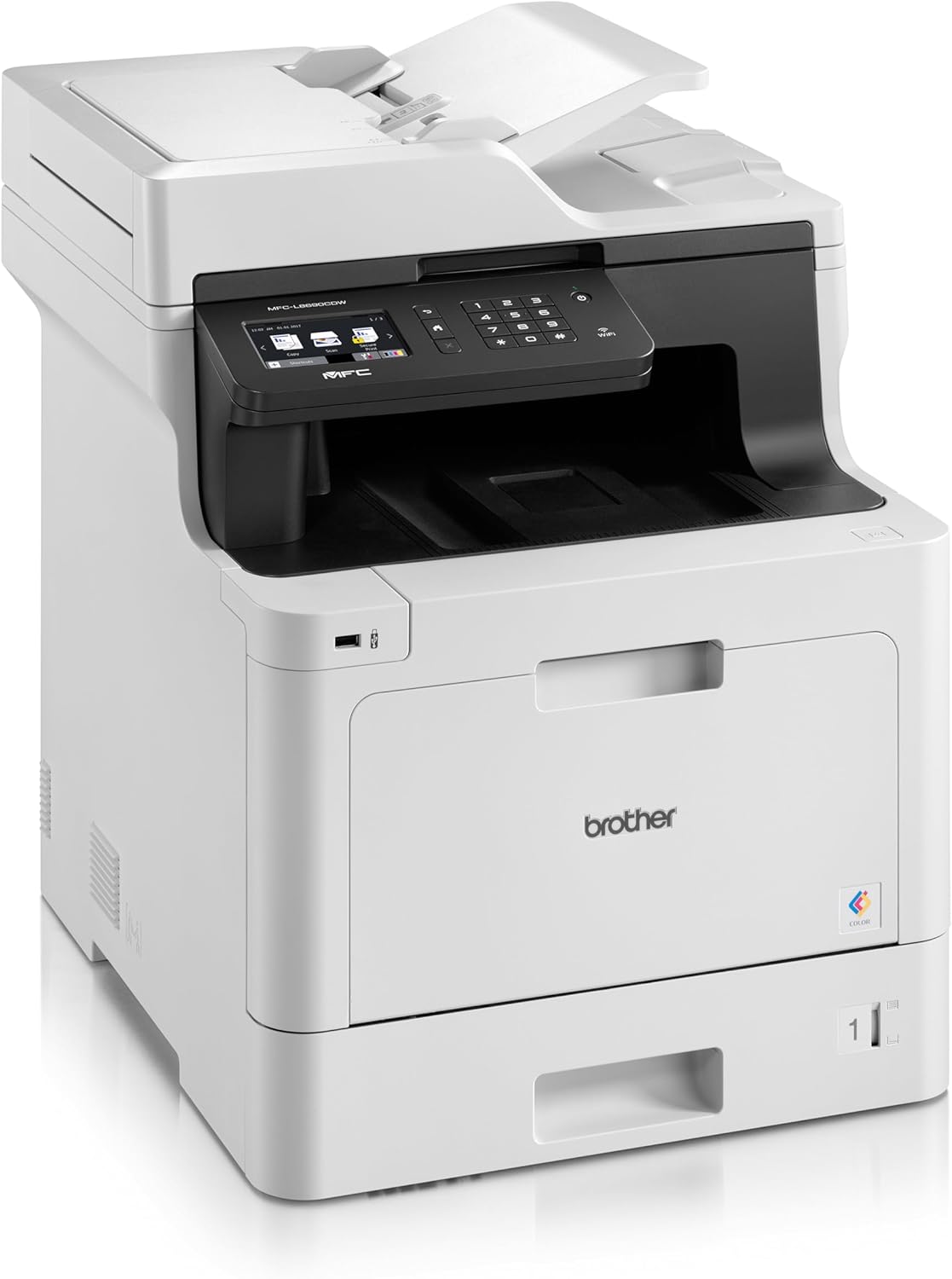
Фронт view of the Brother MFC-L8690CDW, showing the control panel and paper output tray.
2.2 Підключення живлення
Connect the power cord to the printer's power input and then to a grounded electrical outlet. Do not connect the printer to a power strip or surge protector during initial setup to avoid potential power issues.
2.3 Встановлення картриджа з тонером
Open the front cover of the printer. Install the included toner cartridges into their respective color-coded slots. Ensure each cartridge clicks into place. Close the cover securely.
2.4 Завантаження паперу
Open the main paper tray. Load standard A4 paper (or other supported sizes) into the tray, ensuring the print side is facing down. Adjust the paper guides to fit the paper size snugly without bending the paper.

сторона view of the Brother MFC-L8690CDW printer, illustrating the paper input tray.
2.5 Встановлення програмного забезпечення та драйверів
Insert the installation CD into your computer's CD-ROM drive or download the latest drivers and software from the official Brother support website. Follow the on-screen instructions to complete the installation for your operating system.
2.6 Мережеве підключення
The MFC-L8690CDW supports both wired (Ethernet) and wireless (Wi-Fi IEEE 802.11b/g/n) connections.
2.6.1 Дротове підключення
Підключіть кабель Ethernet від маршрутизатора або мережевого концентратора до порту Ethernet на задній панелі принтера.
2.6.2 Бездротове підключення
На панелі керування принтера перейдіть до Налаштування мережі, тоді WLAN. Select your Wi-Fi network from the list and enter the password when prompted.

Задня view of the Brother MFC-L8690CDW printer, highlighting the power input, Ethernet port, and USB port.
3. Інструкція з експлуатації
3.1 Базовий друк
From your computer, open the document you wish to print. Select Роздрукувати from the application's menu. Choose Brother MFC-L8690CDW as your printer. Adjust settings such as color/monochrome, duplex printing, and paper size as needed in the print dialog box. Click Роздрукувати to start the job.
3.2 Копіювання документів
Place your document face down on the scanner glass or face up in the Automatic Document Feeder (ADF). On the printer's control panel, select Копія. Adjust settings like number of copies, color/monochrome, and reduction/enlargement. Press старт щоб почати копіювання.
3.3 Сканування документів
Place your document on the scanner glass or in the ADF. On the printer's control panel, select Сканувати. Choose your desired scan destination (e.g., computer, email, network folder). Adjust scan settings like resolution and file format. Press старт to initiate the scan.
4. Технічне обслуговування
4.1 Очищення принтера
Regularly clean the exterior of the printer with a soft, lint-free cloth. For the scanner glass, use a mild glass cleaner applied to a cloth, not directly to the glass, to avoid streaks or damage.
4.2 Заміна тонер-картриджів
When a toner cartridge is low or empty, the printer's display will indicate which cartridge needs replacement. Open the front cover, remove the old cartridge, and insert a new Brother genuine toner cartridge. Ensure it is securely seated before closing the cover.
4.3 Усунення застрягання паперу
If a paper jam occurs, the printer display will show specific instructions and locations. Carefully open the indicated covers and gently pull out any jammed paper in the direction of the paper path. Avoid tearing the paper to prevent small pieces from remaining inside.
5. Вирішення проблем
5.1 Поширені проблеми та рішення
Принтер не відповідає: Check the power connection, USB/network cable, and ensure the printer is online. Restart both the printer and your computer.
Погана якість друку: Check toner levels. Perform a print quality test from the printer's menu. Clean the drum unit if necessary, following the instructions in the maintenance section.
Зминання паперу: Follow the on-screen instructions to locate and remove jammed paper. Ensure paper is loaded correctly, not creased, and within the specified weight limits.
Проблеми з підключенням до мережі: Verify your Wi-Fi password or Ethernet cable connection. Restart your router and printer. Ensure printer firmware is up to date by checking the Brother support webсайт.
6. Технічні характеристики
| Особливість | Специфікація |
|---|---|
| Розміри продукту | 10 Г x 48 Ш x 50 В сантиметрів |
| Тип контролера | Автоматичний |
| Максимальний розмір носія | A4 |
| Споживана потужність | 680 Вт |
| Включені компоненти | Brother Multifunction Laser MFC-L8690CDW Wifi Network |
| Тип друкованого носія | Папір (звичайний) |
| Тип сканера | Автоматичний пристрій подачі документів |
| Максимальна місткість аркушів | 100 аркушів |
| Максимальна швидкість копіювання (чорно-біла) | 32 сторінок за хвилину |
| Сумісні пристрої | Настільні комп'ютери |
| Максимальна роздільна здатність кольорового друку | 1200 x 1200 dpi |
| Розмір листа | 210 міліметра |
| Максимальна роздільна здатність чорно-білого друку | 1200 x 1200 dpi |
| Тип гарантії | Обмежена гарантія |
| Глибина кольору | 24 біт/пікс. |
| Двосторонній друк | так |
| Наявність запасних частин у ЄС | 2 років |
| Максимальна кількість копій на серію | 32 |
| потужність | 3600 (Unit not specified) |
| Тип продукту | Все в одному |
| Операційна система | Mac OS 10.15 Catalina (and compatible with other OS) |
| Зв'язки | Bluetooth, Ethernet, Mini USB |
| Пам'ять | 4 (Unit not specified) |
| Загальна кількість портів USB | 1 |
| Акумулятор | Потрібен 1 літій-іонний акумулятор |
| Гарантія оновлень програмного забезпечення до | 13 квітня 2030 р |
| Бренд | Брат |
| Технологія підключення | Bluetooth |
| Технологія друку | Лазерна |
| Колір | Багатобарвність |
| Назва моделі | MFC L 8690 CDW |
| Вихід на принтер | Колір |
| Максимальна швидкість друку (кольоровий) | 10 сторінок за хвилину |
| Максимальна швидкість друку (монохромний) | 10 сторінок за хвилину |
| Вага товару | 19 кілограма |
| ASIN | B072C463YX |
| Дата першої доступності | 8 квітня 2022 р |
| Виробник | БРАТ |
7. Гарантія та підтримка
7.1 Гарантія на виріб
This Brother MFC-L8690CDW printer comes with a limited warranty. Spare parts availability in the EU is guaranteed for 2 years from the date of purchase.
7.2 Оновлення програмного забезпечення
Software updates for this model are guaranteed until April 13, 2030, ensuring continued compatibility and security enhancements.
7.3 Підтримка клієнтів
Щоб отримати технічну допомогу, завантаження драйверів та додаткову підтримку, відвідайте official Brother support webсайт or contact your local Brother customer service center. Have your model number (MFCL8690CDW) and serial number ready when contacting support.


