1. Продукт закінчивсяview
The Fender Monterey Bluetooth Speaker delivers clear, powerful audio with a design inspired by classic Fender amplifiers. This speaker is engineered for high-fidelity sound reproduction, featuring 120 watts of power, two woofers, and two tweeters. It supports audio streaming via Bluetooth and direct connection through a 3.5mm auxiliary jack or RCA inputs.
Малюнок 1: Спереду view of the Fender Monterey Bluetooth Speaker, showcasing its classic amplifier-inspired grille and Fender logo.
2. Що в коробці
Перевірте, чи всі перелічені нижче предмети входять до вашої упаковки:
- Fender Monterey Bluetooth Speaker
- Допоміжний кабель 3.5 мм
- RCA кабель
- Кабель живлення
3. Посібник із налаштування
3.1 Підключення живлення
- Ensure the speaker's volume control is set to minimum before connecting power.
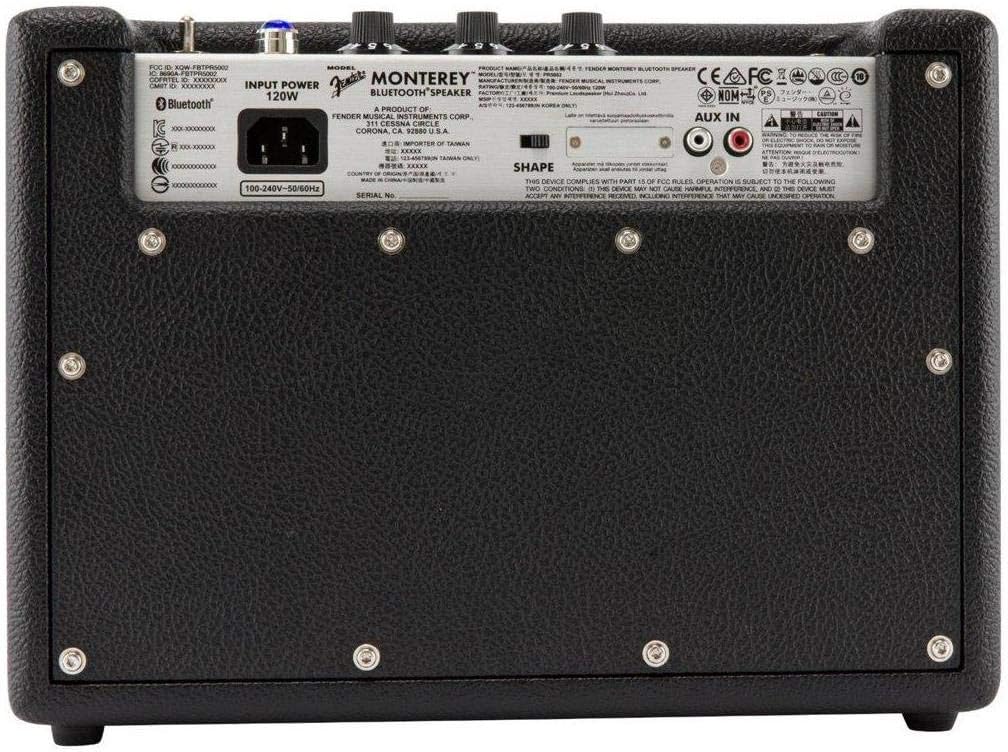
- Connect the supplied power cable to the AC input on the rear panel of the speaker.
- Підключіть інший кінець кабелю живлення до відповідної розетки (100-240 В, 50/60 Гц).
- Flip the power switch on the top panel to the "ON" position. The speaker will emit a chime indicating it is powered on.
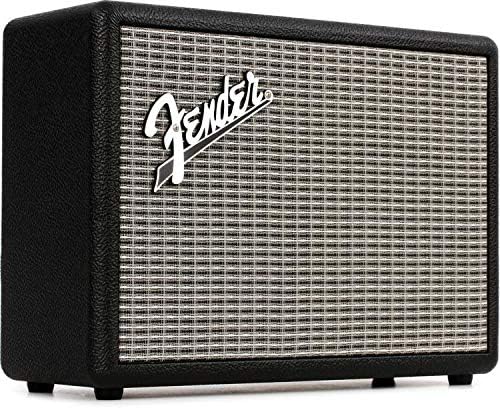
Figure 2: Rear panel of the Fender Monterey speaker, showing the power input and auxiliary connections.
3.2 Створення пари Bluetooth
- With the speaker powered on, press the ПАРА button on the top panel. The Bluetooth indicator light will begin to flash, indicating it is in pairing mode.
- На вашому аудіопристрої (смартфоні, планшеті, комп’ютері) перейдіть до налаштувань Bluetooth.
- Select "Fender Monterey" from the list of available devices.
- Once successfully paired, the Bluetooth indicator light on the speaker will turn solid blue, and a confirmation chime will sound.
3.3 Підключення допоміжного входу
For devices without Bluetooth, use the provided 3.5mm auxiliary cable or RCA cable.
- 3.5-мм допоміжний вхід: Connect one end of the 3.5mm cable to your audio device's headphone jack and the other end to the МІНІ input on the speaker's top panel.
- RCA: Connect the RCA cable to your audio device's RCA outputs and the other end to the RCA inputs on the speaker's rear panel.
Select the appropriate source (BLUETOOTH, МІНІ, або RCA) за допомогою ДЖЕРЕЛО на верхній панелі.

Figure 3: Top panel controls of the Fender Monterey speaker, including Volume, Treble, Bass, Source, and Pair buttons.
4. Інструкція з експлуатації
4.1 Відтворення аудіо
- Ensure your audio source is connected and selected (Bluetooth, Mini, or RCA).
- Почніть відтворення аудіо з підключеного пристрою.
- Відрегулюйте ОБ'ЄМ knob on the speaker's top panel to your desired listening level.
4.2 Регулятори тембру
The Fender Monterey speaker features dedicated controls for customizing your sound:
- СЛІД: Adjusts the high-frequency response of the audio. Turn clockwise for brighter sound, counter-clockwise for warmer sound.
- БАС: Adjusts the low-frequency response of the audio. Turn clockwise for more bass, counter-clockwise for less bass.
- ФОРМА: A toggle switch located on the rear panel. This control modifies the overall tonal character, offering different sound profiles. Experiment with both positions to find your preferred sound.
5. Технічне обслуговування
- Прибирання: Use a soft, dry cloth to clean the speaker's exterior. Avoid abrasive cleaners, solvents, or sprays that may damage the finish.
- Зберігання: Якщо динамік не використовується протягом тривалого часу, зберігайте його в прохолодному, сухому місці, подалі від прямих сонячних променів та екстремальних температур.
- Вентиляція: Забезпечте належну вентиляцію навколо динаміка, щоб запобігти перегріву. Не блокуйте вентиляційні отвори.
- Вплив рідини: Keep the speaker away from liquids. In case of accidental spills, immediately disconnect power and allow it to dry completely before re-use.
6. Вирішення проблем
Немає живлення
- Ensure the power cable is securely connected to both the speaker and a working wall outlet.
- Verify the power switch on the top panel is in the "ON" position.
- Перевірте справність розетки, підключивши інший пристрій.
Немає звуку
- Confirm the correct audio source (Bluetooth, Mini, or RCA) is selected using the ДЖЕРЕЛО кнопку.
- Збільшити ОБ'ЄМ knob on the speaker and the volume on your connected audio device.
- If using Bluetooth, ensure the device is properly paired and connected. Try re-pairing if necessary.
- If using auxiliary inputs, ensure cables are fully inserted and not damaged.
Проблеми зі сполученням Bluetooth
- Ensure the speaker is in pairing mode (flashing Bluetooth indicator). Press the ПАРА button if it's not flashing.
- Move your audio device closer to the speaker to ensure it's within range.
- Turn off and on the Bluetooth function on your audio device.
- If the speaker was previously paired with another device, disconnect it from that device first.
7. Технічні характеристики
| Номер моделі | 6960200000 |
| Бренд | Крило |
| Вихідна ватtage | 120 Вт |
| Конфігурація динаміка | Two woofers, two tweeters |
| Підключення | Bluetooth, 3.5mm Auxiliary Input, RCA Input |
| Розміри продукту (Д x Ш x В) | 9.3 дюйма x 16.8 дюйма x 14.6 дюйма (23.6 см x 42.7 см x 37.1 см) |
| Вага товару | 18.6 фунта (8.44 кг) |
| Колір | чорний |
| Виробник | Корпорація музичних інструментів Fender |
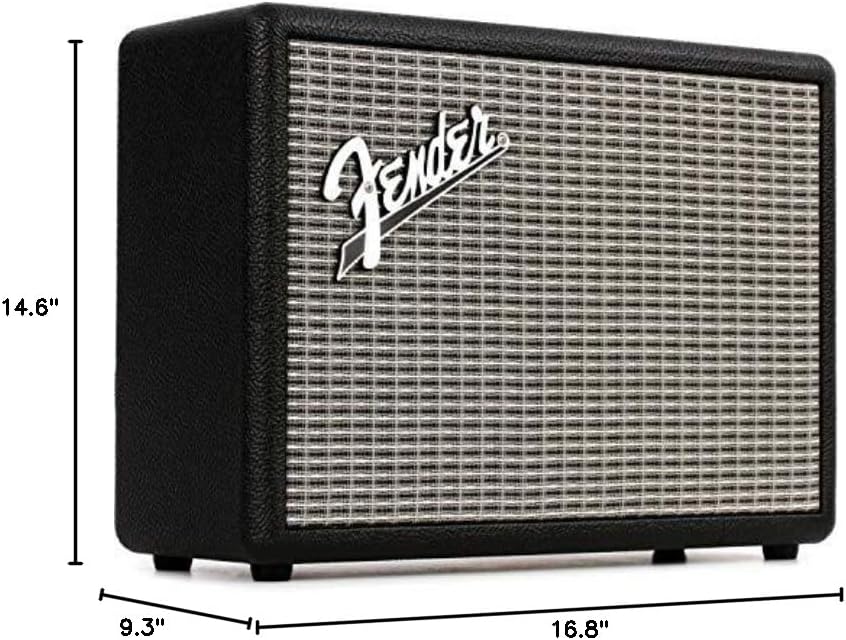
Figure 4: Dimensions of the Fender Monterey Bluetooth Speaker.
8. Гарантія та підтримка
For warranty information, product registration, or technical support, please refer to the official Fender webсайт або зверніться до служби підтримки клієнтів Fender. Зберігайте чек про покупку для гарантійних випадків.
Інтернет-ресурси: www.fender.com


