Identiv SCR 3310 v2.0 SCM USB Smart Card Reader
Посібник користувача
1. Вступ
The Identiv SCR 3310 v2.0 is a compact and practical USB smart card reader designed for secure digital transactions and access. Its ergonomic design and mounting holes allow for easy integration into various systems. This reader is compatible with ISO 7816 smart cards in ID-1 format and is EMV Level 1 certified, ensuring reliable performance for a wide range of applications.
Typical applications include e-banking, electronic identification, social security and loyalty programs, electronic coupon campaigns, secure network and PC access, and online shopping.
2. Інформація про безпеку
Please read and follow these safety guidelines to ensure safe and proper operation of your smart card reader:
- Не піддавайте пристрій впливу екстремальних температур, прямих сонячних променів або високої вологості.
- Уникайте падіння та сильних ударів пристрою.
- Не намагайтеся розбирати або модифікувати пристрій. Це призведе до анулювання гарантії.
- Keep the device away from liquids. If liquid enters the device, disconnect it immediately and contact support.
- Use only the provided USB cable or a compatible, certified USB cable.
- Забезпечте належну вентиляцію навколо пристрою під час роботи.
3. Вміст упаковки
Перевірте наявність усіх предметів у вашій упаковці:
- Identiv SCR 3310 v2.0 Smart Card Reader
- Integrated USB Type-A Cable (1.5 m)
- Quick Start Guide (if applicable, not explicitly mentioned but common)
4. Налаштування
4.1 Підключення зчитувача
The SCR 3310 v2.0 is a plug-and-play device that draws power directly from the USB port. No external power adapter is required.
- Знайдіть вільний порт USB на комп’ютері.
- Insert the USB Type-A connector of the reader's cable into the USB port.
- The green status LED on the reader will illuminate, indicating that the device is powered on and ready.

Малюнок 1: Спереду view of the SCR 3310 v2.0 Smart Card Reader.
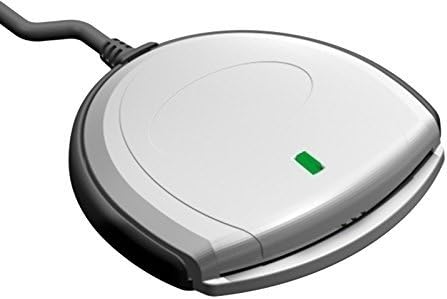
Рисунок 2: Кутовий view of the reader with the green status LED illuminated.
4.2 Встановлення драйвера
The SCR 3310 v2.0 is CCID compliant, meaning it typically uses standard drivers built into modern operating systems. In most cases, the driver will install automatically upon connecting the device.
Підтримувані операційні системи:
- Windows 98, ME, 2000, XP, Server 2003
- Windows Vista (32/64 Bit)
- Windows 7 (32/64 Bit)
- Windows 8 (32/64 Bit)
- Windows 10 (32/64 Bit)
- Windows CE 4.2, 5.0
- MacOS
- Соляріс
- Linux
If the driver does not install automatically, or if you encounter issues, you may need to download the latest drivers from the Identiv support website. The reader utilizes PC/SC and CT-API (via a PC/SC-based wrapper) for application communication.
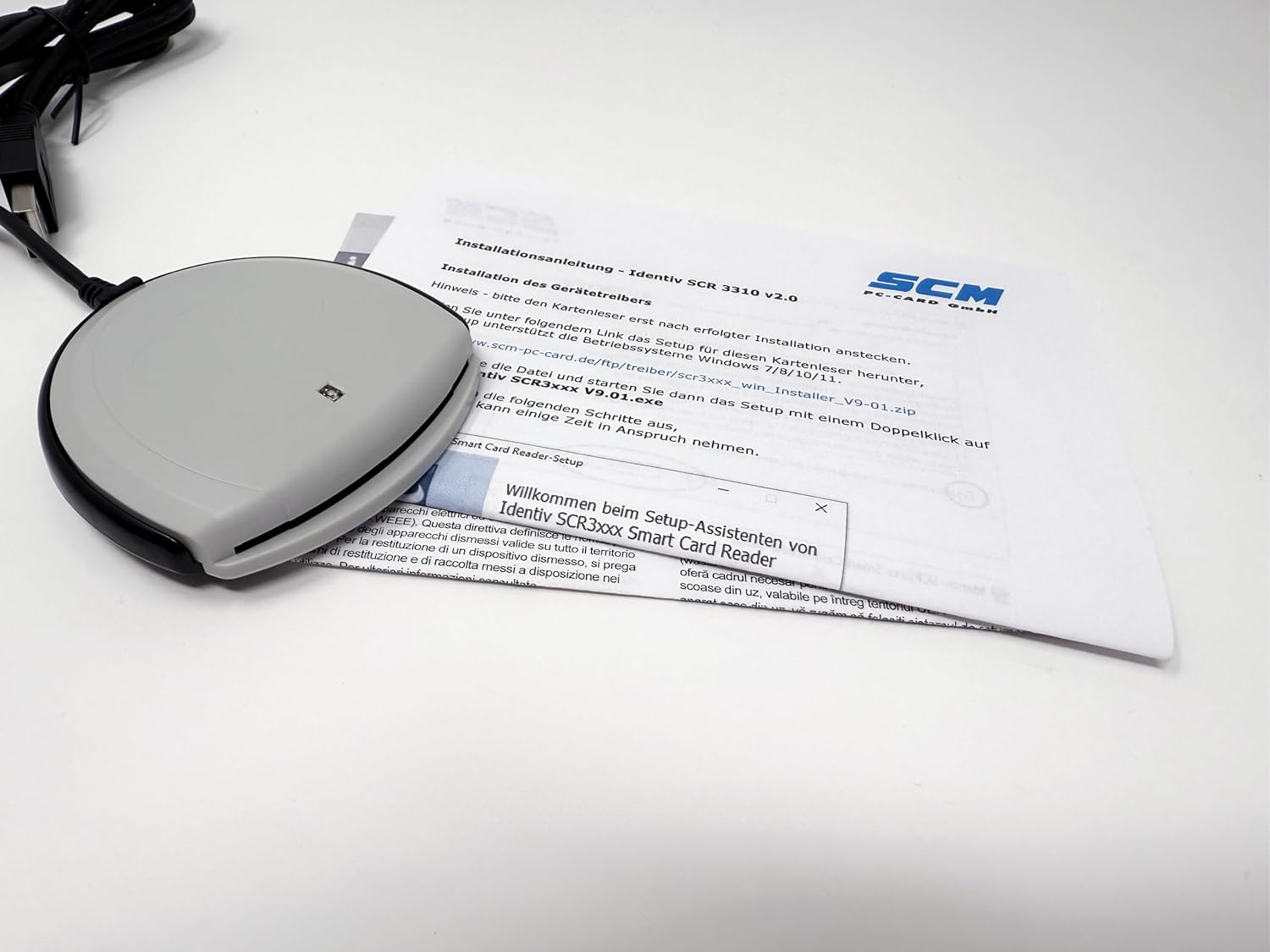
Figure 3: Driver installation process on a computer.
Note: This reader does not work with DATEV applications.
5. Інструкція з експлуатації
5.1 Вставлення смарт-картки
To use the smart card reader, insert your ID-1 format smart card into the slot on the front of the device.
- Orient the smart card with the chip facing upwards and towards the reader.
- Gently slide the smart card into the slot until it is fully seated. Do not force the card.
- The reader will automatically detect the card. The green status LED may blink or change state depending on the application's activity.

Figure 4: Smart card being inserted into the reader.
5.2 Removing a Smart Card
Щоб вийняти смарт-карту:
- Ensure that no application is actively using the smart card.
- Gently pull the smart card out of the slot.
Caution: Do not remove the smart card while an application is actively accessing it, as this may lead to data corruption or application errors.
6. Технічне обслуговування
The Identiv SCR 3310 v2.0 requires minimal maintenance. Follow these guidelines to keep your device in optimal condition:
- Прибирання: Use a soft, dry, lint-free cloth to wipe the exterior of the reader. Do not use liquid cleaners, aerosols, or abrasive materials.
- Зберігання: When not in use, store the reader in a clean, dry environment, away from dust and extreme temperatures.
- Догляд за кабелем: Avoid bending or kinking the USB cable excessively. Do not pull the cable to disconnect the reader from the computer; always grasp the USB connector.
7. Вирішення проблем
If you encounter issues with your smart card reader, refer to the following common problems and solutions:
| проблема | Можлива причина | Рішення |
|---|---|---|
| Комп'ютер не розпізнає зчитувач. | Loose USB connection, faulty USB port, driver not installed. |
|
| Smart card not recognized. | Card inserted incorrectly, dirty card chip, incompatible card. |
|
| Green status LED is off. | No power, faulty USB port. |
|
| Reader does not work with DATEV applications. | Несумісність. | This reader is explicitly stated as not compatible with DATEV applications. No solution is available for this specific incompatibility. |
8. Технічні характеристики
| Особливість | Деталь |
|---|---|
| Назва моделі | SCR 3310 v2.0 (P/N: 905331) |
| Розміри (Д x Ш x В) | 70 x 70 x 14 мм (2.76 x 2.76 x 0.55 дюймів) |
| вага | 73 грамів (2.57 унцій) |
| Інтерфейс | USB Full Speed (12 Mbps), USB 3.0 compatible, CCID compliant |
| Швидкість зв'язку | До 412 Кбіт/с |
| Smart Card Support | ISO 7816 Classes A, B, C (5V, 3.3V, 1.8V), ID-1 format |
| Довжина кабелю | 1.5 m (4.9 ft) with USB Type-A connector |
| Джерело живлення | Живлення від шини USB |
| Робоча температура | від 0°C до +50°C (32°F до +122°F) |
| Сертифікати | FCC Class B Part 15, cULus, CE, VCCI, USB/Microsoft WHQL 2000, XP, Server 2003, EMV Level 1 |
| Екологічна відповідність | RoHS, WEEE, REACH-Compliance |
| Сумісність операційної системи | Windows (98, ME, 2000, XP, Server 2003, Vista, 7, 8, 10), Windows CE (4.2, 5.0), MacOS, Solaris, Linux |
| Driver API | PC/SC, CT-API (via PC/SC-based wrapper) |

Малюнок 5: Задня частина view of the reader with product information and certifications.
9. Гарантія та підтримка
9.1 Інформація про гарантію
Identiv products are manufactured to the highest quality standards. For specific warranty terms and conditions, please refer to the warranty card included with your product or visit the official Identiv webсайт. Зберігайте чек про покупку для гарантійних претензій.
9.2 Технічна підтримка
If you require technical assistance or have questions not covered in this manual, please contact Identiv customer support. You can find contact information and additional resources, including driver downloads and FAQs, on the official Identiv webсайт:
When contacting support, please have your product model (SCR 3310 v2.0) and serial number (found on the back of the device, e.g., 53312211230194) ready.


