вступ
Дякуємо за покупкуasing the Gemini AS-12BLU Professional Audio Bluetooth PA Loudspeaker. This manual provides essential information for the safe and efficient operation of your new audio system. Please read this manual thoroughly before use and retain it for future reference.
Ключові характеристики
- 12-inch 1500W Peak Class AB Built-In Amplifier for crisp, concert-quality sound.
- Impedance at 4 Ohms with a linear frequency response between 30Hz-20Khz.
- Pure titanium 1" HF Compression Driver and Wide Dispersion Horn.
- Integrated MP3 player with USB, SD card, Bluetooth, and FM Radio capabilities.
- Two input channels with separate gain controls.
- Multiple input options: Mic and Line XLR, 1/4’’, 1/8’’, and RCA inputs.
- Mix Output for connecting to other audio devices.
- High/Low Equalization Controls for precise audio adjustment.
- Durable ABS Impact Resistant Nylon Fiber Cabinet.
- Top and side handles for easy transport.
- Flyable and stand-mountable design for versatile placement.
- Clip LED Alert to prevent overheating.
Вміст упаковки
Будь ласка, поставте позначку у відповідному полі для наступних пунктів:
- Gemini AS-12BLU PA Loudspeaker
- Адаптер живлення
- Посібник користувача (цей документ)
Якщо якісь предмети відсутні або пошкоджені, негайно зверніться до свого дилера.
Елементи керування та підключення
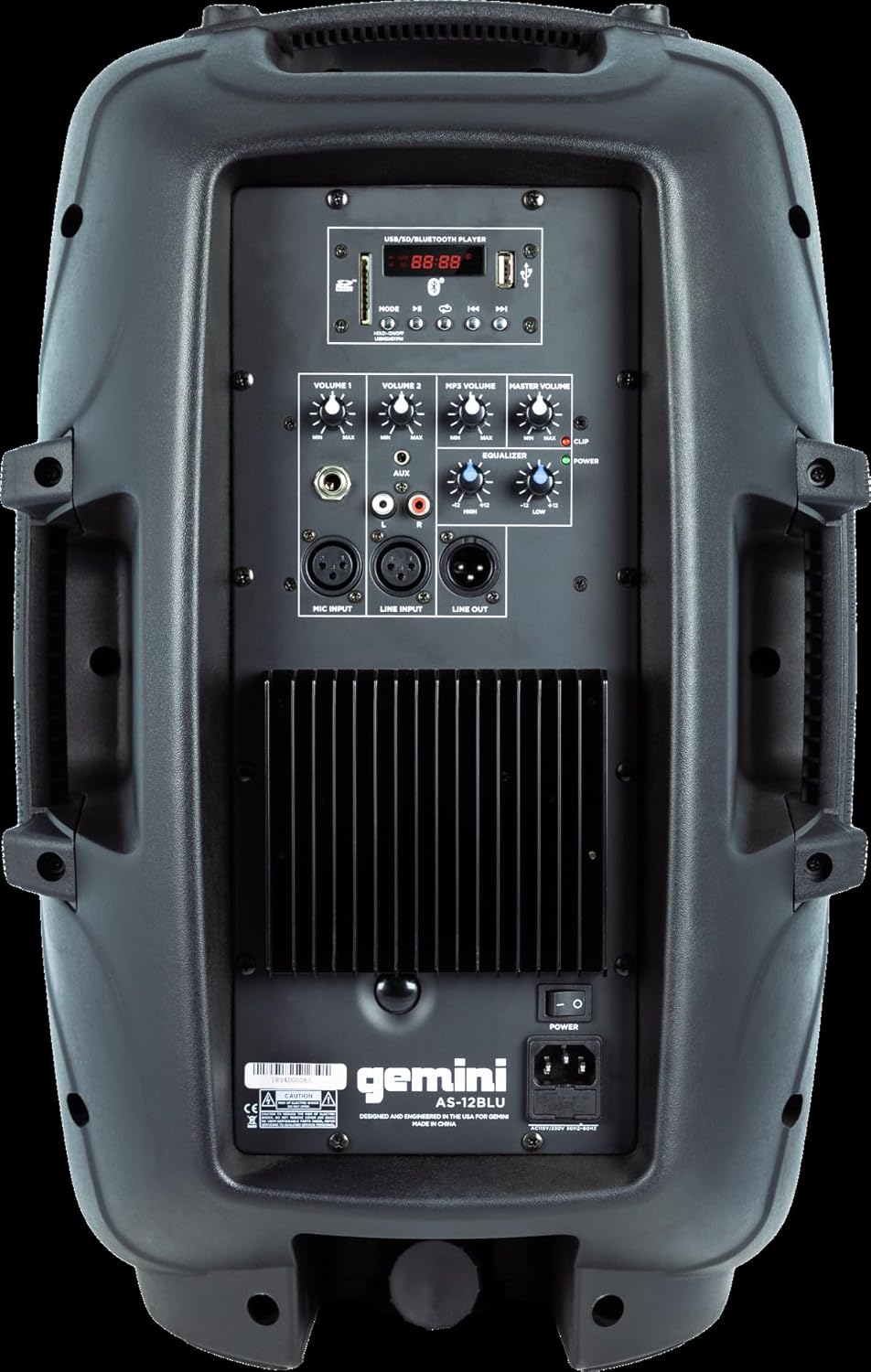
Image: Rear panel of the AS-12BLU loudspeaker. This view highlights the comprehensive control interface, including the USB/SD/Bluetooth player, volume controls, equalization knobs, and various input/output jacks.
Фронт View
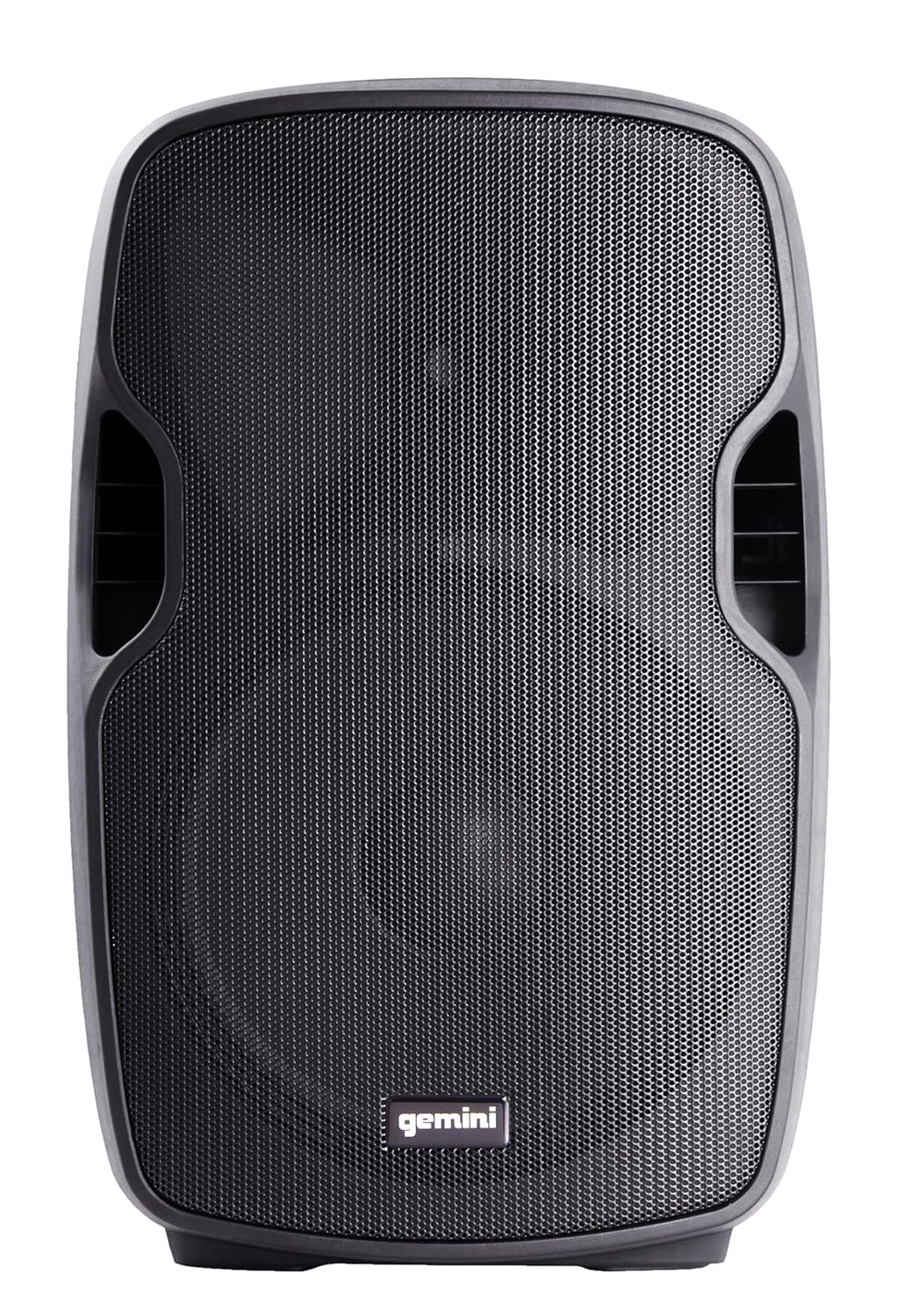
Зображення: спереду view of the AS-12BLU loudspeaker. This image displays the speaker's robust grille and integrated side handles, designed for both protection and portability.
Під кутом View
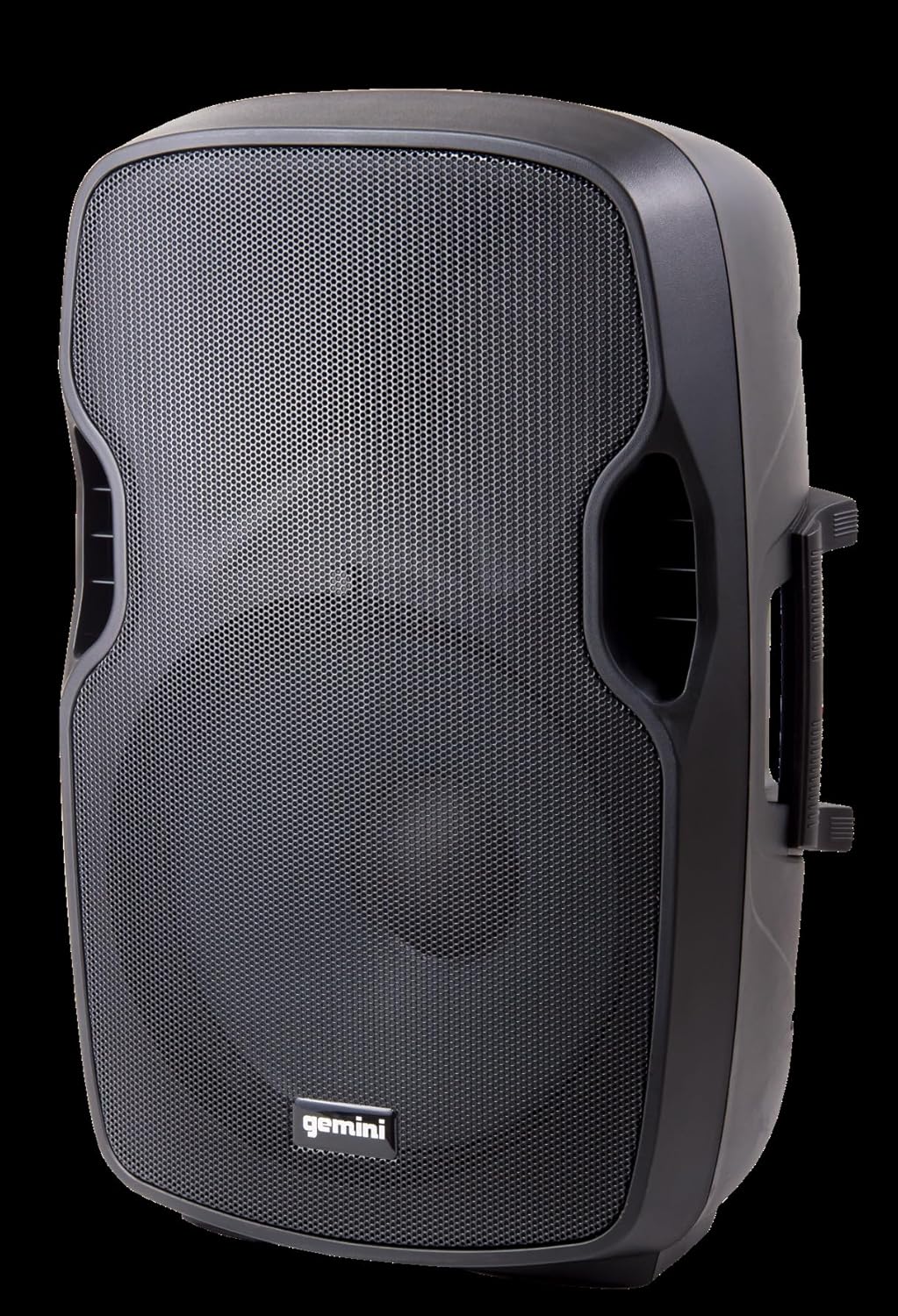
Зображення: Кутове view of the AS-12BLU loudspeaker. This perspective highlights the speaker's ergonomic design, including the integrated handles on both sides, facilitating easy transport and setup.
Задня панель закінченаview:
- USB/SD/Bluetooth Player: Digital media playback interface.
- Кнопка режиму: Switches between USB, SD, Bluetooth, and FM Radio modes.
- Том 1 та 2: Independent gain controls for Mic and Line inputs.
- Гучність MP3: Controls the volume of the integrated media player.
- Основний том: Загальний контроль гучності виходу.
- High/Low Equalization: Adjusts treble and bass frequencies.
- Mic Input (XLR & 1/4"): Для підключення мікрофонів.
- Line Input (XLR, 1/4", 1/8", RCA): For connecting line-level audio sources (e.g., mixers, instruments, media players).
- Line Out (XLR): For connecting to additional PA speakers or recording devices.
- Вимикач живлення: Вмикає/вимикає пристрій.
- Вхід змінного струму: Connects the power adaptor.
- Індикатор кліпу: Illuminates when the audio signal is clipping, indicating potential distortion.
Налаштування
- Розміщення: Position the AS-12BLU on a stable, flat surface or mount it on a compatible speaker stand. Ensure adequate ventilation around the unit.
- Підключення живлення: Connect the provided power adaptor to the AC Input on the rear panel of the speaker, then plug the other end into a suitable power outlet.
- Початкове ввімкнення: Ensure all volume controls are set to minimum before turning on the power switch.
- Підключення джерел звуку:
- Мікрофон: Connect your microphone to the Mic Input (XLR or 1/4").
- Пристрої лінійного рівня: Connect mixers, instruments, or other audio players to the Line Input (XLR, 1/4", 1/8", or RCA).
- Connecting Additional Speakers (Optional): Use the Line Out (XLR) to connect to the input of another powered PA speaker for expanded sound coverage.
Інструкція з експлуатації
Основна операція:
- After connecting all sources and powering on, slowly increase the Master Volume to a desired listening level.
- Adjust individual input volumes (Volume 1, Volume 2, MP3 Volume) as needed for proper balance.
- Use the High/Low Equalization controls to fine-tune the audio's treble and bass response.
- Monitor the Clip LED. If it illuminates frequently, reduce the input gain or volume to prevent distortion and potential speaker damage.
Парування Bluetooth:
- Press the "Mode" button on the USB/SD/Bluetooth Player until "BLUE" or "BT" appears on the display, indicating Bluetooth mode.
- На пристрої з підтримкою Bluetooth (смартфоні, планшеті тощо) увімкніть Bluetooth і виконайте пошук доступних пристроїв.
- Select "GEMINI AS-12BLU" from the list of devices.
- Після сполучення ви можете відтворювати аудіо з вашого пристрою через динамік.
Відтворення з USB/SD:
- Вставте USB-флеш-накопичувач або SD-карту, що містить аудіофайли у форматі MP3 files into the corresponding slot on the USB/SD/Bluetooth Player.
- The unit should automatically switch to USB or SD mode and begin playback. If not, press the "Mode" button to select the correct source.
- Use the playback controls (Play/Pause, Next/Previous Track) on the player to navigate your music.
FM-радіо:
- Натискайте кнопку «Режим», доки на дисплеї не з’явиться напис «FM».
- The unit will automatically scan and store available FM radio stations.
- Use the Next/Previous Track buttons to cycle through the stored stations.
Технічне обслуговування
- Прибирання: Використовуйте м’яку суху тканину для очищення зовнішньої частини динаміка. Не використовуйте абразивні засоби для чищення, віск або розчинники.
- Зберігання: Коли динамік не використовується, зберігайте його в прохолодному, сухому місці, подалі від прямих сонячних променів та екстремальних температур.
- Вентиляція: Переконайтеся, що вентиляційні отвори динаміка не заблоковані, щоб запобігти перегріву.
- Шнур живлення: Regularly inspect the power cord for any damage. If damaged, replace it with an authorized Gemini part.
Усунення несправностей
| проблема | Можлива причина | Рішення |
|---|---|---|
| Немає живлення | Шнур живлення не підключено; розетка неактивна; живлення вимкнено. | Переконайтеся, що шнур живлення надійно підключений. Перевірте розетку за допомогою іншого пристрою. Увімкніть живлення. |
| Немає виходу звуку | Master Volume too low; Input volume too low; Incorrect input selected; Audio source issue. | Increase Master Volume. Increase relevant input volume. Press "Mode" to select correct input. Check audio source device. |
| Спотворений звук | Volume levels too high (clipping); Damaged cable; Speaker overload. | Reduce Master Volume or input gain until Clip LED no longer illuminates. Replace faulty cables. Do not exceed speaker's rated power. |
| Bluetooth не з’єднується | Speaker not in Bluetooth mode; Device too far; Device already paired to another speaker. | Ensure speaker is in Bluetooth mode ("BLUE" or "BT" on display). Move device closer to speaker. Disconnect device from other Bluetooth speakers. |
| USB/SD не відтворюється | Невірно file формат; пошкодження USB/SD-карти; вибрано неправильний режим. | Забезпечити files are MP3 format. Try a different USB/SD card. Press "Mode" to select USB or SD. |
Технічні характеристики
| Особливість | Деталь |
|---|---|
| Номер моделі | АС-12БЛУ |
| Тип динаміка | 12-inch Portable Active PA Loudspeaker |
| Пікова вихідна потужність | 1500 Вт |
| Ampлібератор класу | Клас АВ |
| Імпеданс | 4 Ом |
| АЧХ | 30Hz - 20KHz |
| ВЧ-драйвер | 1" Pure Titanium Compression Driver |
| Підключення | Bluetooth, USB, SD Card, FM Radio, XLR, 1/4", 1/8", RCA |
| Режим аудіовиходу | Стерео |
| Розміри продукту | 14.57 x 11.81 x 22.83 дюймів |
| Вага товару | 11.42 фунта |
| Матеріал корпусу | ABS Impact Resistant Nylon Fiber |
Гарантія та підтримка
Gemini products are designed for reliability and performance. For information regarding warranty coverage, technical support, or service, please visit the official Gemini webсайту або зв’яжіться зі своїм відділом обслуговування клієнтів.
Official Gemini Webсайт: www.geminisound.com
Зберігайте підтвердження покупки для гарантійних претензій.


