1. Вступ
Thank you for choosing the Volkano Diamond Series USB Powered Speakers. These speakers are designed to provide a convenient and portable audio solution for your computer or other USB-compatible devices. Please read this manual carefully before using the product to ensure proper operation and to maximize its lifespan.
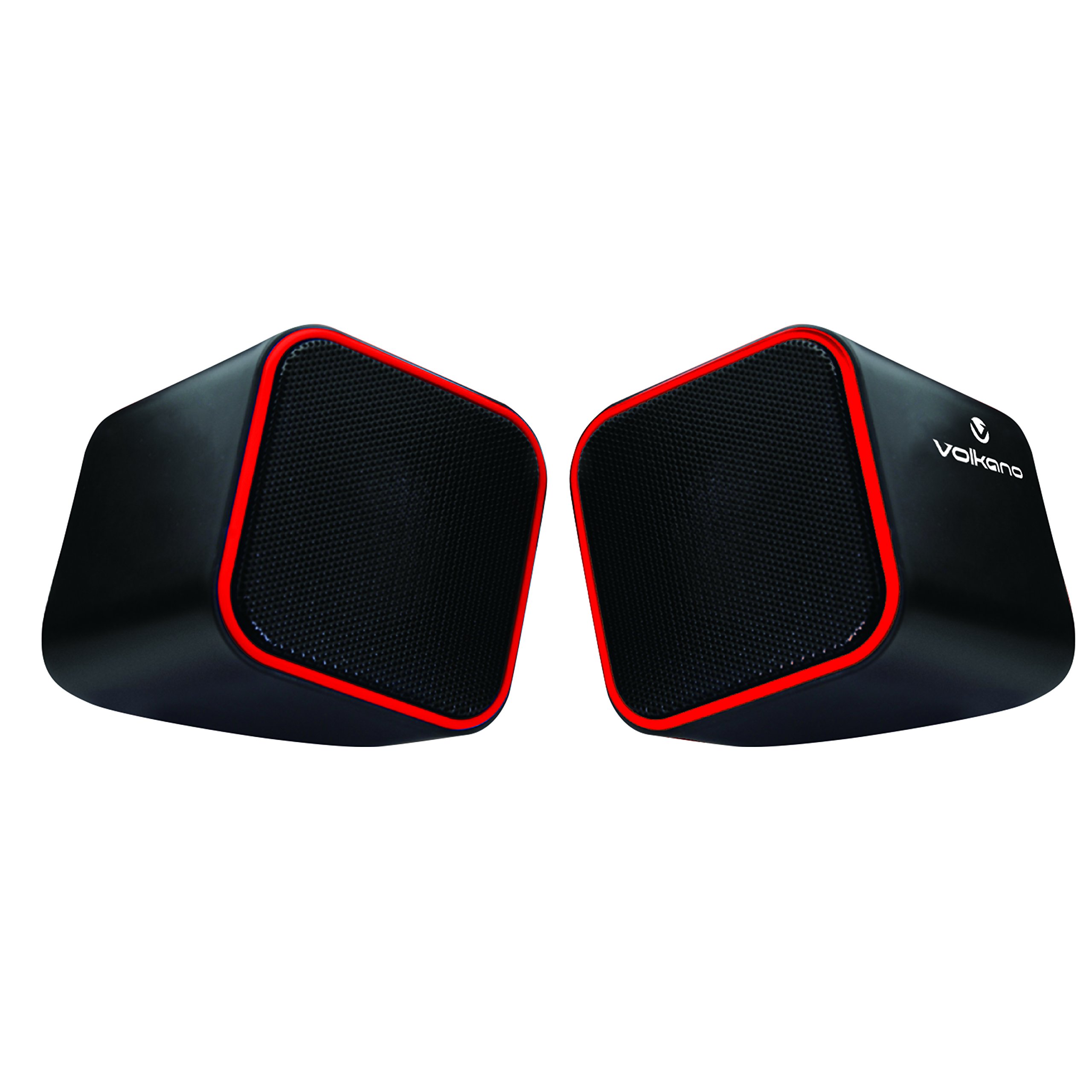
Figure 1: Volkano Diamond Series USB Powered Speakers (Red)
This image displays the Volkano Diamond Series USB Powered Speakers in their red color variant. The speakers feature a compact, cubic design with a mesh grille on the front and a red trim around the edges. The Volkano logo is visible on the side of one speaker.
2. Інформація про безпеку
- Не піддавайте динаміки впливу води або вологи.
- Уникайте екстремальних температур або прямих сонячних променів.
- Do not attempt to disassemble or modify the speakers. This will void the warranty.
- Зберігати в недоступному для дітей місці.
- Чистіть тільки сухою м’якою тканиною.
- Ensure proper ventilation around the speakers during use.
3. Вміст упаковки
Будь ласка, перевірте вміст упаковки, щоб переконатися, що всі елементи присутні:
- 1 x Volkano Diamond Series USB Powered Speakers (Red)
- 1 х Інструкція з експлуатації
4. Продукт закінчивсяview
The Volkano Diamond Series speakers are designed for simplicity and portability. They feature a compact design and are powered directly via USB, eliminating the need for an external power adapter.

Figure 2: Speaker connections (Note: Product color is Red)
На цьому зображенні показано задню частину view of the Volkano Diamond Series speakers, highlighting the integrated USB power cable and the 3.5mm audio jack cable. These are the primary connections for both power and audio input.

Figure 3: USB and Audio Cables with Volume Control
This image details the USB power cable, the 3.5mm audio jack, and the inline volume control unit. The volume control allows for easy adjustment of audio output.
5. Налаштування
Follow these steps to set up your Volkano Diamond Series speakers:
- Підключіть кабель USB: Plug the USB-A connector into an available USB port on your computer, laptop, or a compatible USB power adapter. This provides power to the speakers.
- Підключіть аудіокабель: Plug the 3.5mm audio jack into the headphone or audio output port of your computer, laptop, smartphone, or other audio source.
- Позиційні спікери: Place the speakers on a flat, stable surface, ensuring they are positioned for optimal sound delivery.
- Увімкнення: The speakers will power on automatically once the USB cable is connected and receiving power.

Figure 4: Speakers connected to a computer (Note: Product color is Red)
This image illustrates the Volkano Diamond Series speakers positioned next to a computer monitor, demonstrating a typical setup. The cables are connected to the computer, ready for audio playback.
6. Інструкція з експлуатації
Once connected, operating your Volkano Diamond Series speakers is straightforward:
- Регулювання гучності: Use the inline volume control dial on the cable to adjust the speaker's output volume. Turn the dial clockwise to increase volume and counter-clockwise to decrease it.
- Гучність джерела аудіо: You can also control the volume from your connected audio source (e.g., computer's system volume, media player volume).
- Вимкнення живлення: To turn off the speakers, simply disconnect the USB power cable from its source.
7. Технічне обслуговування
Proper maintenance ensures the longevity of your speakers:
- Прибирання: Use a soft, dry, lint-free cloth to wipe the exterior of the speakers. Do not use liquid cleaners, aerosols, or solvents.
- Зберігання: Якщо динаміки не використовуються протягом тривалого часу, зберігайте їх у прохолодному, сухому місці, подалі від прямих сонячних променів та екстремальних температур.
- Догляд за кабелем: Уникайте надмірного згинання або обтискання кабелів, щоб запобігти внутрішнім пошкодженням.
8. Вирішення проблем
Якщо у вас виникли проблеми з динаміками, зверніться до наступних поширених проблем та способів їх вирішення:
| проблема | Можлива причина | Рішення |
|---|---|---|
| Немає звуку з динаміків. |
|
|
| Звук спотворений або нечіткий. |
|
|
| Speakers not recognized by computer. |
|
|
9. Технічні характеристики
| Особливість | Деталь |
|---|---|
| Назва моделі | Діамантова серія |
| Номер моделі товару | VB-702-RED |
| колір | Червоний |
| Тип динаміка | Мультимедіа |
| Технологія підключення | USB |
| Джерело живлення | Провідний електричний (живлення від USB) |
| Максимальна вихідна потужність динаміка | 6 Вт |
| Режим аудіовиходу | Стерео |
| Розмір динаміка | 2 дюймів |
| Розміри продукту | 15 Г x 15 Ш x 15 В сантиметрів |
| матеріал | пластик |
| Особливість | Портативний |
| Рекомендоване використання | Для музичних плеєрів |
10. Інформація про гарантію
The Volkano Diamond Series USB Powered Speakers come with a 1 роки обмеженої гарантії від виробника. Ця гарантія поширюється на дефекти матеріалів та виготовлення за умов нормального використання. Будь ласка, збережіть чек про покупку для пред'явлення претензій по гарантії.
For extended coverage, Volkano offers an additional 12-Month extension upon product registration, totaling 24 Months of coverage. Visit the official Volkano webсайт для деталей реєстрації.
11. Підтримка клієнтів
Should you have any questions, require assistance, or need to make a warranty claim, please contact Volkano customer support. Your satisfaction is important to us.
- Інтернет-підтримка: Visit the official Volkano Page for assistance and to message us directly.
- Реєстрація гарантії: Register your product to extend your warranty coverage.
Note: Specific contact details (e.g., phone number, email) are typically found on the official brand webсайт або упаковка продукту.


