1. Вступ
This manual provides essential information for setting up, operating, maintaining, and troubleshooting your HP 15-AY075NR Notebook. Please read this guide thoroughly to ensure proper use and to maximize the lifespan of your device. This notebook is designed for general computing tasks, featuring an Intel Core i3-5005U processor, 6GB of RAM, a 500GB HDD, and runs on Windows 10.
2. Вміст упаковки
Перш ніж продовжити налаштування, перевірте, чи всі елементи присутні в упаковці:
- HP 15-AY075NR Notebook
- Адаптер змінного струму та шнур живлення
- Короткий посібник користувача (якщо включено)
- Інформація про гарантію (якщо включено)
3. Фізичний overview
Familiarize yourself with the main components and ports of your HP 15-AY075NR Notebook.
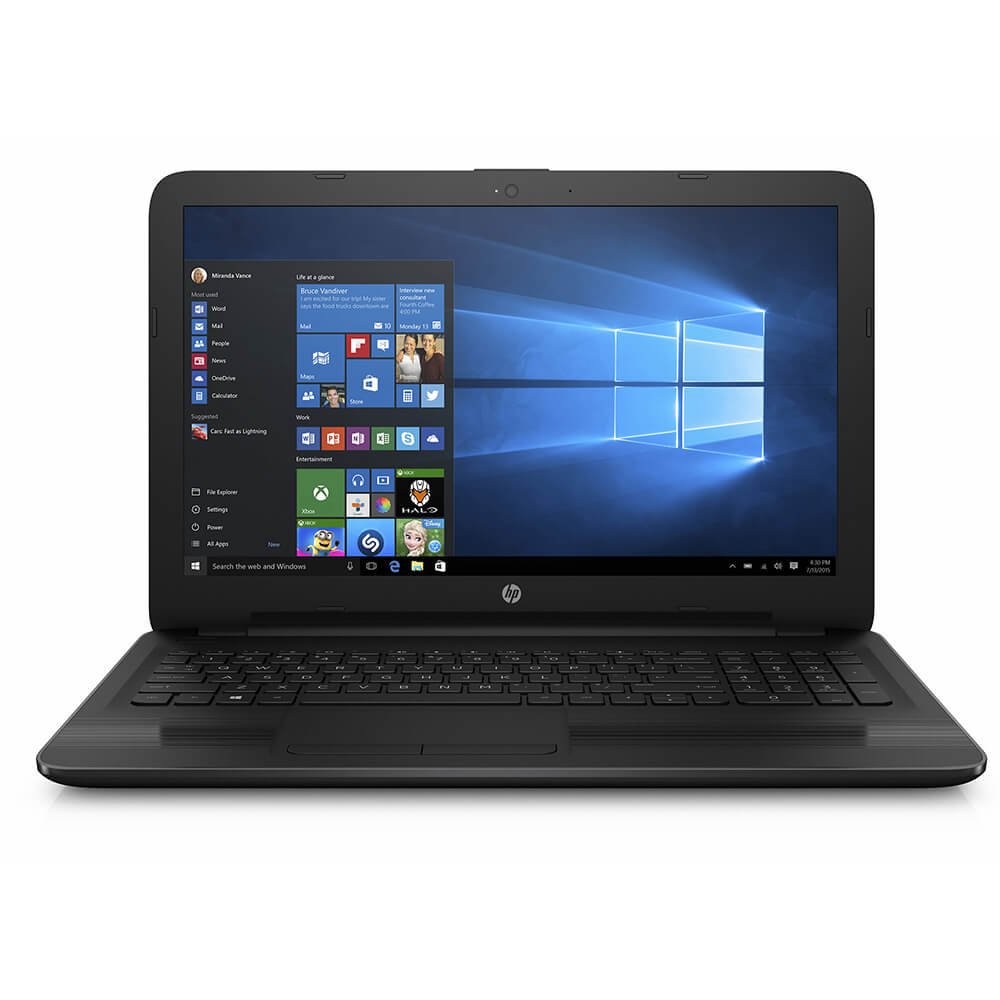
малюнок 3.1: Фронт view of the HP 15-AY075NR Notebook. This image displays the laptop in a closed position, highlighting its sleek black design and overall form factor.
3.1. Ліві бічні порти
- Роз'єм живлення: Підключає адаптер змінного струму.
- Порт Ethernet (RJ-45): Для дротового мережевого підключення.
- Порт HDMI: Підключається до зовнішніх дисплеїв або телевізорів.
- Порт USB 3.0: Для високошвидкісної передачі даних із сумісними пристроями.
- Порт USB 2.0: Для підключення периферійних пристроїв.
- Комбінований роз'єм для навушників/мікрофона: Для аудіовходу/виходу.
3.2. Праві бічні порти
- Optical Drive (DVD Super Multi): For reading and writing CDs/DVDs.
- Порт USB 2.0: Для підключення периферійних пристроїв.
- Пристрій читання SD-карт: Для читання карт пам'яті SD.
3.3. Клавіатура та тачпад
The notebook features a full-size island-style keyboard with a numeric keypad for efficient data entry. The multi-touch touchpad allows for precise cursor control and gesture-based navigation.
4. Налаштування
4.1. Підключення адаптера живлення
- Connect the AC adapter to the power connector on the left side of the notebook.
- Вставте шнур живлення в заземлену електричну розетку.
- Акумулятор почне заряджатися автоматично. Рекомендується повністю зарядити акумулятор перед першим використанням.
4.2. Початкове ввімкнення та налаштування Windows 10
- Open the notebook lid and press the power button, typically located above the keyboard.
- Follow the on-screen instructions to complete the Windows 10 initial setup. This includes selecting your region, language, accepting license terms, creating a user account, and setting up network connections.
- Connect to a Wi-Fi network or use a wired Ethernet connection during setup to download necessary updates.
5. Операційна
5.1. Управління живленням
- Увімкнення: Натисніть кнопку живлення.
- Вимкнути: Натисніть кнопку «Пуск», потім «Живлення» > «Вимкнути».
- Режим сну: Закрийте кришку або натисніть кнопку «Пуск», потім «Живлення» > «Сон».
- Перезапуск: Натисніть кнопку «Пуск», потім «Живлення» > «Перезавантажити».
5.2. Підключення до мереж
- Wi-Fi: Click the network icon in the taskbar, select your desired network, and enter the password if prompted.
- Дротове з’єднання (Ethernet): Connect an Ethernet cable from your router/modem to the Ethernet port on the notebook.
5.3. Using External Devices
- USB пристрої: Insert USB drives, mice, or other peripherals into the available USB 2.0 or USB 3.0 ports.
- Зовнішній дисплей: Connect an HDMI cable from the notebook's HDMI port to an external monitor or TV. Press Клавіша Windows + P щоб налаштувати параметри дисплея.
- Карти SD: Insert an SD card into the card reader slot until it clicks into place.
- Optical Discs: Press the eject button on the optical drive to open the tray. Place a CD or DVD onto the tray, label side up, and gently push the tray back in.
6. Технічне обслуговування
6.1. Cleaning the Notebook
- Злегка протріть м’якою тканиною без ворсу dampводою або засобом для чищення екранів, щоб очистити дисплей.
- Для клавіатури та корпусу використовуйте м’яку суху тканину. Уникайте використання агресивних хімікатів або абразивних матеріалів.
- Періодично використовуйте стиснене повітря для очищення вентиляційних отворів від пилу, щоб забезпечити належну циркуляцію повітря.
6.2. Догляд за акумулятором
- Уникайте частого повного розряджання акумулятора.
- Store the notebook in a cool, dry place if not used for extended periods.
- If the battery is removable (check your specific model), ensure it is properly seated.
6.3. Оновлення програмного забезпечення
Regularly check for and install Windows updates and HP driver updates to ensure optimal performance and security. Access Windows updates via Налаштування > Оновлення та безпека > Центр оновлення Windows.
7. Вирішення проблем
7.1. No Power / Does Not Turn On
- Ensure the AC adapter is securely connected to both the notebook and a working power outlet.
- Перевірте справність розетки, підключивши інший пристрій.
- Якщо акумулятор повністю розряджений, дайте йому зарядитися щонайменше 15-30 хвилин, перш ніж намагатися ввімкнути пристрій.
7.2. Blank or Black Screen
- Ensure the notebook is powered on.
- Connect an external monitor to the HDMI port to check if the display output works. If it does, the internal display may have an issue.
- Try adjusting the screen brightness using the function keys (e.g., Fn + F2/F3 or similar, depending on your keyboard layout).
7.3. Проблеми з підключенням до Wi-Fi
- Ensure Wi-Fi is enabled (check the wireless key or function key, e.g., Fn + F12).
- Перезавантажте маршрутизатор і модем.
- Запустіть засіб усунення несправностей мережі Windows (Settings > Network & Internet > Status > Network troubleshooter).
8. Технічні характеристики
| Особливість | Специфікація |
|---|---|
| Модель | 15-AY075NR (X0H79UA#ABA) |
| Процесор | Intel Core i3-5005U (2.0 GHz, Dual Core) |
| ОЗУ | 6 GB DDR3L-1600 SDRAM |
| Зберігання | 500 GB HDD (5400 RPM) |
| Графіка | Графіка Intel HD (інтегрована) |
| Дисплей | 15.6-дюймовий HD SVA BrightView WLED-підсвічування (1366 x 768) |
| Операційна система | Windows 10 |
| Бездротове підключення | Intel 802.11a/b/g/n/ac (1x1) Wi-Fi, Bluetooth 4.0 |
| Порти | 1x USB 3.0, 2x USB 2.0, 1x HDMI, 1x RJ-45, 1x Headphone/Mic Combo, 1x Multi-format SD Media Card Reader |
| Оптичний привід | DVD Super Multi |
| Термін служби батареї (середній) | 6.25 години |
| вага | 4.73 фунта |
| Розміри (ДxШxВ) | 24 x 4 x 14 дюймів (розміри продукту) |
9. Гарантія та підтримка
Your HP 15-AY075NR Notebook is covered by a standard manufacturer's warranty. For specific warranty terms and conditions, please refer to the documentation included with your product or visit the official HP support website. HP provides technical support, driver downloads, and troubleshooting resources online.
For further assistance, please visit the official HP Support webсайт: support.hp.com