1. Вступ
This manual provides detailed instructions for the installation, operation, and maintenance of your Kicker IQ500.4 Q-Class Ampрятувальний пристрій. Будь ласка, уважно прочитайте цей посібник перед встановленням або експлуатацією, щоб забезпечити правильне використання та запобігти пошкодженням.
The Kicker IQ500.4 is a 4-channel car amplifier featuring advanced digital signal processing (DSP) capabilities, designed to deliver high-quality audio performance in automotive environments.
2. Інформація про безпеку
Завжди дотримуйтесь наступних заходів безпеки:
- Disconnect the vehicle's battery before making any power connections.
- Забезпечте належне заземлення, щоб запобігти небезпеці ураження електричним струмом.
- Не піддавайте ampстійкий до вологи або екстремальних температур.
- Використовуйте проводку відповідного калібру для підключення живлення та динаміків, як зазначено в розділі встановлення.
- Якщо ви не впевнені щодо будь-якої частини процесу встановлення, зверніться до професійного установника.
- Цей продукт містить хімічні речовини, які, як відомо штату Каліфорнія, викликають рак та вроджені вади розвитку або інші репродуктивні порушення (попередження Пропозиції 65).
3. Вміст упаковки
Перевірте наявність усіх елементів в упаковці:
- Kicker IQ500.4 Q-Class Ampлібератор
- Монтажне обладнання
- Посібник користувача (цей документ)
- USB Cable (for TWEEQ app connection)
4. Налаштування та встановлення
4.1 Монтаж Ampлібератор
Select a dry, stable location for mounting the amplifier, ensuring adequate ventilation. Avoid mounting in direct sunlight or areas prone to vibration.
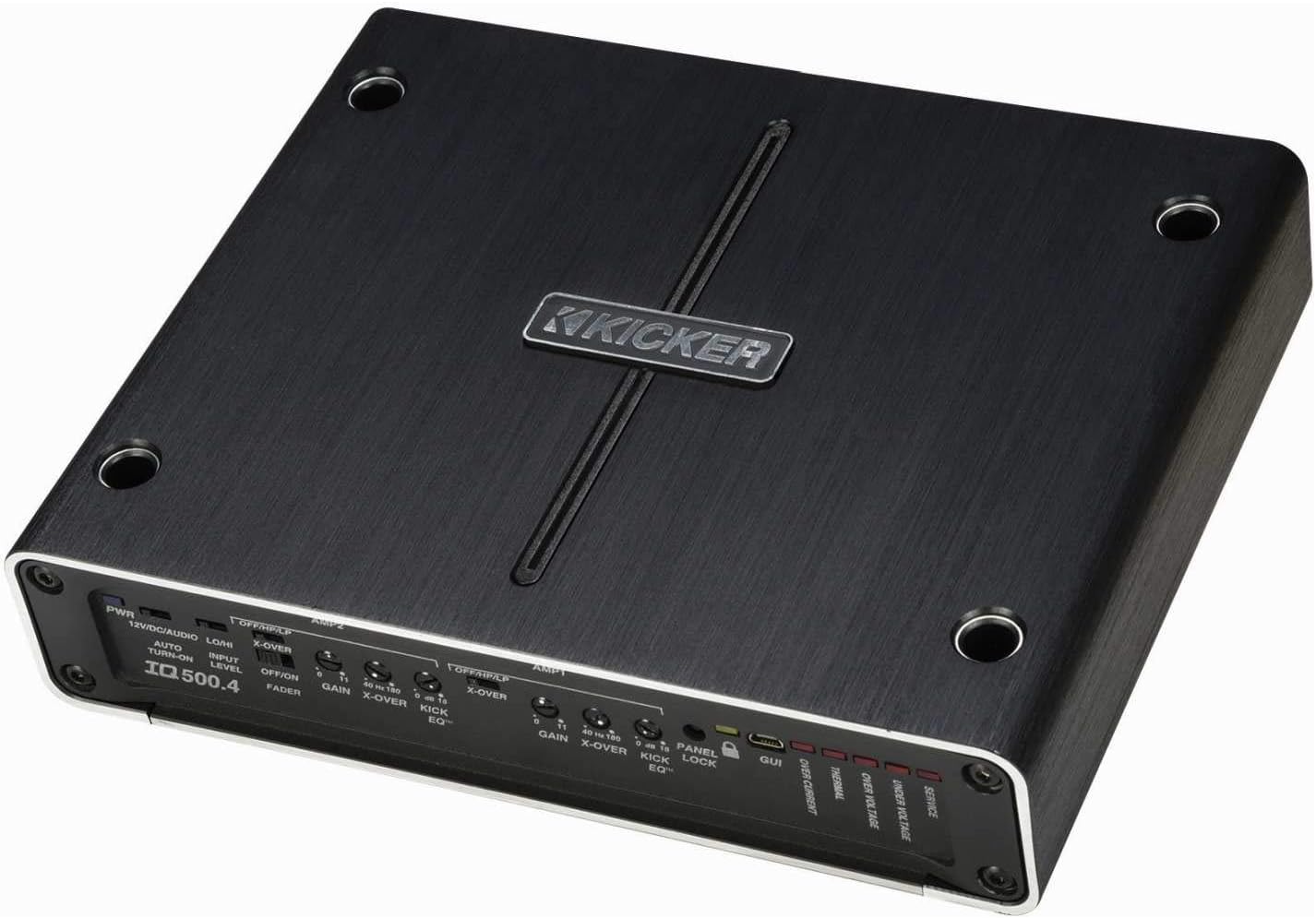
Малюнок 4.1: Верх view of the Kicker IQ500.4 Q-Class Amplifier, highlighting the control panel and overall design.
4.2 Підключення проводів
Ensure all connections are secure and properly insulated. Refer to the diagram below for typical wiring configurations.

Малюнок 4.2: Задня частина view of the Kicker IQ500.4 Q-Class Amplifier, detailing the power, ground, remote, input, and output connections.
Підключення живлення:
- +12 В (живлення): Connect to the positive terminal of the vehicle's battery using appropriate gauge wire (e.g., 4-gauge for optimal performance).
- GND (земля): Connect to a clean, unpainted metal surface of the vehicle chassis. Ensure a solid connection.
- REM (Дистанційне ввімкнення): Підключіть до кабелю дистанційного ввімкнення від головного пристрою.
Вхідні/вихідні підключення:
- Вхід (RCA): Connect to the RCA outputs of your head unit or signal processor.
- Output (Speaker): Connect to your speakers. The amplifier supports 4-ohm stable bridged mode.
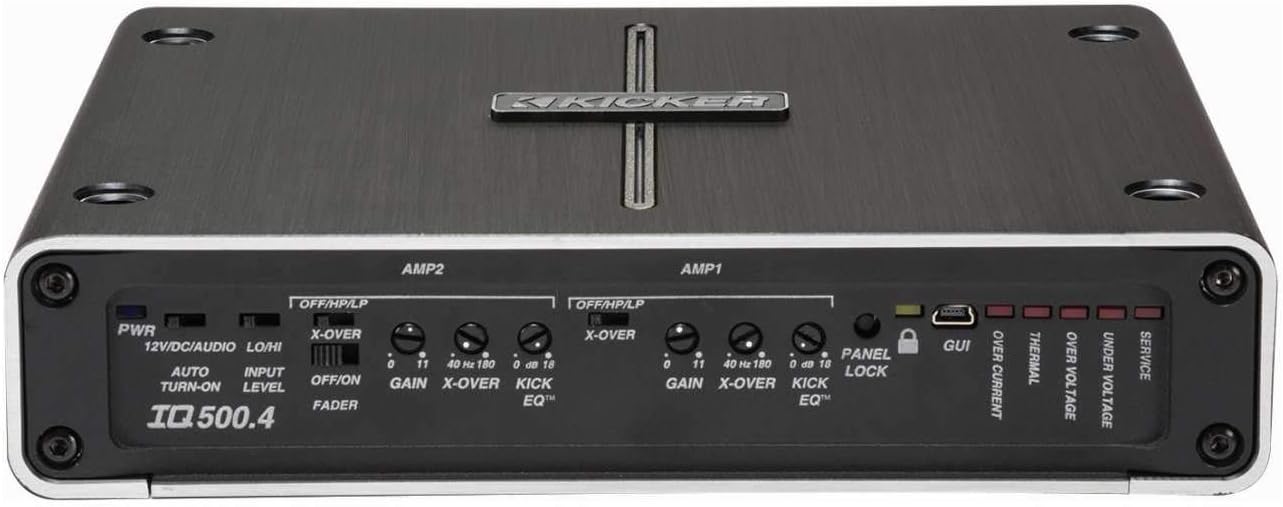
Малюнок 4.3: Детально view з amplifier's control panel, showing gain, crossover, and KickEQ adjustments.

Figure 4.4: Close-up of the input and output terminals, including RCA inputs and speaker wire connections.
5. Експлуатація Ampлібератор
5.1 Initial Setup and Gain Matching
After installation, set the gain controls to match the output voltagвашого головного пристрою. Почніть з мінімального коефіцієнта посилення та повільно збільшуйте його, доки не почуєте спотворення, потім трохи зменште його.
5.2 Digital Signal Processing (DSP) with TWEEQ App
The IQ500.4 features advanced DSP capabilities accessible via the TWEEQ app for PC, iOS, or Android. Download the app from kicker.com/tweeq. Connect your device to the ampLifier через USB.
TWEEQ App Features:
- TWEEQ Wizard: Automatically sets basic tune, including speaker type/size and time-alignment based on listening position.
- Input Signal Routing and Mixing: Customize signal paths.
- Variable High- and Low-Pass Filters: Adjustable from 10-20,000 Hz with selectable crossover characteristics (Butterworth, Linkwitz) and slopes (6, 12, 18, 24 dB/octave).
- Variable KickEQ+ Bass Boost: Adjustable from 0-18 dB, 24-80 Hz, with 0.5-10 Q.
- Регульована затримка часу: Fine-tune sound staging (0-20 ms in 0.02, 0.1, and 1.0 ms increments).
- 31-смуговий графічний еквалайзер: +/-12 dB/band for precise frequency adjustments.
- Dynamic Compressor/Limiter: Fully adjustable (1:1 to 10:1 ratio).
The Panel Lock function disables onboard controls when using the TWEEQ app, ensuring settings are managed digitally.
6. Технічне обслуговування
- Зберігайте ampчистим та без пилу. Для очищення використовуйте м’яку суху тканину.
- Забезпечте належну вентиляцію навколо amplifier для запобігання перегріву.
- Періодично перевіряйте всі з'єднання проводів на міцність та наявність корозії.
7. Вирішення проблем
| проблема | Можлива причина | Рішення |
|---|---|---|
| Немає живлення | Перегорілий запобіжник; погане з'єднання живлення/заземлення; відсутній сигнал дистанційного ввімкнення. | Check/replace fuse; Secure connections; Verify remote wire connection to head unit. |
| Немає аудіовиходу | Incorrect input/output connections; Gain set too low; Speaker wires shorted. | Verify RCA and speaker connections; Adjust gain; Check speaker wiring for shorts. |
| Спотворений звук | Gain set too high; Incorrect crossover settings; Speaker impedance mismatch. | Reduce gain; Adjust crossover settings via TWEEQ app; Ensure speaker impedance is compatible. |
| AmpПерегрів ліфіера | Insufficient ventilation; Low impedance load; Prolonged high-volume use. | Ensure clear airflow around amplifier; Check speaker impedance; Reduce volume or allow cool-down period. |
8. Технічні характеристики
| Особливість | Деталь |
|---|---|
| Модель | IQ500.4 |
| Канали | 4-канальний |
| Номінальна потужність (4 Ом) | 65 Вт х 4 |
| Номінальна потужність (2 Ом) | 125 Вт х 4 |
| RMS Power (Bridged 4 ohms) | 250 Вт х 2 |
| Відповідає вимогам CEA-2006 | так |
| Змінний фільтр високих частот | 40-180 Гц, 24 дБ/октава |
| Змінний фільтр низьких частот | 40-180 Гц, 24 дБ/октава |
| Підсилення басів KickEQ | 0-18 дБ при 40 Гц |
| Цифрова обробка сигналів (DSP) | Via TWEEQ app (PC, iOS, Android) |
| Еквалайзер | 31-band graphic (+/-12 dB/band) |
| Затримка часу | 0-20 мс |
| Розміри (Д x Ш x В) | 9.45 x 7.52 x 2.05 дюймів |
| Вага товару | 6.67 фунта |
| томtage | 14.4 вольт |
9. Гарантія та підтримка
For warranty information and technical support, please refer to the official Kicker website or contact Kicker customer service directly. Keep your proof of purchase for warranty claims.
Kicker Official Webсайт: www.kicker.com


