вступ
This manual provides essential information for the proper setup, operation, and maintenance of your RCA Cambio 10.1 W101 V2 Windows 10 2-in-1 Tablet PC. Please read these instructions thoroughly before using your device to ensure optimal performance and longevity.
The RCA Cambio 10.1 W101 V2 is a versatile 10-inch tablet powered by an Intel quad-core processor and preloaded with Windows 10. It features a detachable keyboard, allowing for flexible use as both a tablet and a laptop. Key features include Bluetooth connectivity, front and rear 2MP cameras, and 32GB of internal storage.
Налаштування
1. Розпакування та первинна перевірка
Обережно вийміть усі компоненти з упаковки. Переконайтеся, що є такі предмети:
- RCA Cambio 10.1 W101 V2 Tablet
- Знімна клавіатура
- Адаптер живлення
Inspect the device for any visible damage. If any components are missing or damaged, contact customer support.
2. Зарядка пристрою
Before first use, fully charge the tablet. Connect the power adapter to the charging port on the tablet and then to a power outlet. The charging indicator will illuminate. A full charge may take several hours.
3. Підключення знімної клавіатури
Align the tablet with the magnetic connector on the detachable keyboard. Gently push the tablet down until it securely clicks into place. The keyboard does not require separate power or pairing.

Зображення: Задня частина view of the RCA Cambio 10.1 W101 V2 tablet with the detachable keyboard attached, illustrating the connection point and available ports.
4. Початкове ввімкнення та налаштування Windows 10
Press and hold the power button located on the side of the tablet until the screen illuminates. Follow the on-screen prompts to complete the initial Windows 10 setup, including language selection, network connection, and user account creation.
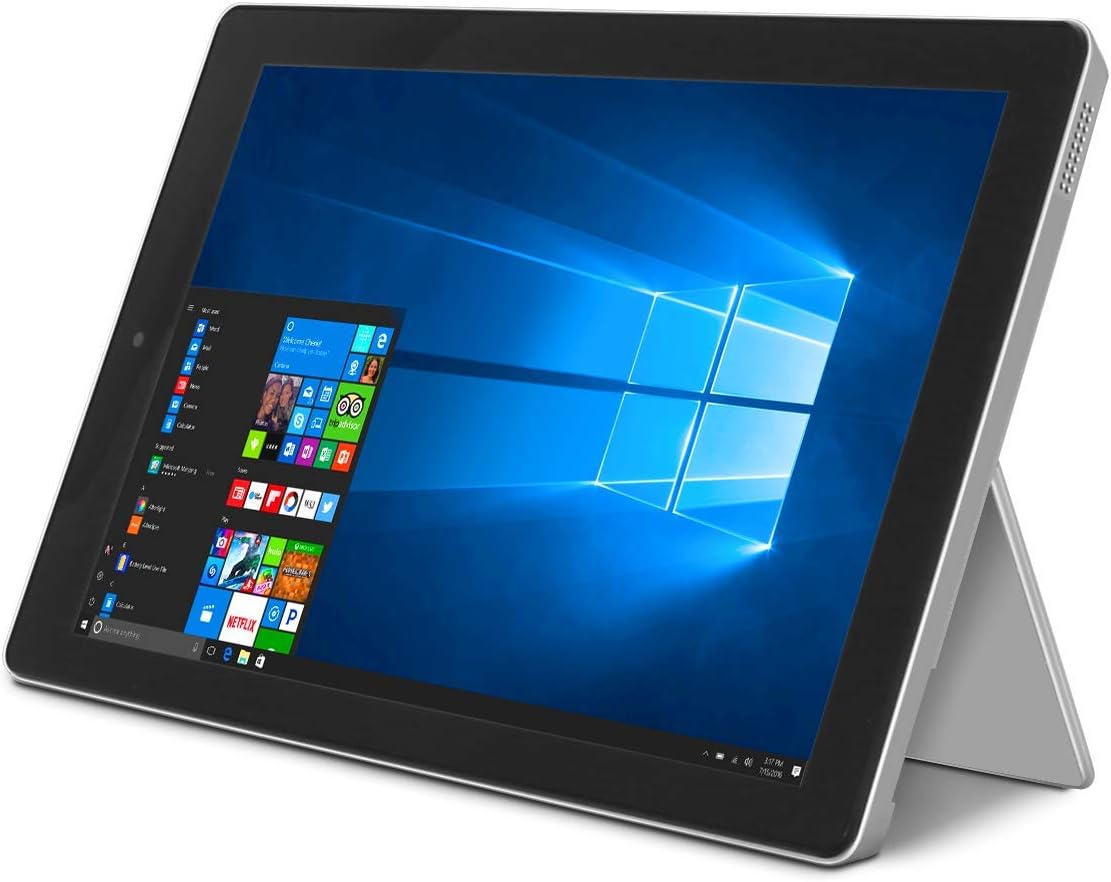
Image: The RCA Cambio 10.1 W101 V2 tablet in laptop mode, showcasing the Windows 10 operating system interface.
Інструкція з експлуатації
1. Основна навігація
Сенсорний екран:
The tablet features a multi-touch display. Use gestures such as tap, swipe, pinch-to-zoom, and press-and-hold to interact with the interface.
Клавіатура і тачпад:
When the detachable keyboard is connected, you can use the physical keys for typing and the integrated touchpad for cursor control. The touchpad supports multi-touch gestures similar to a laptop touchpad.

Image: The RCA Cambio 10.1 W101 V2 tablet in portrait orientation, showing the Windows 10 Start screen with application tiles.
2. Підключення до Wi-Fi
- Відкрийте Меню Пуск і натисніть на Налаштування.
- Виберіть Мережа та Інтернет.
- Виберіть Wi-Fi from the left-hand menu.
- Увімкнути/вимкнути Wi-Fi On якщо він вимкнений.
- Select your desired network from the list and click Підключитися.
- Якщо буде запропоновано, введіть пароль мережі.
3. Підключення Bluetooth
- Відкрийте Меню Пуск і натисніть на Налаштування.
- Виберіть Пристрої.
- Виберіть Bluetooth та інші пристрої from the left-hand menu.
- Увімкнути Bluetooth On.
- Натисніть Додайте Bluetooth або інший пристрій and follow the instructions to pair with your desired device.
4. Використання камер
The tablet is equipped with front and rear 2MP cameras. To access the camera, open the Камера application from the Start Menu or search bar. You can switch between front and rear cameras within the application interface.
5. Productivity with Microsoft Office 365
The device comes preloaded with Windows 10, which supports Microsoft Office 365 applications. You can create and edit documents, spreadsheets, and presentations. An active subscription to Microsoft Office 365 may be required for full functionality.

Image: The RCA Cambio 10.1 W101 V2 tablet running Microsoft Office applications, highlighting its use for productivity tasks.
6. Управління зберіганням
The tablet includes 32GB of internal storage. To manage your storage, go to Налаштування > Система > Зберігання. Ви можете view storage usage, free up space, and change where new content is saved. Consider using cloud storage or an external microSD card (not included) for additional space.
Технічне обслуговування
1. Очищення пристрою
Використовуйте м’яку тканину без ворсу для очищення екрана та зовнішніх поверхонь. Для видалення стійких плям злегкаampПротріть тканину водою або розчином для чищення екрану. Уникайте використання агресивних хімікатів або абразивних матеріалів.
2. Оновлення програмного забезпечення
Regularly check for and install Windows updates to ensure your system has the latest security patches and features. Go to Налаштування > Оновлення та безпека > Центр оновлення Windows щоб перевірити наявність оновлень.
3. Догляд за акумулятором
Щоб продовжити термін служби акумулятора:
- Уникайте частого повного розряджання акумулятора.
- Не піддавайте пристрій дії екстремальних температур.
- Unplug the charger once the battery is fully charged, especially during extended periods of non-use.
4. Резервне копіювання даних
Regularly back up important data to an external drive or cloud storage to prevent data loss in case of device malfunction.
Усунення несправностей
This section addresses common issues you might encounter with your RCA Cambio 10.1 W101 V2.
Пристрій не вмикається:
- Переконайтеся, що пристрій повністю заряджений. Підключіть адаптер живлення та зачекайте кілька хвилин, перш ніж спробувати знову ввімкнути його.
- Натисніть і утримуйте кнопку живлення щонайменше 10-15 секунд, щоб виконати апаратне скидання налаштувань.
Повільна продуктивність або зависання:
- Закрийте непотрібні програми, що працюють у фоновому режимі.
- Перевірте наявність та встановіть будь-які оновлення Windows, що очікують на оновлення.
- Ensure sufficient free storage space. Delete unnecessary files or move them to external storage.
- Перезапустіть пристрій.
Проблеми з підключенням до Wi-Fi:
- Переконайтеся, що Wi-Fi увімкнено в Налаштування > Мережа й Інтернет > Wi-Fi.
- Перезавантажте Wi-Fi роутер і планшет.
- Forget the network and reconnect by entering the password again.
- Переконайтеся, що ви перебуваєте в зоні дії сигналу Wi-Fi.
Проблеми підключення Bluetooth:
- Ensure Bluetooth is enabled on both the tablet and the device you are trying to pair.
- Make sure both devices are in pairing mode and within close proximity.
- Remove previously paired devices from the tablet's Bluetooth settings if you are experiencing conflicts.
Клавіатура не реагує:
- Ensure the keyboard is securely attached to the tablet's magnetic connector.
- Від’єднайте та знову приєднайте клавіатуру.
- Перезапустіть планшет.
Акумулятор швидко розряджається:
- Зменште яскравість екрана.
- Close background applications and disable unnecessary features like Bluetooth or Wi-Fi when not in use.
- Перевірте використання батареї в Settings > System > Battery to identify power-consuming applications.
Скидання до заводських налаштувань (крайній засіб):
If issues persist, you may consider performing a factory reset. This will erase all data and reinstall Windows 10. Перш ніж продовжити, зробіть резервну копію всіх важливих даних. Перейти до Settings > Update & Security > Recovery > Reset this PC і дотримуйтесь інструкцій на екрані.
Технічні характеристики
| Особливість | Специфікація |
|---|---|
| Номер моделі | W101 V2 |
| Операційна система | Windows 10 |
| Розмір екрана | 10.1 дюймів |
| Роздільна здатність екрана | 1280 х 800 |
| Процесор | Intel Quad-Core (1.83 GHz) |
| ОЗУ | 2 ГБ DDR3 SDRAM |
| Внутрішня пам'ять | 32 ГБ флеш-пам'яті |
| Бездротове підключення | 802.11b Wi-Fi, Bluetooth |
| Фотоапарати | Front and Rear (2 MP) |
| Акумулятор | 1 літій-іонний акумулятор (у комплекті) |
| Розміри (ДxШxВ) | 12.2 x 8.5 x 3.15 дюймів |
| Вага товару | 2.75 фунта |
Гарантія та підтримка
For warranty information and technical support, please refer to the documentation included with your product or visit the official RCA support webсайт. Зберігайте чек про покупку для гарантійних претензій.
For further assistance, you may contact RCA customer service. Contact details are typically available on the manufacturer's webсайт.