вступ
This manual provides instructions for the proper setup, operation, and maintenance of your Motorola HKLN4601 Surveillance Earpiece Kit. This single-wire earpiece features a combined microphone and Push-to-Talk (PTT) button, designed for clear communication in various environments. It includes a clear acoustic tube and a comfortable rubber ear tip for extended wear.
Продукт закінченийview
The Motorola HKLN4601 Surveillance Earpiece Kit consists of the following components:
- Earpiece with Acoustic Tube: Delivers audio directly to the ear.
- In-line Microphone and Push-to-Talk (PTT) Button: For transmitting voice and controlling communication.
- Cable with 3.5mm Jack: Connects the earpiece to compatible two-way radios.
- Two In-line Cable Clips: For securing the cable to clothing.
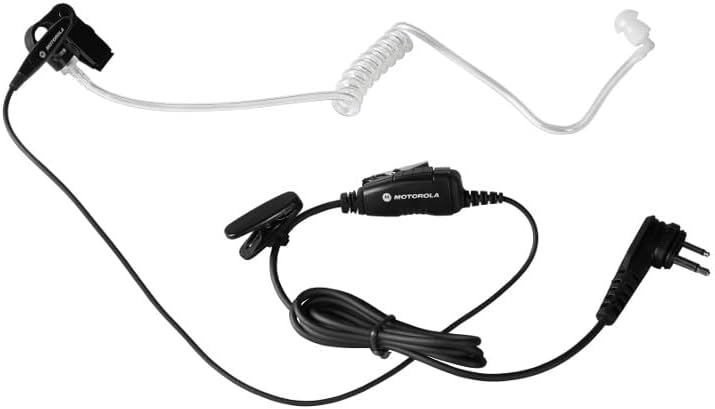
Figure 1: Complete Motorola HKLN4601 Surveillance Earpiece Kit.
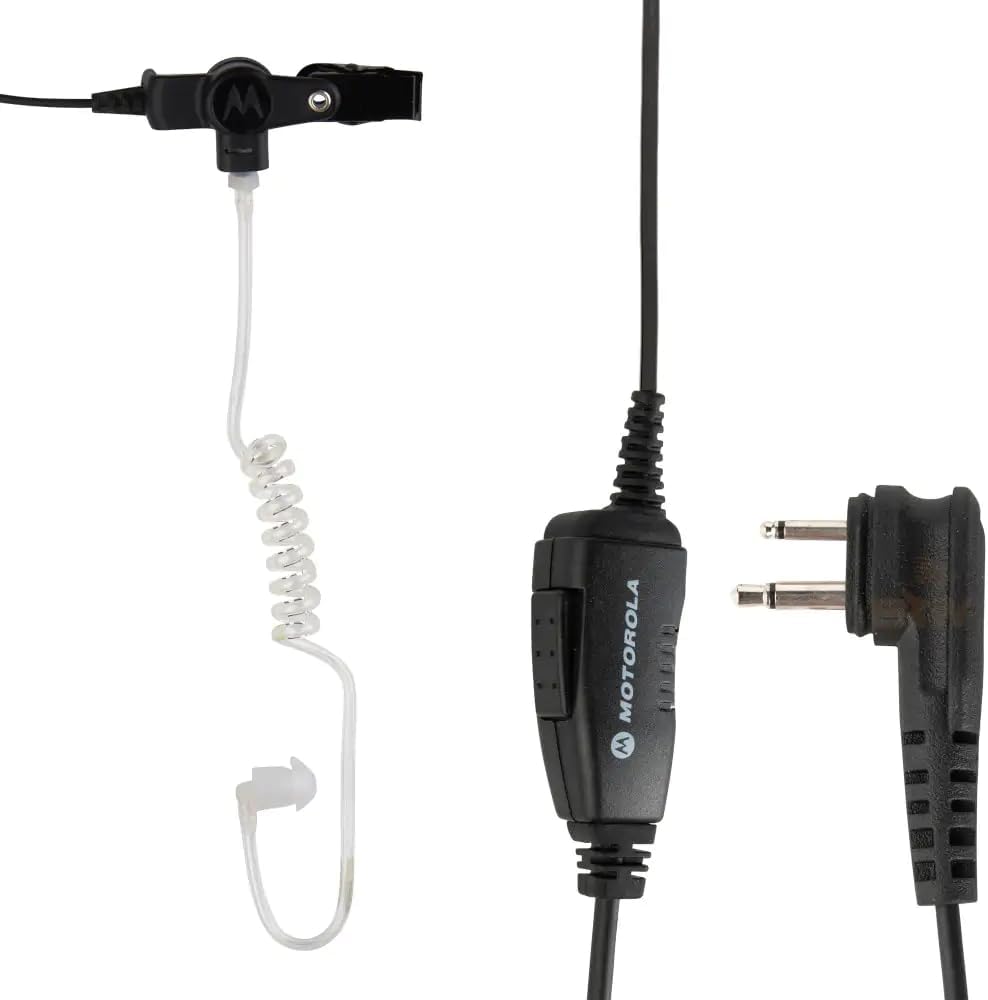
Figure 2: Detail of the in-line PTT and radio connector.
Інструкції з налаштування
- Підключення до радіо: Insert the 3.5mm audio jack firmly into the corresponding port on your compatible two-way radio. Ensure the plug is fully inserted to establish a secure connection.
- Одягніть навушники: Place the rubber ear tip comfortably over your ear. The acoustic tube should direct sound into your ear canal.
- Закріпіть кабель: Use the two in-line cable clips to attach the cable to your shirt, tie, or lanyard. This helps manage cable slack and prevents accidental dislodgement during movement.
Інструкція з експлуатації
The HKLN4601 earpiece is designed for straightforward communication with your two-way radio.
- Отримання аудіо: Audio from your radio will be heard directly through the earpiece. The design ensures clear audio even in noisy environments.
- Передача аудіо (Натисни та говори): To speak, press and hold the in-line Push-to-Talk (PTT) button. Speak clearly into the microphone located on the same unit as the PTT button. Release the button when you have finished speaking to return to receive mode.
Технічне обслуговування та догляд
- Прибирання: Wipe the earpiece, acoustic tube, and cables with a soft, damp тканина. Уникайте використання агресивних хімікатів або абразивних засобів для чищення.
- Зберігання: Зберігайте навушники в чистому, сухому місці, коли вони не використовуються. Уникайте екстремальних температур.
- Водонепроникність: Цей продукт є Не водостійкий. Avoid exposing the earpiece to water or excessive moisture to prevent damage.
- Догляд за кабелем: Do not pull on the cable to disconnect the earpiece from the radio. Always grasp the plug directly. Avoid sharp bends or kinks in the cable.
Усунення несправностей
| проблема | Можлива причина | Рішення |
|---|---|---|
| Немає звуку з навушника. | Earpiece not fully plugged in; radio volume too low; earpiece malfunction. | Ensure the 3.5mm jack is fully inserted into the radio. Increase radio volume. Test with another earpiece if available. |
| Others cannot hear me. | PTT button not pressed; microphone blocked; radio transmission issue. | Press and hold the PTT button firmly while speaking. Ensure the microphone is not covered. Check radio's transmission functionality. |
| Earpiece is uncomfortable. | Неправильне розміщення. | Adjust the rubber ear tip and acoustic tube for a comfortable fit over your ear. |
Технічні характеристики
- Номер моделі: HKLN4601
- Технологія підключення: Провідний
- Роз'єм для навушників: 3.5 мм джек
- матеріал: гумовий
- Стиль: Натисни і говори (PTT)
- Тип управління: Volume Control (via radio), In-line PTT
- Розташування вуха: In Ear (over-ear hook for stability)
- Рівень водонепроникності: Не водостійкий
- Вага товару: Приблизно 0.35 унцій (10 грамів)
- Розміри продукту: Приблизно 3 x 1.29 x 5 дюйма
- Виробник: Motorola
- UPC: 748091000393
Інформація про безпеку
Юридична відмова від відповідальності: Цей продукт призначений для використання лише бізнес-користувачами або іншими професійними користувачами, а не споживачами.
Always operate the earpiece and connected radio in accordance with local regulations and safety guidelines. Avoid listening at excessively high volumes for prolonged periods to prevent hearing damage.
Гарантія та підтримка
For warranty information and technical support, please refer to the documentation provided with your original purchase or contact Motorola customer service directly. Keep your proof of purchase for warranty claims.


