вступ
This manual provides instructions for setting up, operating, and maintaining your Mercury MW3030R Dual Band Wireless Router. Please read this manual carefully before use to ensure proper installation and optimal performance.
Інформація про безпеку
- Не піддавайте пристрій впливу води або надмірної вологості.
- Не намагайтеся самостійно розібрати або відремонтувати пристрій.
- Використовуйте лише адаптер живлення, що постачається разом із пристроєм.
- Забезпечте належну вентиляцію навколо маршрутизатора, щоб запобігти перегріву.
Вміст упаковки
Переконайтеся, що ваш пакет містить такі елементи:
- Mercury MW3030R Wireless Router
- Адаптер живлення
- Кабель Ethernet
- Quick Installation Guide (this manual serves as a detailed guide)
Продукт закінченийview
Ознайомтеся з компонентами та індикаторами маршрутизатора.
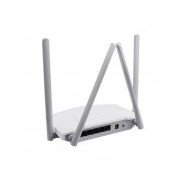
малюнок 1: Задня view of the Mercury MW3030R router. This image displays the four external antennas, the WAN port (typically blue), multiple LAN ports (typically yellow), and the power input jack. The reset button and WPS button are also usually located on the rear panel.
малюнок 2: З верху до низу view of the Mercury MW3030R router with its antennas folded. This perspective highlights the router's sleek, white casing and its overall compact form factor, suitable for various placements.
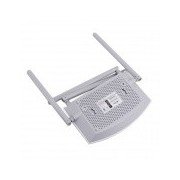
малюнок 3: Дно view of the Mercury MW3030R router. This image shows the ventilation holes designed for heat dissipation and the product label, which typically contains important information such as the default Wi-Fi name (SSID), password, and web management address.
Світлодіодні індикатори:
- Світлодіод живлення: Показує стан живлення маршрутизатора.
- Індикатор Інтернету: Показує стан інтернет-з’єднання.
- Індикатор WLAN: Вказує на активність бездротового зв'язку.
- Світлодіоди локальної мережі: Indicate connection status for each LAN port.
Налаштування
1. Апаратне підключення
- Увімкнення: Connect the power adapter to the router's power port and plug it into a wall outlet. Wait for the Power LED to become stable.
- Підключення до Інтернету (WAN): Connect one end of an Ethernet cable to your modem's LAN port and the other end to the router's WAN port (usually distinctively colored, e.g., blue).
- Підключення пристроїв (LAN): For wired connections, connect your computer or other devices to the router's LAN ports (usually yellow) using Ethernet cables.
- Антени: Adjust the four antennas for optimal signal coverage.
2. Початкова конфігурація (Web Інтерфейс)
- Підключення до роутера: Connect your computer to the router either via an Ethernet cable to a LAN port or wirelessly using the default Wi-Fi SSID and password printed on the router's label (refer to Figure 3).
- Доступ Web Браузер: Відкрийте a web browser (e.g., Chrome, Firefox) and type the default access address (e.g., http://192.168.1.1 or http://tplinkwifi.net) в адресний рядок і натисніть Enter.
- Логін: Введіть ім'я користувача та пароль за замовчуванням (зазвичай адмін для обох або як зазначено на етикетці маршрутизатора).
- Запустіть швидке налаштування: Follow the on-screen instructions of the Quick Setup Wizard to configure your internet connection type (e.g., PPPoE, Dynamic IP, Static IP) and wireless settings (SSID, password).
- Змінити пароль за замовчуванням: З міркувань безпеки наполегливо рекомендується змінити пароль для входу за замовчуванням на маршрутизаторі. web інтерфейс управління.
Інструкція з експлуатації
Підключення до Wi-Fi
- На вашому бездротовому пристрої (смартфоні, ноутбуці) знайдіть доступні мережі Wi-Fi.
- Select your router's Wi-Fi network name (SSID) that you configured during setup.
- Enter the Wi-Fi password you set.
- Тепер ваш пристрій має бути підключений до Інтернету.
Дводіапазонна робота
The MW3030R supports both 2.4GHz and 5.0GHz wireless bands. The 2.4GHz band offers wider coverage, while the 5.0GHz band provides faster speeds with less interference over shorter distances. You can connect your devices to either band based on your needs.
Гостьова мережа
Доступ до маршрутизатора web interface to enable and configure a separate guest network. This allows guests to access the internet without accessing your main network resources.
Технічне обслуговування
- Оновлення прошивки: Регулярно перевіряйте виробника webсайт для оновлень прошивки. Оновлення прошивки може покращити продуктивність, додати нові функції та виправити вразливості безпеки.
- Перезапуск маршрутизатора: Якщо у вас виникли проблеми з мережею, спробуйте перезавантажити маршрутизатор, відключивши адаптер живлення, зачекаючи 10 секунд, а потім знову підключивши його.
- Прибирання: Тримайте маршрутизатор чистим і без пилу. Використовуйте м’яку суху тканину. Не використовуйте рідкі засоби для чищення.
- Розміщення: Place the router in a central location, away from obstructions and devices that may cause interference (e.g., microwaves, cordless phones).
Усунення несправностей
Немає доступу до Інтернету
- Check if the Internet LED on the router is lit or blinking correctly.
- Переконайтеся, що кабель Ethernet від вашого модему надійно підключено до порту WAN маршрутизатора.
- Перезапустіть модем і маршрутизатор.
- Перевірте налаштування інтернет-з’єднання в налаштуваннях роутера web інтерфейс.
Низька швидкість бездротового зв'язку
- Ensure your device is connected to the 5.0GHz band if it supports it, for faster speeds.
- Move closer to the router or adjust antenna positions.
- Перевірте наявність перешкод від інших електронних пристроїв.
- Reduce the number of devices connected to the network or bandwidth-intensive activities.
Не вдається отримати доступ до маршрутизаторів Web Інтерфейс
- Переконайтеся, що ваш пристрій підключено до маршрутизатора (дротовим або бездротовим).
- Verify the IP address you are typing in the browser is correct (e.g., http://192.168.1.1).
- Спробуйте очистити кеш браузера або скористатися іншим браузером.
- If you forgot the login password, you may need to perform a factory reset (Warning: This will erase all your settings).
Технічні характеристики
| Особливість | опис |
|---|---|
| Модель | MW3030R |
| Бездротові стандарти | IEEE 802.11ac/n/g/b/a |
| Частота | 2.4 ГГц та 5.0 ГГц (дводіапазонний) |
| Бездротова швидкість | Up to 600Mbps (combined) |
| антени | 4 зовнішні антени |
| Інтерфейси | 1x WAN Port, Multiple LAN Ports (typically 3 or 4) |
| Джерело живлення | External Power Adapter (provided) |
Гарантія та підтримка
The Mercury MW3030R router comes with a standard manufacturer's warranty. For detailed warranty information, technical support, or service inquiries, please refer to the official Mercury webсайт або зверніться до служби підтримки клієнтів. Зберігайте чек про покупку для гарантійних претензій.


