вступ
This manual provides detailed instructions for the Sonnet T-1949 Digital LED Alarm Clock. This device features a clear LED display, an alarm function with snooze, and two integrated USB charging ports for smartphones and tablets. It operates on 110-120 volt AC power at 60 cycles and includes a battery backup feature (battery not included) to maintain time settings during power outagес.
Продукт закінченийview
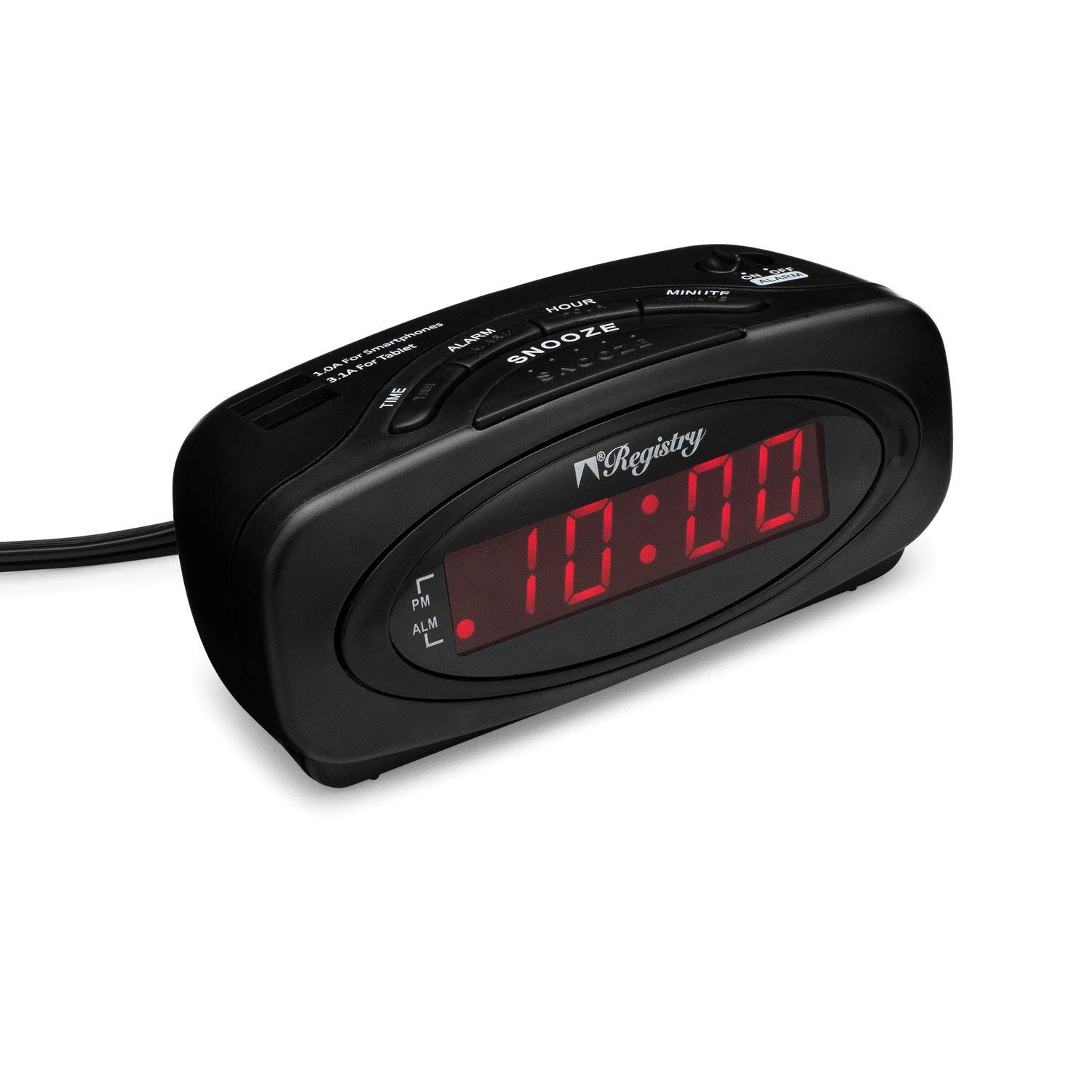
Зображення 1: Фронт view of the Sonnet T-1949 Digital LED Alarm Clock. The clock features a matte black finish and a red LED display showing "10:00". Indicators for PM and ALM (alarm) are visible on the left side of the display.
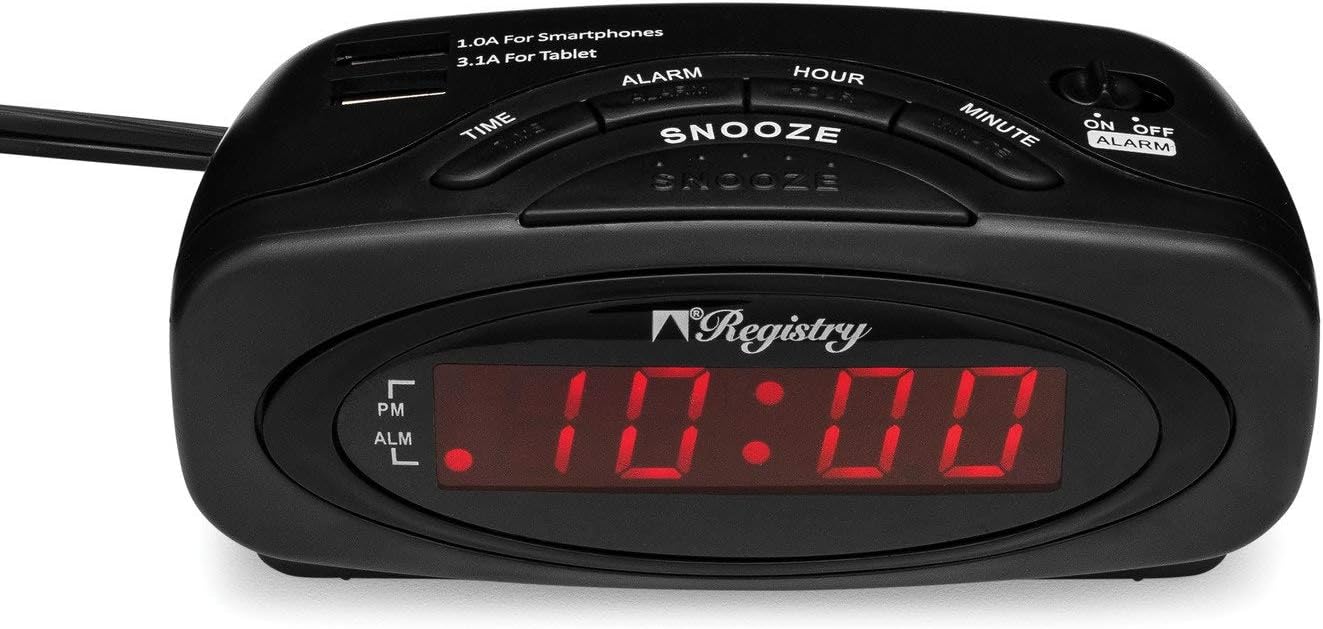
Зображення 2: Топ view of the Sonnet T-1949 Digital LED Alarm Clock. This image highlights the control buttons for TIME, ALARM, SNOOZE, HOUR, and MINUTE. Two USB charging ports are visible at the top, labeled "1.0A For Smartphones" and "3.1A For Tablet". An ON/OFF ALARM switch is located on the right side.

Зображення 3: Назад view of the Sonnet T-1949 Digital LED Alarm Clock. The battery compartment is open, revealing the slot for a button cell battery (CR2032, not included) for backup power. The power cord extends from the back of the unit.
Інструкції з налаштування
- Підключення живлення: Plug the alarm clock into a standard 110-120 volt AC, 60 cycle electrical outlet. The LED display will illuminate.
- Резервне живлення від батареї (додатково): For battery backup functionality, open the battery compartment on the back of the unit (refer to Image 3). Insert one CR2032 button cell battery (not included), ensuring correct polarity. This battery preserves time and alarm settings during a power outage.
- Встановлення часу:
- Натисніть і утримуйте ЧАС кнопку.
- Поки тримає ЧАС, натисніть ГОДИНА кнопку, щоб налаштувати годину. Слідкуйте за індикатором PM для правильного налаштування AM/PM.
- Поки тримає ЧАС, натисніть ХВИЛИНА кнопку для налаштування хвилин.
- Відпустіть ЧАС кнопку, щоб встановити поточний час.
- Встановлення будильника:
- Натисніть і утримуйте ТРИВОГА кнопку.
- Поки тримає ТРИВОГА, натисніть ГОДИНА кнопку для налаштування години будильника.
- Поки тримає ТРИВОГА, натисніть ХВИЛИНА кнопку, щоб відрегулювати хвилину будильника.
- Відпустіть ТРИВОГА button to set the alarm time. The ALM indicator on the display will light up, confirming the alarm is active.
Інструкція з експлуатації
- Відображення часу: The .6-inch high LED display continuously shows the current time. The PM indicator illuminates when the time is in the PM hours.
- Активація/деактивація сигналізації: Використовуйте УВІМК./ВИМК. СИГНАЛІЗАЦІЇ slide switch located on the top right of the clock (refer to Image 2) to turn the alarm function on or off. When the alarm is ON, the ALM indicator will be lit.
- Функція затримки: Коли пролунає будильник, натисніть велику кнопку СНОЙЗ button to temporarily silence the alarm. The alarm will sound again after a short interval (typically 9 minutes).
- Зупинення будильника: Щоб повністю вимкнути будильник після його спрацювання, пересуньте УВІМК./ВИМК. СИГНАЛІЗАЦІЇ перемикач у положення ВИМК.
- Порти для зарядки USB: The clock is equipped with two USB charging ports on the top surface (refer to Image 2):
- One 1.0A USB port for charging smartphones.
- One 2.1A USB port for charging tablets and other higher-power devices.
Технічне обслуговування
To maintain your Sonnet T-1949 alarm clock, wipe the exterior with a soft, dry cloth. Avoid using abrasive cleaners or solvents, as these can damage the finish. Ensure the unit is unplugged before cleaning. Keep the clock away from excessive moisture and direct sunlight.
If using the battery backup, check the CR2032 battery periodically and replace it as needed to ensure continuous timekeeping during power interruptions.
Усунення несправностей
| проблема | Можливе рішення |
|---|---|
| Дисплей годинника порожній. | Ensure the power cord is securely plugged into a working electrical outlet. Check if the outlet has power. |
| Сигналізація не звучить. | Переконайтеся, що УВІМК./ВИМК. СИГНАЛІЗАЦІЇ switch is in the ON position (ALM indicator lit). Confirm the alarm time is set correctly. |
| Налаштування часу/будильника втрачаються після відключення живленняtage. | The battery backup is not functioning. Install a new CR2032 button cell battery or ensure the existing battery is correctly installed and not depleted. |
| USB devices are not charging. | Ensure the clock is powered on. Check if the USB cable is properly connected to both the clock and the device. Verify the device is compatible with the charging port's amperage (1.0A for smartphones, 2.1A for tablets). |
Технічні характеристики
- модель: Т-1949
- Бренд: Sonnet
- Тип дисплея: Digital LED (0.6" high)
- колір: чорний
- Джерело живлення: 110-120V AC, 60Hz (Corded Electric)
- Резервний акумулятор: 1 x CR2032 button cell battery (not included)
- Порти для зарядки USB:
- 1 x 1.0A (for smartphones)
- 1 x 2.1A (for tablets)
- особливості: Alarm, Snooze, AM/PM indicator
- матеріал: пластик
- Вага товару: 8.1 унції
- Розміри упаковки: 5.63 x 3.9 x 2.64 дюймів
Гарантія та підтримка
Specific warranty information for the Sonnet T-1949 Digital LED Alarm Clock is typically provided with the product packaging or available on the manufacturer's official website. For technical support, service, or warranty claims, please refer to the contact information provided by Sonnet or your retailer.


