1. Вступ
This manual provides comprehensive instructions for the safe and effective use of the Mastech MS 6520B Infrared Thermometer. This non-contact device is designed for accurate temperature measurement across various applications. Please read this manual thoroughly before operating the device.

Малюнок 1: Спереду view of the Mastech MS 6520B Infrared Thermometer, showing the display and control buttons.
2. Інформація про безпеку
To ensure safe operation and prevent damage to the device, observe the following precautions:
- Лазерна безпека: Do not point the laser directly at eyes or indirectly off reflective surfaces. The laser is for targeting purposes only.
- Умови навколишнього середовища: Do not use the device in environments with explosive gas, steam, or dust. Avoid extreme temperatures and high humidity.
- Електромагнітні поля: Keep the device away from strong electromagnetic fields, which may affect accuracy.
- Занурення у воду: Do not immerse the device in water or other liquids. It is not waterproof.
- Технічне обслуговування: Зверніться до розділу технічного обслуговування для правильного очищення та догляду.
3. Характеристики та компоненти продукту
The Mastech MS 6520B is a handheld infrared thermometer featuring a clear LCD display and intuitive controls.
Ключові характеристики:
- Безконтактне вимірювання інфрачервоної температури
- Wide temperature range: -20°C to 500°C (-4°F to 932°F)
- Selectable °C/°F units
- Built-in laser pointer for accurate targeting
- Backlight display for low-light conditions
- Функція утримання даних
- MAX/MIN/AVG temperature display modes
- Індикація низького заряду батареї
Ідентифікація компонента:
- Інфрачервоний датчик
- Laser Pointer Aperture
- РК-дисплей
- Тригер вимірювання
- Кнопка режиму (M)
- Unit Selection Button (°F/°C)
- Кнопка підсвічування
- Кнопка ввімкнення/вимкнення лазера
- Батарейний відсік

Малюнок 2: Детально view of the MS 6520B display and control buttons.
4. Налаштування
4.1 Встановлення батареї
The Mastech MS 6520B requires one 9V 6F22 battery for operation.
- Locate the battery compartment cover at the bottom of the handle.
- Gently slide or open the battery compartment cover.
- Connect a new 9V 6F22 battery to the battery connector, ensuring correct polarity.
- Вставте батарейку у відсік та щільно закрийте кришку.

Figure 3: The battery compartment of the MS 6520B, showing the 9V battery connection.
5. Інструкція з експлуатації
5.1 Вимірювання
- Спрямуйте інфрачервоний датчик на цільовий об'єкт.
- Натисніть і утримуйте кнопку вимірювання. На дисплеї відображатимуться показники температури в режимі реального часу.
- Release the trigger to hold the last measured temperature on the display (Data Hold). The device will automatically power off after a period of inactivity to conserve battery.
5.2 Співвідношення відстані до плями (D:S)
The MS 6520B has a Distance to Spot Ratio (D:S) of 10:1. This means that at a distance of 10 units from the target, the measurement spot diameter will be 1 unit. For accurate readings, ensure the target area is larger than the measurement spot size.
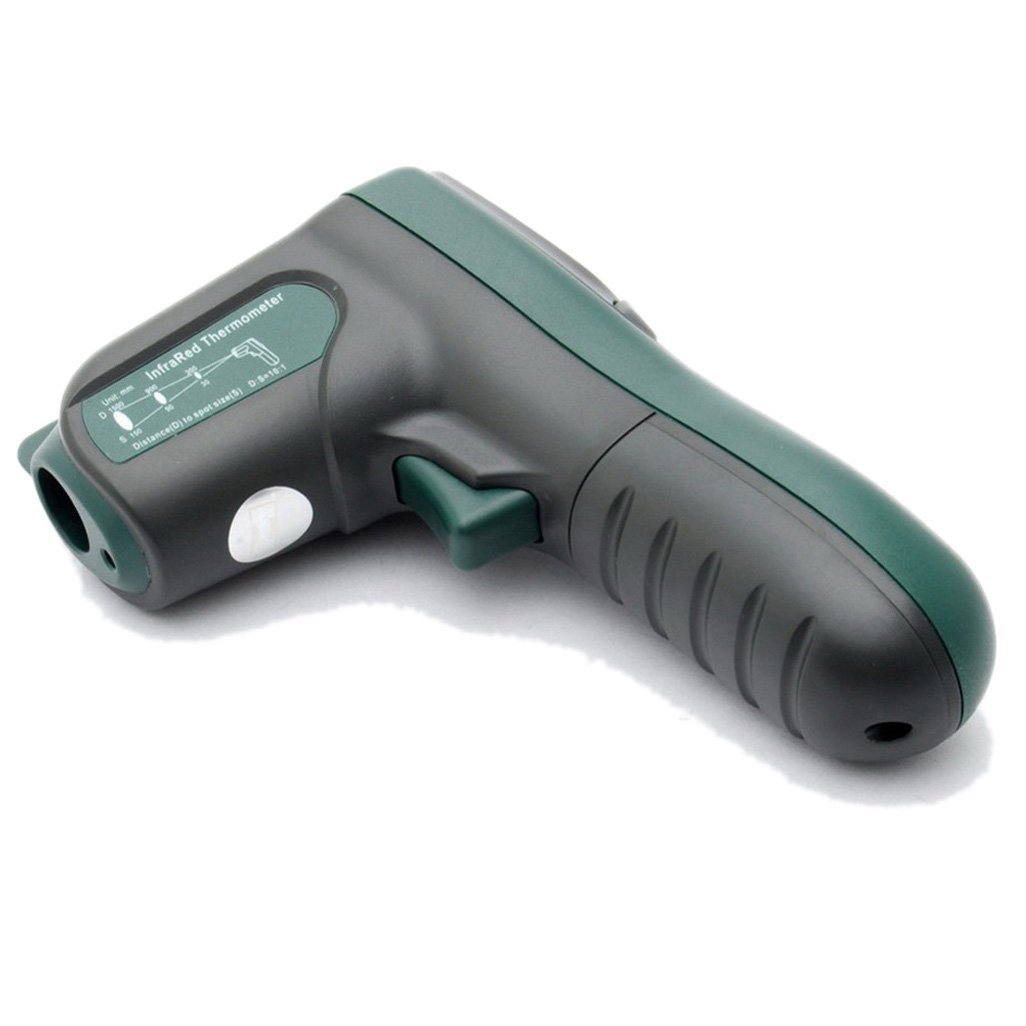
Малюнок 4: Сторона view illustrating the 10:1 Distance to Spot Ratio for the infrared thermometer.
5.3 Випромінювальна здатність
The device has a fixed emissivity setting of 0.95, which is suitable for most organic materials, painted surfaces, and many non-metallic objects. For highly reflective surfaces, readings may be less accurate.
5.4 Вибір одиниць вимірювання (°C/°F)
Натисніть °F/°C кнопка для перемикання між одиницями вимірювання температури за Цельсієм та Фаренгейтом.
5.5 Підсвічування
Натисніть Підсвічування button to turn the display backlight on or off. This feature is useful in dimly lit environments.
5.6 Лазерна указка
Натисніть Лазерна button to activate or deactivate the laser pointer. The laser helps in precisely identifying the measurement target.
5.7 MAX/MIN/AVG Modes
Натисніть M (Mode) button to cycle through different display modes while the trigger is held down:
- МАКС: Displays the maximum temperature recorded during the current measurement session.
- ХВ: Displays the minimum temperature recorded during the current measurement session.
- СРЕД: Displays the average temperature recorded during the current measurement session.
6. Технічне обслуговування
6.1 Очищення
- Очистіть пристрій casing з м'яким, damp тканина. Не використовуйте абразивні засоби чи розчинники.
- Carefully clean the infrared lens with a soft cloth or cotton swab, slightly moistened with water or rubbing alcohol. Avoid scratching the lens.
6.2 Зберігання
When not in use, store the thermometer in a dry, cool place, away from direct sunlight and extreme temperatures. If storing for an extended period, remove the battery to prevent leakage.
6.3 Заміна батареї
Replace the 9V battery when the low battery indicator appears on the display to ensure accurate readings and proper device function. Refer to Section 4.1 for battery installation instructions.
7. Вирішення проблем
If you encounter issues with your Mastech MS 6520B, refer to the following common problems and solutions:
| проблема | Можлива причина | Рішення |
|---|---|---|
| Пристрій не включається | Розряджений або неправильно встановлений акумулятор | Replace the 9V battery or ensure it is correctly installed. |
| Неточні показання |
|
|
| Display shows "ERR" | Temperature outside measurement range | Ensure the target temperature is within -20°C to 500°C. |
8. Технічні характеристики
The following table outlines the technical specifications for the Mastech MS 6520B Infrared Thermometer:
| Параметр | Специфікація |
|---|---|
| Діапазон температур | Від -20°C до 500°C (від -4°F до 932°F) |
| Точність | ±(1.5% + 2°C) or ±(1.5% + 4°F) |
| Температурна роздільна здатність | 0.1°C / 0.1°F |
| Повторюваність | ±1°C |
| Співвідношення відстані до плями (D:S) | 10:1 |
| Емісійність | 0.95 (фіксовано) |
| Час відгуку | 500 мілісекунд |
| Джерело живлення | 1x 9V 6F22 Battery |
| Розмір продукту | 142 мм x 92 мм x 47 мм (5.6 дюйма x 3.6 дюйма x 1.85 дюйма) |
| Вага продукту | 231 г (0.31 фунта) |
| Сертифікати | CE, RoHS |

Figure 5: Detailed specifications table for the Mastech MS 6520B.
9. Гарантія та підтримка
For warranty information, technical assistance, or customer support regarding your Mastech MS 6520B Infrared Thermometer, please refer to the official Mastech webсайт або зверніться до місцевого дистриб'ютора. Зберігайте чек про покупку як підтвердження покупки.


