1. Вступ
This manual provides essential instructions for the installation, operation, maintenance, and troubleshooting of your Antec TruePower Classic TP-750C 750W 80 PLUS GOLD Certified Power Supply. Please read this manual thoroughly before installation and retain it for future reference. This power supply is designed to provide stable and efficient power to your personal computer system.
2. Інформація про безпеку
- Перед встановленням або використанням переконайтеся, що блок живлення відключено від розетки змінного струму.
- Не відкривайте блок живлення casinг. Високий об'ємtage components inside pose a risk of electric shock.
- Встановіть блок живлення в добре провітрюваному приміщенні, щоб запобігти перегріву.
- Використовуйте лише кабелі, що постачаються з блоком живлення.
- Уникайте впливу вологи або екстремальних температур на блок живлення.
- Цей продукт призначений для використання лише в системах персональних комп'ютерів.
3. Вміст упаковки
Перш ніж продовжувати встановлення, переконайтеся, що всі елементи присутні в упаковці.
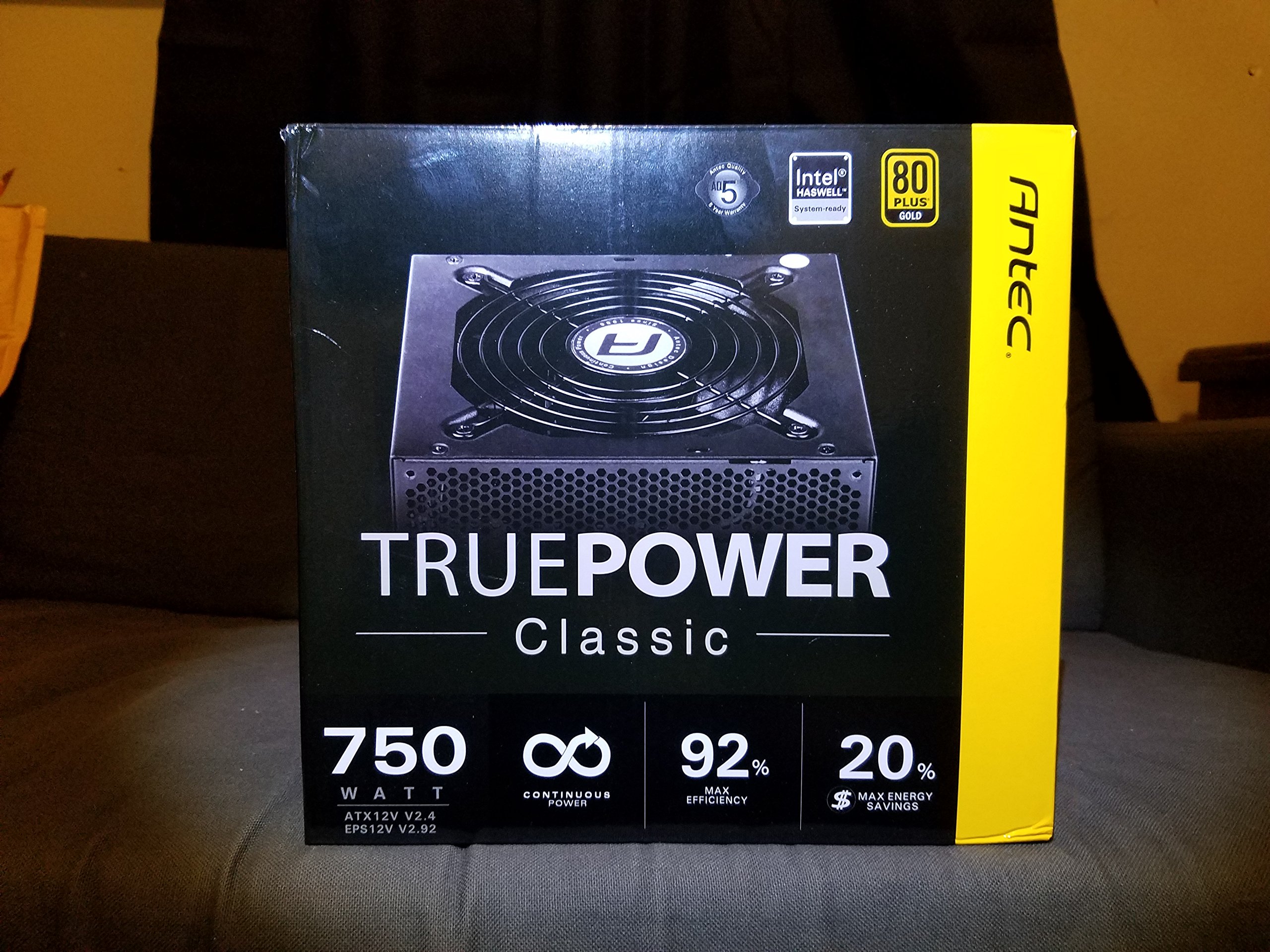
Image 1: Contents of the Antec TruePower Classic TP-750C package. The image displays the power supply unit, various power cables (including a main AC power cable), and user documentation neatly packed within a cardboard box.
- Antec TruePower Classic TP-750C Power Supply Unit
- Modular Cable Set (PCI-E, SATA, Molex, etc.)
- Шнур живлення змінного струму
- Монтажні гвинти
- Посібник користувача / Документація
4. Налаштування та встановлення
Follow these steps to properly install your power supply into your computer chassis.
- Підготовка шасі: Ensure your computer chassis is powered off and disconnected from all power sources. Open the side panel of your computer case.
- Встановлення блоку живлення: Carefully slide the Antec TP-750C power supply into the designated power supply bay in your chassis. Align the screw holes on the power supply with those on the chassis. Secure the power supply using the provided mounting screws.
- Підключення живлення материнської плати: Connect the 24-pin ATX main power connector from the power supply to the corresponding port on your motherboard. Ensure it clicks into place.
- Підключення живлення процесора: Connect the 4+4-pin (or 8-pin) EPS12V CPU power connector to the CPU power socket on your motherboard.
- Connect Graphics Card Power (PCI-E): If your graphics card requires external power, connect the appropriate 6+2-pin PCI-E power cables from the power supply to your graphics card.
- Connect Peripheral Power (SATA/Molex): Connect SATA power cables to your storage drives (SSDs, HDDs) and optical drives. Use Molex connectors for other peripherals as needed.
- Управління кабелем: Route cables neatly to improve airflow and aesthetics within your chassis.
- Остаточні перевірки: Double-check all connections to ensure they are secure. Close the chassis side panel.
- Підключіть джерело змінного струму: Connect the AC power cord to the power supply and then to a wall outlet or surge protector.
5. Інструкція з експлуатації
The Antec TP-750C power supply operates automatically once correctly installed and connected to an AC power source. It provides stable DC power to all connected components.
- Увімкнення: After connecting the AC power cord, flip the power switch on the back of the power supply to the "ON" (I) position.
- Завантаження системи: Press the power button on your computer chassis to start your system.
- Вимкнення живлення: Shut down your computer through the operating system. For complete power disconnection, flip the power switch on the power supply to the "OFF" (O) position and unplug the AC power cord.
6. Технічне обслуговування
Правильне обслуговування забезпечує довговічність та оптимальну роботу вашого блоку живлення.
- Очищення від пилу: Periodically clean dust from the power supply's fan and ventilation grilles using compressed air. Ensure the power supply is disconnected from AC power before cleaning.
- Вентиляція: Ensure adequate airflow around the power supply. Do not block the intake or exhaust vents.
- Цілісність кабелю: Regularly check power cables for any signs of damage or fraying. Replace damaged cables immediately.
- Операційне середовище: Operate the power supply within recommended temperature and humidity ranges.
7. Вирішення проблем
If you encounter issues with your power supply, refer to the following common problems and solutions.
| проблема | Можлива причина | Рішення |
|---|---|---|
| Система не вмикається. | AC power cord not connected, power switch off, loose internal connections, faulty components. |
|
| Система вмикається, але одразу вимикається. | Overload, overheating, short circuit, faulty component. |
|
| Unusual noise from the power supply. | Fan obstruction, faulty fan bearing, coil whine. |
|
If troubleshooting steps do not resolve the issue, contact Antec customer support for further assistance.
8. Технічні характеристики
| Назва моделі | TruePower Classic TP-750C |
| Бренд | Antec |
| Wattage | 750 Вт |
| Сертифікат 80 PLUS | золото |
| Форм-фактор | ATX |
| Тип роз'єму | ATX |
| Мінімальна вхідна гучністьtage | 100 вольт |
| Сумісні пристрої | Персональний комп'ютер |
| Вага товару | 6.24 фунта (2.83 кг) |
| Розміри упаковки | 9.7 x 9 x 5.5 дюйми (24.6 x 22.9 x 14 см) |
| ASIN | B00JOFALL0 |
| UPC | 132018316306 |
9. Гарантія та підтримка
The Antec TruePower Classic TP-750C Power Supply comes with a Гарантія від виробника 3 рік. Ця гарантія поширюється на дефекти матеріалів і виготовлення за нормального використання.
For technical support, warranty claims, or further inquiries, please visit the official Antec webсайт або зверніться до їхнього відділу обслуговування клієнтів. Зберігайте чек про покупку для підтвердження гарантії.
Please note: Opening the power supply casing призведе до анулювання гарантії.


