1. Вступ
The Comfast CF-WU720N is a compact 150Mbps Wireless USB Adapter designed to provide high-speed wireless connectivity for your desktop or notebook computer. It allows you to connect to a wireless network and access the internet, share files, and enjoy online gaming at speeds up to 150Mbps. This adapter is compliant with IEEE 802.11b/g/n standards and supports USB 2.0 for efficient data transfer.
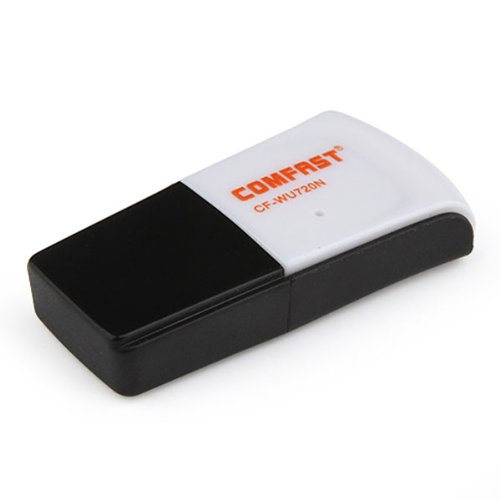
Image 1.1: The Comfast CF-WU720N Wireless USB Adapter, a compact device for wireless connectivity.
2. Особливості продукту
- Meets IEEE 802.11b/g/n wireless standards.
- Supports USB 2.0 interface for broad compatibility.
- Utilizes Realtek 8191 SU chipset for reliable performance.
- Achieves wireless connection rates up to 150Mbps.
- Supports wireless roaming technology for seamless connectivity.
- Strong compatibility with various popular operating systems.
- Compact size: approximately 39 x 12 x 7mm (1.5 x 0.7 x 0.3 inches).
- Lightweight design: approximately 5g.
3. Вміст упаковки
Будь ласка, перевірте наявність усіх предметів у упаковці:
- 1 x Comfast CF-WU720N Wireless USB Adapter
- 1 x Посібник зі швидкого встановлення
- 1 x CD-ROM Driver
- 1 х гарантійний талон

Image 3.1: The retail packaging for the Comfast CF-WU720N, showing the adapter inside.
4. Налаштування та встановлення
4.1. Встановлення драйвера
Before connecting the USB adapter, it is recommended to install the necessary drivers from the provided CD-ROM. This ensures proper functionality and compatibility with your operating system.
- Insert the driver CD-ROM into your computer's optical drive.
- If the installer does not launch automatically, navigate to "My Computer" or "This PC," open the CD-ROM drive, and run the setup executable (e.g., "setup.exe" or "autorun.exe").
- Follow the on-screen instructions to complete the driver installation. You may be prompted to restart your computer after installation.
- Примітка: If your computer does not have an optical drive, you may need to download the latest drivers from the manufacturer's official webсайт.
4.2. Підключення USB-адаптера
Once the drivers are installed, you can connect the Comfast CF-WU720N Wireless USB Adapter to your computer.
- Locate an available USB 2.0 or 3.0 port on your desktop or laptop computer.
- Carefully insert the Comfast CF-WU720N adapter into the USB port. Ensure it is fully seated.
- The operating system should automatically detect the adapter and configure it using the installed drivers. A small LED indicator on the adapter may light up or blink, indicating activity.
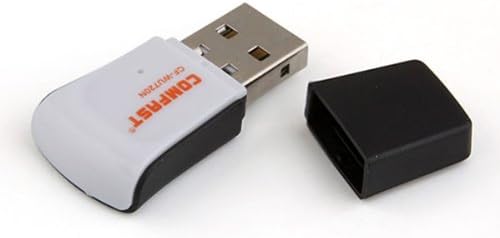
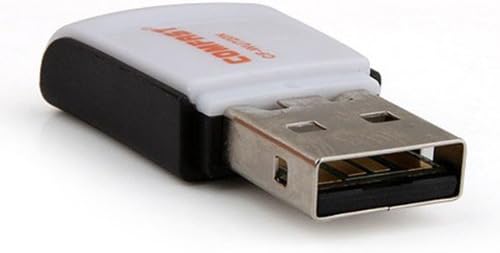
Image 4.1: The Comfast CF-WU720N adapter with its protective cap removed, revealing the USB connector. Image 4.2: A side view of the adapter, highlighting its compact design and USB interface.
5. Інструкція з експлуатації
After successful driver installation and adapter connection, you can now connect to a wireless network.
- Налаштування мережі доступу:
- Windows: Click the wireless network icon in the system tray (usually bottom-right corner).
- macOS: Click the Wi-Fi icon in the menu bar (usually top-right corner).
- Linux: Access network settings through your desktop environment's network manager.
- Виберіть свою мережу: A list of available wireless networks (SSIDs) will appear. Select the name of your desired network.
- Підключити: Click "Connect" or "Join." If the network is secured, you will be prompted to enter the network security key (password).
- Підтвердити підключення: Once connected, the network icon will typically change to indicate a successful connection, and you should be able to access the internet.
6. Технічне обслуговування
To ensure optimal performance and longevity of your Comfast CF-WU720N Wireless USB Adapter, follow these simple maintenance guidelines:
- Тримати в чистоті: Gently wipe the adapter with a soft, dry cloth to remove dust. Avoid using liquid cleaners or solvents.
- Захист USB-роз'єму: When not in use, keep the protective cap on the USB connector to prevent dust and damage.
- Уникайте екстремальних умов: Не піддавайте адаптер впливу екстремальних температур, вологості або прямих сонячних променів.
- Поводьтеся обережно: Уникайте падіння адаптера та сильних ударів.
- Оновлення драйверів: Періодично перевіряйте дані виробника website for updated drivers to ensure the best performance and compatibility.
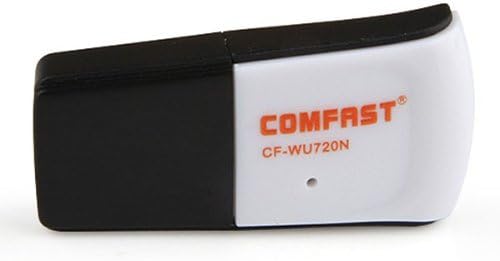
Image 6.1: The Comfast CF-WU720N adapter with its protective cap in place, ready for storage or transport.
7. Вирішення проблем
If you encounter issues with your Comfast CF-WU720N Wireless USB Adapter, refer to the following common solutions:
| проблема | Можливе рішення |
|---|---|
| Adapter not detected / No Wi-Fi networks visible. |
|
| Не вдається підключитися до певної мережі Wi-Fi. |
|
| Slow connection speed or frequent disconnections. |
|
8. Технічні характеристики
| Особливість | Деталь |
|---|---|
| Модель | CF-WU720N |
| Бездротові стандарти | IEEE 802.11b/g/n |
| Інтерфейс | USB 2.0 |
| Чіпсет | Realtek 8191 SU |
| Бездротова швидкість | До 150 Мбіт/с |
| Діапазон частот | 2.4 ГГц |
| Функції безпеки | WPA/WPA2, WPA-PSK/WPA2-PSK, 64/128-bit WEP |
| Операційні системи | Windows XP/Vista/7/8/10, macOS, Linux (driver dependent) |
| Розміри (Д x Ш x В) | Приблизно 39 x 12 x 7 мм (1.5 x 0.7 x 0.3 дюйма) |
| вага | прибл. 5г |
9. Гарантія та підтримка
This product comes with a warranty as specified on the included Warranty Card. Please refer to the card for details regarding warranty period, terms, and conditions.
For technical support, driver updates, or further assistance, please visit the official Comfast webсайт або зверніться до їхнього відділу обслуговування клієнтів. Контактну інформацію зазвичай можна знайти на упаковці продукту або на сайті виробника webсайт.
Будь ласка, збережіть чек про покупку для гарантійних потреб.


