1. Вступ
This manual provides comprehensive instructions for the Sony Cyber-shot DSC-W810 Digital Camera. It covers essential information for setting up, operating, maintaining, and troubleshooting your camera to ensure optimal performance and longevity. Please read this manual thoroughly before using your camera.
2. Продукт закінчивсяview
Familiarize yourself with the components and controls of your Sony Cyber-shot DSC-W810 camera.
2.1 Компоненти камери
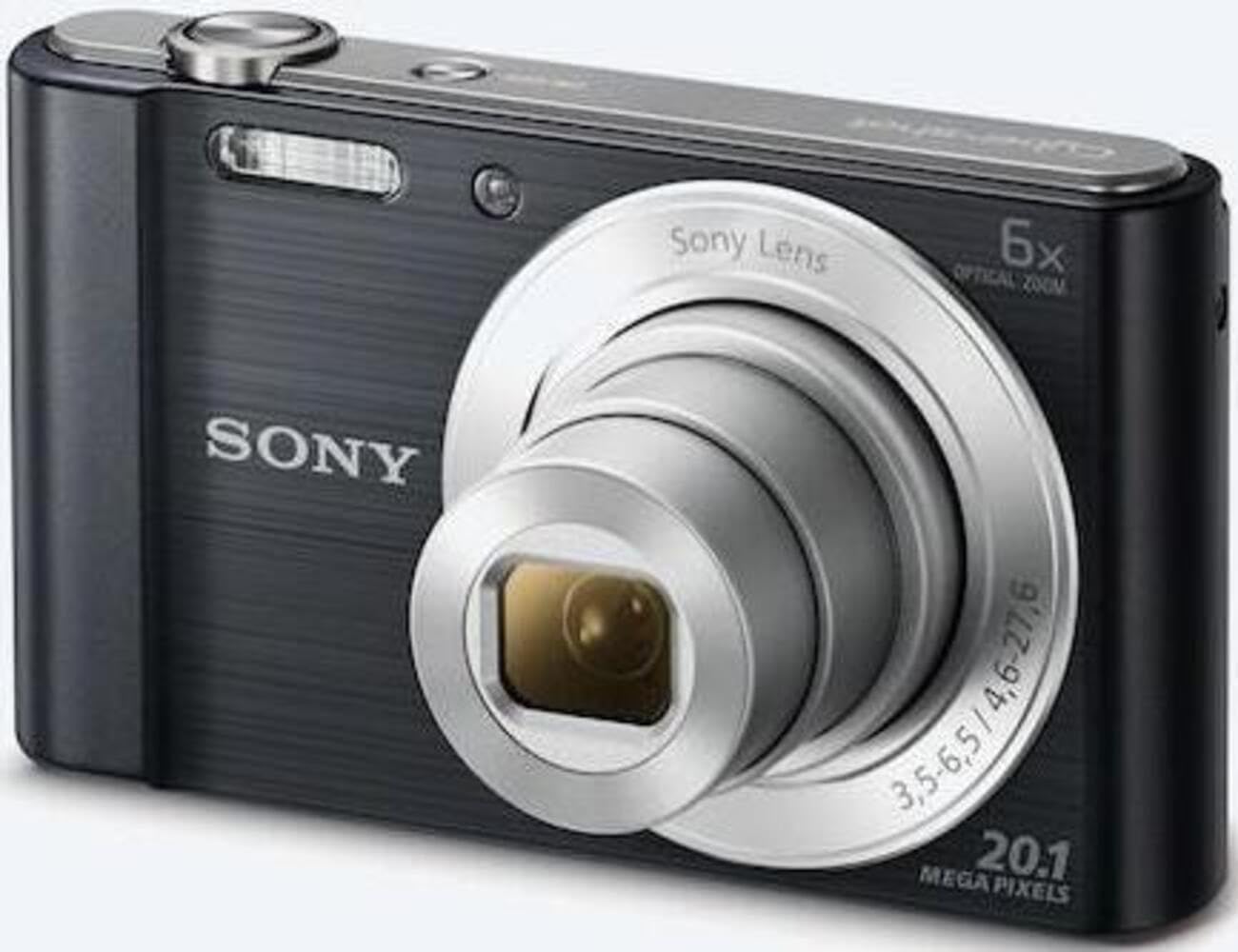
Малюнок 1: Спереду view of the camera with the lens retracted. This shows the lens, flash, and shutter button.
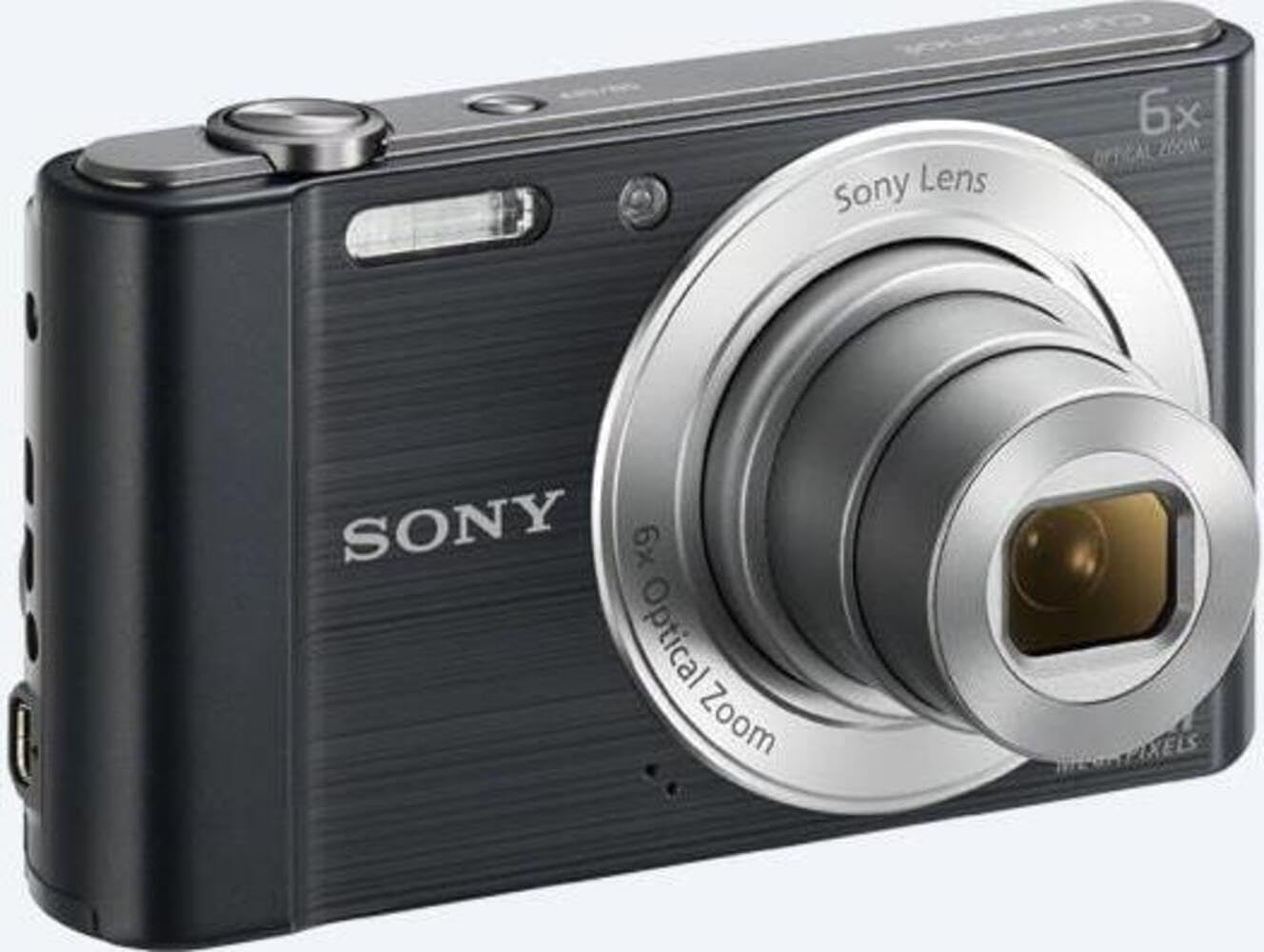
Малюнок 2: Спереду view of the camera with the lens extended, ready for shooting. This illustrates the camera's compact design when in use.

Малюнок 3: Задня частина view of the camera, highlighting the 2.7-inch LCD screen, navigation buttons, movie record button, and menu button.

Малюнок 4: Верх view of the camera, showing the power button, shutter button, and zoom lever.
2.2 Control Buttons and Functions
- Кнопка затвора: Натисніть наполовину для фокусування, повністю для зйомки зображення.
- Важіль масштабування (W/T): Adjusts optical and digital zoom. "W" for wide-angle, "T" for telephoto.
- Кнопка живлення: Вмикає або вимикає камеру.
- Кнопка фільму: Початок і зупинка запису відео.
- Кнопка відтворення: Входить у режим відтворення, щоб view фотографії та відео.
- Кнопка меню: Доступ до налаштувань і опцій камери.
- Кнопки напрямків: Navigate menus and select options. Also used for flash settings, self-timer, and display options.
- Спалах: Вбудований спалах для умов слабкого освітлення.
- РК-екран: 2.7-дюймовий дисплей для кадрування знімків, viewперегляд зображень і навігація по меню.
3. Налаштування
Follow these steps to prepare your camera for first use.
3.1 Встановлення батареї
- Open the battery/memory card cover located on the bottom of the camera.
- Insert the battery with the correct orientation, ensuring the terminals align. Push until it clicks into place.
- Надійно закрийте кришку.
Note: The camera does not include batteries. Please use compatible Sony NP-BN or NP-BN1 batteries.
3.2 Вставлення карти пам'яті
The camera supports SDXC or SDHC memory cards.
- Відкрийте кришку відсіку для акумулятора/карти пам’яті.
- Insert the memory card into the slot with the correct orientation until it clicks.
- Надійно закрийте кришку.
Note: A memory card is not included with the camera. Purchase a compatible SDXC or SDHC card separately.
3.3 Початкове увімкнення та налаштування
- Натисніть кнопку живлення, щоб увімкнути камеру.
- The initial setup screen will appear. Follow the on-screen prompts to set the language, date, and time.
- Ensure the date and time are accurate for proper photo organization.
4. Робота з камерою
Learn how to capture photos and videos with your DSC-W810.
4.1 Фотографування
- Увімкніть камеру.
- Скомпонуйте кадр за допомогою РК-екрана.
- Use the zoom lever (W/T) to adjust the 6x optical zoom.
- Press the Shutter button halfway down to focus. The focus frame will turn green when focus is achieved.
- Press the Shutter button fully to take the picture.
4.2 Using Flash Modes
The camera features a built-in flash with various modes. Press the right directional button (flash icon) to cycle through modes:
- Автоматичний спалах: Камера автоматично визначає, чи потрібен спалах.
- Заповнюючий спалах: Спалах спрацьовує для кожного знімка.
- Повільна синхронізація: Flash fires, and shutter speed is slowed to capture background light.
- Без спалаху: Спалах вимкнено.
Tip: For low-light environments, the "Party Mode" (accessible via the menu) can optimize settings for clearer images without harsh flash.
4.3 Запис відео
- Увімкніть камеру.
- Press the dedicated Movie button to start recording.
- Press the Movie button again to stop recording.
Note: Videos are recorded in 720p resolution in MP4 format.
4.4 Режим відтворення
- Натисніть кнопку відтворення, щоб перейти в режим відтворення.
- Use the left/right directional buttons to browse through your photos and videos.
- Press the center button to play videos.
- Press the Playback button again to return to shooting mode.
5. Технічне обслуговування
Proper care ensures the longevity and performance of your camera.
5.1 Очищення камери
- Корпус камери: Протріть м’якою сухою тканиною. Для стійкого бруду використовуйте тканину, злегка протертуampзалитий водою.
- Об'єктив: Використовуйте щіточку для об’єктивів, щоб видалити пил, потім обережно протріть тканиною для чищення об’єктивів. Уникайте дотику до поверхні об’єктива пальцями.
- РК-екран: Use a soft, dry cloth specifically designed for LCD screens.
Caution: Do not use organic solvents such as alcohol or thinner to clean the camera.
5.2 Догляд за акумулятором
- Перед першим використанням повністю зарядіть акумулятор.
- Вийміть батарею, якщо камера не використовуватиметься протягом тривалого часу.
- Зберігайте батареї в прохолодному сухому місці.
5.3 Зберігання
When not in use, store the camera in a dry, well-ventilated area, away from direct sunlight, high temperatures, and humidity. Use a camera case for protection during transport.
6. Вирішення проблем
Зверніться до цього розділу, щоб знайти рішення поширених проблем.
| проблема | Рішення |
|---|---|
| Камера не вмикається. |
|
| Зображення розмиті. |
|
| Flash is too bright or too dim. |
|
| Помилка карти пам'яті. |
|
7. Технічні характеристики
Key technical specifications for the Sony Cyber-shot DSC-W810 Digital Camera.
| Особливість | Деталь |
|---|---|
| Назва моделі | DSCW810B.CE3 |
| Ефективне вирішення проблеми | 20.1 Мп |
| Технологія фотосенсора | CCD |
| Оптичний зум | 6x |
| Цифровий зум | 48x |
| Максимальна фокусна відстань | 27.6 мм |
| Мінімальна фокусна відстань | 4.6 мм |
| Стабілізація зображення | Цифровий, оптичний |
| Розмір екрана | 2.7-дюймовий РК-дисплей |
| Роздільна здатність відео | 720p |
| Підтримується File Формати | JPEG, RAW (Still), MP4 (Video) |
| Тип флеш-пам'яті | SDXC or SDHC |
| Підключення | USB, HDMI |
| Вага товару | 111 грамів |
| Колір | чорний |
8. Гарантія та підтримка
8.1 Інформація про гарантію
This product comes with a 90-day Limited Hardware Warranty. For full details, please refer to the official warranty document:
View 90-day Limited Hardware Warranty
Note: This is an international version of the camera and may have warranty limitations in certain regions.
8.2 Підтримка клієнтів
Щоб отримати додаткову допомогу, технічну підтримку або звернутися до служби підтримки, відвідайте офіційний сайт підтримки Sony. webсайту або зв’яжіться з їхньою службою обслуговування клієнтів.


