1. Вступ і даліview
The Alpine VIE-X007-WS-E is a dedicated in-dash car navigation system designed for specific vehicle models, featuring a high-definition 7-inch wide VGA LED LCD display. This unit provides clear and detailed maps, high-quality video playback, and integrates advanced features for an enhanced driving experience. It includes a 32GB SDHC memory for map and music data, a built-in terrestrial digital TV tuner, and Bluetooth connectivity for hands-free calling and audio streaming. The system is 'Tuned by Alpine' to ensure optimal acoustic settings and vehicle-specific functionalities.
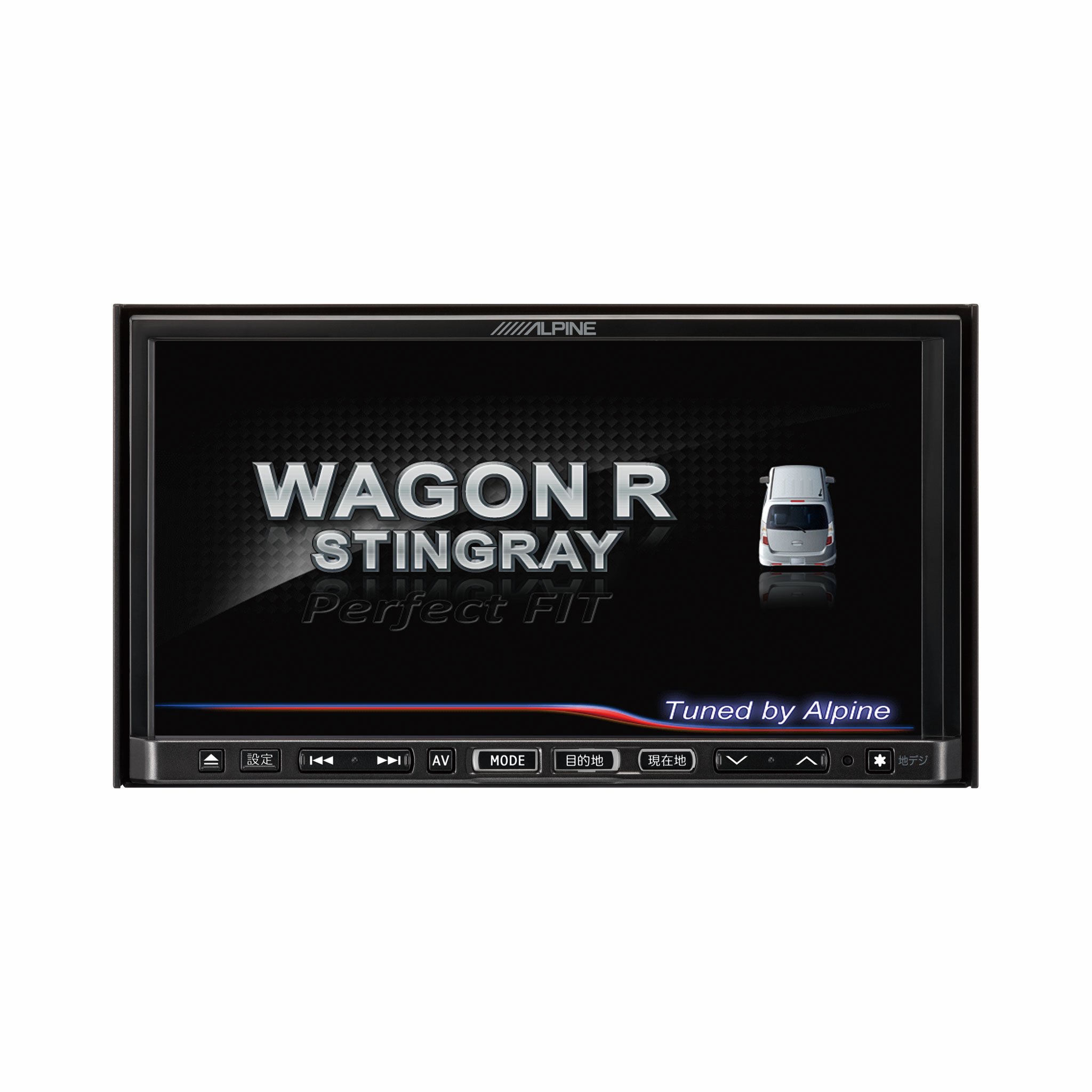
Зображення 1.1: спереду view of the Alpine VIE-X007-WS-E In-Dash Car Navigation System, showcasing its 7-inch display and control interface.
2. Ключові характеристики
- Дисплей: 7-inch LED / WVGA Touch Panel Monitor for clear visuals and intuitive control.
- Зберігання: 32GB SD memory (16GB for Map Data + 16GB for Music Data).
- Тюнер: Built-in Terrestrial Digital TV Tuner (12 Segments/One Segment) for broadcast reception.
- Підключення: Built-in Bluetooth for hands-free calling and Bluetooth audio support.
- Відтворення мультимедіа: Supports DVD/CD, FM/AM radio, SD Memory Card, iPod/iPhone, USB, and Walkman (connection cable not included).
- Інтеграція автомобіля: Alpine system link functions for rear vision camera and vehicle-specific settings.
3. Інструкції з налаштування
Proper installation is crucial for optimal performance and safety. It is highly recommended that this unit be installed by a qualified professional car audio technician.
3.1. Перевірки перед встановленням
- Перед початком встановлення переконайтеся, що акумулятор автомобіля від’єднаний.
- Verify all necessary mounting hardware and wiring harnesses are present.
- Confirm compatibility with your specific vehicle model (Wagon R MH23 Stingray).
3.2. Підключення проводів
- Підключення живлення: Підключіть головний джгут живлення до джерела живлення автомобіля, забезпечивши належне заземлення.
- Підключення динаміків: Connect the speaker wires to the corresponding vehicle speakers, observing polarity.
- Підключення антени: Connect the GPS antenna and the terrestrial digital TV antenna to their respective inputs on the unit. Position antennas in locations with clear line of sight.
- Підключення зовнішніх пристроїв: Connect any optional devices such as a rear-view camera, USB devices, or iPod/iPhone using the appropriate cables (sold separately).
3.3. Монтаж пристрою
- Carefully insert the unit into the vehicle's dashboard opening.
- Закріпіть пристрій за допомогою наданих монтажних кронштейнів та гвинтів.
- Re-connect the vehicle's battery.
3.4. Початкове увімкнення
- Turn on the vehicle's ignition. The unit should power on and display the Alpine logo.
- Дотримуйтесь будь-яких підказок на екрані для початкового налаштування, таких як вибір мови та часового поясу.
4. Інструкція з експлуатації
This section provides general guidance on operating your Alpine navigation system.
4.1. Увімкнення/вимкнення живлення
- Зазвичай пристрій вмикається автоматично разом із запалюванням автомобіля.
- To manually turn off or put the unit into standby, press and hold the power button (location may vary, refer to specific vehicle integration manual).
4.2. Робота з сенсорним екраном
- Navigate menus and select functions by lightly touching the screen icons.
- Use swipe gestures for scrolling through lists or maps.
4.3. Функції навігації
- Доступ до навігації: Tap the 'Navigation' or 'Map' icon on the main menu.
- Entering Destination: Use the on-screen keyboard to input an address, point of interest (POI), or select from recent destinations.
- Керування маршрутом: Once a destination is set, the system will calculate a route and provide turn-by-turn voice guidance and visual cues.
- Карта View: Switch between 2D, 3D, and various zoom levels using the on-screen controls.
4.4. Відтворення медіафайлів
- радіо: Select 'FM' or 'AM' from the main menu. Use the tuner controls to scan for stations or select presets.
- CD/DVD: Insert a disc into the slot. Playback should begin automatically or can be selected from the 'Disc' source.
- SD-карта/USB: Insert an SD card or USB device. Select 'SD' or 'USB' as the source and browse for media files.
- Bluetooth Audio: Pair your Bluetooth device (see section 4.5) and select 'Bluetooth Audio' as the source to stream music.
- Terrestrial Digital TV: Select 'TV' from the main menu. The system will scan for available channels.
4.5. Підключення Bluetooth
- On the unit, go to the 'Bluetooth' menu.
- Увімкніть Bluetooth на своєму мобільному пристрої та знайдіть доступні пристрої.
- Select 'Alpine VIE-X007-WS-E' (or similar name) from your device's list.
- Підтвердьте код сполучення на обох пристроях, якщо буде запропоновано.
- Після сполучення ви можете здійснювати/приймати дзвінки та транслювати аудіо.
5. Технічне обслуговування
Regular maintenance ensures the longevity and optimal performance of your navigation system.
5.1. Очищення пристрою
- Use a soft, dry cloth to wipe the display and control panel.
- Для видалення стійких плям на екрані злегка протрітьampen the cloth with a screen cleaner specifically designed for electronics. Do not spray cleaner directly onto the unit.
- Уникайте використання абразивних засобів для чищення, розчинників або агресивних хімікатів.
5.2. Оновлення програмного забезпечення та карт
- Періодично перевіряйте офіційну інформацію Alpine website for available software and map updates.
- Follow the instructions provided with the update package carefully to ensure proper installation. Updates typically involve downloading files to an SD card or USB drive and inserting it into the unit.
5.3. SD Card Handling
- Always eject the SD card safely through the unit's menu before physically removing it.
- Store the SD card in a protective case when not in use to prevent damage.
6. Вирішення проблем
У цьому розділі розглядаються поширені проблеми, з якими ви можете зіткнутися, та їхні можливі рішення.
| проблема | Можлива причина | Рішення |
|---|---|---|
| Пристрій не вмикається. | Нещільне з'єднання живлення, перегорілий запобіжник, проблема з акумулятором автомобіля. | Check power wiring and fuse. Ensure vehicle battery is charged. Consult a professional if issues persist. |
| No GPS signal or inaccurate positioning. | GPS antenna obstructed or improperly connected, unit in an area with poor satellite reception. | Переконайтеся, що GPS-антена має чіткий сигнал view of the sky. Check antenna connection. Move to an open area. |
| Bluetooth device fails to pair. | Bluetooth not enabled on device, incorrect pairing mode, interference. | Ensure Bluetooth is active on your device. Put the unit in pairing mode. Try re-pairing. Move closer to the unit. |
| Сенсорний екран не реагує. | Temporary software glitch, screen calibration issue. | Restart the unit (turn vehicle ignition off and on). If available, perform screen calibration via settings. |
| Немає звуку з динаміків. | Занадто низька гучність, увімкнено вимкнення звуку, проблема з проводкою динаміка. | Збільште гучність. Перевірте, чи увімкнено вимкнення звуку. Перевірте підключення динаміків. |
If you encounter problems not listed here or if the suggested solutions do not resolve the issue, please contact Alpine customer support or a certified service center.
7. Технічні характеристики
| Особливість | Специфікація |
|---|---|
| Бренд | Альпійський |
| Модель | VIE-X007-WS-E |
| Розмір екрана | 7 дюймів |
| Тип дисплея | WVGA LED LCD Touch Panel Monitor |
| Ємність пам'яті | 16 GB (for Map Data, total 32GB SDHC) |
| Особливості | Hands Free (Bluetooth) |
| Технологія підключення | Bluetooth, USB |
| Введення людського інтерфейсу | Сенсорний екран |
| Підтримуваний тип носія | Memory, DVD, CD, FM/AM, SD Card, iPod/iPhone, USB, Walkman |
| Вбудований тюнер | Terrestrial Digital TV Tuner (12 Segments/One Segment) |
| Батарейки в комплекті | немає |
| Розміри продукту | 18.66 х 17.8 х 10 см |
| Вага товару | 6.44 кг |
8. Гарантія та підтримка
Warranty information for the Alpine VIE-X007-WS-E is typically provided with the product packaging or at the point of purchase. Please refer to these documents for details regarding warranty coverage, terms, and conditions.
For technical support, service inquiries, or to find authorized service centers, please visit the official Alpine website or contact Alpine customer service directly. Ensure you have your product model number (VIE-X007-WS-E) and proof of purchase available when seeking support.
Альпійський офіційний Webсайт: www.alpine.com


