1. Вступ
This manual provides instructions for the setup, operation, and maintenance of your ViewSonic VX2770SMH-LED 27-inch IPS 1080p Frameless LED Monitor. This monitor features a sleek design, Full HD 1920x1080 resolution, and an IPS panel for wide viewing angles and accurate color reproduction. It includes HDMI, DVI, and VGA inputs, along with integrated speakers.
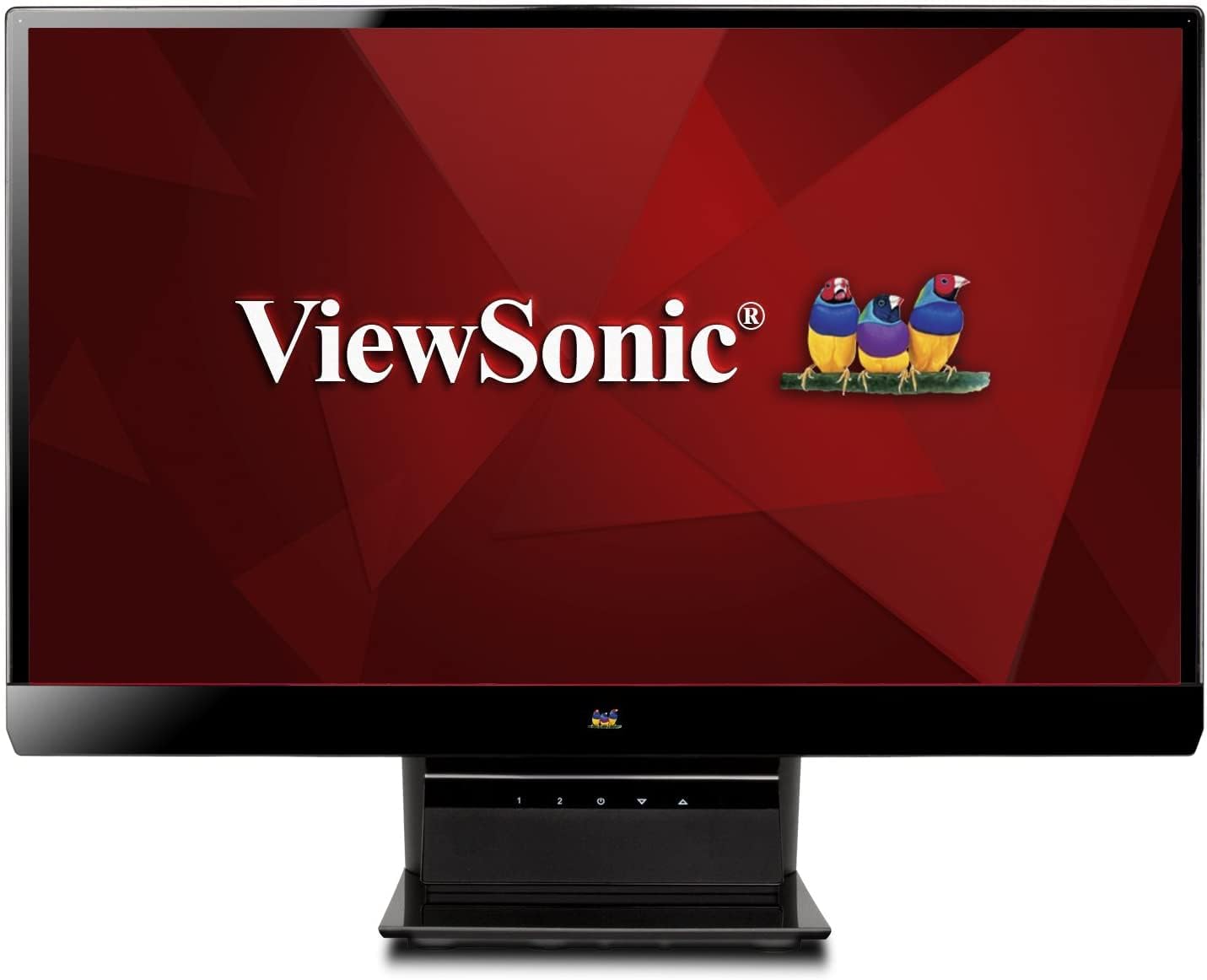
малюнок 1: ViewSonic VX2770SMH-LED 27-inch monitor displaying a tropical beach scene.
2. Вміст упаковки
Перевірте наявність усіх елементів у вашій упаковці:
- VX2770Smh-LED display
- Силовий кабель
- AC/DC адаптер
- Кабель VGA
- Кабель HDMI
- Короткий посібник
- ViewКомпакт-диск Sonic Wizard
3. Налаштування
Щоб налаштувати монітор, виконайте такі дії:
- Зберіть підставку: Carefully attach the monitor panel to the stand base according to the Quick Start Guide. Ensure it is securely fastened.
- Підключіть живлення: Connect the AC/DC adapter to the monitor's power input, then plug the power cable into the adapter and a power outlet.
- Підключіть відеокабель: Connect one end of the appropriate video cable (HDMI, DVI, or VGA) to the corresponding port on the back of the monitor and the other end to your computer's video output port.
- Увімкнення: Натисніть кнопку живлення на моніторі, щоб увімкнути його.

Малюнок 2: Задня частина view of the monitor, illustrating the stand attachment area and overall design.
4. Експлуатація монітора
The monitor features capacitive control buttons located on the stand for easy access to settings and power functions.

Малюнок 3: Спереду view of the monitor, showing the control buttons on the stand.
Увімкнення/вимкнення живлення
Press the power button (usually indicated by a power symbol) to turn the monitor on or off.
Екранне меню (OSD).
Use the control buttons to navigate the OSD menu. This menu allows you to adjust various display settings such as brightness, contrast, color temperature, input source, and more. Refer to the digital manual on the ViewSonic Wizard CD for detailed OSD navigation.
5. Підключення
The ViewSonic VX2770SMH-LED monitor offers multiple input options for versatile connectivity:
- HDMI: Для цифрового відео та аудіо високої чіткості.
- DVI-D: For digital video input.
- VGA: Для аналогового відеовходу.
The monitor also features integrated speakers with SRS Premium Sound for audio output.

Малюнок 4: Збільшений план view of the HDMI, DVI, and VGA input ports on the monitor's rear panel.
Video 1: Official product video demonstrating the features and design of the ViewSonic VX2770SMH-LED monitor, including its frameless design, IPS panel technology, connectivity options, and energy efficiency.
6. Функції дисплея
- Технологія панелей IPS: Provides consistent and accurate colors with wide 178/178-degree viewing angles, ensuring clear images from nearly any perspective.
- Роздільна здатність Full HD 1080p: Delivers sharp and detailed images (1920x1080) for an enhanced viewнабутий досвід.
- Безкаркасний дизайн: The ultra-thin bezel creates a seamless visual experience, ideal for multi-monitor setups.
- MEGA Dynamic Contrast Ratio: A 30,000,000:1 dynamic contrast ratio enhances image depth and detail.
- Світлодіодне підсвічування: Energy-efficient LED backlighting contributes to lower power consumption.
- Еко-режим: Further reduces power consumption and extends the monitor's lifespan.
- sRGB Color Correction: Ensures accurate color reproduction for various applications.
7. Технічне обслуговування
Щоб забезпечити довговічність та оптимальну роботу вашого монітора, дотримуйтесь цих інструкцій з обслуговування:
- Очищення екрану: Обережно протріть екран м’якою тканиною без ворсу. Для стійких плям злегка протрітьampen the cloth with water or a mild, non-abrasive screen cleaner. Avoid spraying liquid directly onto the screen.
- Очищення Casing: Використовуйте м’яку суху тканину для очищення монітораasing.
- Вентиляція: Переконайтеся, що вентиляційні отвори монітора не заблоковані, щоб запобігти перегріву.
- Вимкнути, коли не використовується: Turn off the monitor when not in use to save energy and prolong its life.
8. Вирішення проблем
Якщо у вас виникли проблеми з монітором, зверніться до наступних поширених кроків усунення несправностей:
- Немає живлення: Check if the power cable and AC/DC adapter are securely connected to the monitor and a working power outlet.
- Немає сигналу: Verify that the video cable is correctly connected to both the monitor and your computer. Ensure the correct input source is selected via the OSD menu.
- Проблеми із зображенням (розмиття, спотворення, неправильні кольори): Adjust the display settings through the OSD menu. Ensure your computer's display resolution is set to the monitor's native resolution (1920x1080).
- Немає звуку: Check the audio cable connection (if using VGA) or ensure HDMI audio is selected. Adjust the volume settings on both the monitor and your computer.
For more detailed troubleshooting, consult the digital manual on the ViewКомпакт-диск Sonic Wizard.
9. Технічні характеристики
| Особливість | Специфікація |
|---|---|
| Розмір дисплея на постійному екрані | 27 дюймів |
| Роздільна здатність екрана | 1920x1080 |
| Максимальна роздільна здатність екрана | 1920 х 1080 |
| Серія | Viewsonic VX2770SMH-LED |
| Номер моделі товару | VX2770SMH-LED |
| Вага товару | 11 фунта |
| Розміри продукту | 7.6 x 24.5 x 18.1 дюймів |
| Колір | чорний |
| Розмір екрана | 27 дюймів |
| роздільна здатність | FHD 1080p |
| Співвідношення сторін | 1.78:1 |
| Опис поверхні екрана | Глянцевий |

Figure 5: Monitor dimensions for planning your workspace.
10. Гарантія та підтримка
Це ViewSonic monitor is covered by a 3-річна обмежена гарантія. For warranty claims or technical support, please refer to the contact information provided in your Quick Start Guide or visit the official ViewПідтримка Sonic webсайт.