1. Вступ
The ZIPRO Boost Gold stationary exercise bike is designed to provide perfect conditions for an effective home workout. This ergometer bike allows you to enthusiastically work towards your fitness goals. Its magnetic resistance system enables precise adjustment of workout intensity, helping you track and achieve satisfying progress.
2. Інформація про безпеку
- Проконсультуйтеся з лікарем перед початком будь-якої програми вправ.
- Тримайте дітей і домашніх тварин подалі від обладнання під час використання.
- Розмістіть велотренажер на рівній, стійкій поверхні з достатнім простором навколо нього.
- Одягайте відповідний одяг та взуття для тренувань.
- Не перевищуйте максимальну вагу користувача 120 кг.
- Inspect the bike for loose or worn parts before each use.
- Негайно припиніть тренування, якщо ви відчуваєте слабкість, запаморочення або біль.
3. Вміст упаковки
Будь ласка, перевірте наявність усіх компонентів перед складанням:
- Збірка основної рами
- Стійка керма та кермо
- Підсідельний стійок та сидіння
- Педалі (ліва і права)
- Передні та задні стабілізатори
- Digital Computer Console
- Тримач для пляшки з водою
- Комплект монтажних елементів (болти, шайби, гайки, інструменти)
- Посібник користувача
4. Налаштування та складання
Follow these general steps for assembly. Refer to the included assembly diagram for detailed instructions.
- Прикріпити стабілізатори: Закріпіть передній та задній стабілізатори до основної рами за допомогою наданих болтів та шайб. Переконайтеся, що вони міцно затягнуті для забезпечення стійкості.
- Встановити педалі: Attach the left and right pedals to the crank arms. Note that the left pedal is reverse-threaded. Tighten securely.
- Кріплення підсідельного штиря та сидіння: Insert the seat post into the main frame and secure it at the desired height. Attach the seat to the seat post and adjust its position.
- Встановлення стійки керма та керма: Вставте стійку керма в основну раму. Прикріпіть кермо до стійки та закріпіть їх.
- Connect Computer Console: Connect the sensor wires from the main frame and handlebars to the back of the computer console. Mount the console onto the handlebar post.
- Прикріпіть тримач для пляшки з водою: Закріпіть тримач для пляшки з водою у відведеному місці на основній рамі.
- Остаточна перевірка: Ensure all bolts and nuts are tightened and the bike is stable before first use.

The Zipro Boost Gold Exercise Bike, showcasing its sleek black and gold design, adjustable seat, handlebars, and integrated water bottle holder.

This image illustrates the compact dimensions of the Zipro Boost Gold Exercise Bike, measuring 107 cm in length, 47 cm in width, and 141 cm in height, making it suitable for home use.
5. Інструкція з експлуатації
5.1 Регулювання опору
The Zipro Boost Gold features an 8-step magnetic resistance system. To adjust the resistance, turn the knob located on the main frame below the handlebars. Turn clockwise to increase resistance and counter-clockwise to decrease it. Levels 1-3 are for easy workouts, 4-6 for medium intensity, and 7-8 for hard, challenging sessions.

Detail of the magnetic resistance adjustment knob, offering 8 distinct levels from 1-3 (easy), 4-6 (medium), to 7-8 (hard), allowing users to customize their workout intensity.
5.2 Регулювання сидіння та керма
For optimal comfort and effective training, adjust the seat height, horizontal position, and handlebar angle to fit your body. Loosen the adjustment knobs, set to your preferred position, and tighten securely.
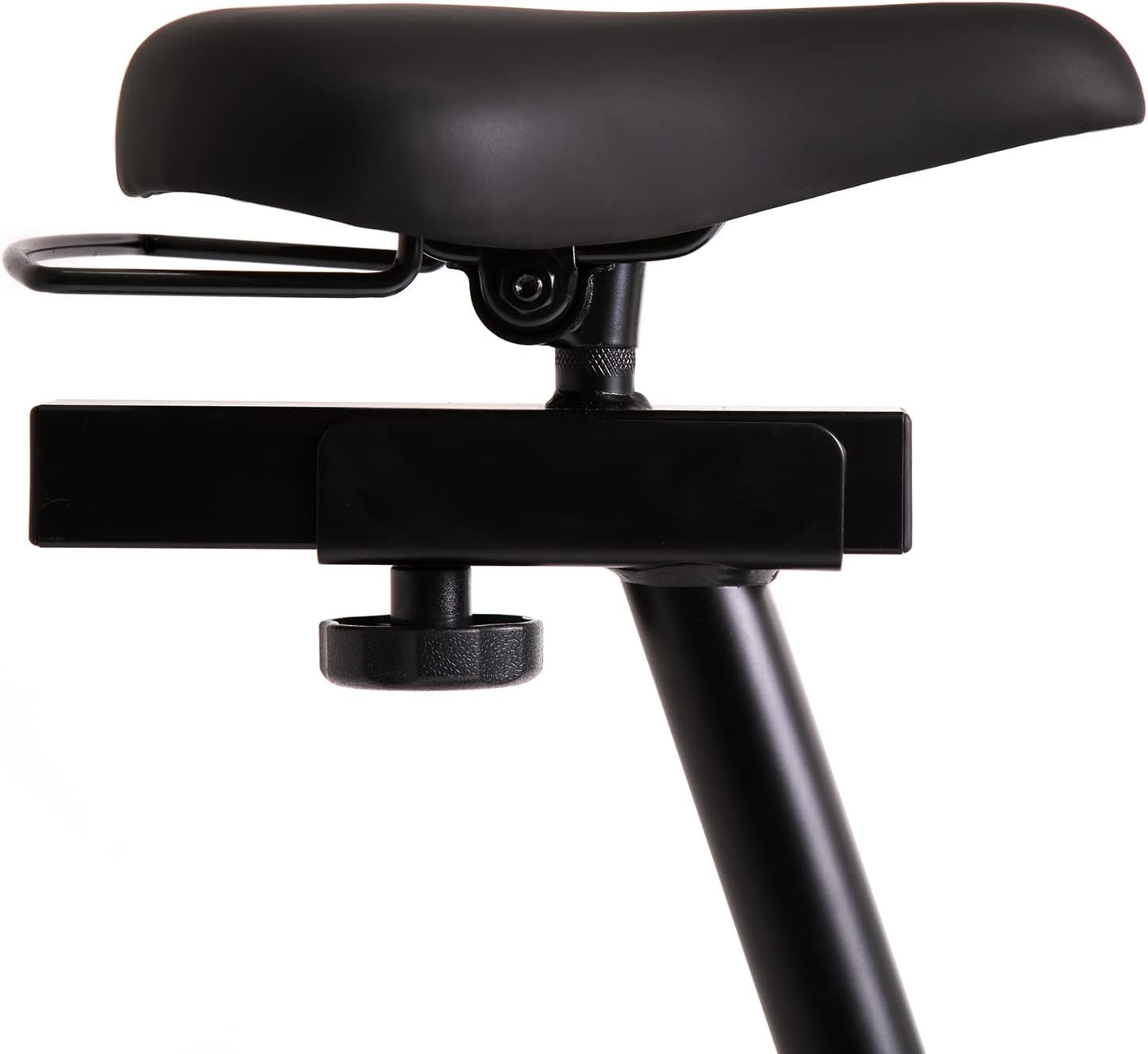
This image highlights the robust adjustment mechanism for the seat, allowing for precise positioning to optimize comfort and biomechanics during exercise.
5.3 Using the Computer Console
The modern computer console tracks your workout data. It typically displays:
- ЧАС: Тривалість вашого тренування.
- КАЛОРІЇ: Розрахункова кількість спалених калорій.
- ШВИДКІСТЬ: Your current speed.
- ІМПУЛЬС: Your heart rate (measured via handlebar sensors).
Use the 'MODE' button to cycle through display functions, 'RESET' to clear data, and 'SET' for specific settings if available.

The modern computer display provides essential workout data, including elapsed time, calories burned, current speed, and pulse rate, to help track progress.
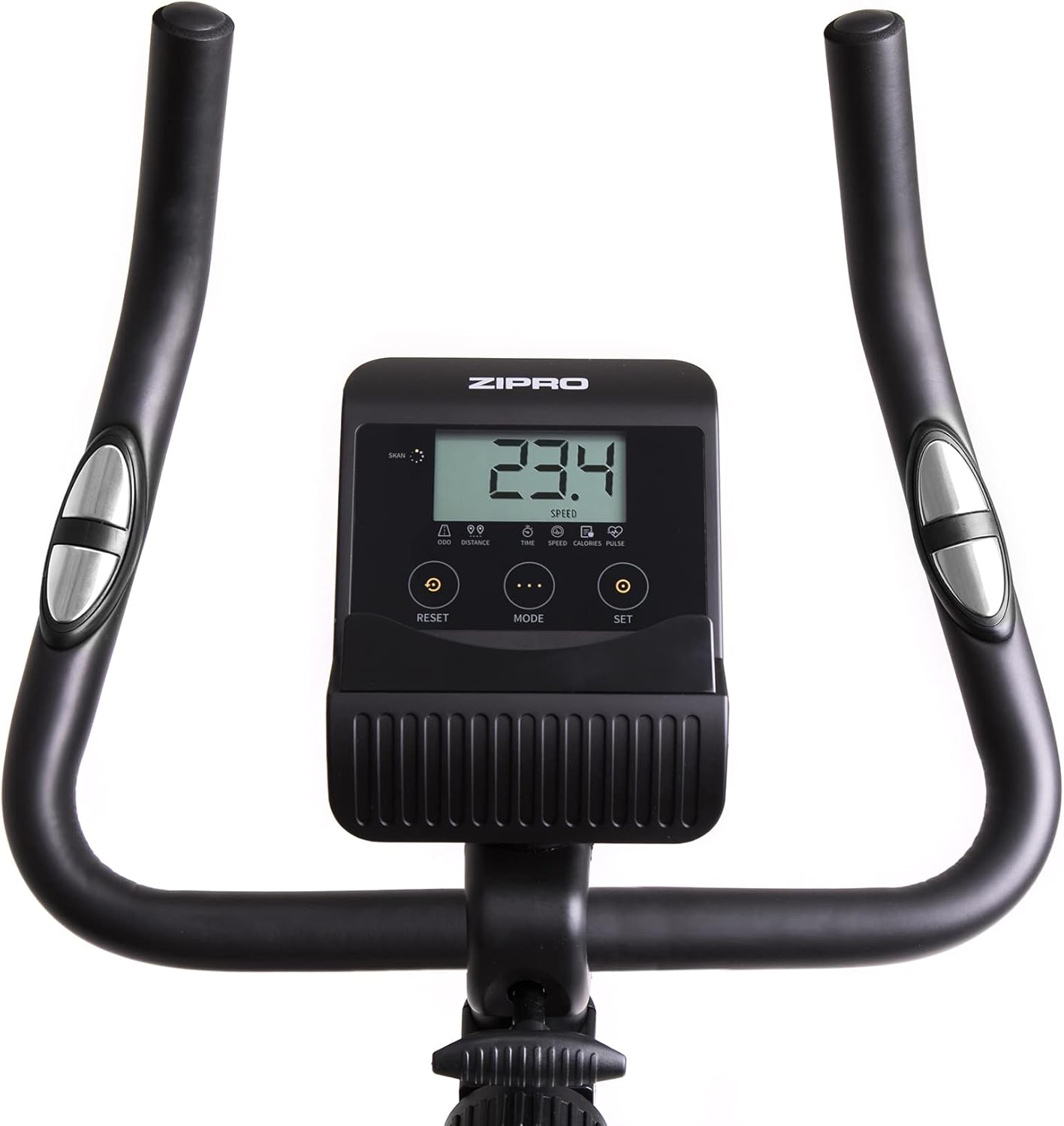
A closer look at the exercise bike's computer, displaying various metrics and featuring intuitive buttons for 'RESET', 'MODE', and 'SET' to navigate and control workout data.
5.4 Smartphone/Tablet Holder
The integrated holder allows you to place your smartphone or tablet for entertainment or to follow fitness apps during your workout.

A convenient stand for mobile devices is integrated into the handlebars, enabling users to enjoy their favorite digital content, such as music or videos, while exercising.
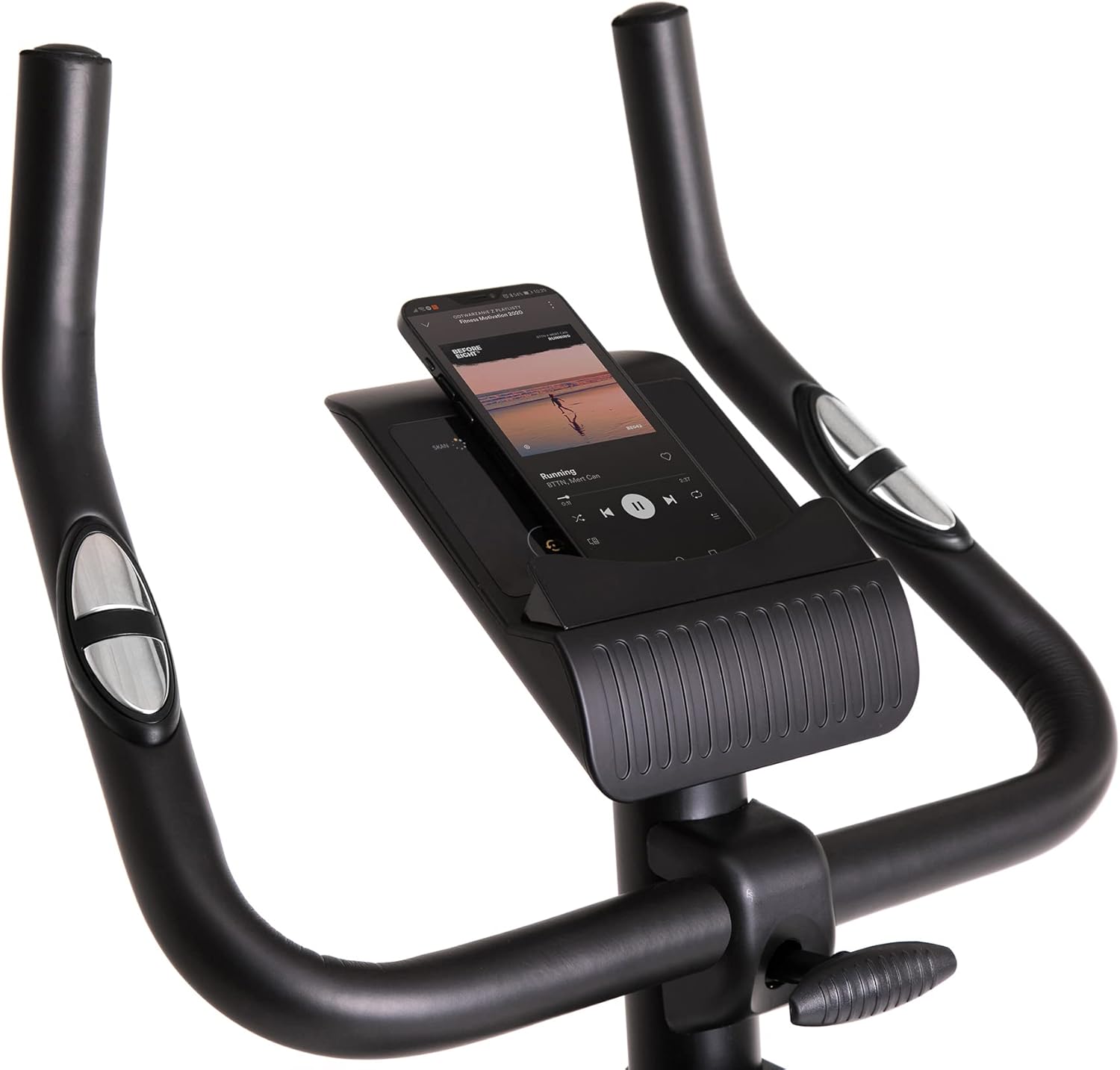
Demonstrates a smartphone securely placed in the integrated holder, ready for entertainment or fitness app use during a workout session.
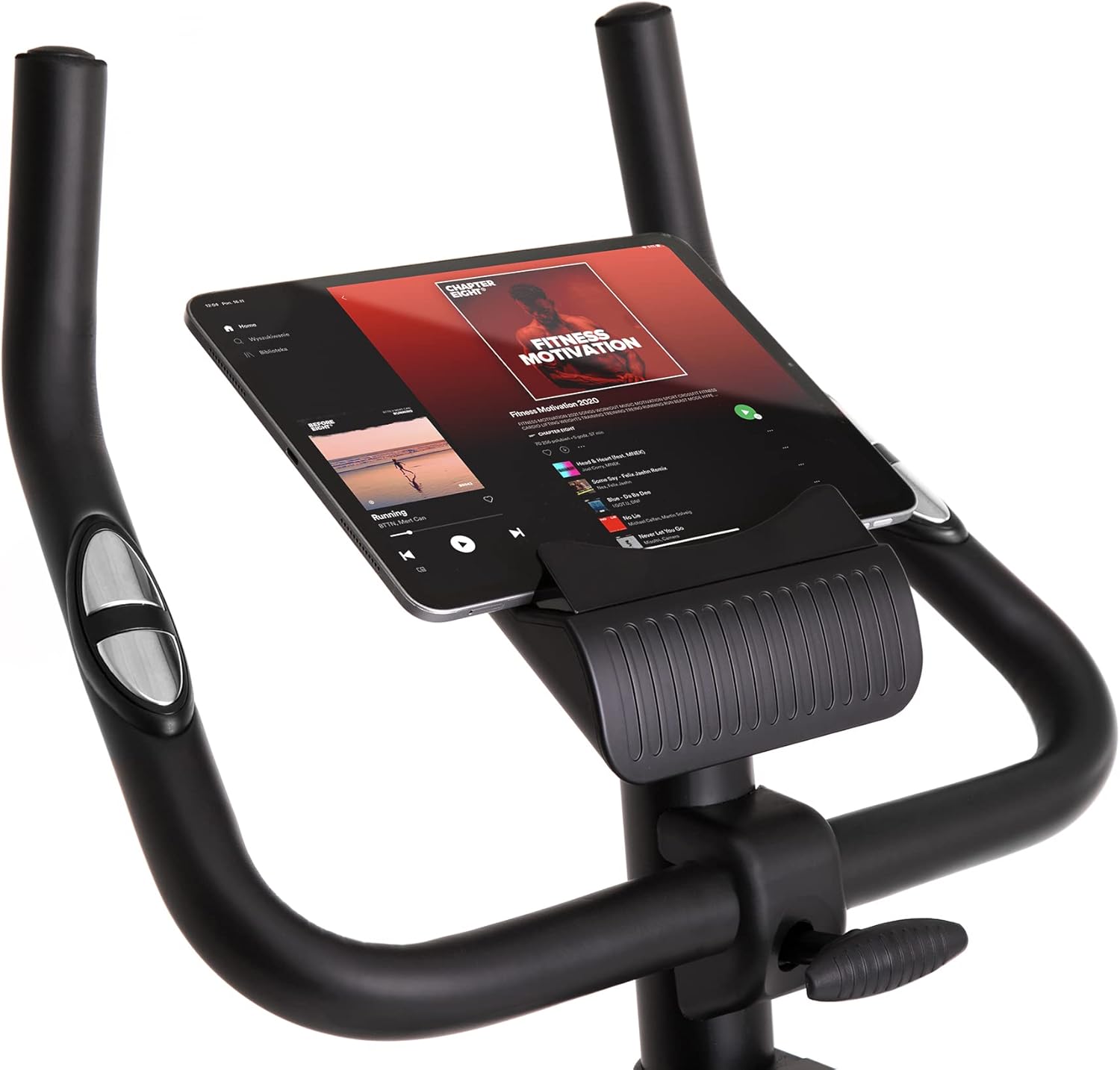
Shows a larger tablet device fitting comfortably in the holder, providing a wider screen for viewing media or following guided workouts.
6. Технічне обслуговування
- Прибирання: Зітріть велосипед рекламоюamp тканиною після кожного використання, щоб видалити піт і пил. Не використовуйте абразивні засоби для чищення.
- Змащення: Періодично перевіряйте та змащуйте рухомі частини, як рекомендовано в повному посібнику (якщо застосовується).
- Огляд: Регулярно перевіряйте всі болти, гайки та рухомі частини на предмет затягнутості та зносу. Підтягніть будь-які ослаблені кріплення.
- Зберігання: Store the bike in a dry, cool place away from direct sunlight and extreme temperatures. Use the transport wheels for easy relocation.
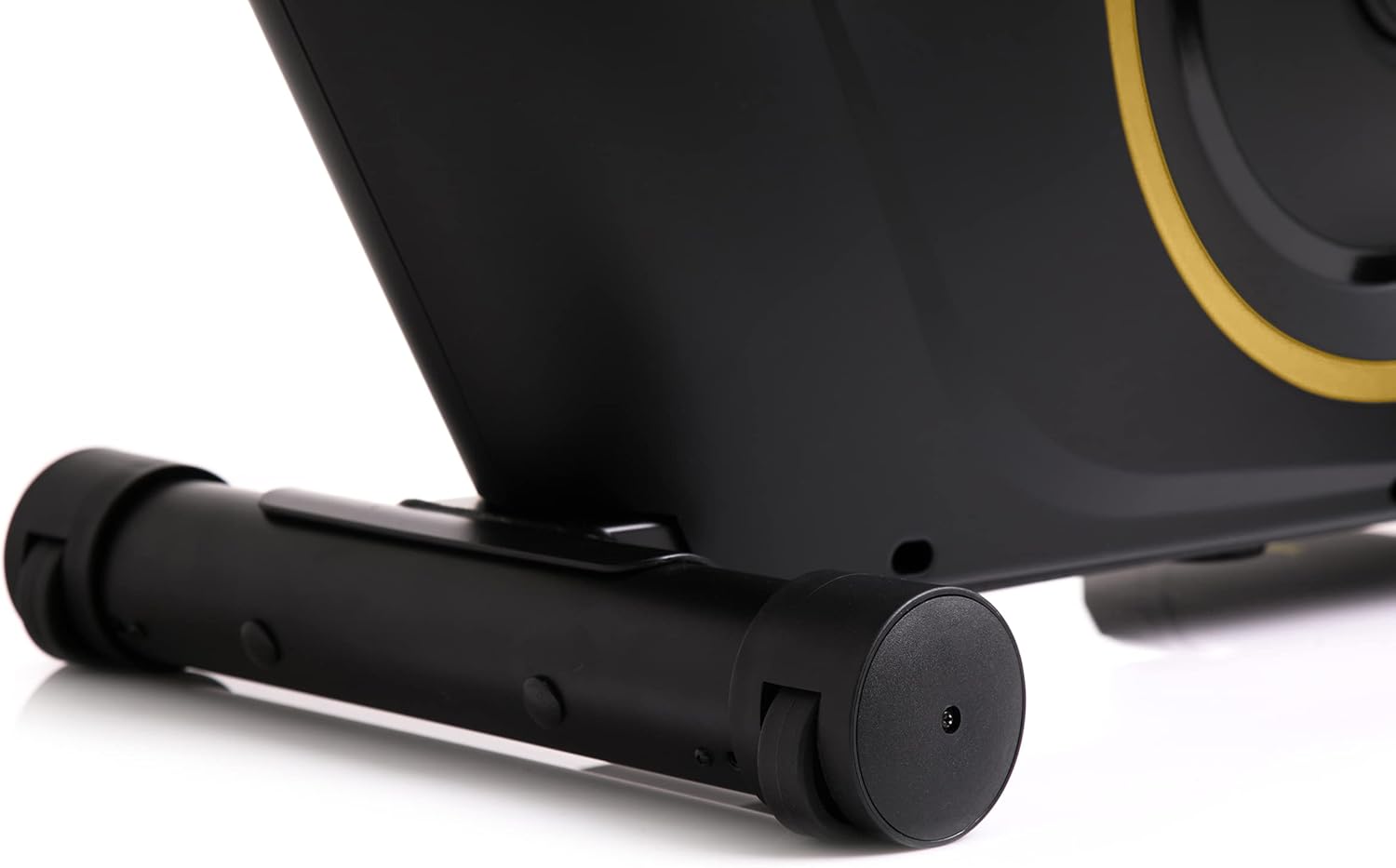
The front stabilizer features integrated transport wheels, making it easy to move the exercise bike around your home for convenient storage or placement.

A practical water bottle holder is positioned on the main frame, ensuring hydration is always within reach during your workout.
7. Вирішення проблем
| проблема | Можлива причина | Рішення |
|---|---|---|
| Computer display not working | Нещільне з'єднання кабелю, розряджені батареї | Check all cable connections. Replace batteries in the computer console. |
| Незвичайний шум під час роботи | Нещільні деталі, тертя | Check all bolts and nuts for tightness. Ensure no parts are rubbing against each other. |
| Велосипед відчувається нестабільним | Uneven surface, loose stabilizers | Place the bike on a flat, level surface. Tighten bolts on front and rear stabilizers. |
| Опір не змінюється | Проблема механізму опору | Переконайтеся, що ручка опору обертається вільно. Якщо проблема не зникає, зверніться до служби підтримки клієнтів. |
8. Технічні характеристики
| Особливість | Деталь |
|---|---|
| Колір моделі | Чорний/золотий |
| Стиль | Boost Gold |
| Система приводу | Пояс |
| Основний матеріал | Пластик, Метал, Поліетилен |
| Джерело живлення | Працює від батареї |
| Максимальна вага | 120 кілограма |
| Виробник | Morele.net Sp. z oo |
| Номер моделі товару | 5944584 |
| Розміри продукту (Д x Ш x В) | 107 х 47 х 141 см |
| Вага товару | 23 кілограма |
| Механізм опору | Магнітний |
| Рекомендоване використання | Дім, спортзал, студія, приміщення |
9. Відео про продукт
This video provides a general presentation of the ZIPRO product range, showcasing various fitness equipment designed for home use. While not specific to the Boost Gold model, it highlights the brand's commitment to quality and home fitness solutions.
10. Гарантія та підтримка
Щоб отримати інформацію про гарантію та підтримку клієнтів, зверніться до документації, що додається до вашої покупки, або відвідайте офіційний веб-сайт ZIPRO. webсайт. Зберігайте чек про покупку для будь-яких гарантійних претензій.


