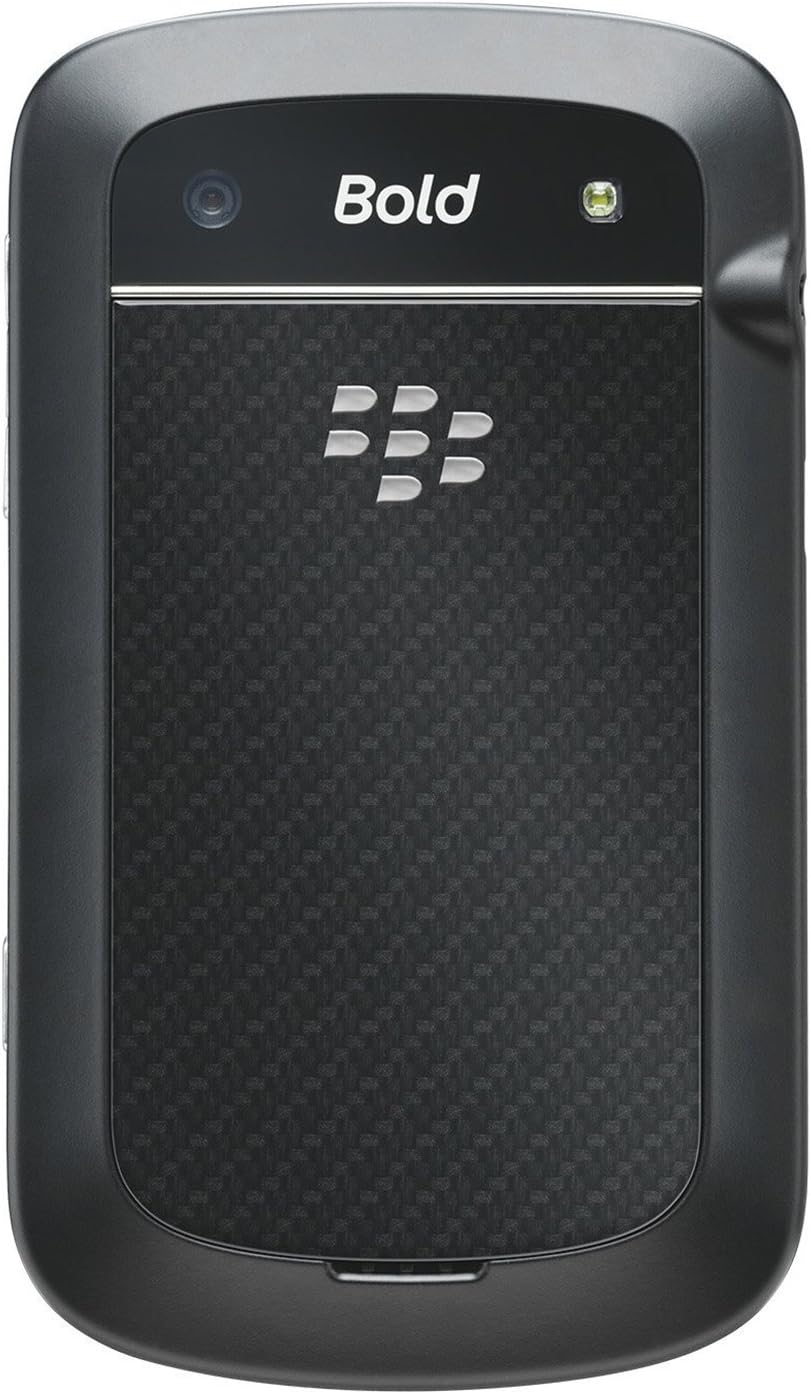
BlackBerry BB 9900

BlackBerry BB 9900 Bold Touch Smartphone User Manual

Model: BB 9900

1. Вступ

This manual provides essential instructions for setting up, operating, and maintaining your BlackBerry BB 9900 Bold Touch smartphone. Please read this guide thoroughly to ensure proper use and to maximize the device's capabilities. The BlackBerry BB 9900 Bold Touch combines a capacitive touchscreen with a full QWERTY keyboard, running on BlackBerry OS 7.

2. Вміст упаковки

Переконайтеся, що ваш пакет містить такі елементи:

3. Пристрій закінчивсяview

Familiarize yourself with the physical features of your BlackBerry BB 9900 Bold Touch.

3.1 Спереду View

BlackBerry BB 9900 Bold Touch front view, showing the screen, QWERTY keyboard, and navigation buttons.

Зображення: спереду view of the BlackBerry BB 9900 Bold Touch, highlighting the 2.8-inch touchscreen and the physical QWERTY keyboard below it. The device also features a trackpad and call/end buttons.

  • Сенсорний дисплей: 2.8-inch capacitive display for interactive navigation.
  • Клавіатура QWERTY: Full physical keyboard for efficient typing.
  • Optical Trackpad: For precise navigation and selection.
  • Кнопки виклику/завершення: Standard telephony controls.

3.2 Задня частина View

BlackBerry BB 9900 Bold Touch rear view, showing the 5MP camera lens and LED flash.

Зображення: Задня частина view of the BlackBerry BB 9900 Bold Touch, featuring the 5-megapixel camera lens, LED flash, and the BlackBerry logo.

  • Камера 5MP: Primary camera with autofocus and LED flash.
  • Кришка акумулятора: Removable cover for battery and SIM card access.

3.3 Сторона View

BlackBerry BB 9900 Bold Touch side view, showing volume buttons and convenience key.

Зображення: Збоку view of the BlackBerry BB 9900 Bold Touch, illustrating the placement of the volume control buttons and a customizable convenience key.

  • Кнопки гучності: Налаштуйте рівні звуку.
  • Convenience Key: Customizable shortcut button.

4. Налаштування

4.1 Встановлення SIM-картки

  1. Зніміть кришку батарейного відсіку із задньої панелі пристрою.
  2. Знайдіть слот для SIM -карти.
  3. Вставте SIM-картку золотими контактами вниз, а зрізаний куточок вирівняйте зі слотом.
  4. Переконайтеся, що SIM-картка надійно встановлена.

4.2 Встановлення батареї

  1. After inserting the SIM card, align the battery's gold contacts with the contacts in the battery compartment.
  2. Обережно натисніть на батарейку, доки вона не клацне.
  3. Замініть кришку акумулятора.

4.3 Зарядка пристрою

  1. Connect the USB cable to the charging port on your device.
  2. Plug the other end of the USB cable into the wall charger, then into a power outlet.
  3. Перед першим використанням дайте пристрою повністю зарядитися. Індикатор батареї на екрані показуватиме стан заряджання.

4.4 Увімкнення/вимкнення

  • Щоб увімкнути: Press and hold the Power/Lock button (usually located on the top edge) until the BlackBerry logo appears.
  • Щоб вимкнути: Press and hold the Power/Lock button until the 'Power Off' option appears on the screen. Tap 'Power Off' to confirm.

5. Інструкція з експлуатації

5.1 Навігація за допомогою сенсорного екрана

  • Торкніться: Touch the screen briefly to open applications, select items, or activate buttons.
  • Проведіть пальцем: Drag your finger across the screen to scroll through lists or switch between home screen panels.
  • Масштабування за допомогою розведення пальців: Use two fingers to zoom in or out on photos, web pages, or maps.

5.2 Using the QWERTY Keyboard

The physical QWERTY keyboard allows for fast and accurate text entry. Each key corresponds to a letter, number, or symbol. Use the 'Alt' key for alternate characters and the 'Shift' key for capitalization.

5.3 Здійснення дзвінків

  1. From the home screen, tap the Phone icon or press the green Call button.
  2. Enter the phone number using the keyboard.
  3. Натисніть зелену кнопку виклику, щоб розпочати дзвінок.
  4. To end a call, press the red End Call button.

5.4 Надсилання повідомлень

  1. Tap the Messages icon from the home screen.
  2. Select 'Compose New' or similar option.
  3. Введіть номер одержувача або виберіть його з контактів.
  4. Введіть повідомлення за допомогою клавіатури QWERTY.
  5. Tap 'Send'.

5.5 Використання камери

  1. Торкніться значка Камера, щоб відкрити програму камери.
  2. Скомпонуйте кадр, використовуючи екран як viewшукач.
  3. Tap the screen or press the convenience key (if configured) to take a photo.
  4. The 5MP camera features autofocus and an LED flash for improved image quality.

5.6 Підключення до Wi-Fi

  1. Go to 'Options' > 'Networks and Connections' > 'Wi-Fi'.
  2. Turn Wi-Fi on. The device will scan for available networks.
  3. Виберіть потрібну мережу та введіть пароль, якщо буде запропоновано.
  4. Once connected, the Wi-Fi indicator will appear in the status bar.

5.7 Using NFC (Near Field Communication)

The BlackBerry BB 9900 Bold Touch supports NFC for short-range wireless communication. This allows for quick pairing with compatible accessories or sharing data with other NFC-enabled devices by tapping them together.

  1. Переконайтеся, що NFC увімкнено в налаштуваннях вашого пристрою.
  2. Hold your device close to another NFC-enabled device or tag.
  3. Follow on-screen prompts to complete the desired action (e.g., pairing, data transfer).

6. Технічне обслуговування

6.1 Очищення пристрою

  • Використовуйте м’яку тканину без ворсу, щоб протерти екран і корпус пристрою.
  • Уникайте використання агресивних хімікатів, абразивних мийних засобів або аерозольних спреїв.
  • Не піддавайте пристрій дії надмірної вологи.

6.2 Догляд за акумулятором

  • Уникайте екстремальних температур, які можуть погіршити продуктивність акумулятора.
  • Використовуйте лише оригінальний або схвалений зарядний пристрій.
  • Не проколюйте та не пошкоджуйте акумулятор.

6.3 Оновлення програмного забезпечення

Periodically check for software updates to ensure your device has the latest features and security enhancements. Updates can typically be found in the device's 'Options' or 'Settings' menu under 'Software Updates'.

7. Вирішення проблем

7.1 Пристрій не вмикається

  • Переконайтеся, що акумулятор правильно вставлено та заряджено.
  • Connect the device to the charger and wait a few minutes before attempting to power on again.
  • Якщо проблема не зникає, спробуйте вийняти та знову вставити акумулятор.

7.2 Проблеми з підключенням до мережі

  • Check if your SIM card is correctly inserted and activated with your carrier.
  • Verify that cellular data or Wi-Fi is enabled in your device settings.
  • Перезапустіть пристрій.
  • If using Wi-Fi, ensure your router is working and you have entered the correct password.

7.3 Сенсорний екран не реагує

  • Перезапустіть пристрій.
  • Переконайтеся, що екран чистий і не містить бруду чи вологи.
  • If the issue is intermittent, check for any recent software installations that might be causing conflicts.

8. Технічні характеристики

Особливість Деталь
Назва моделі BB 9900
Операційна система BlackBerry OS 7
Дисплей 2.8-inch Capacitive Touchscreen, 640 x 480 Resolution
Процесор Not specified (typically 1.2 GHz for this model)
ОЗУ 768 Мб
Внутрішня пам'ять 8 ГБ
Задня камера 5 MP, Autofocus, LED Flash
Підключення Wi-Fi 802.11 b/g/n, NFC, Bluetooth, GPS
Підтримка мережі Quad-band GSM/GPRS/EDGE, Tri-band HSPA+
Розміри 4.53 x 2.6 x 0.41 дюйма (115 x 66 x 10.5 мм)
вага 4.6 унцій (130 грам)
Аудіороз'єм 3.5 мм

9. Підтримка та гарантія

9.1 Підтримка клієнтів

For technical assistance, troubleshooting beyond this manual, or service inquiries, please visit the official BlackBerry support website or contact your local service provider. Refer to the packaging or official webсайт для отримання конкретних контактних даних.

9.2 Інформація про гарантію

Your BlackBerry BB 9900 Bold Touch is covered by a limited warranty. Please refer to the warranty card included in your product packaging or visit the official BlackBerry webДетальні умови, включаючи гарантійний термін та умови покриття, див. на сайті. Зберігайте підтвердження покупки для гарантійних претензій.

Пов'язані документи - BB 9900

попередньоview Посібник користувача смартфона BlackBerry Q10
Вичерпний посібник зі смартфона BlackBerry Q10, що охоплює такі функції, як BlackBerry Hub, клавіатура, BBM Video, камера, обмін медіафайлами та налаштування пристрою. Дізнайтеся, як максимально підвищити продуктивність та налаштувати свій досвід.
попередньоview Середовище розробки BlackBerry Java: Посібник з розробки GPS та BlackBerry Maps
У цьому посібнику детально описано інтеграцію функцій GPS та BlackBerry Maps у середовищі розробки BlackBerry Java, що слугує технічним ресурсом для розробників, які створюють програми на основі місцезнаходження.
попередньоview Посібник користувача BlackBerry Tasks для Android | Безпечне керування завданнями
Офіційний посібник користувача BlackBerry Tasks для Android (версія 3.17) містить вичерпні інструкції щодо встановлення, активації, керування завданнями, налаштування та усунення несправностей безпечної програми керування завданнями BlackBerry для підприємств.
попередньоview Посібник користувача смартфона BlackBerry Q5: налаштування, функції та операції
Цей вичерпний посібник користувача містить детальну інформацію та інструкції щодо використання смартфона BlackBerry Q5. Він охоплює функції та можливості ОС BlackBerry 10 версії 10.2.1, розроблені для підвищення продуктивності та можливостей підключення.
попередньоview BlackBerry Z30 Smartphone User Guide: Features, Setup, and Operation
Discover the comprehensive user guide for the BlackBerry Z30 Smartphone (Version 10.3.2). This guide provides detailed instructions on device setup, navigating features, managing communications, utilizing media capabilities, customizing settings, and enhancing security for an optimal user experience.
попередньоview BlackBerry Work, Notes, and Tasks Administration Guide
Comprehensive administration guide for BlackBerry Work, Notes, and Tasks, detailing setup, configuration, management, and troubleshooting for IT administrators using BlackBerry UEM.