вступ
This manual provides essential instructions for setting up, operating, maintaining, and troubleshooting your Kodak EasyShare M583 14 MP Digital Camera. Please read this guide thoroughly to ensure proper use and to maximize your camera's performance.
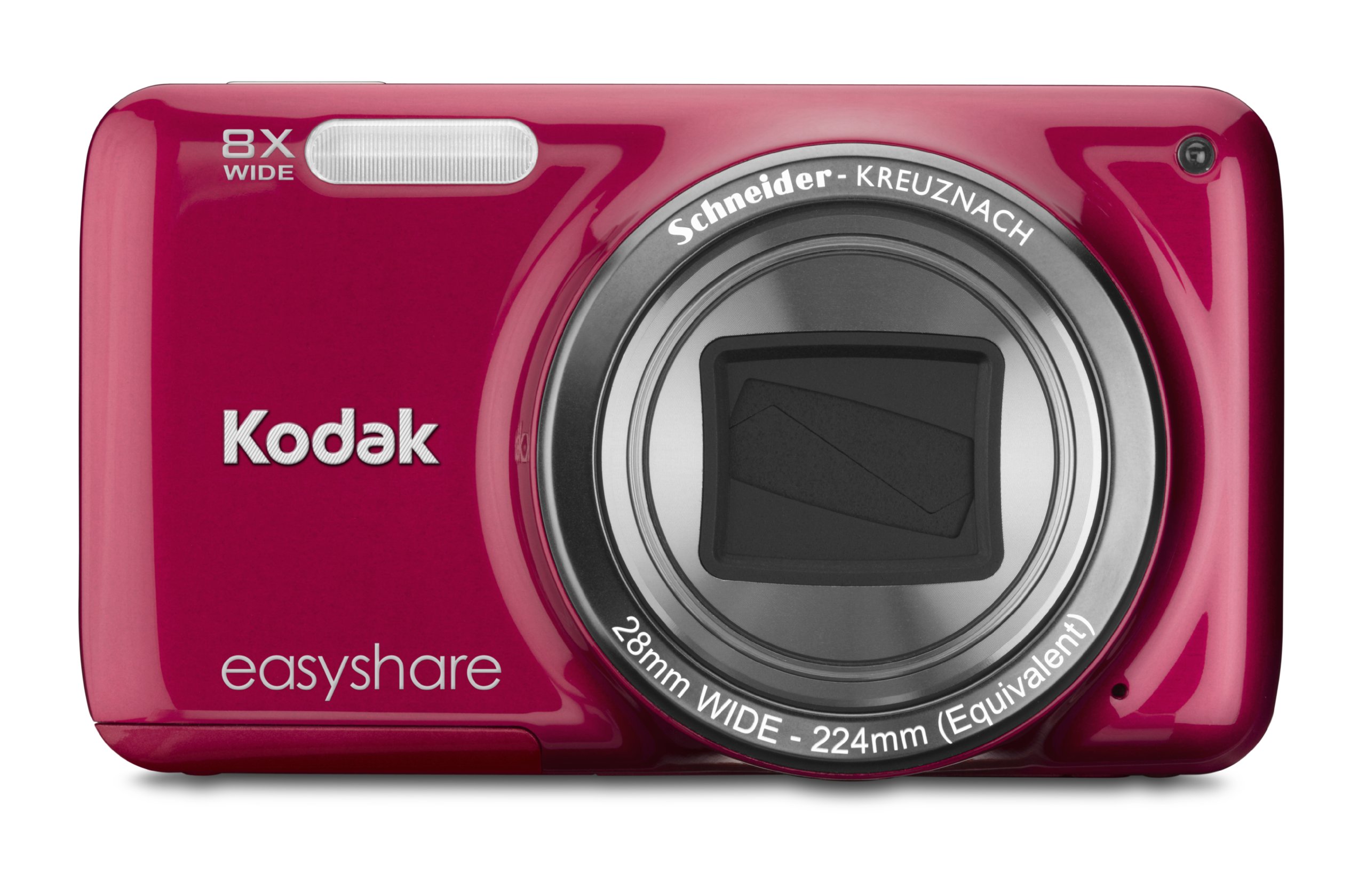
Зображення: спереду view of the Kodak EasyShare M583 Digital Camera in red, showcasing the lens and branding.
Налаштування
1. Встановлення та зарядка акумулятора
The Kodak EasyShare M583 uses a rechargeable Li-Ion battery.
- Відкрийте кришку відсіку для батареї, розташовану на нижній частині камери.
- Insert the Li-Ion battery, ensuring the contacts align correctly.
- Надійно закрийте кришку батарейного відсіку.
- Connect the camera to a power source using the supplied USB cable for charging. The battery indicator light will show charging status.
2. Встановлення карти пам'яті
The camera supports MicroSD and MicroSDHC memory cards. A memory card is required to store photos and videos.
- Знайдіть слот для карти пам'яті, зазвичай поруч із відсіком для батареї.
- Insert the MicroSD/MicroSDHC card with the gold contacts facing down, pushing gently until it clicks into place.
- To remove, press the card in again until it springs out.
Примітка: The camera supports up to 4 GB of memory. Ensure the card is formatted in the camera before first use.
Інструкція з експлуатації
1. Powering On and Basic Photography
- Натисніть потужність button to turn on the camera. The lens will extend.
- Скомпонуйте кадр за допомогою 3-дюймового РК-екрана.
- Натисніть кнопку спуску затвора наполовину, щоб сфокусуватися. Камера підтвердить фокус.
- Press the shutter button completely to capture the image.

Зображення: спереду view of the Kodak EasyShare M583 camera, showing the extended lens and flash unit.
2. Функція масштабування
The camera features an 8x optical zoom. Use the zoom lever (W/T) located near the shutter button to adjust the focal length.
- Move the lever towards T (Телеоб'єктив) для збільшення.
- Move the lever towards W (Ширококутний) для зменшення масштабу.
3. Запис відео
To record videos, press the dedicated video record button. The camera supports 720p HD video.
- Натисніть Запис відео кнопку, щоб почати запис.
- Натисніть кнопку ще раз, щоб зупинити запис.
- Videos are saved to the memory card in MP4 format.
4. Image Stabilization and Flash Modes
- The camera incorporates both digital and optical image stabilization to reduce blur caused by camera shake.
- The built-in flash operates in automatic mode, activating when lighting conditions require it.
5. Повторноviewing and Sharing Content
View ваші зняті фотографії та відео на 3-дюймовому РК-екрані.
- Натисніть Review button (usually indicated by a play icon) to enter playback mode.
- Використовуйте напрямну панель для навігації між зображеннями та відео.
- To share content, press the dedicated Поділіться button. This allows one-button upload to email, KODAK PULSE Display, and various social networking sites.

Зображення: Задня частина view of the Kodak EasyShare M583 camera, displaying the 3-inch LCD screen with sharing options for platforms like Twitter and Facebook.
6. Підключення до комп'ютера
Connect the camera to your computer using the supplied USB cable to transfer photos and videos.
- Переконайтеся, що камеру ввімкнено.
- Підключіть один кінець USB-кабелю до USB-порту камери, а інший – до комп’ютера.
- The camera will appear as a removable drive, allowing you to access your media files.
Технічне обслуговування
1. Очищення камери
- Використовуйте м’яку тканину без ворсу для очищення корпусу камери.
- Для об’єктива та РК-екрана використовуйте спеціальну тканину та розчин для чищення об’єктивів. Уникайте абразивних матеріалів.
- Do not use organic solvents such as alcohol or thinner.
2. Догляд за акумулятором
- Перед першим використанням повністю зарядіть акумулятор.
- Уникайте впливу на акумулятор екстремальних температур.
- Якщо камера не використовуватиметься протягом тривалого часу, вийміть акумулятор.
3. Зберігання
- Зберігайте камеру в прохолодному, сухому місці, подалі від прямих сонячних променів та високої вологості.
- Use a camera case to protect it from dust and scratches.
Усунення несправностей
| проблема | Рішення |
|---|---|
| Камера не вмикається. | Ensure the battery is fully charged and correctly inserted. Try charging the battery for at least 30 minutes. |
| Blurred pictures. | Press the shutter button halfway to allow the camera to focus before fully pressing to capture. Ensure sufficient lighting. Image stabilization is active, but excessive movement can still cause blur. |
| Lens does not extend or retract. | Check for obstructions around the lens. Remove and reinsert the battery to reset the camera. If the issue persists, contact support. |
| Картку пам'яті не розпізнано. | Ensure the MicroSD/MicroSDHC card is inserted correctly. Try reinserting the card. If possible, test with another compatible memory card. Format the card in the camera if it's new or causing issues (this will erase all data). |
| Камера зависає або перестає реагувати. | Remove the battery for a few seconds, then reinsert it and power on the camera. |
Технічні характеристики
| Особливість | Деталь |
|---|---|
| Назва моделі | M583 |
| Роздільна здатність фотодатчика | 14 Мп |
| Оптичний зум | 8x |
| Цифровий зум | 5x |
| Розмір екрана | 3 дюйма (РК-дисплей) |
| Стабілізація зображення | Цифровий, оптичний |
| Роздільна здатність відео | 720p (30 кадрів/с) |
| Підтримується File Формат | JPEG (Images), MP4 (Video) |
| Тип карти пам'яті | Micro SD, Micro SDHC |
| Тип батареї | Літій-іонний |
| Підключення | USB |
| Вага товару | 0.32 фунта |
| Об'єктив | 28mm wide-angle lens with 8x optical zoom |
| Максимальна діафрагма | F2.8 |
Інформація про гарантію
KODAK products are manufactured to high quality standards. For specific warranty terms and conditions applicable to your Kodak EasyShare M583 camera, please refer to the warranty card included with your purchase or visit the official KODAK support webсайт. Зберігайте чек про покупку для гарантійних претензій.
Підтримка клієнтів
If you encounter issues not covered in this manual or require further assistance, please contact KODAK customer support.
- Інтернет-підтримка: Відвідайте офіційну службу підтримки KODAK webсайт із поширеними запитаннями, драйверами та завантаженням програмного забезпечення.
- Підтримка по телефону: Зверніться до упаковки вашого продукту або до KODAK webсайт регіональних контактних телефонів.
When contacting support, please have your camera model (M583) and serial number ready.


