вступ
This manual provides detailed instructions for the setup, operation, and maintenance of your Supersonic SC371 Digital Projection Alarm Clock with AM/FM Radio. Please read this manual thoroughly before using the device to ensure proper function and to maximize your user experience.
Інформація про безпеку
- Не піддавайте пристрій впливу екстремальних температур, прямих сонячних променів, пилу чи вологості.
- Ensure the power adapter is compatible with your local power supply (AC 120V, 60Hz).
- Не намагайтеся розбирати або модифікувати пристрій. Звертайтеся до кваліфікованого персоналу для проведення будь-яких технічних робіт.
- Тримайте пристрій подалі від води або інших рідин.
- Use only the specified battery type for backup (9V, not included).
Вміст упаковки
Будь ласка, перевірте наявність усіх предметів у упаковці:
- Supersonic SC371 Digital Projection Alarm Clock with Radio
- Адаптер змінного струму
- Посібник користувача (цей документ)
Продукт закінченийview
The Supersonic SC371 is a versatile digital alarm clock featuring a clear LED display, built-in time projection, and an integrated AM/FM radio. It includes an alarm with sleep/snooze timers and a 3.5mm audio input for external devices.
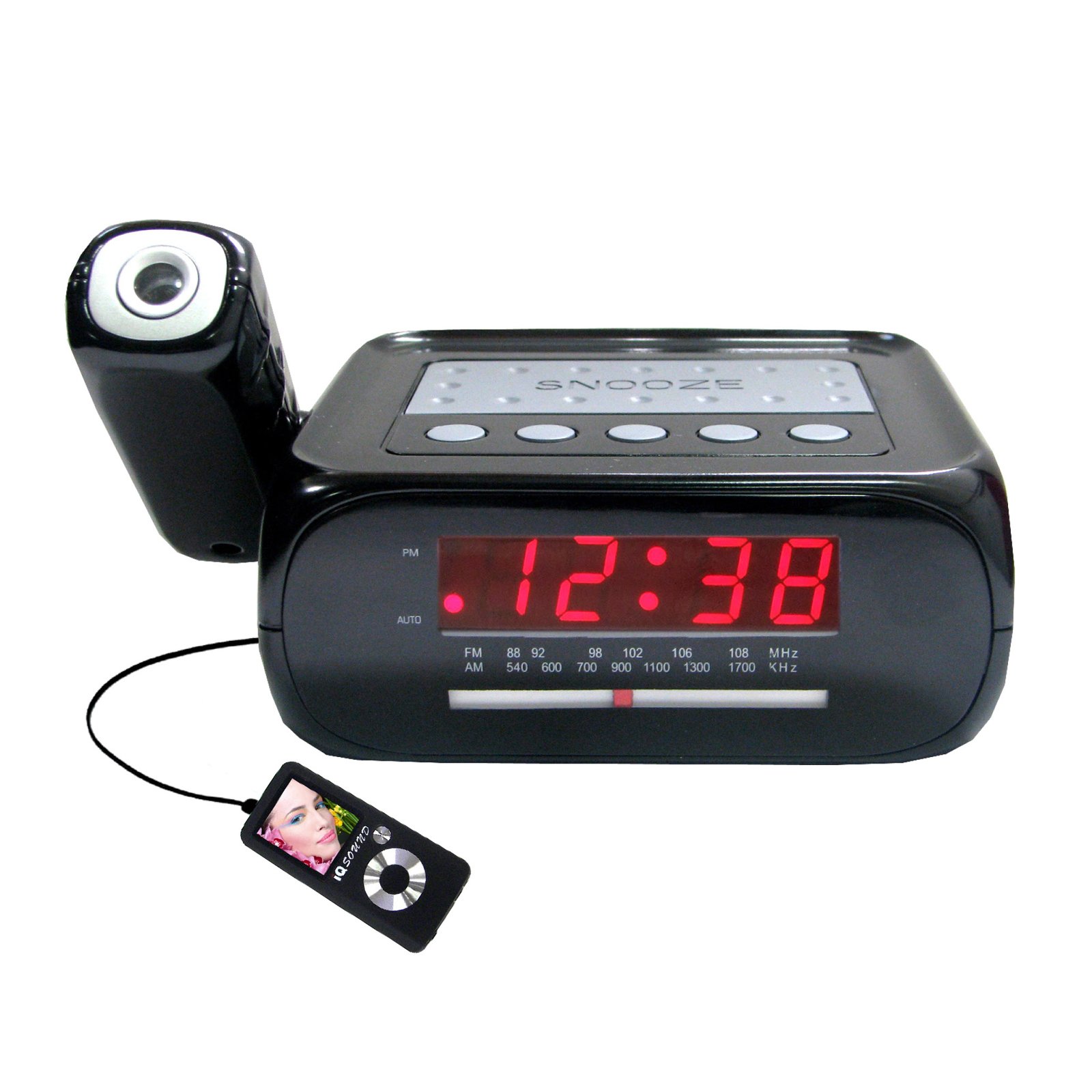
Зображення: спереду view of the Supersonic SC371 Digital Projection Alarm Clock, showing the LED display and control buttons.
Ключові характеристики:
- Digital Clock with LED Display
- Built-in Time Projection
- AM/FM Radio Tuner
- Alarm Clock with Sleep/Snooze Timers
- Wake Up to Music or Buzzer
- 3.5mm Audio Input Jack for Portable Audio Players
Налаштування
1. Підключення живлення
Connect the AC power adapter to the DC IN jack on the back of the unit, then plug the adapter into a standard AC 120V, 60Hz wall outlet. The unit will power on and the LED display will illuminate.
2. Резервне живлення від батареї (додатково)
For battery backup functionality, insert one 9V battery (not included) into the battery compartment located on the bottom of the unit. This battery will preserve time and alarm settings during a power outage, but the display and projection will not operate.
Інструкція з експлуатації
Встановлення часу
- Натисніть і утримуйте ВСТАНОВИТИ ЧАС кнопка. Цифри годин почнуть блимати.
- Використовуйте ГОДИНА кнопку для налаштування години.
- Використовуйте ХВИЛИНА кнопку для налаштування хвилин.
- Прес ВСТАНОВИТИ ЧАС ще раз для підтвердження та виходу з режиму налаштування часу.
Налаштування будильника
- Натисніть і утримуйте НАБОР ТРИВОГИ кнопка. Цифри годин будильника блиматимуть.
- Використовуйте ГОДИНА кнопку, щоб встановити потрібну годину будильника.
- Використовуйте ХВИЛИНА , щоб встановити бажану хвилину будильника.
- Прес НАБОР ТРИВОГИ ще раз, щоб підтвердити час будильника.
- Натисніть ТРИВОГА УВІМК. / ВИМК button to activate or deactivate the alarm. An indicator will appear on the display when the alarm is active.
Функція відкладення
Коли пролунає будильник, натисніть кнопку СНОЙЗ кнопку , щоб тимчасово вимкнути будильник приблизно на 9 хвилин. Будильник знову задзвонить після періоду повтору.
Робота радіо (AM/FM)
- Натисніть УВІМК./ВИМК. РАДІО кнопку, щоб увімкнути радіо.
- Натисніть БЕНД кнопку для перемикання між діапазонами AM та FM.
- Використовуйте ТЮНІНГ knob or buttons (if available) to select your desired station.
- Відрегулюйте гучність за допомогою ОБ'ЄМ ручка.
- Щоб вимкнути радіо, натисніть УВІМК./ВИМК. РАДІО кнопку знову.
Проекція часу
The unit features a built-in projector to display the time on a wall or ceiling. Locate the ПРОЕКЦІЯ button or switch. Press or slide it to activate the projection. You may be able to adjust the focus and angle of the projection using dedicated controls on the unit.
Використання входу Aux
Connect an external audio device (e.g., MP3 player, smartphone) to the 3.5mm Audio Input Jack using a standard 3.5mm audio cable (not included). The unit will automatically switch to AUX mode, allowing you to play audio from your connected device through the clock's speaker.
Технічне обслуговування
прибирання
To clean the unit, gently wipe the surfaces with a soft, dry cloth. Do not use abrasive cleaners, waxes, or solvents, as these can damage the finish. Ensure the unit is unplugged before cleaning.
Заміна батареї
If the battery backup feature is used, replace the 9V battery annually or when the unit fails to retain settings during a power interruption.
Усунення несправностей
| проблема | Можлива причина | Рішення |
|---|---|---|
| Пристрій не вмикається. | Адаптер живлення не підключений або несправний. | Переконайтеся, що адаптер змінного струму надійно підключено до пристрою та до справної розетки. |
| Projection does not work or is dim. | Projection feature not activated; unit too far from surface; projector lens obstructed. | Activate the projection feature. Adjust the unit's distance from the projection surface. Clean the projector lens if necessary. |
| Статичний шум у радіо або поганий прийом. | Слабкий сигнал; антена не висунута. | Повністю розгорніть дротову FM-антену. Перемістіть пристрій для кращого прийому. |
| Сигналізація не звучить. | Будильник не налаштовано або вимкнено; гучність занадто низька. | Ensure the alarm is set and activated (check display indicator). Increase the volume. |
Технічні характеристики
| Особливість | Специфікація |
|---|---|
| Номер моделі | SC371 |
| Тип дисплея | Цифровий світлодіод |
| Джерело живлення | AC 120V, 60Hz (Corded Electric) |
| Резервний акумулятор | 1 x 9V (not included) |
| Особливості | Alarm, Audio Input, Projection Clock, Radio, Snooze |
| Розміри (ДxШxВ) | 18.52 x 9.42 x 8.71 см (7.29 x 3.71 x 3.43 дюйма) |
| Вага товару | 517 г (1.14 фунта) |
| Тип монтажу | Стільниця |
Гарантія та підтримка
Supersonic products are designed for reliability and performance. For warranty information or technical support, please refer to the warranty card included with your purchase or visit the official Supersonic webсайт. Зберігайте чек про покупку як підтвердження покупки для будь-яких гарантійних претензій.