1. Вступ
This manual provides instructions for the Insignia 7" Widescreen LCD Digital Photo Frame, model NS-DPF7WA-09. This device allows you to display digital photos from memory cards or its internal memory, offering various slideshow options and display settings. It features a 7-inch TFT-LCD screen with a 16:9 widescreen aspect ratio, 800 x 480 resolution, and 500:1 contrast ratio for clear image presentation.
Please read this manual thoroughly before operating your digital photo frame to ensure proper use and to maximize its features.
2. Вміст упаковки
Перевірте наявність усіх елементів в упаковці:
- Insignia 7" Widescreen LCD Digital Photo Frame
- Пульт дистанційного керування
- Адаптер живлення
- Посібник користувача (цей документ)
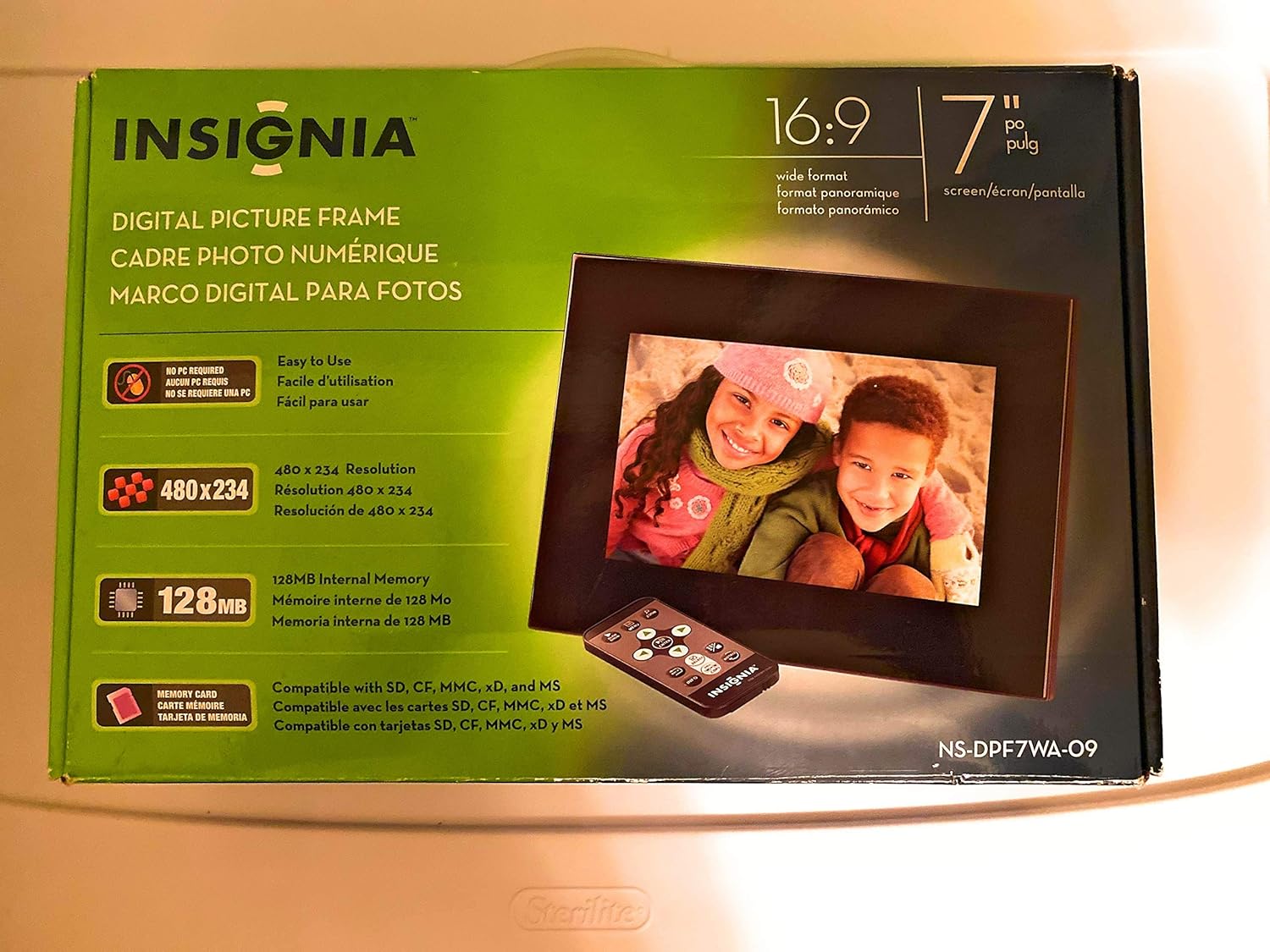
Image 1: Retail packaging of the Insignia 7" Widescreen LCD Digital Photo Frame, highlighting key features like screen size, resolution, internal memory, and supported memory card types.
3. Налаштування
3.1 Positioning the Frame
The digital photo frame includes a multiple-position adjustable stand. Adjust the stand to achieve an optimal viewing angle for your desired location.
3.2 Підключення живлення
- Connect the power adapter to the DC IN port on the back of the digital photo frame.
- Підключіть інший кінець адаптера живлення до стандартної електричної розетки.
- The frame will typically power on automatically or enter standby mode.
3.3 Вставлення карт пам'яті
The frame supports various memory card formats. Locate the memory card slot(s) on the side or back of the frame.
- Supported formats include: Secure Digital (SD), Secure Digital High Capacity (SDHC), microSD, Memory Stick (MS), Memory Stick PRO Duo, MultiMediaCard (MMC), and xD-Picture Card.
- Insert the memory card gently into the appropriate slot until it clicks into place. Ensure the card is inserted in the correct orientation.

Image 2: The Insignia 7" Widescreen LCD Digital Photo Frame unboxed, showing the frame, remote control, and a portion of the manual. This view helps identify the physical components.
4. Інструкція з експлуатації
4.1 Дистанційне керуванняview
The included remote control provides full functionality for navigating menus and controlling playback. Ensure the remote's battery is functional. A small tray on the back of the digital photo frame is provided for remote storage.
4.2 Playing a Slideshow
The digital photo frame can play slideshows from either an inserted memory card or its 128MB internal memory.
- Виберіть джерело: Use the remote control to navigate to the main menu and select your desired photo source (e.g., "Memory Card" or "Internal Memory").
- Start Slideshow: Once the source is selected, the frame will typically begin a slideshow automatically.
- Налаштування слайд-шоу: Access the settings menu to customize slideshow options, including:
- Transitional Styles: Choose from multiple visual effects between photos.
- Змінна швидкість: Налаштуйте тривалість відображення кожної фотографії.
4.3 Adjusting Photo View
Within the slideshow or photo browsing mode, you can often adjust how individual photos are displayed. Options may include zoom, rotate, or fit-to-screen. Refer to the on-screen menu for specific controls.
4.4 Changing Display Settings
The frame's settings menu allows you to modify various display parameters:
- Яскравість/Контрастність: Adjust screen brightness and contrast for optimal viewв різних умовах освітлення.
- Співвідношення сторін: Configure how images are scaled to fit the 16:9 widescreen display.
- Автоматичне вимкнення: Enable or disable the auto power off feature, which conserves energy by turning off the frame after a period of inactivity.
- Дата/час: Встановіть поточну дату та час.
5. Технічне обслуговування
- Очищення екрану: Використовуйте м’яку тканину без ворсу, щоб обережно протерти РК-екран. Для стійких плям злегка протрітьampen the cloth with water or a screen-cleaning solution designed for electronics. Avoid harsh chemicals or abrasive materials.
- Очищення рами: Wipe the exterior of the frame with a soft, dry cloth.
- Зберігання: Якщо рама не використовується протягом тривалого часу, зберігайте її в прохолодному, сухому місці, подалі від прямих сонячних променів та екстремальних температур.
- Адаптер живлення: Ensure the power adapter cable is not bent or damaged.
6. Вирішення проблем
If you encounter issues with your Insignia digital photo frame, refer to the following common solutions:
| проблема | Рішення |
|---|---|
| Рамка не вмикається. |
|
| Пульт дистанційного керування не реагує. |
|
| Photos are not displaying or appear distorted. |
|
| Slideshow transitions are slow or clumpy. |
|
7. Технічні характеристики
| Особливість | Деталь |
|---|---|
| Номер моделі | NS-DPF7WA-09 |
| Розмір екрана | 7 дюймів |
| Тип дисплея | TFT-LCD |
| Співвідношення сторін | Широкоформатний 16: 9 |
| роздільна здатність | 800 x 480 (SVGA) |
| Коефіцієнт контрастності | 500:1 |
| Внутрішня пам'ять | 128 МБ |
| Підтримувані карти пам'яті | Secure Digital (SD), Secure Digital High Capacity (SDHC), microSD, Memory Stick (MS), Memory Stick PRO Duo, MultiMediaCard (MMC), xD-Picture Card |
| Розміри продукту | 2.2 x 9.2 x 6.5 дюймів |
| Вага товару | 1.2 фунта |
| Джерело живлення | Адаптер живлення (в комплекті) |
| Батарея пульта дистанційного керування | 1 літій-металева батарея (обов'язково) |
8. Гарантія та підтримка
For warranty information or technical support, please refer to the warranty card included with your product or visit the official Insignia support webсайт. Зберігайте чек про покупку для гарантійних претензій.
Інтернет-підтримка: www.insigniaproducts.com/support


