1. Вступ
The Extech EX330 is a compact, autoranging digital multimeter designed for a wide range of electrical and electronic measurements. Its robust design and comprehensive features make it an essential tool for professionals and hobbyists alike. This manual provides detailed instructions for the safe and effective use of your EX330 multimeter.
Основні характеристики EX330 включають:
- Вбудований безконтактний AC voltage detector (NCV) for enhanced safety.
- Large 4000-count LCD display for clear readings.
- Automatic ranging for simplified operation.
- Вимірювання AC/DC Voltage, AC/DC Current, Resistance, Capacitance, Frequency, Duty Cycle, and Temperature.
- Diode test and Continuity check functions.
- Data Hold and Max Hold features.
- Durable rubber holster for protection.
- UL listed Cat III 600V safety rating.

2. Початок роботи
2.1. Встановлення батареї
The EX330 multimeter requires two AAA batteries for operation. To install or replace batteries:
- Переконайтеся, що мультиметр вимкнений.
- Знайдіть відсік для батарейок на задній панелі пристрою.
- За допомогою викрутки відкрийте кришку батарейного відсіку.
- Вставте дві батарейки типу AAA, дотримуючись правильної полярності (+ та -), як зазначено всередині відсіку.
- Встановіть на місце кришку батарейного відсіку та закріпіть її гвинтом.
2.2. Підключення вимірювальних щупів
The multimeter comes with a set of red and black test leads. Proper connection is crucial for accurate and safe measurements.
- Завжди підключайте чорний вимірювальний щуп до COM (Загальний) вхідний роз'єм.
- Для більшості об'ємівtage, resistance, and continuity measurements, connect the red test lead to the V/Ω/µA/CAP/Hz/Temp вхідний роз'єм.
- For current measurements up to 400mA, connect the red test lead to the mA вхідний роз'єм.
- For high current measurements up to 10A, connect the red test lead to the 10А вхідний роз'єм.

3. Інструкція з експлуатації
3.1. Увімкнення/вимкнення живлення
To turn the multimeter on, rotate the function switch from the ВИМКНЕНО position to any desired measurement function. To turn the multimeter off, rotate the function switch back to the ВИМКНЕНО положення.
3.2. Function Selection (Rotary Dial)
The large rotary dial on the front of the multimeter allows you to select the desired measurement function. The EX330 features automatic ranging, which simplifies operation by automatically selecting the correct measurement range.
- VAC / ВDC: Measures AC or DC Voltage.
- mA / 10A: Measures AC or DC Current (milliampраніше або ampось).
- Ω: Measures Resistance.
- CAP: Measures Capacitance.
- Гц /%: Measures Frequency and Duty Cycle.
- ° F / ° C: Measures Temperature in Fahrenheit or Celsius.
- Діод / безперервність: Tests diodes and checks for circuit continuity.
3.3. Безконтактний Voltage (NCV) Виявлення
Функція NCV дозволяє швидко виявляти об'єм змінного струмуtage without direct contact, enhancing safety when working with electrical systems. To use the NCV function, press and hold the NCV button. The top of the meter will illuminate and an audible tone will sound if AC voltage виявлено.

3.4. ВипtagВимірювання (змінний/постійний струм)
Щоб виміряти обtage:
- Встановіть поворотний диск на VAC or VDC як доречно.
- Підключіть чорний контрольний провід до COM гніздо та червоний вимірювальний дріт до V/Ω/µA/CAP/Hz/Temp Джек.
- Підключіть вимірювальні щупи паралельно до кола або компонента, що вимірюється.
- Прочитайте томtagзначення e на РК-дисплеї.

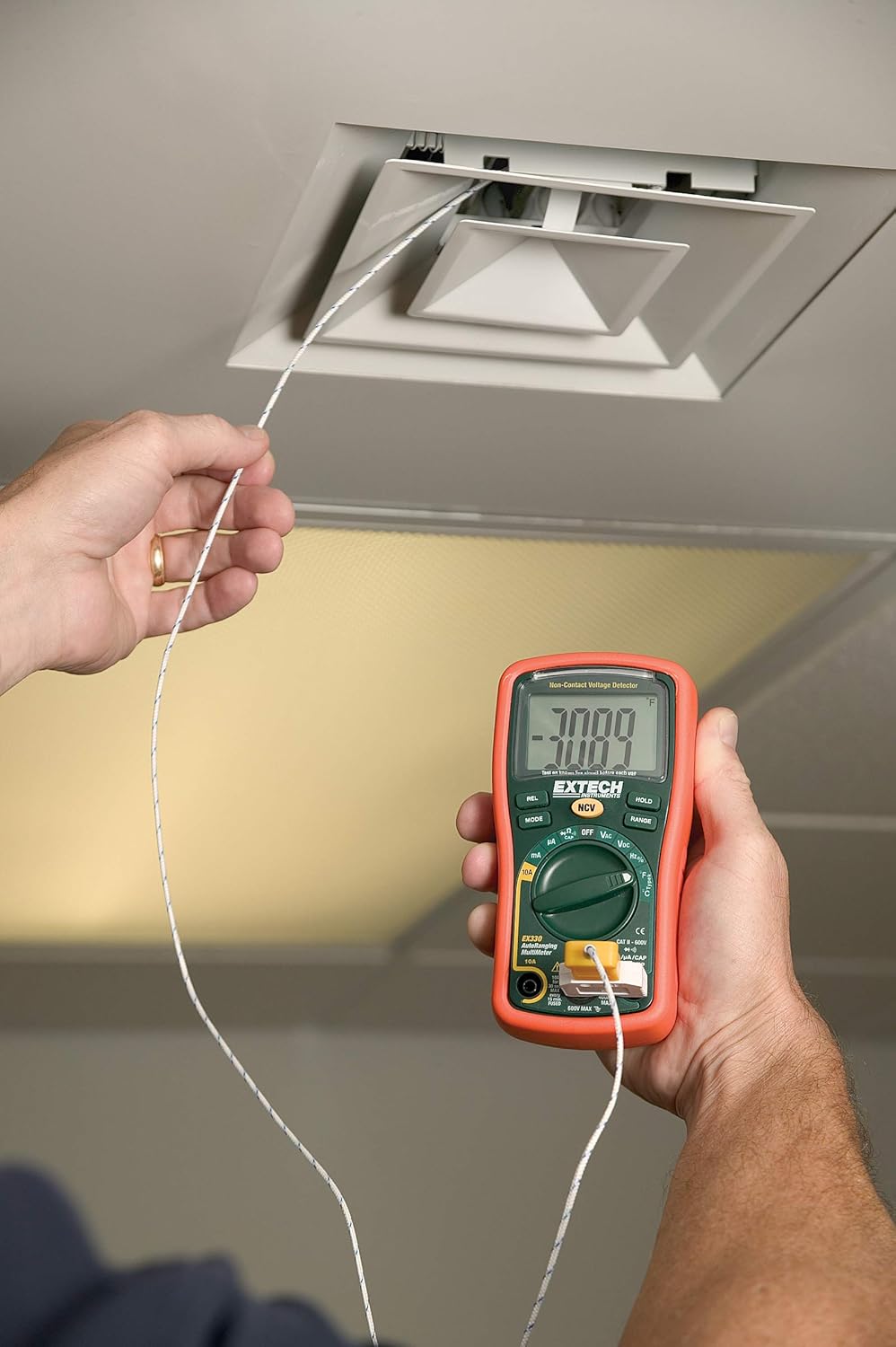
3.5. Temperature Measurement (Type K)
The EX330 includes a Type K temperature probe for accurate temperature readings.
- Встановіть поворотний диск на °F or °C.
- Plug the Type K temperature probe into the V/Ω/µA/CAP/Hz/Temp і COM вхідні гнізда, дотримуючись полярності.
- Розмістіть кінчик температурного зонда на об'єкті, температуру якого потрібно виміряти, або поблизу нього.
- Allow time for the reading to stabilize on the display.
3.6. Data Hold and Max Hold
- Натисніть ТРИМАТИ кнопку, щоб зафіксувати поточне значення на дисплеї. Натисніть ще раз, щоб відпустити.
- Натисніть РЕЖИМ button repeatedly while in certain functions to cycle through sub-functions or to activate МАКС. УТРИМАННЯ, which captures and displays the maximum measured value.
3.7. Характеристики продуктуview
Перегляньте це відео для швидкого ознайомленняview of the Extech EX330's key features and applications.
Відео 3.1: Кінецьview of Extech EX330 Multimeter features, including AC/DC voltage measurement, 4000-count display, built-in non-contact voltage detector, and Type K temperature measurement.
3.8. Accuracy Demonstration
This video demonstrates the accuracy and reliability of Extech multimeters, showcasing two units providing consistent readings when measuring voltage from a power supply.
Video 3.2: Demonstration of two Extech multimeters measuring voltage from a power supply, highlighting their consistent and accurate readings over time.
4. Технічне обслуговування та догляд
4.1. прибирання
Для очищення мультиметра використовуйте м'яку губкуamp cloth. Do not use abrasives or solvents. Ensure the unit is off and disconnected from any circuits before cleaning.
4.2. Заміна батареї
When the battery indicator appears on the display, replace the batteries as described in Section 2.1. Prompt battery replacement ensures continued accuracy and proper operation.
4.3. Заміна запобіжника
If the multimeter fails to measure current, the fuse may need replacement. Refer to the specifications for the correct fuse type and rating. Fuse replacement should only be performed by qualified personnel.
5. Вирішення проблем
This section addresses common issues you might encounter with your EX330 multimeter.
| проблема | Можлива причина | Рішення |
|---|---|---|
| Немає дисплея або дисплей тьмяний | Батареї розряджені або розряджені | Замініть батарейки (Розділ 2.1) |
| Неправильні показання | Incorrect function selected, poor test lead connection, damaged test leads | Verify function, check connections, replace test leads if damaged |
| Немає вимірювання струму | Перегорів запобіжник | Замініть запобіжник (розділ 4.3) |
| NCV не виявляє об'ємtage | томtage too low, interference, or incorrect usage | Забезпечити обtage is within detectable range, minimize interference, follow NCV instructions (Section 3.3) |
6. Технічні характеристики
| Специфікація | Значення |
|---|---|
| Дисплей | РК-дисплей з 4000 відліками |
| AC/DC Voltage | До 600В |
| Струм змінного / постійного струму | До 10А |
| опір | До 40 МОм |
| Ємність | До 100 мкФ |
| Частота | До 10 МГц |
| Температура (тип K) | Від -4 до 1382°F (від -20 до 750°C) |
| Безконтактний випtage (NCV) | від 100 до 600 В змінного струму |
| Джерело живлення | 2 батареї AAA (входять в комплект) |
| Розміри (Д x Ш x В) | 5.7 x 2.9 x 1.6 дюймів |
| вага | 9.9 унцій (0.28 кг) |
| Рейтинг безпеки | UL listed Cat III - 600V |
| Країна походження | Китай |

7. Гарантія та підтримка
7.1. Інформація про гарантію
The Extech EX330 Autoranging Mini Multimeter is covered by a Гарантія на запчастини та роботу 1 роки from the date of purchase. This warranty covers defects in materials and workmanship under normal use. It does not cover damage resulting from misuse, unauthorized modifications, accidents, or neglect.
7.2. Підтримка клієнтів
For technical assistance, troubleshooting, or warranty claims, please contact Extech customer support. Refer to the official Extech webнайактуальнішу контактну інформацію див. на сайті або на упаковці вашого продукту.


