1. Вступ
The Extech SDL200 is a versatile four-channel thermometer and data logger designed for precise temperature measurement and recording. It supports six types of thermocouples (J, K, E, T, R, S) and two channels for RTD (Pt100Ohm) probes, allowing for a wide range of applications. This device can display individual channel readings (T1, T2, T3, T4) or differential readings (T1-T2). It features an offset adjustment for relative measurements and can store up to 99 readings manually, with an extensive capacity of 20 million readings via a 2GB SD memory card. All recorded data is time-stamped and saved in an Excel-compatible format for easy transfer and analysis on a PC. The SDL200 also includes user-programmable sampling rates, Min/Max recording, Data Hold, Auto Power Off, and a built-in PC interface.
2. Інформація про безпеку
Please read and understand all safety instructions before operating the Extech SDL200. Failure to follow these instructions may result in injury or damage to the device.
- Do not operate the device if it appears damaged or if the insulation is compromised.
- Ensure proper probe connection before taking measurements.
- Уникайте впливу на пристрій екстремальних температур, вологості або прямого сонячного світла.
- Use only specified battery types and ensure correct polarity during installation.
- Keep the device clean and dry. Refer to the maintenance section for cleaning instructions.
- Не намагайтеся ремонтувати або модифікувати пристрій. Звертайтеся до кваліфікованого персоналу для проведення всіх робіт з обслуговування.
3. Вміст упаковки
Переконайтеся, що всі предмети присутні під час розпакування:
- Extech SDL200 Four-Channel Thermometer SD Logger unit
- 6 батарейки АА
- Four general purpose Type K bead wire temperature probes
- SD memory card (2GB)
- Жорсткий чохол

малюнок 3.1: Extech SDL200 unit with four Type K thermocouple probes inserted into the top ports. The display shows temperature readings for T1, T2, T3, and T4.

малюнок 3.2: The retail packaging box for the Extech SDL200, displaying the brand logo, model name, and UPC code (0793950432105).
4. Продукт закінчивсяview
The SDL200 features a clear digital display and intuitive button layout for easy operation. The top of the device includes four input ports for thermocouple probes. The side of the device houses connectivity ports for power and PC interface, along with RTD probe inputs.

малюнок 4.1: сторона view of the Extech SDL200, illustrating the DC 9V power input, RS232 serial port for PC connection, and two RTD (PT100Ohm) probe input ports labeled PT1 and PT2, protected by a rubber flap.

малюнок 4.2: A set of four yellow Type K bead wire temperature probes with standard mini-connectors, alongside a larger clamp-style temperature probe, demonstrating the variety of probes that can be used with the device.
5. Налаштування
5.1. Встановлення батареї
- Відкрийте кришку батарейного відсіку на задній панелі пристрою.
- Insert six (6) AA batteries, ensuring correct polarity as indicated inside the compartment.
- Надійно закрийте кришку батарейного відсіку.
5.2. Підключення зонда
- For thermocouple probes (Type J, K, E, T, R, S), connect them to the four input jacks located at the top of the meter. Ensure the correct thermocouple type is selected in the device settings if applicable.
- For RTD (Pt100Ohm) probes, connect them to the PT1 and PT2 ports on the side of the device (refer to Figure 4.1).
5.3. Вставлення SD-карти
- Locate the SD card slot, typically on the side or bottom of the device.
- Insert the provided 2GB SD memory card into the slot until it clicks into place.
- Щоб вийняти, обережно натисніть на карту всередину, доки вона не вискочить.
6. Інструкція з експлуатації
6.1. Увімкнення/вимкнення живлення
Натисніть ПОТУЖНІСТЬ кнопку, щоб увімкнути або вимкнути пристрій.
6.2. Basic Temperature Measurement
- Connect the desired temperature probes.
- Power on the device. The display will show real-time temperature readings for the connected channels (T1, T2, T3, T4).
- Натисніть T1-T2 button to switch between individual channel display and differential temperature (T1-T2) display.
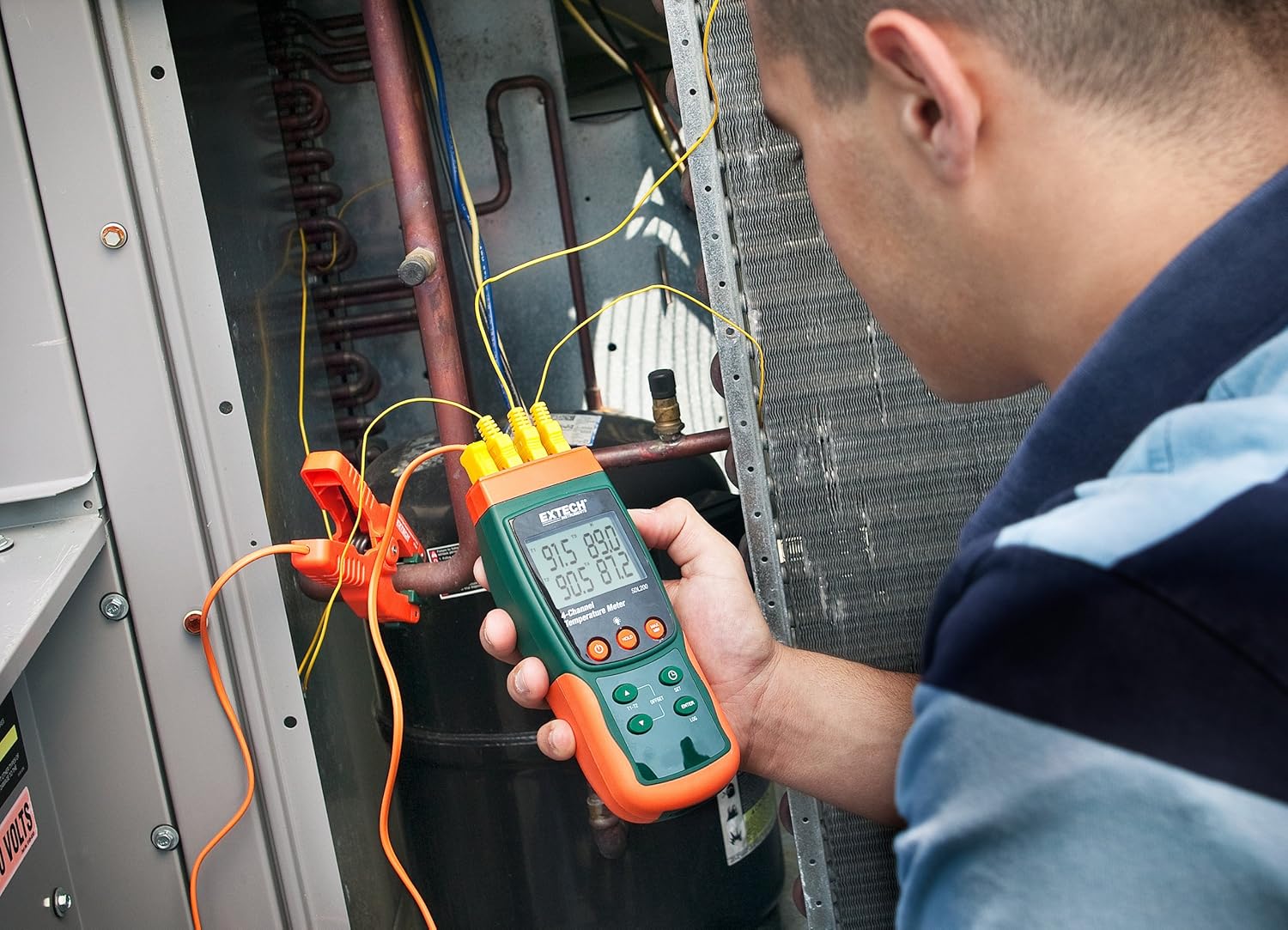
малюнок 6.1: A technician utilizing the Extech SDL200 to monitor multiple temperature points on an HVAC system, demonstrating its application in industrial and scientific settings.
6.3. Реєстрація даних
The SDL200 can record temperature data to the SD card with a real date and time stamp.
- Набір Sampлінг -курс: Використовуйте НАБІР button to access settings and adjust the sampшвидкість лінгу (від 1 до 3600 секунд).
- Почати журналювання: Натисніть LOG button to begin recording data to the SD card. A logging indicator will appear on the display.
- Stop Logging: Натисніть LOG button again to stop data recording.
- Передача даних: Remove the SD card and insert it into a computer to access the data, which is saved in Excel (.xls) format.
6.4. Min/Max and Data Hold
- Мін/Макс: Натисніть МАКС/МІН button to display the maximum or minimum recorded temperature since the function was activated. Press again to cycle through Max, Min, and current readings.
- Утримання даних: Натисніть ТРИМАТИ button to freeze the current readings on the display. Press again to release.
6.5. Offset Adjustment
Використовуйте ЗМІЩЕННЯ button to perform a zero function for relative measurements. Consult the full manual for detailed calibration procedures.
6.6. Автоматичне вимкнення живлення
The device features an Auto Power Off function to conserve battery life. This can typically be disabled or adjusted in the settings menu if continuous operation is required.
6.7. PC Interface
The built-in RS232 PC interface allows for real-time data streaming and advanced control using compatible software (sold separately or available for download from Extech's website). Connect the device to your PC using an appropriate RS232 cable.
7. Технічне обслуговування
7.1. прибирання
Протріть пристрій м’якою губкоюamp cloth. Do not use abrasive cleaners or solvents. Ensure the device is dry before storage or further use.
7.2. Заміна батареї
Замініть батарейки, коли на дисплеї з’явиться індикатор низького заряду батарейок. Інструкції щодо встановлення батарейок дивіться у розділі 5.1.
7.3. Зберігання
When not in use for extended periods, remove the batteries and store the device in its hard carrying case in a cool, dry place.
8. Вирішення проблем
- Пристрій не вмикається: Перевірте встановлення батарейок та переконайтеся, що батарейки не розряджені. За потреби замініть їх.
- Неправильні показники температури: Verify probe connections are secure and that the correct probe type is selected (if applicable). Ensure probes are not damaged.
- Data logging not working: Check if the SD card is properly inserted and has sufficient free space. Ensure the logging function is activated.
- PC connection issues: Verify the RS232 cable connection and ensure the correct drivers and software are installed on your PC.
9. Технічні характеристики
| Особливість | Специфікація |
|---|---|
| Бренд | Extech |
| Назва моделі | SDL200 |
| Особливість | 4-Channel Datalogging |
| Тип дисплея | цифровий |
| Технологія підключення | USB (via RS232 interface) |
| Джерело живлення | Живлення від батарейок (6 батарейки типу АА в комплекті) |
| Верхня температура | 2732 градусів за Фаренгейтом |
| Час відгуку | 1 секунда |
| Ємність реєстрації даних | 20M readings via 2G memory card |
| Sampлінг -курс | 1 to 3600 seconds (user programmable) |
| Типи термопар | J, K, E, T, R, S (4-channel) |
| Зонди RTD | Pt100Ohm (2-channel) |
| Включені компоненти | Batteries, Bead wire temperature probes, memory card, case |
| Вага товару | 1.1 фунта |
| Довжина предмета | 7.2 дюймів |
| Зовнішній матеріал | Полікарбонат (ПК) |
| Специфікація Met | CE |
10. Гарантія та підтримка
Extech products are designed for reliability and performance. For warranty information, technical support, or service inquiries, please refer to the official Extech webсайт або зверніться до їхнього відділу обслуговування клієнтів. Зберігайте чек про покупку як підтвердження покупки для гарантійних претензій.
Щоб отримати додаткові ресурси, відвідайте Extech Store on Amazon.


