вступ
Welcome to the KODAK EasyShare Z7590 Digital Camera user manual. This guide provides detailed instructions for setting up, operating, and maintaining your camera. The EasyShare Z7590 is a 5.0-megapixel digital camera featuring a 10x optical zoom Schneider-Kreuznach Variogon lens, designed to capture high-quality images and videos. Its intuitive design and advanced features make it suitable for various photography needs.
The camera is equipped with a 2.2-inch high-resolution indoor/outdoor display, capable of recording continuous VGA (640 x 480) video with audio. It supports SD/MMC memory cards for expanded storage and includes a 32MB internal memory.
Що в коробці
Перевірте, чи всі елементи є в упаковці вашої камери:
- KODAK EasyShare Z7590 Zoom Digital Camera
- High-capacity KODAK EasyShare Li-Ion Rechargeable Battery (1700mAh)
- Rapid Battery Charger Kit
- Audio-Video Cable
- USB кабель
- Шийний ремінь
- Кришка об'єктива з ремінцем
- Getting Started Kit (with KODAK EasyShare Software)
- Custom Camera Insert (for optional KODAK EasyShare camera and printer docks)
Налаштування
1. Зарядка батареї
Before initial use, fully charge the provided Li-Ion rechargeable battery using the rapid battery charger.
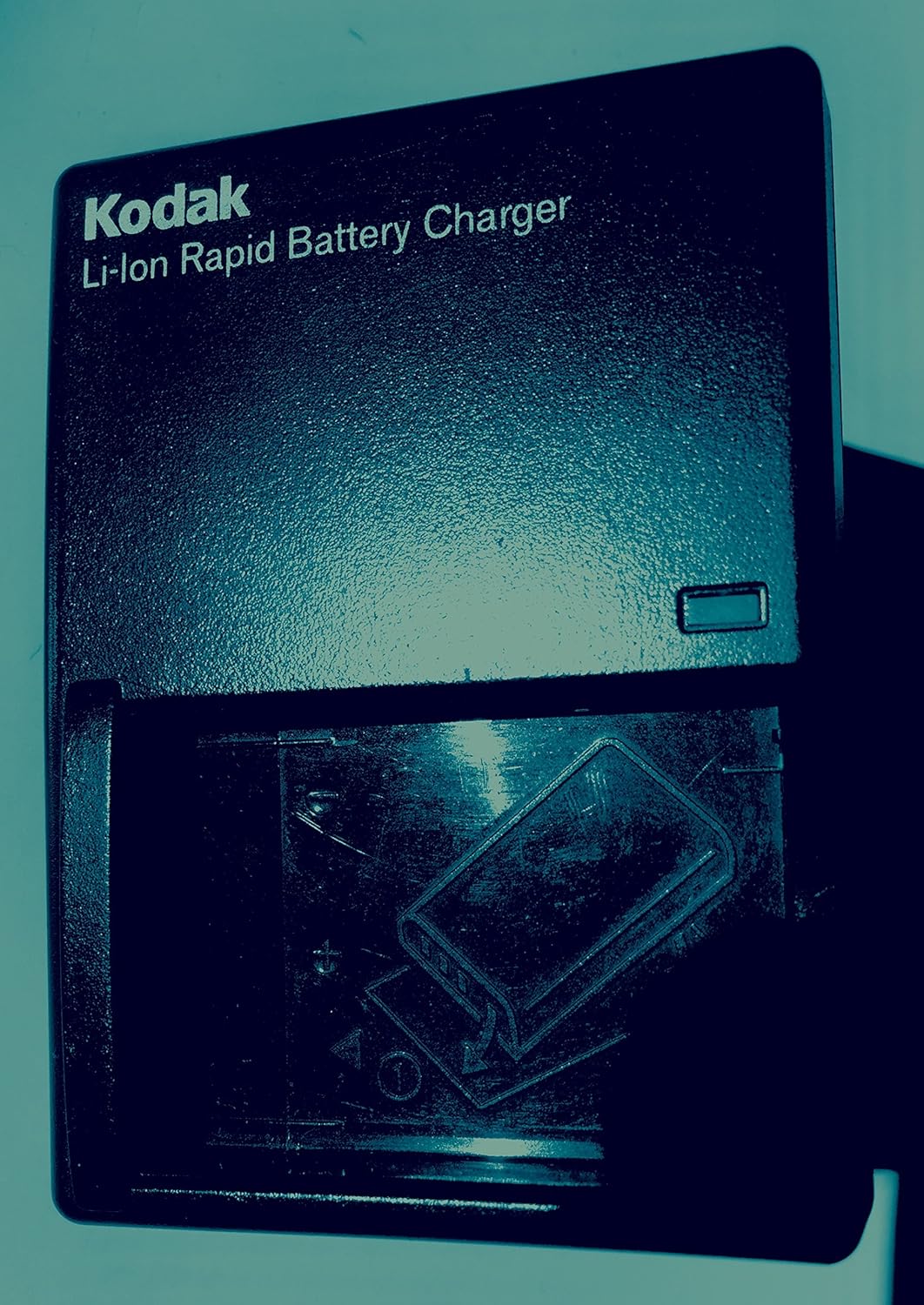
зображення: KODAK Li-Ion Rapid Battery Charger. Insert the battery into the charger as indicated by the diagram on the charger.
- Insert the KODAK Li-Ion battery into the rapid battery charger.
- Підключіть зарядний пристрій до розетки.
- The charging indicator light will show the charging status. Refer to the charger's specific instructions for light indications.
- Once fully charged, remove the battery and insert it into the camera.
2. Вставлення карти пам'яті
The camera has 32MB of internal memory. For extended shooting, insert an SD or MMC memory card.

зображення: SD and MMC Memory Cards. The camera supports both SD and MMC card types.
- Locate the memory card slot on the camera (typically on the side or bottom).
- Insert the SD or MMC card with the metal contacts facing the correct direction, as indicated by a diagram near the slot.
- Натисніть на картку, доки вона не стане на місце із клацанням.
3. Прикріплення ремінця на шию та кришки об'єктива
Attach the neck strap for secure handling and the lens cap to protect the lens when not in use.

зображення: KODAK EasyShare Z7590 Digital Camera. The camera is shown with the neck strap attached and the lens cap covering the lens.
Керування камерою
Елементи керування камерою зверхуview
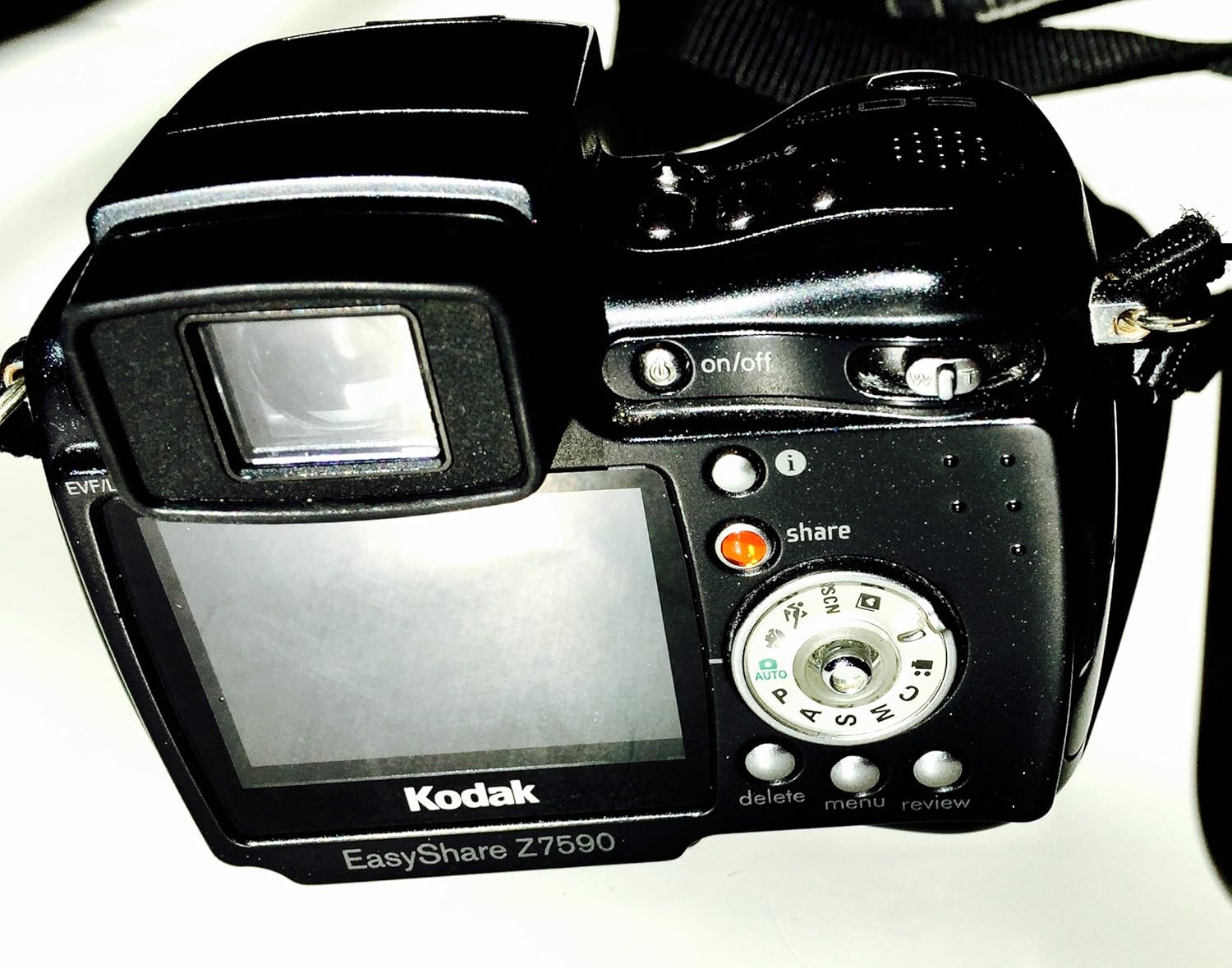
зображення: Задня view of the KODAK EasyShare Z7590 Digital Camera. This image highlights the LCD screen, control dial, and various buttons such as 'on/off', 'share', 'delete', 'menu', and 'review'.
- Кнопка живлення: Located on the top of the camera, used to turn the camera on or off.
- Кнопка затвора: Натисніть наполовину для фокусування, повністю для зйомки.
- Важіль масштабування: Controls the 10x optical zoom and 3x advanced digital zoom.
- Диск режимів: Selects shooting modes (Auto, Program, Aperture Priority, Shutter Priority, Manual, Scene, Movie).
- РК-дисплей: 2.2-inch high-resolution screen for composing shots and reviewзавантажувальні зображення.
- Кнопка «Поділитися»: для tagging photos for printing or emailing.
- Кнопка меню: Доступ до налаштувань і опцій камери.
- Кнопка Видалити: Removes unwanted photos or videos.
- Review кнопка: Входить у режим відтворення, щоб view захоплені медіа.
Режими зйомки
The mode dial allows selection of various shooting modes to suit different photographic situations.
- Автоматичний режим (AUTO): Камера автоматично встановлює оптимальну експозицію.
- Режим програмування (P): Камера встановлює оптимальне поєднання витримки та діафрагми.
- Режим пріоритету діафрагми (A): Ви вибираєте діафрагму, а камера встановлює витримку.
- Режим пріоритету витримки (S): Ви вибираєте витримку, а камера встановлює діафрагму.
- Ручний режим (M): Повний контроль над діафрагмою та витримкою.
- Спеціальний режим: Allows you to create and save your own capture settings.
- Сюжетні режими (SCN): Pre-programmed settings for specific scenarios (e.g., Portrait, Landscape, Sport, Night).
- Режим фільму: For recording video with audio.
Фотографування
- Увімкніть камеру за допомогою кнопки живлення.
- Виберіть потрібний режим зйомки за допомогою диска перемикання режимів.
- Frame your shot using the LCD display or electronic viewшукач.
- Використовуйте важіль масштабування, щоб налаштувати фокусну відстань.

зображення: Фронт view of the KODAK EasyShare Z7590 Digital Camera, highlighting the Schneider-Kreuznach Variogon lens with 10x optical zoom.
- Press the shutter button halfway to focus. The focus indicator will confirm focus.
- Повністю натисніть кнопку спуску затвора, щоб зробити знімок.
Запис відео
- Turn the mode dial to Movie Mode.
- Натисніть кнопку затвора, щоб почати запис.
- Натисніть кнопку затвора ще раз, щоб зупинити запис.
- Videos are recorded in VGA (640 x 480) at 12 frames per second or QVGA (320 x 240) at 20 frames per second, with audio.
Розширені функції
Ручне керування
For experienced users, the Z7590 offers extensive manual controls:
- Компенсація експозиції: +/- 2.0 EV in 0.3 EV steps.
- Діафрагма: Wide (f2.8-8.0) and Tele (f3.7-8.0).
- Витримка: Automatic: 1/8-1/1700 sec.; Manual: 16-1/1000 sec.
- Еквіваленти ISO: Automatic: 80-160; Selectable: 80, 100, 200, 400, 800.
- Автофокусування: Multi-zone, center weighted, selectable: left, center, right.
- Тип вимірювання експозиції: Auto: TTL-AE matrix metering; Selectable: multi-pattern, center-weighted, center spot.
- Баланс білого: Auto, daylight, tungsten, fluorescent, open shade.
- Flash Compensation: 1.0 EV in 1/2 EV steps.
- Режим спалаху: Auto, red-eye, fill, off.
Continuous Shooting and Bracketing
- First Burst Mode: Captures up to 5 frames in rapid succession at 2 frames per second.
- Last Burst Mode: Captures up to 30 frames at 2 frames per second, saving the last 4 frames.
- Autoexposure Bracketing: 3 images with user-selectable brackets (+/-0.3, +/-0.7 or +/-1.0 EV).
Режими сцени
The camera includes 16 programmed scene modes for optimized shooting in various conditions:
- Portrait Modes: Portrait, Self-portrait, Night Portrait, Backlight.
- Landscape Modes: Landscape, Night Landscape, Fireworks.
- Bright Scene Modes: Beach and Snow.
- Action Modes: Sport and Children.
- Close-up Modes: Macro and Flower.
- Режим вечірки: For indoor settings with lower light.
- Text/Documents Mode: Ensures sharp text when photographing documents.
- Manner/Museum Mode: Use when sound or flash are not desired.
Кольорові режими
Adjust the color output of your images with 5 available color modes:
- High Color
- Low Color
- Натуральний колір
- сепія
- Чорно-біле
Підключення та спільний доступ
The KODAK EasyShare Z7590 is designed for easy sharing of your photos and videos.
Using the Share Button
Ексклюзивна кнопка «Поділитися» на камері дозволяє вам tag favorite pictures for later printing or emailing directly from the camera when connected to a computer with KODAK EasyShare Software.
KODAK EasyShare Software
The included KODAK EasyShare Software works seamlessly with your camera to enable one-button transferring and sharing. It provides tools to view, edit, organize, print, or create slide shows from your computer. The "One Touch to Better Pictures" feature automatically adjusts inkjet printer settings for optimal photo quality on KODAK Inkjet Photo Papers.
Підключення до комп'ютера
Use the provided USB cable to connect your camera to a computer for transferring files.
Підключення до телевізора
Use the provided Audio-Video cable to connect your camera to a television for viewing photos and videos on a larger screen.
Технічне обслуговування
Proper care and maintenance will ensure the longevity and optimal performance of your KODAK EasyShare Z7590 Digital Camera.
- Очищення лінзи: Use a soft, lint-free cloth specifically designed for camera lenses. Avoid using abrasive materials or harsh chemicals. Gently wipe the lens in a circular motion.
- Очищення корпусу камери: Протріть корпус камери м’якою сухою тканиною. Для стійкого бруду злегкаampen the cloth with water. Do not use solvents or alcohol.
- Догляд за акумулятором: Зберігайте батарейки в прохолодному, сухому місці. Не піддавайте їх впливу екстремальних температур. Вийміть батарейку, якщо камера не використовуватиметься протягом тривалого часу.
- Зберігання: Store the camera in a dry, dust-free environment, preferably in a camera bag or case. Avoid direct sunlight and high humidity. Ensure the lens cap is on when storing.
- Догляд за картою пам'яті: Handle memory cards carefully. Avoid bending or exposing them to static electricity. Format memory cards periodically within the camera to maintain performance.
Усунення несправностей
This section addresses common issues you might encounter with your KODAK EasyShare Z7590 Digital Camera.
| проблема | Можлива причина / рішення |
|---|---|
| Камера не вмикається. |
|
| Зображення розмиті. |
|
| Спалах не спрацьовує. |
|
| Помилка карти пам'яті. |
|
| Не вдається підключитися до комп'ютера. |
|
Технічні характеристики
Key technical specifications for the KODAK EasyShare Z7590 Digital Camera:
| Особливість | Деталь |
|---|---|
| Назва моделі | Kodak Easyshare Z7590 |
| Бренд | KODAK |
| Ефективне вирішення проблеми | 5 Мп |
| Технологія фотосенсора | CCD |
| Оптичний зум | 10x |
| Цифровий зум | 3x |
| Тип об'єктива | Варіогонна лінза Шнайдера-Кройцнаха |
| Мінімальна фокусна відстань | 38 міліметрів |
| Максимальна фокусна відстань | 380 міліметрів |
| Розмір екрана | 2.2 дюймів |
| Тип дисплея | High-resolution Indoor/Outdoor LCD |
| Стабілізація зображення | Цифровий, оптичний |
| Підтримується File Формат | JPEG (Still), MPEG-4 (Video) |
| Роздільна здатність відео | VGA (640 x 480) at 12 fps, QVGA (320 x 240) at 20 fps |
| Внутрішня пам'ять | 32 Мб |
| Тип флеш-пам'яті | SD/MMC card expansion slot |
| Мінімальна витримка | 16 секунди |
| Максимальна витримка | 1/1700 Seconds (Auto), 1/1000 Seconds (Manual) |
| Діапазон ISO | Auto (80-160), Selectable (80, 100, 200, 400, 800) |
| Технологія підключення | USB |
| Джерело живлення | Li-Ion Rechargeable Battery (1700mAh) |
| Вага товару | 0.88 фунта |
Гарантія та підтримка
Щоб отримати інформацію щодо гарантійного покриття, зверніться до гарантійного талона, що додається до вашого продукту, або відвідайте офіційний сайт підтримки KODAK. webсайт.
For technical assistance, troubleshooting beyond this manual, or service inquiries, please contact KODAK customer support.
- Виробник: Kodak Digital
- Фірмовий магазин: Visit the KODAK Store on Amazon


