вступ
This manual provides essential information for utilizing "The C Language: Principles of Programming and Reference Manual, MyLab Edition." This classic, bestselling introduction teaches the C language and illustrates useful algorithms, data structures, and programming techniques. It is designed for both beginners and experienced programmers seeking to refine their skills in C. This edition includes access to the Pearson MyLab platform, offering additional digital resources.

Опис зображення: The front cover of the book features the title "Il linguaggio C" (The C Language) prominently, with "Principi di programmazione e manuale di riferimento" (Principles of programming and reference manual) and "Seconda edizione" (Second edition) below. The authors, Brian W. Kernighan and Dennis M. Ritchie, are listed. A large stylized 'C' graphic dominates the cover, with a red stamp indicating 'ANSI C'. The Pearson logo and MyLab branding are visible at the bottom, along with a section for a student access code.
Accessing the MyLab Platform (Setup)
Your MyLab Edition includes access to the Pearson MyLab online platform, which provides supplementary digital content and learning tools. To register and access the platform, please follow these steps:
- Navigate to the official Pearson MyLab webсайт: www.pearson.it/place.
- You will need your email address for registration.
- Locate the unique access code printed on the inside front cover or a dedicated card within your book. This is typically a single-use student code.
- Follow the on-screen instructions to enter your email and access code to complete your registration.
- Please note the access code is typically activatable for a limited period (e.g., from 05/09/17 until 31/12/27, with a duration of 18 months from activation).
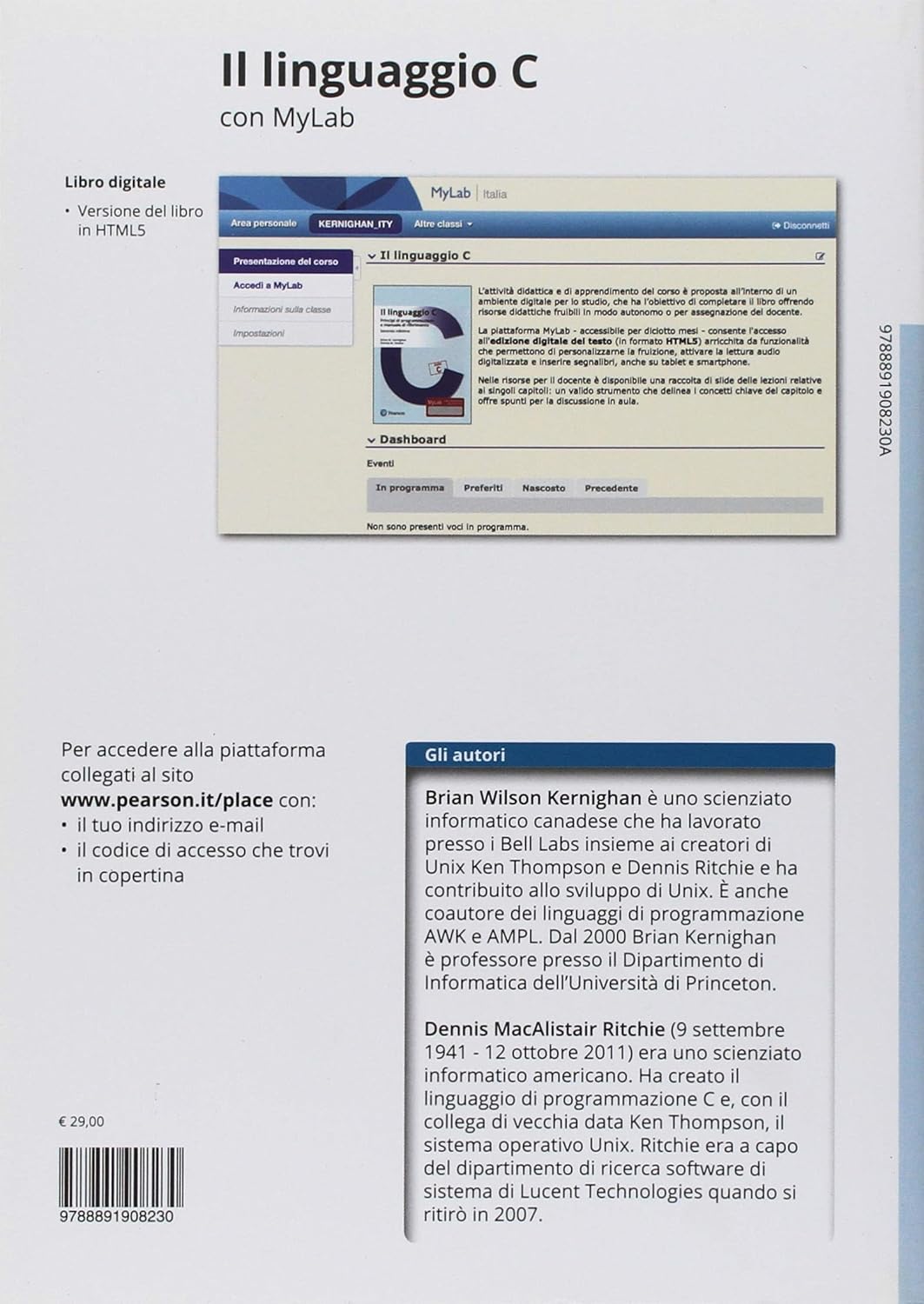
Опис зображення: The back cover of the book provides information about the digital book and MyLab access. Text in Italian states "Per accedere alla piattaforma collegati al sito www.pearson.it/place con: il tuo indirizzo e-mail, il codice di accesso che trovi in copertina" (To access the platform, connect to www.pearson.it/place with: your email address, the access code you find on the cover). A small screenshot of the MyLab interface is visible, showing sections like "Area personale" (Personal area) and "Dashboard". Author biographies for Brian W. Kernighan and Dennis M. Ritchie are also present.
Utilizing Your Manual (Operating)
To gain the most from this comprehensive reference and learning tool, consider the following recommendations:
- Systematic Study: Begin with the foundational concepts and progress through the chapters. The book is structured to build knowledge incrementally.
- Тренуйтеся регулярно: Programming is a practical skill. Actively work through the examples and exercises provided in the book. Implement the code on your computer to observe its behavior.
- Refer to MyLab Resources: Utilize the digital book in HTML5 format and any additional exercises, quizzes, or supplementary materials available on the Pearson MyLab platform to reinforce your understanding.
- Understand Concepts, Not Just Code: Focus on grasping the underlying principles of algorithms, data structures, and programming techniques, rather than merely memorizing syntax.
- Експеримент: Modify the provided code examples to see how changes affect the output. This hands-on approach deepens comprehension.
Digital Resources and Features
This MyLab Edition offers enhanced learning opportunities through its digital components:
- Digital Book in HTML5: Access a fully digital version of the textbook, optimized for various devices. This format often includes interactive elements and search functionality.
- MyLab Platform: The Pearson MyLab platform provides a rich environment for learning, including:
- Interactive exercises and assessments.
- Additional practice problems.
- Tools for tracking your progress.
- Supplementary readings or video tutorials (availability may vary).
Troubleshooting MyLab Access
If you encounter issues accessing the Pearson MyLab platform, consider the following:
- Verify Access Code: Double-check that you have entered the access code correctly. Ensure there are no typos and that you are using the correct code for this specific edition.
- Перевірте дату закінчення терміну дії: Confirm that your access code has not expired. The activation period and duration are typically printed near the code.
- Підключення до Інтернету: Переконайтеся, що у вас стабільне підключення до Інтернету.
- Сумісність браузера: Використовуйте сучасний web browser (e.g., Chrome, Firefox, Edge, Safari) and ensure it is updated to the latest version. Clear your browser's cache and cookies if problems persist.
- Contact Pearson Support: If you have followed these steps and still cannot access the platform, contact Pearson customer support directly for assistance. Refer to the support section for contact details.
Технічні характеристики продукту
| Видавець | Пірсон |
| Дата публікації | 28 серпня 2018 р |
| Мова | італійська |
| ISBN-10 | 8891908231 |
| ISBN-13 | 978-8891908230 |
| Вага товару | 1.1 фунта |
| Розміри | 6.77 x 0.59 x 9.45 дюймів |
Про авторів
Brian W. Kernighan: A Canadian computer scientist who worked at Bell Labs alongside Unix creators Ken Thompson and Dennis Ritchie, contributing significantly to the development of Unix. He is also a co-author of the AWK and AMPL programming languages. Since 2000, Brian Kernighan has been a professor in the Computer Science Department at Princeton University.
Dennis M. Ritchie: (September 9, 1941 - October 12, 2011) An American computer scientist, he is widely recognized for creating the C programming language. Alongside his long-time colleague Ken Thompson, he also co-created the Unix operating system. Ritchie headed the software research department at Lucent Technologies until his retirement in 2007.
Інформація про підтримку
For technical support regarding the Pearson MyLab platform, access codes, or any other inquiries related to this publication, please visit the Pearson support website or contact their customer service. Specific contact details can usually be found on the Pearson website or within the MyLab platform itself after registration.
Видавець: Пірсон
Website for MyLab Access: www.pearson.it/place
For general inquiries, please refer to the official Pearson webсайт для вашого регіону.


