Інструкції та посібники користувача Seeed Studio
Seeed Studio is a leading open-source hardware innovator providing IoT modules, development boards, and manufacturing services for makers and engineers.
About Seeed Studio manuals on Manuals.plus
Seeed Studio (Seeed Technology Co., Ltd.) is an innovative IoT technology company specializing in hardware research, production, and sales for edge computing, network communication, and smart sensing applications. Founded in 2008 and headquartered in Shenzhen, China, Seeed has established itself as a top-tier open-source hardware provider, serving a global community of developers, engineers, and educational institutions.
The company offers a vast ecosystem of modular hardware, including the Гай система, XIAO development boards, and industrial-grade SenseCAP solutions. Beyond hardware components, Seeed provides agile manufacturing services and software platforms designed to accelerate projects from prototype to mass production. Their mission is to make technology accessible and to lower the threshold for hardware innovation.
Інструкції Seeed Studio
Найновіші посібники від manuals+ кураторськи підібраний для цього бренду.
Ознайомтеся з інструкціями щодо підтримки XIAO esp32c6 PlatformIO
Перегляньте посібник користувача 320220001 Гніздо датчика газу
див. Посібник із встановлення чотириядерного Celeron J4125 Odyssey-Blue
Перегляньте інструкції з гелієвого монітора Wio
Дивіться посібник користувача MR60FDA1 60GHz mmWave Sensor
див. Посібник користувача MR24HPB1 Rader для визначення присутності людини
Посібник користувача Seeed reServer Mini Edge Server для високопродуктивних обчислювальних програм
Посібник користувача Seeed 110990217 Nose LED Kit
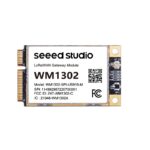
Посібник з експлуатації модуля шлюзу LoRaWAN Seeed WM1302
Seeed Studio Grove Wrapper Assembly Guide
Seeed Studio 13.3" EPD Module T133A01 Specification
Короткий посібник з експлуатації аналізатора антен SARK-110
Технічні схеми дисплейної дошки Seeed Studio XIAO ePaper EE04
reComputer J401 Carrier Board: Safety, Usage, and Technical Specifications
ODYSSEY-X86J4125 v2 User Manual - Seeed Studio
Бездротова клавіатура та миша-сенсор Seeed Studio iPazzPort Mini – акумуляторна
Керівництво з проектування корпусів та друкованих плат Seeed Studio серії XIAO
Seeed Studio reComputer J1010 Safety Instructions and Technical Data
Модуль Seeed Studio BM3301-1313: Wi-Fi 6 та BLE 5.4. Технічний опис
Інструкція користувача стабілізатора reCamera - Seeed Studio
MR60FDA1 60GHz mmWave Radar Sensor - Fall Detection Module Pro User Manual
Інструкції Seeed Studio від інтернет-магазинів
Seeed Studio Grove Servo for Robotics Model 316010005 User Manual
seeed studio Raspberry Pi Zero 2 WH Kit Instruction Manual
SenseCAP Solar Node P1-Pro Instruction Manual
Seeed Studio reTerminal E1001 7.5″ Monochrome ePaper Display Instruction Manual
seeed studio NVIDIA Jetson AGX Thor Developer Kit Instruction Manual
seeed studio Wio Tracker L1 Pro Instruction Manual
Інструкція з експлуатації датчика пилу Seeed Studio Grove (модель 101020012)
Посібник користувача мікроконтролера Seeed Studio XIAO nRF52840 BLE
Інструкція з експлуатації комплекту роботизованої руки Seeed Studio LeRobot SO-ARM101 Pro зі штучним інтелектом та серводвигунами
Інструкція користувача GPS-трекера seeed studio SenseCAP T1000-A
Інструкція користувача Seeed Studio XIAO nRF52840 Sense (попередньо припаяна)
Посібник користувача Seeed Studio XIAO ESP32 S3 Sense
SenseCAP T1000E Card Tracker User Manual
SenseCAP S1000 10-in-1 Compact Weather Station Sensor User Manual
Loko GPS Tracker User Manual
Плата драйверів ePaper для Seeed Studio XIAO Інструкція з експлуатації
Інструкція користувача трекера Sensecap T1000-E Meshtastic
Посібник користувача модуля штучного інтелекту Grove Vision V2
SenseCAP M2 Multi-Platform LoRaWAN Indoor Gateway User Manual
Інструкція з експлуатації сонячного вузла SenseCAP (P1/P1-Pro) Meshstastic
Посібник користувача міні-плати розробки Seeed Studio XIAO ESP32C6
Міні-плата розробки ESP32C6 XIAO esp32 c6-2.4 GHz WiFi6, BlE5.3, Zigbee Thread (802.15.4) ESP Rain Maker, AWS IoT, Microsoft Azure
Відеоінструкції Seeed Studio
Перегляньте відео з налаштування, встановлення та усунення несправностей для цього бренду.
Node-RED Face Recognition Setup with Grove Vision AI V2 Module
SenseCAP Tracker T1000: Глобальний пристрій відстеження активів LoRaWAN з інтеграцією кількох датчиків
XIAO Debug Mate Operational Logic: Rotary Encoder, Single-Click, and Long-Press Functions
How to Connect a Lithium Battery to Seeed XIAO ESP32S3 Microcontroller
Seeed Studio TinyML & IoT Workshop at MACE: Empowering Next-Gen Innovators
Seeed Studio XIAO ESP32S3: Мініатюрна плата для розробки штучного інтелекту для машинного навчання та Інтернету речей
Seeed Studio Bluetooth Indoor Positioning System: Map and Beacon Configuration
Seeed Studio SenseCraft AI Vibration Anomaly Detection Kit with XIAO ESP32-S3
XIAO ESP32-S3 Embedded Programming Simulation with Wokwi: Button & LDR NeoPixel Demo
SenseCraft AI & XIAO ESP32S3 Workshop: Unlocking AI Potential for Smart Projects
NuttX RTOS Wi-Fi Configuration and Network Connectivity Test on ESP32-C3 XIAO
Seeed Studio XIAO ESP32C3 GPIO Control with NuttX RTOS Demonstration
Seeed Studio support FAQ
Поширені запитання щодо інструкцій, реєстрації та підтримки цього бренду.
-
Where can I find documentation and pinouts for Seeed products?
Seeed Studio maintains an extensive Wiki (wiki.seeedstudio.com) containing datasheets, pinout diagrams, libraries, and usage guides for most of their products.
-
How do I contact Seeed Studio for technical support?
You can reach technical support through their online help center, the official Seeed forums, or by emailing their support team directly.
-
What is the Seeed Studio Grove system?
Grove is a modular, standardized connector prototyping system. It takes a building block approach to assembling electronics, allowing users to connect sensors and actuators without soldering.