
1. Вступ
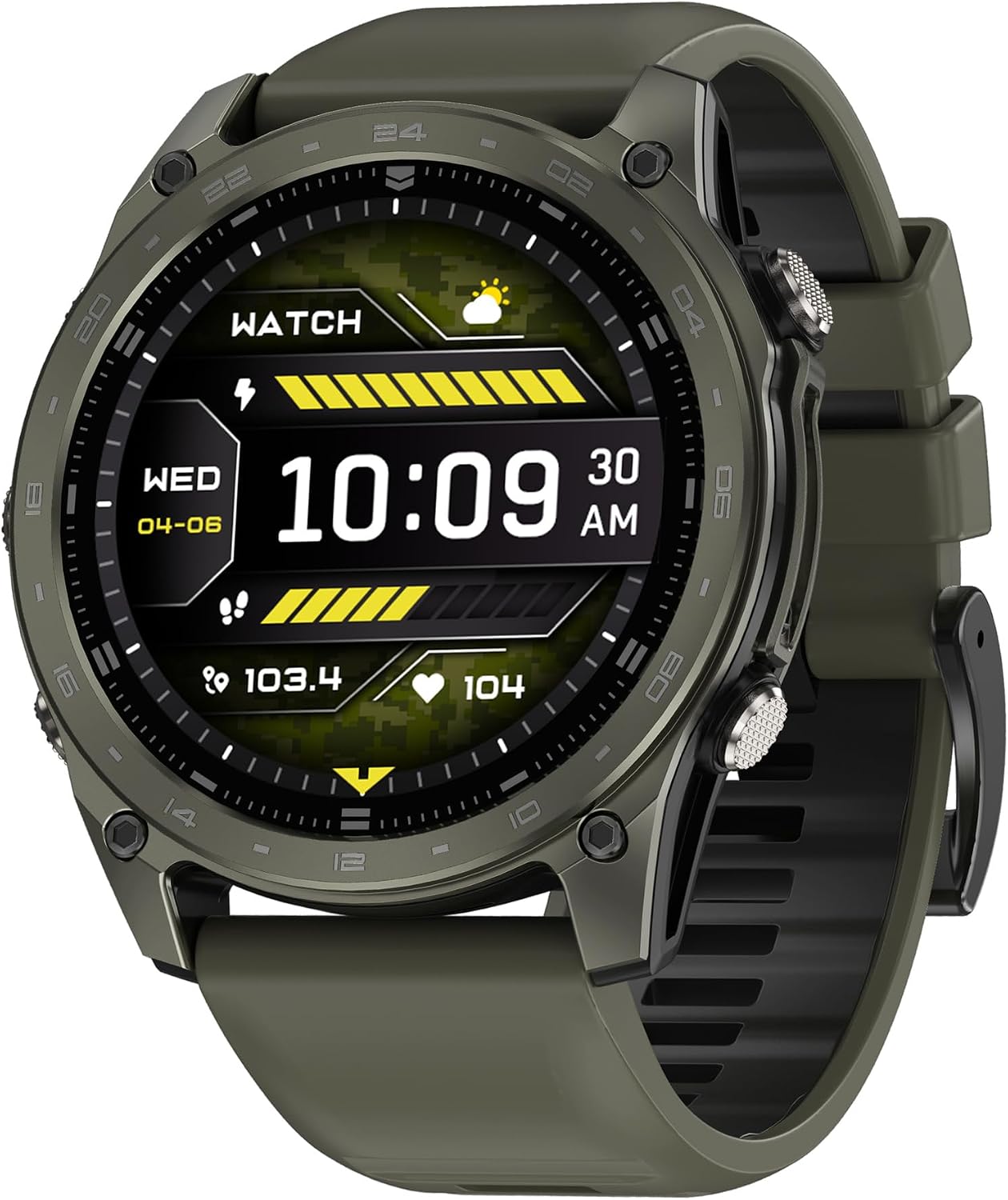
This manual provides essential instructions for the proper use, setup, and maintenance of your Generic T8 Pro Smart Watch. Please read this manual thoroughly before using the device to ensure optimal performance and safety. The T8 Pro Smart Watch is designed to be a versatile companion for active lifestyles, offering features such as Bluetooth calling, heart rate monitoring, step tracking, sleep analysis, and 5ATM water resistance.

Figure 1: Generic T8 Pro Smart Watch (Black, Silver, Gray variant). The watch features a round display showing time, date, and various health metrics.
2. Інформація про безпеку
- Do not attempt to disassemble or modify the watch. This may void the warranty and cause damage.
- Keep the watch away from extreme temperatures, direct sunlight, and corrosive liquids.
- Уникайте сильних ударів або падіння пристрою.
- Consult a medical professional before starting any new exercise regimen, especially if you have pre-existing health conditions. The heart rate and other fitness data provided by this device are for reference only and should not be used for medical diagnosis or treatment.
- Ensure the charging contacts are clean and dry before charging to prevent corrosion or damage.
- This device contains a lithium-ion battery. Dispose of it responsibly according to local regulations.
3. Вміст упаковки
Перевірте наявність усіх предметів у вашій упаковці:
- T8 Pro Smart Watch
- Зарядний кабель (USB)
- Посібник користувача (цей документ)
4. Налаштування
4.1. Заряджання смарт-годинника
Before initial use, fully charge your T8 Pro Smart Watch. Connect the magnetic charging cable to the charging contacts on the back of the watch and plug the USB end into a standard USB power adapter (not included) or a computer's USB port.
- Повна зарядка зазвичай займає приблизно 2 години.
- На дисплеї годинника з’явиться індикатор заряджання.
Малюнок 2: Сторона view of the T8 Pro Smart Watch, highlighting the control buttons.
4.2. Увімкнення/вимкнення живлення
- Увімкнення: Press and hold the top physical button for a few seconds until the screen lights up.
- Вимкнення живлення: From the watch face, swipe down to access the quick settings, then tap the power icon, or navigate to Settings > System > Power Off. Confirm your selection.
4.3. Сполучення зі смартфоном
To unlock the full functionality of your T8 Pro Smart Watch, you need to pair it with your smartphone via Bluetooth and the dedicated companion application.
- Завантажте додаток: Scan the QR code provided in the watch's packaging or search for the "T8 Pro" companion app in your smartphone's app store (Google Play Store for Android, Apple App Store for iOS). Install the application.
- Увімкнути Bluetooth: Переконайтеся, що Bluetooth увімкнено на вашому смартфоні.
- Відкрийте додаток: Launch the T8 Pro companion app on your smartphone and follow the on-screen instructions to create an account or log in.
- Додати пристрій: In the app, navigate to the "Device" or "Add Device" section. The app will search for available smartwatches. Select "T8 Pro" from the list.
- Підтвердити сполучення: A pairing request will appear on both your phone and the watch. Confirm the pairing on both devices.
- Повне налаштування: Follow any remaining prompts in the app to complete the setup, including granting necessary permissions for notifications, health data, etc.
5. Інструкція з експлуатації
5.1. Основна навігація
- Сенсорний екран: Проведіть пальцем ліворуч, праворуч, вгору або вниз, щоб переходити між меню та функціями. Торкніться, щоб вибрати.
- Верхня кнопка: Press to return to the watch face or wake the screen. Long press to power on/off.
- Нижня кнопка: Customizable shortcut button (can be set in app settings).

Figure 3: T8 Pro Smart Watch worn on a wrist, demonstrating its fitness tracking capabilities.
5.2. Виклики через Bluetooth
Once paired with your smartphone, you can make and receive calls directly from your watch.
- Здійснення дзвінка: Access the "Dialer" or "Contacts" app on your watch. You can dial a number directly or select a contact from your synced phonebook.
- Отримання дзвінка: Коли надходить дзвінок, годинник відображатиме ідентифікатор абонента. Натисніть зелений значок, щоб відповісти, або червоний значок, щоб відхилити.
5.3. Heart Rate Tracking
The T8 Pro Smart Watch continuously monitors your heart rate. To view your current heart rate or historical data:
- Swipe to the Heart Rate widget on your watch face or open the Heart Rate app.
- Переконайтеся, що годинник щільно прилягає до зап'ястя для отримання точних показників.
- Detailed historical data is available in the companion app.
5.4. Step Tracking
The watch automatically tracks your steps, distance, and calories burned throughout the day.
- View your daily progress on the watch face or in the Activity app.
- Set daily step goals within the companion app.
5.5. Моніторинг сну
Wear the watch to bed, and it will automatically monitor your sleep patterns, including deep sleep, light sleep, and awake times.
- Access sleep data on the watch's Sleep app or in the companion app for detailed analysis.
5.6. Спортивні режими
The T8 Pro offers multiple sport modes for tracking various activities.
- Open the "Workout" or "Sport" app on your watch.
- Select your desired activity (e.g., Running, Cycling, Hiking).
- Tap "Start" to begin tracking. The watch will record duration, heart rate, calories, and other relevant metrics.
- Tap "Pause" or "End" to stop the workout. Data will sync to your companion app.
5.7. Налаштування циферблатів годинника
Personalize your watch by changing the watch face.
- На годиннику: Long-press the watch face, then swipe left or right to browse available faces. Tap to select.
- Через додаток: The companion app offers a wider selection of watch faces and customization options.
5.8. 5ATM Waterproof Rating
The T8 Pro Smart Watch has a 5ATM waterproof rating, meaning it can withstand pressures equivalent to a depth of 50 meters. This makes it suitable for:
- Showering and bathing (avoid hot water and steam).
- Плавання на мілководді.
- Дощ і бризки.
Важливо: Do not press any buttons while the watch is submerged in water. Avoid exposing the watch to high-velocity water or extreme temperature changes, as this may compromise the water seal.
6. Технічне обслуговування
6.1. прибирання
- Протріть екран та корпус годинника м’якою тканиною без ворсу.
- Для стійкого бруду злегкаampпротріть тканину водою. Не використовуйте агресивні хімікати або абразивні засоби для чищення.
- Clean the charging contacts regularly with a dry cloth to ensure proper charging.
- Промийте годинник прісною водою після контакту з солоною або хлорованою водою, а потім ретельно висушіть.
6.2. Зберігання
- Зберігайте годинник у прохолодному, сухому місці, коли він не використовується.
- Уникайте зберігання під прямими сонячними променями або в місцях з високою вологістю.
6.3. Догляд за акумулятором
- Щоб продовжити термін служби акумулятора, уникайте частого повного розряджання акумулятора.
- Charge the watch regularly, even if not in daily use, to prevent deep discharge.
7. Вирішення проблем
| проблема | Можливе рішення |
|---|---|
| Годинник не вмикається. | Переконайтеся, що годинник повністю заряджений. Підключіть його до зарядного пристрою щонайменше на 30 хвилин. |
| Не вдається з'єднати пристрій зі смартфоном. |
|
| Inaccurate heart rate/step data. |
|
| Сповіщення не відображаються. |
|
| Екран годинника не реагує. | Try restarting the watch by long-pressing the top button. If unresponsive, allow the battery to fully drain and then recharge. |
8. Технічні характеристики
| Особливість | Деталь |
|---|---|
| Назва моделі | T8 Pro |
| Бренд | загальний |
| Розмір екрана | 1.77 дюймів |
| Тип дисплея | AMOLED |
| Технологія підключення | Bluetooth |
| Операційна система | Android (сумісний) |
| Ємність пам'яті | 4 ГБ |
| Встановлена оперативна пам'ять | 256 ГБ |
| Ємність акумулятора | 180 мАг |
| Тип батареї | Літій-іонний |
| Середній термін служби батареї | 6 днів |
| Час зарядки батареї | 2 години |
| Рейтинг водонепроникності | 5ATM (IP68) |
| Матеріал корпусу | Алюміній |
| Матеріал стрічки | Силікон |
| Вага товару | 219.99 г |
| Особливості | Bluetooth Calling, Heart Rate Monitor, GPS |
| Сумісні пристрої | Смартфони Android |
9. Гарантія та підтримка
This product comes with a standard manufacturer's warranty. Please refer to the warranty card included in your package or contact your retailer for specific warranty terms and conditions. For technical support, troubleshooting assistance, or service inquiries, please contact the vendor or refer to the official product webсайт.
Зберігайте чек про покупку як підтвердження покупки для гарантійних претензій.