
1. Вступ
This manual provides detailed instructions for the setup, operation, maintenance, and troubleshooting of your Innioasis Y2 64GB MP3 Player. Please read this manual thoroughly to ensure proper use and to maximize your device's performance.
2. Продукт закінчивсяview
The Innioasis Y2 is a dedicated music player designed for high-fidelity audio playback. It features a classic click wheel interface, Bluetooth connectivity, and expandable storage. The device supports various audio formats, including lossless DSD DAC FLAC, and offers a long battery life for extended listening.

Зображення: Спереду та збоку view of the Innioasis Y2 MP3 Player, highlighting the classic click wheel, dedicated volume and power buttons, and the microSD card slot for storage expansion.
Ключові характеристики:
- Classic Click Wheel Design: Intuitive navigation and control.
- Аудіо високої роздільної здатності: Supports DSD decoding and FLAC for superior sound quality.
- Підключення Bluetooth: For wireless audio streaming to headphones or speakers.
- Розширюване сховище: 64GB internal storage, expandable up to 2TB via microSD card.
- Тривалий термін служби батареї: Up to 25 hours of music playback with wired earphones.
- M3U Playlist Support: Easy import and export of playlists.
- Customizable Themes: Personalize the user interface.
3. Налаштування
3.1 Зарядка пристрою
Before first use, fully charge your Innioasis Y2 MP3 Player. Connect the device to a power source (e.g., computer USB port or USB wall adapter) using the provided USB-C cable. The battery indicator on the screen will show charging status.
3.2 Вставлення карти MicroSD
The device comes with 64GB of internal storage and supports microSD cards up to 2TB for additional storage. To insert a microSD card:
- Знайдіть слот для картки microSD на бічній панелі пристрою.
- Gently push the microSD card into the slot until it clicks into place. Ensure it is fully seated to prevent it from popping out.
- Щоб вийняти, знову натисніть на карту, доки вона не вискочить.

Image: The Innioasis Y2 MP3 Player demonstrating its expandable storage capability up to 2TB with a microSD card.
3.3 Transferring Music and Files
Передавати files from your computer to the MP3 player:
- Підключіть MP3-плеєр до комп’ютера за допомогою кабелю USB-C, що постачається в комплекті.
- The device should appear as a removable disk drive on your computer. If it does not, try using the original cable or a different USB port.
- Drag and drop your desired music, video, e-book, or photo files into the appropriate folders on the device's internal storage or microSD card.
- Після завершення передачі безпечно вийміть пристрій з комп’ютера, перш ніж від’єднувати кабель.
4. Інструкція з експлуатації
4.1 Увімкнення/вимкнення живлення
- Увімкнення: Press and hold the dedicated power button on the side of the device until the screen illuminates.
- Вимкнення живлення: Press and hold the power button until a power-off option appears on the screen, then confirm. A short press will turn the screen on/off.
4.2 Basic Navigation (Click Wheel)
The Innioasis Y2 utilizes a classic click wheel for navigation:
- Обертати: Spin the outer ring of the click wheel to scroll through menus or adjust volume.
- Центральна кнопка: Press the center button to select an item or play/pause music.
- Кнопка меню: Typically located above the click wheel, used to go back to the previous menu or home screen.
- Кнопки пропуску/швидкого перемотування вперед/назад: Located around the click wheel for track control.
4.3 Відтворення музики
The device supports a wide range of audio formats including MP3, AAC, FLAC, APE, WAV, WMA, OGG, M4A, DFF, AMR, MID, M4R, and MP2. Navigate to the 'Music' section to browse your library by artist, album, genre, or all songs. Select a track to begin playback.

Image: The Innioasis Y2 MP3 Player supports HiFi Lossless DAC Music, compatible with multiple audio formats.
4.4 Створення пари Bluetooth
To connect your Innioasis Y2 to Bluetooth headphones or speakers:
- Go to the 'Bluetooth' menu on your MP3 player.
- Переконайтеся, що ваш аудіопристрій Bluetooth перебуває в режимі сполучення.
- Виберіть 'шукати devices' on the MP3 player.
- Виберіть свій пристрій зі списку та підтвердіть сполучення.

Image: The Innioasis Y2 MP3 Player offers wide and stable Bluetooth connectivity for various audio devices.
4.5 Playlist Management
The device supports M3U playlist import and export, allowing you to easily transfer and manage your curated music collections.
- Import M3U Playlist: Navigate to the playlist settings and select 'Import M3U Playlist'. Follow the on-screen prompts to select your M3U file.
- Export M3U Playlist: You can also export existing playlists for backup or transfer to other devices.
- Create Custom Playlists: Use the 'Music Category Management' feature to create and organize custom playlists directly on the device.

Image: The Innioasis Y2 MP3 Player supports M3U playlist import and export for easy music management.

Image: The Innioasis Y2 MP3 Player offers powerful music category management for creating custom playlists and fast song search.
4.6 Налаштування теми
Personalize your device's interface by selecting from various pre-installed themes. Navigate to the 'Themes' section in the settings to switch styles and match your preferences.

Image: Select your preferred MP3 player themes to freely switch styles and match personal taste.
4.7 Video Playback, E-book, and Photo Viewінж
The Innioasis Y2 supports video playback (MP4, MKV, MOV, AVI, FLV, WMV), e-book reading, and photo viewing. While these features are available, the 2.4-inch screen size may limit the viewing experience for videos and detailed images. Video playback typically offers up to 4 hours on a full charge.
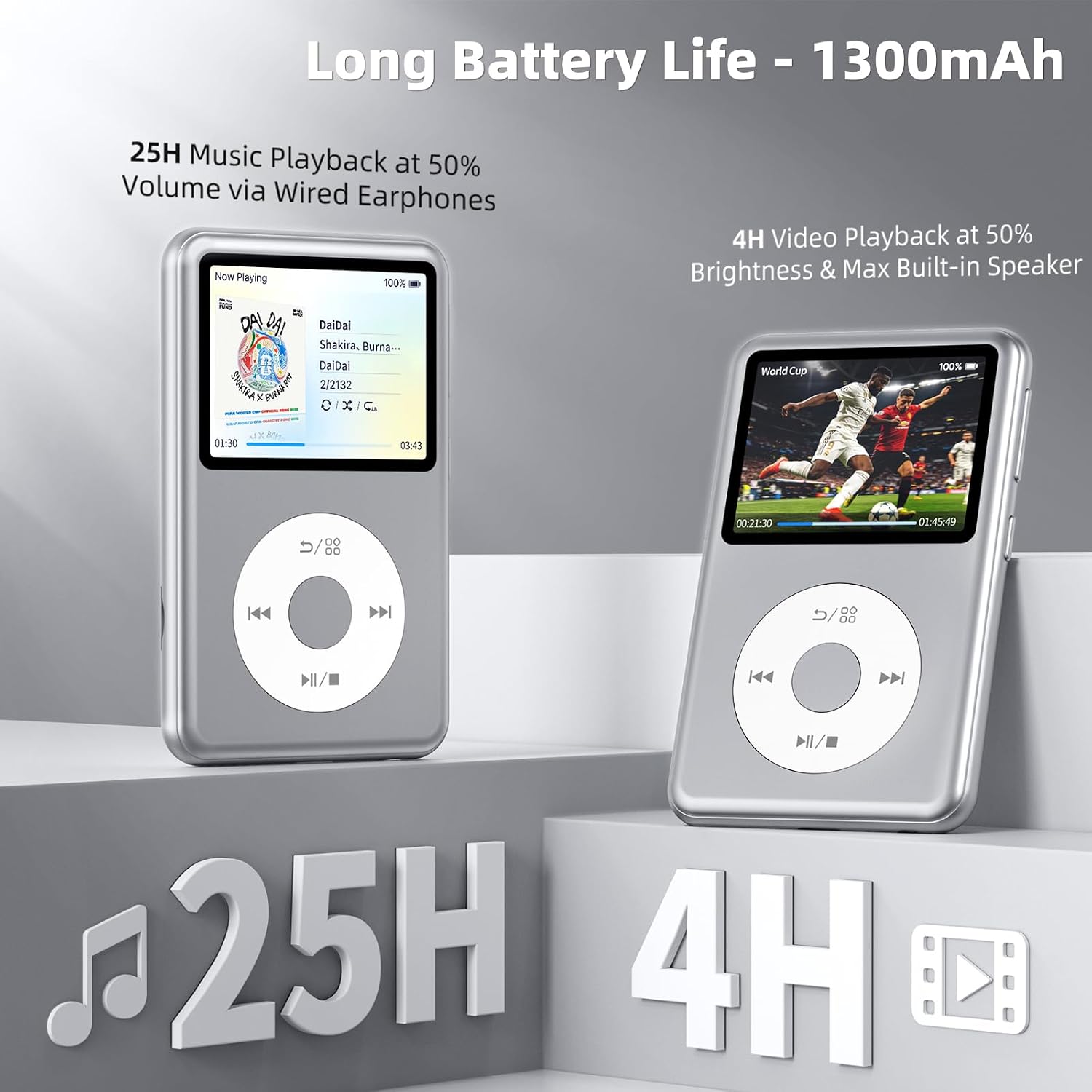
Image: The Innioasis Y2 MP3 Player offers long battery life, providing up to 25 hours of music playback and 4 hours of video playback.
5. Технічне обслуговування
- Прибирання: Використовуйте м’яку суху тканину для очищення пристрою. Уникайте використання рідких засобів для чищення або абразивних матеріалів.
- Зберігання: Зберігайте пристрій у прохолодному, сухому місці, подалі від прямих сонячних променів та екстремальних температур.
- Оновлення програмного забезпечення: Періодично перевіряйте дані виробника webсайт для оновлень прошивки, щоб забезпечити оптимальну продуктивність і доступ до нових функцій.
6. Вирішення проблем
Поширені проблеми та рішення:
-
Пристрій не розпізнано комп'ютером:
Ensure you are using the original USB-C cable. Try connecting to a different USB port on your computer. Restart both the device and the computer.
-
MicroSD card not detected or keeps popping out:
Ensure the microSD card is inserted correctly and fully seated until it clicks. If issues persist, try a different microSD card to rule out card malfunction.
-
Screen goes black or device freezes:
Press and hold the power button for about 10-15 seconds to force a restart. If the issue is frequent, ensure the device's firmware is up to date.
-
Bluetooth connection issues (disconnects, low volume):
Ensure the MP3 player and Bluetooth audio device are within range and fully charged. Try unpairing and re-pairing the devices. Adjust volume settings on both the player and the connected device.
-
Audio output too loud/low via wired headphones:
Adjust the volume using the dedicated volume buttons or the click wheel. Check equalizer settings if enabled.
7. Технічні характеристики
| Бренд | інніоз |
| Назва моделі | Y2 |
| Особливість | Еквалайзер |
| Технологія підключення | Bluetooth |
| Ємність пам'яті | 64 GB (internal), expandable up to 2 TB |
| Колір | Срібло |
| Розмір екрана | 2.4 дюймів |
| Сумісні пристрої | Персональний комп'ютер |
| Тип носія | Мікро SD, мікро SDHC, мікро SDXC |
| Підтримувані стандарти | MP3, AAC, FLAC, APE, WAV, WMA, OGG, M4A, DFF, AMR, MID, M4R, MP4, MKV, MOV, AVI, FLV, WMV |
| Середній термін служби батареї | 25 hours (music playback) |
| Розміри предмета (Д x Ш x В) | 4.3 см x 2.5 см x 0.47 см |
| Включені компоненти | MP3 плеєр |
8. Інформація про гарантію
The Innioasis Y2 MP3 Player comes with a Гарантія 1 рік from the date of purchase. This warranty covers manufacturing defects under normal use. Please retain your proof of purchase for warranty claims. For detailed terms and conditions, refer to the official Innioasis webсайту або зв’яжіться зі службою підтримки клієнтів.
9. Підтримка
For further assistance, technical support, or inquiries regarding your Innioasis Y2 MP3 Player, please visit the official Innioasis webсайт або зверніться до їхнього відділу обслуговування клієнтів. Контактну інформацію зазвичай можна знайти на упаковці продукту або на сайті виробника webсайт.