
вступ
Thank you for choosing the Monster Open Ear BC300 Swimming Headphones. These bone conduction headphones are designed for comfort and versatility, offering both Bluetooth connectivity and an integrated MP3 player with 32GB storage. With an IPX8 waterproof rating, they are suitable for various activities, including swimming, running, and cycling, allowing you to stay aware of your surroundings while enjoying your audio.
Вміст упаковки
- Monster Open Ear BC300 Swimming Headphones
- Магнітний зарядний кабель
- Посібник користувача
Продукт закінченийview
Familiarize yourself with the components and controls of your BC300 headphones.
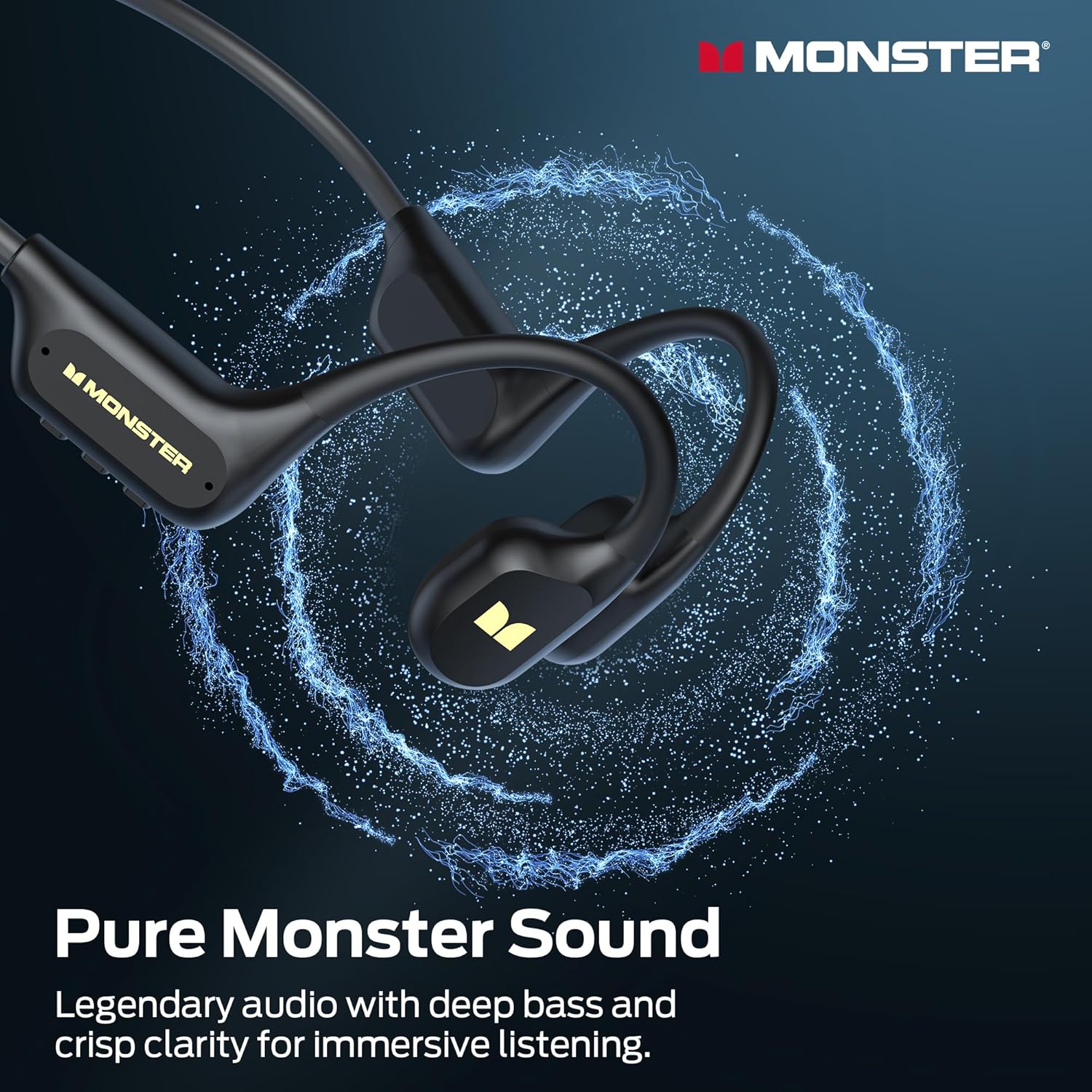
Image: The Monster BC300 headphones, showcasinзавдяки їхньому відкритому дизайну вух та гнучкому ободу на шиї.
Елементи керування та індикатори:
- Кнопка живлення/багатофункціональна кнопка: Power on/off, Play/Pause, Answer/End calls.
- Збільшення гучності (+): Збільшення гучності, наступний трек (довге натискання).
- Зменшення гучності (-): Зменшення гучності, Попередній трек (довге натискання).
- Кнопка перемикання режимів: Toggle between Bluetooth mode and MP3 mode.
- Магнітний зарядний порт: Для зарядки та передачі даних.
- Світлодіодний індикатор: Відображає стан живлення, заряджання та підключення.
Налаштування
1. Зарядка навушників
Перед першим використанням повністю зарядіть навушники.
- Підключіть магнітний зарядний кабель до зарядного порту на навушниках.
- Підключіть інший кінець кабелю до USB-адаптера живлення (не входить до комплекту) або USB-порту комп’ютера.
- Світлодіодний індикатор показуватиме стан заряджання (наприклад, червоний під час заряджання, синій – коли повністю заряджено).
- A full charge takes approximately 2 hours and provides up to 10 hours of playback.

Image: The Monster BC300 headphones connected to a laptop via its magnetic charging cable, illustrating the charging process and data transfer capability.
2. Увімкнення/вимкнення живлення
- Увімкнення: Натисніть і утримуйте кнопку живлення/багатофункціонального режиму протягом 3 секунд, доки світлодіодний індикатор не почне блимати синім кольором.
- Вимкнення живлення: Натисніть і утримуйте кнопку живлення/багатофункціонального режиму протягом 5 секунд, доки світлодіодний індикатор не почне блимати червоним, а потім не вимкнеться.
3. Підключення Bluetooth
Pair your headphones with a Bluetooth-enabled device.
- Переконайтеся, що навушники вимкнено.
- Press and hold the Power/Multi-function button for 5-7 seconds until the LED indicator flashes red and blue alternately, indicating pairing mode.
- На вашому пристрої (смартфоні, планшеті, комп’ютері) увімкніть Bluetooth та знайдіть доступні пристрої.
- Select "Monster BC300" from the list.
- Після сполучення світлодіодний індикатор повільно блиматиме синім кольором.
4. Using MP3 Mode (Internal Storage)
The headphones have 32GB of internal storage for music playback without a connected device.
Передача музики Files:
- Connect the headphones to your computer using the magnetic charging cable.
- Навушники відображатимуться на вашому комп’ютері як знімний дисковод.
- Перетягніть потрібний аудіофайл files (e.g., MP3 format) into the headphone's storage folder.
- Безпечно вийміть пристрій з комп’ютера, перш ніж від’єднувати кабель.
Перемикання в режим MP3:
- While the headphones are powered on, press the Mode Switch button to toggle between Bluetooth and MP3 modes.
- A voice prompt will indicate the current mode.
- Примітка: MP3 mode is recommended for underwater use as Bluetooth signals do not transmit effectively through water.
Інструкція з експлуатації
Основні елементи керування:
| функція | Дія |
|---|---|
| Увімкнення/вимкнення живлення | Press and hold Power button (3s for On, 5s for Off) |
| Відтворення/Пауза | Коротко натисніть кнопку живлення |
| Збільшення гучності | Коротке натискання кнопки «+» |
| Зменшення гучності | Короткочасне натискання кнопки «-» |
| Наступний трек | Long press '+' button |
| Попередній трек | Long press '-' button |
| Відповісти/закінчити виклик | Коротко натисніть кнопку живлення |
| Відхилити виклик | Тривале натискання кнопки живлення |
| Switch Mode (Bluetooth/MP3) | Short press Mode Switch button |
Носіння навушників
Place the headphones with the transducers resting on your cheekbones, just in front of your ears. The neckband should rest comfortably behind your head.

Image: A person wearing the Monster BC300 headphones during a basketball game, demonstrating the secure and comfortable fit during physical activity.

Image: A person wearing the Monster BC300 headphones while cycling, showing how they fit comfortably with a helmet, maintaining open awareness of surroundings.
Underwater Use (IPX8 Waterproof)
The BC300 headphones are IPX8 rated, suitable for submersion up to 2 meters for 2 hours.
- Always switch to Режим MP3 before entering water. Bluetooth signals do not transmit effectively underwater.
- Ensure the magnetic charging port is clean and dry before and after use to prevent corrosion.
- Rinse the headphones with fresh water after swimming in chlorinated or saltwater, then dry thoroughly.

Image: A person swimming underwater while wearing the Monster BC300 headphones and goggles, demonstrating their IPX8 waterproof capability for aquatic activities.
Технічне обслуговування
- Прибирання: Протріть навушники м’якою, damp тканина. Не використовуйте агресивні хімікати або абразивні засоби для чищення.
- Сушка: After exposure to water, especially after swimming, ensure the headphones are completely dry before charging or connecting to a computer. Gently shake off excess water and wipe with a dry cloth.
- Зберігання: Зберігайте навушники в прохолодному, сухому місці, подалі від прямих сонячних променів та екстремальних температур.
- Порт зарядки: Keep the magnetic charging contacts clean and free of debris to ensure proper charging and data transfer.
Усунення несправностей
| проблема | Можливе рішення |
|---|---|
| Навушники не вмикаються. | Charge the headphones fully. Ensure the Power button is pressed and held for 3 seconds. |
| Не вдається підключитися через Bluetooth. | Переконайтеся, що навушники перебувають у режимі сполучення (блимає червоним/синім). Вимкніть і ввімкніть Bluetooth на своєму пристрої. Підійдіть ближче до пристрою. |
| Немає звуку в режимі Bluetooth. | Check volume levels on both headphones and connected device. Ensure headphones are correctly paired. Try re-pairing. |
| Немає звуку в режимі MP3. | Ensure headphones are switched to MP3 mode. Check if music files are properly loaded onto the internal storage. Adjust volume. |
| Headphones not recognized by computer. | Ensure the magnetic charging cable is securely connected. Try a different USB port or cable. Ensure headphones are powered on. |
| Poor sound quality underwater. | Ensure you are using MP3 mode for underwater listening. Bluetooth is not effective underwater. |
Технічні характеристики
- модель: E129
- Бренд: Монстр
- Підключення: Bluetooth 6.0
- Діапазон Bluetooth: 10 метрів
- Внутрішня пам'ять: 32GB (up to 8,000 songs)
- Водонепроникність: IPX8 (submersible up to 2 meters for 2 hours)
- Термін служби батареї: До 10 годин відтворення
- Час зарядки: Приблизно 2 годин
- Тип зарядки: Магнітна зарядка
- Розташування вуха: Over Ear (Open Ear design)
- Тип аудіо драйвера: Драйвер кісткової провідності
- Розмір аудіо драйвера: 13 міліметрів
- Тип управління: Кнопкове керування
- Розміри посилки: 15.7 х 11.99 х 5.69 см
- вага: 191 г
Інформація про гарантію
The Monster Open Ear BC300 Swimming Headphones come with a Гарантія 1 рік з дати покупки. Ця гарантія поширюється на виробничі дефекти та дефекти виготовлення за умов нормального використання. Вона не поширюється на пошкодження, спричинені неправильним використанням, нещасними випадками, несанкціонованими модифікаціями або нормальним зносом. Будь ласка, збережіть підтвердження покупки для пред'явлення гарантійних претензій.
Підтримка
For further assistance, technical support, or warranty inquiries, please contact Monster customer service through their official website or the retailer where you purchased the product. Please have your model number (E129) and proof of purchase ready.
You can visit the official Monster store for more information: Офіційний магазин Monster


