
1. Більшеview
This manual provides essential information for setting up, operating, maintaining, and troubleshooting your INSIGNIA 85-inch Class QF Series QLED 4K UHD Smart Fire TV. This television offers a high-quality viewing experience with 4K UltraHD resolution, Quantum Dot Technology for enhanced color, and Direct LED Backlight for uniform brightness. It integrates the Fire TV Smart OS, providing access to various streaming services and features like the Voice Remote with Alexa. The design features a metal bezel-less display for a modern aesthetic.
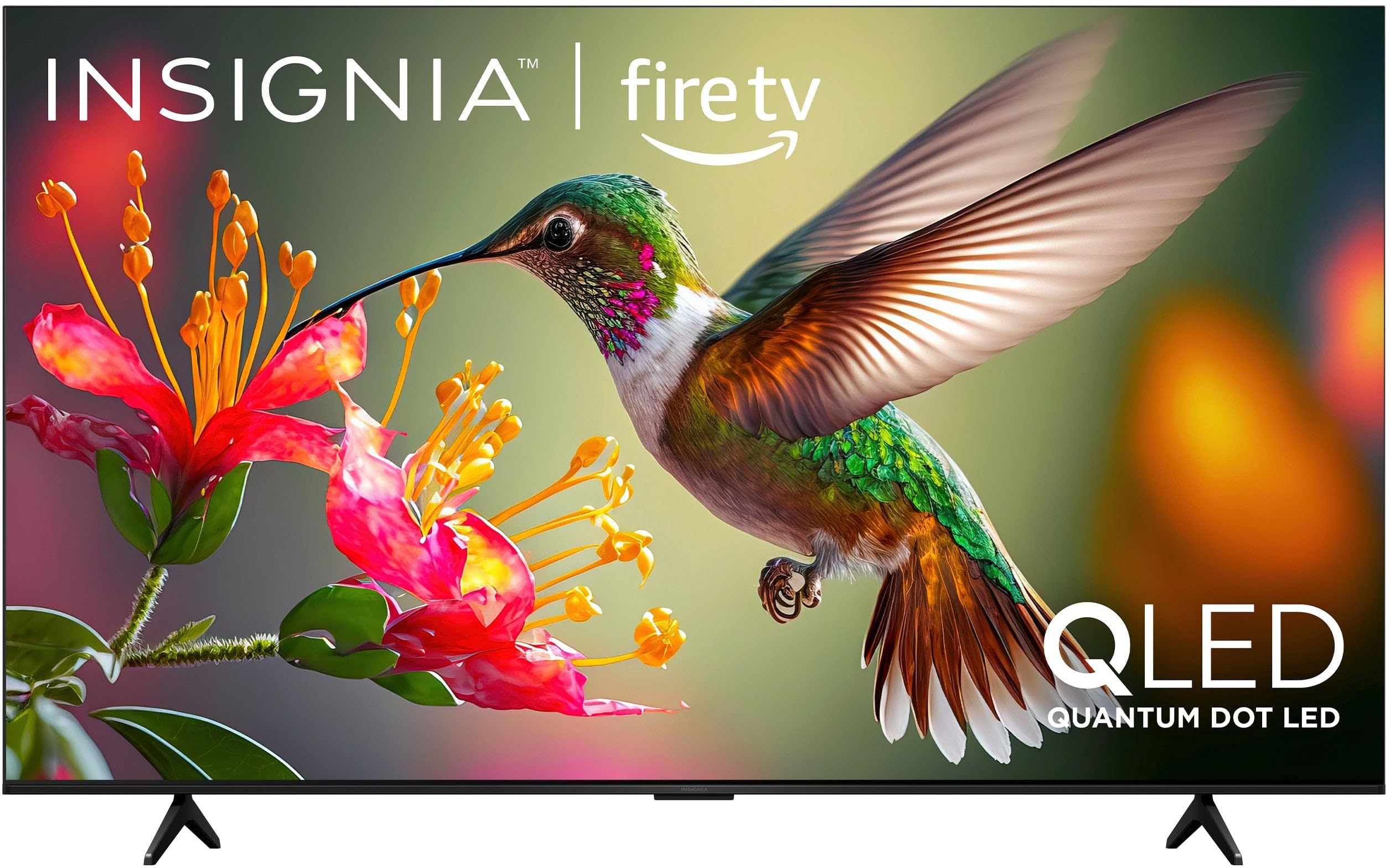
Зображення 1.1: спереду view of the INSIGNIA 85-inch QF Series QLED 4K UHD Smart Fire TV.
2. Що в коробці
Перш ніж продовжити налаштування, перевірте наявність усіх компонентів:
- INSIGNIA 85-inch QF Series QLED 4K UHD Smart Fire TV
- Голосове дистанційне керування з Alexa
- Remote Control Batteries (2 AAA)
- Підставка для телевізора
- Гвинти для встановлення підставки
- Посібник із швидкого налаштування (цей документ)
3. Налаштування
3.1. Встановлення підставки для телевізора
If you are not wall-mounting your TV, attach the included stand:
- Обережно покладіть телевізор екраном донизу на м’яку, чисту поверхню, щоб запобігти пошкодженню екрана.
- Вирівняйте ніжки підставки з отворами для гвинтів у нижній частині телевізора.
- Закріпіть ніжки підставки за допомогою наданих гвинтів. Переконайтеся, що вони міцно затягнуті.
3.2. Початкове увімкнення та підключення до мережі
- Підключіть шнур живлення до телевізора, а потім до розетки.
- Натисніть кнопку живлення на телевізорі або на пульті дистанційного керування, щоб увімкнути телевізор.
- Follow the on-screen instructions to select your language, connect to your Wi-Fi network, and sign in to your Amazon account.
3.3. Дистанційне сполучення
Your Voice Remote with Alexa should pair automatically. If it does not, press and hold the додому button on the remote for 10 seconds until the LED indicator flashes blue, then release. The remote will attempt to pair.

Image 3.1: The Voice Remote with Alexa, used for controlling the TV and accessing smart features.
4. Інструкція з експлуатації
4.1. Fire TV Smart OS Navigation
The Fire TV Smart OS provides a centralized hub for all your entertainment. Use the navigation buttons on your remote to browse:
- Головний екран: Access recommended content, recently used apps, and various streaming services.
- програми: Download and manage your favorite streaming applications.
- Телебачення в прямому ефірі: Integrate live TV channels from supported services or an antenna.
- Налаштування: Adjust picture, sound, network, and device preferences.

Image 4.1: The Fire TV interface displaying a selection of streaming services and content.
4.2. Голосовий пульт дистанційного керування з Alexa
Utilize the built-in Alexa voice assistant for hands-free control:
- Натисніть і утримуйте кнопка мікрофона на вашому пульті.
- Speak commands such as "Find action movies," "Launch Netflix," "Switch to HDMI 2," or "Show me the weather."
- Alexa can also control compatible smart home devices.
4.3. Підключення зовнішніх пристроїв
Your TV is equipped with four HDMI inputs for connecting external devices:
- Connect gaming consoles, Blu-ray players, soundbars, or cable/satellite boxes to the HDMI ports.
- One HDMI port supports eARC for enhanced audio return channel functionality with compatible sound systems.
- To switch inputs, press the Введення button on your remote and select the desired source.

Image 4.2: Illustration of the TV's connectivity options, including HDMI ports.
4.4. Покращення зображення та звуку
This TV features advanced technologies for an immersive experience:
- QLED (Quantum Dot LED): Delivers vibrant, lifelike colors and improved brightness.
- Роздільна здатність 4K UltraHD: Provides four times the detail of Full HD TVs.
- Dolby Vision і Dolby Atmos: Supports advanced HDR for enhanced contrast and accurate colors, along with immersive spatial audio.

Image 4.3: Visual representation of Dolby Vision and Dolby Atmos features, highlighting cinematic picture and immersive sound.
5. Технічне обслуговування
5.1. Очищення телевізора
Щоб підтримувати зовнішній вигляд та продуктивність телевізора:
- Завжди відключайте телевізор від мережі перед чищенням.
- Використовуйте м’яку, суху тканину без ворсу, щоб обережно протерти екран і корпус.
- Для стійких плям на екрані злегка протрітьampпротріть тканину водою або спеціалізованим засобом для чищення екранів. Ніколи не розпилюйте рідину безпосередньо на екран.
- Уникайте використання абразивних засобів для чищення, воску або розчинників.
5.2. Оновлення програмного забезпечення
Your Fire TV automatically receives software updates to improve performance and add new features. Ensure your TV is connected to the internet to receive these updates. You can manually check for updates in the Settings menu.
6. Вирішення проблем
Якщо у вас виникли проблеми з телевізором, зверніться до наступних поширених рішень:
| проблема | Рішення |
|---|---|
| Немає живлення | Переконайтеся, що шнур живлення надійно підключено як до телевізора, так і до справної електричної розетки. Спробуйте іншу розетку. |
| Немає зображення, але звук є | Перевірте джерело вхідного сигналу. Натисніть кнопку Введення button on the remote to cycle through inputs. Verify external devices are powered on and connected correctly. |
| Пульт дистанційного керування не відповідає | Replace the AAA batteries in the remote. If the issue persists, re-pair the remote by holding the додому кнопку протягом 10 секунд. |
| Неможливо підключитися до Wi-Fi | Ensure your Wi-Fi router is on and within range. Restart your router and TV. Check Wi-Fi settings in the TV's menu to ensure the correct network and password are entered. |
| Погана якість зображення | Adjust picture settings (brightness, contrast, color) in the TV's menu. Ensure the content source is high-quality (e.g., 4K content for 4K resolution). |
| Ні звуку | Перевірте рівень гучності та переконайтеся, що звук телевізора не вимкнено. Переконайтеся, що зовнішні аудіопристрої (саундбар, ресивер) підключені та налаштовані правильно. |
7. Технічні характеристики
| Особливість | Деталь |
|---|---|
| Назва моделі | NS85-UQFL27 |
| Розмір екрана | 84.6 дюйма (клас 85 дюйми) |
| Технологія дисплея | QLED (Quantum Dot LED) |
| роздільна здатність | 4K Ultra HD (3840 x 2160) |
| Частота оновлення | 60 Гц |
| Операційна система | FireOS |
| Підтримка HDR | Dolby Vision |
| Аудіотехнології | Dolby Atmos |
| Підключення | Wi-Fi |
| Входи HDMI | 4 (включаючи 1 електронну автопілоту) |
| Особливості | Voice Remote with Alexa, Apple Airplay |
| Розміри продукту (Д x Ш x В) | 2.5" Г x 74.4" Ш x 42.8" В |
| Item Weight Without Stand | 64.6 фунта |
| Включені компоненти | Remote Control, Remote Control Battery, Screws, Stand |
| UPC | 600603325472 |
8. Гарантія та підтримка
8.1. Інформація про гарантію
This INSIGNIA TV comes with a Гарантія 1 рік. For specific terms and conditions, please refer to the warranty card included with your product or visit the official INSIGNIA support webсайт.
8.2. Підтримка клієнтів
If you require further assistance or encounter issues not covered in this manual, please contact INSIGNIA customer support. Contact information can typically be found on the manufacturer's webсайті або в упаковці вашого продукту.