
1. Вступ
Thank you for choosing the Garosa Digital Level Box. This device is designed for precise angle measurements in various applications, including woodworking, construction, and machinery setup. Its compact size, backlit LCD screen, and magnetic base make it a versatile tool for professionals and DIY enthusiasts. This manual provides detailed instructions for the safe and effective use of your digital level box.
2. Продукт закінчивсяview
2.1 Основні характеристики
- Точне вимірювання: Offers a 4 x 90 degree measurement range with 0.05 degree resolution for accurate readings.
- Компактний дизайн: Lightweight and portable, designed to fit easily in a toolbox.
- Зручний дисплей: Features a backlit LCD screen for enhanced visibility in low-light conditions.
- Автоматичне вимкнення: Conserves battery life by automatically shutting down after a period of inactivity.
- Магнітна основа: Allows secure attachment to metal surfaces for hands-free operation.
- Міцний матеріал: Constructed from ABS material for longevity.
2.2 Компоненти
The Garosa Digital Level Box package includes the following items:
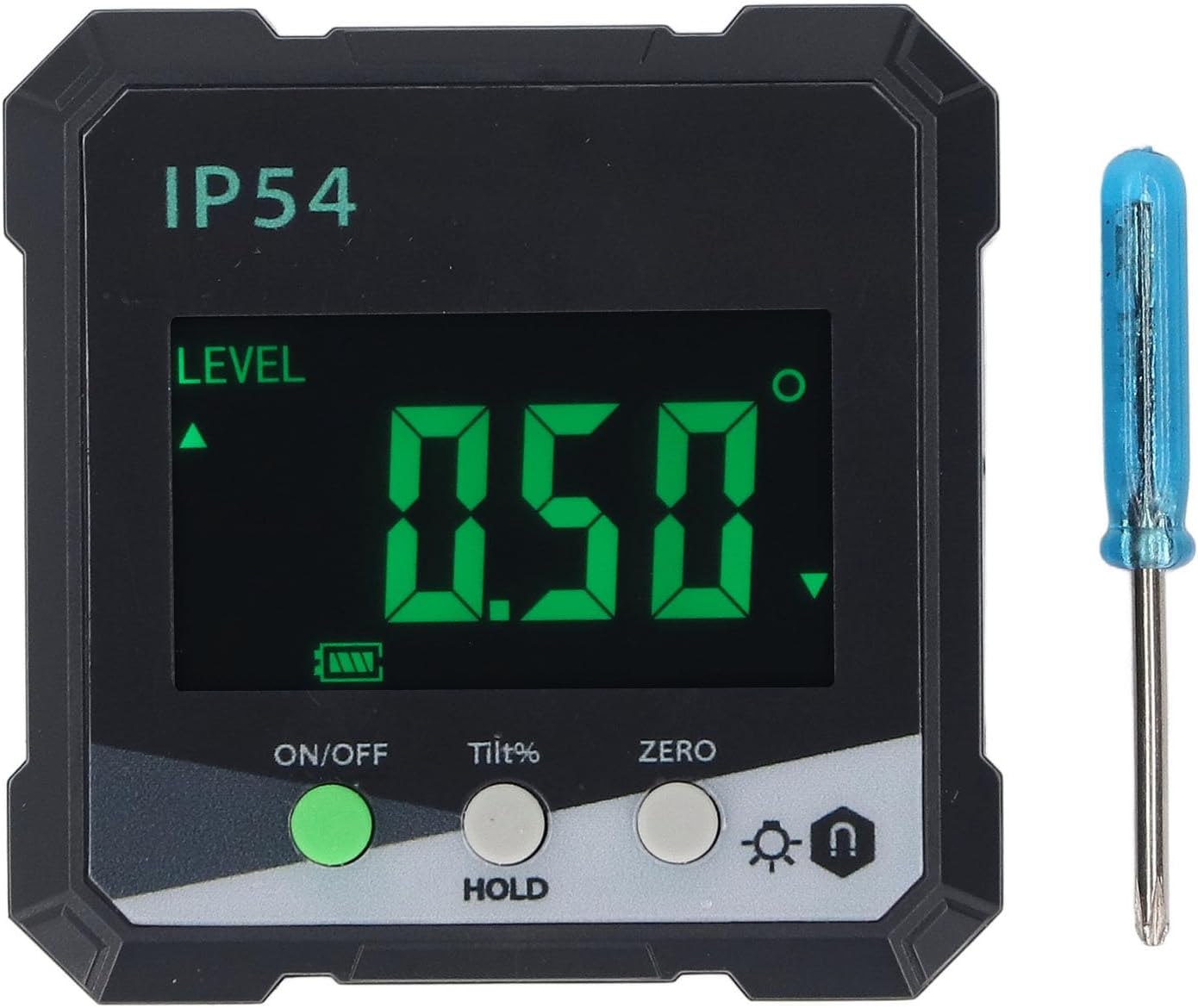
- 1 x Garosa Digital Level Box
- 1 х Мала викрутка (для батарейного відсіку)
- 1 х посібник користувача

Image: The Garosa Digital Level Box shown alongside the small screwdriver included for battery installation.
3. Налаштування
3.1 Встановлення батареї
The Garosa Digital Level Box requires two (2) AAA batteries (not included) for operation.
- Знайдіть кришку відсіку для батареї на задній панелі пристрою.
- Use the included small screwdriver to loosen the screw on the battery compartment cover.
- Зняти кришку.
- Insert two AAA batteries, ensuring correct polarity (+ and - terminals).
- Встановіть кришку батарейного відсіку та затягніть гвинт.
Зображення: Задня частина view of the digital level box, highlighting the battery compartment cover and screw.
The device is designed for low power consumption, providing over 50 hours of continuous use with fresh batteries.

Image: The digital level box screen with text indicating low power consumption and extended battery life.
4. Інструкція з експлуатації
4.1 Контроль надview
Зображення: Крупний план view of the control panel, showing the ON/OFF, Tilt%, ZERO, Backlight, and Hold buttons.
- ON/OFF Button (Green): Натисніть, щоб увімкнути або вимкнути пристрій.
- Tilt% / HOLD Button (Grey):
- Short press: Toggles between angle measurement (degrees) and slope percentagе (%).
- Long press: Activates/deactivates the HOLD function, freezing the current reading on the display.
- ZERO Button (Grey): Press to set the current surface as the relative zero reference point for angle measurements.
- Backlight / Magnetic Base Indicator Button (Grey):
- Short press: Toggles the LCD backlight on/off.
- Long press: No specific function, but the icon indicates backlight and magnetic base presence.
4.2 Увімкнення та вимкнення
Натисніть УВІМК./ВИМК button to turn the device on. The LCD screen will illuminate. To turn off the device, press the УВІМК./ВИМК button again. The device also features an automatic power-off function to conserve battery life after a period of inactivity.
4.3 Обнулення пристрою
To ensure accurate relative measurements, you can set a reference surface as zero.
- Place the digital level box on the desired reference surface.
- Зачекайте, поки читання стабілізується.
- Натисніть НУЛЬ button. The display will show "0.00°" or "0.0%" and an indicator that it is now the relative zero.
- All subsequent measurements will be relative to this new zero point.
- To return to absolute measurement, press the НУЛЬ кнопку знову.
4.4 Проведення вимірювань
Place the base of the digital level box firmly against the surface you wish to measure. The angle will be displayed on the LCD screen.

Image: The digital level box in use, showing an angle measurement on its backlit display, with a construction worker in the background.
The device can measure angles relative to the horizontal plane.

Image: The digital level box demonstrating its ability to measure angles, including those relative to the horizontal plane.
4.5 Використання функції HOLD
To freeze the current measurement on the display, press and hold the Tilt% / HOLD button. The "HOLD" indicator will appear on the screen. Press and hold the button again to release the HOLD function and resume live measurement.
4.6 Контроль підсвічування
In low-light conditions, press the Підсвічування button (with the lightbulb icon) to turn the LCD backlight on. Press it again to turn the backlight off.
4.7 Magnetic Base Usage
The strong magnetic base allows the device to be securely attached to ferrous metal surfaces, enabling hands-free operation. This is particularly useful when working on metal structures or machinery.
5. Технічне обслуговування
- Прибирання: Протирайте пристрій м’якою сухою тканиною. Не використовуйте абразивні засоби для чищення або розчинники.
- Зберігання: Store the digital level box in a dry place, away from direct sunlight and extreme temperatures.
- Заміна батареї: If the device will not be used for an extended period, remove the batteries to prevent leakage. Replace batteries when the low battery indicator appears on the screen or if the device fails to power on.
- Уникайте впливу: While durable, avoid dropping the device or subjecting it to strong impacts, as this may affect its accuracy.
6. Вирішення проблем
| проблема | Можлива причина | Рішення |
|---|---|---|
| Пристрій не включається. |
|
|
| Неточні показання. |
|
|
| Не працює підсвічування. |
|
|
7. Технічні характеристики
| Номер моделі | Garosazsxnpk7jim |
| матеріал | ABS |
| Діапазон вимірювання | 4 х 90° |
| роздільна здатність | 0.05° |
| Точність | ±0.2° |
| Повторюваність | 0.1° |
| Джерело живлення | 2 батареї AAA (не входять в комплект) |
| Дисплей | РК -дисплей з підсвічуванням |
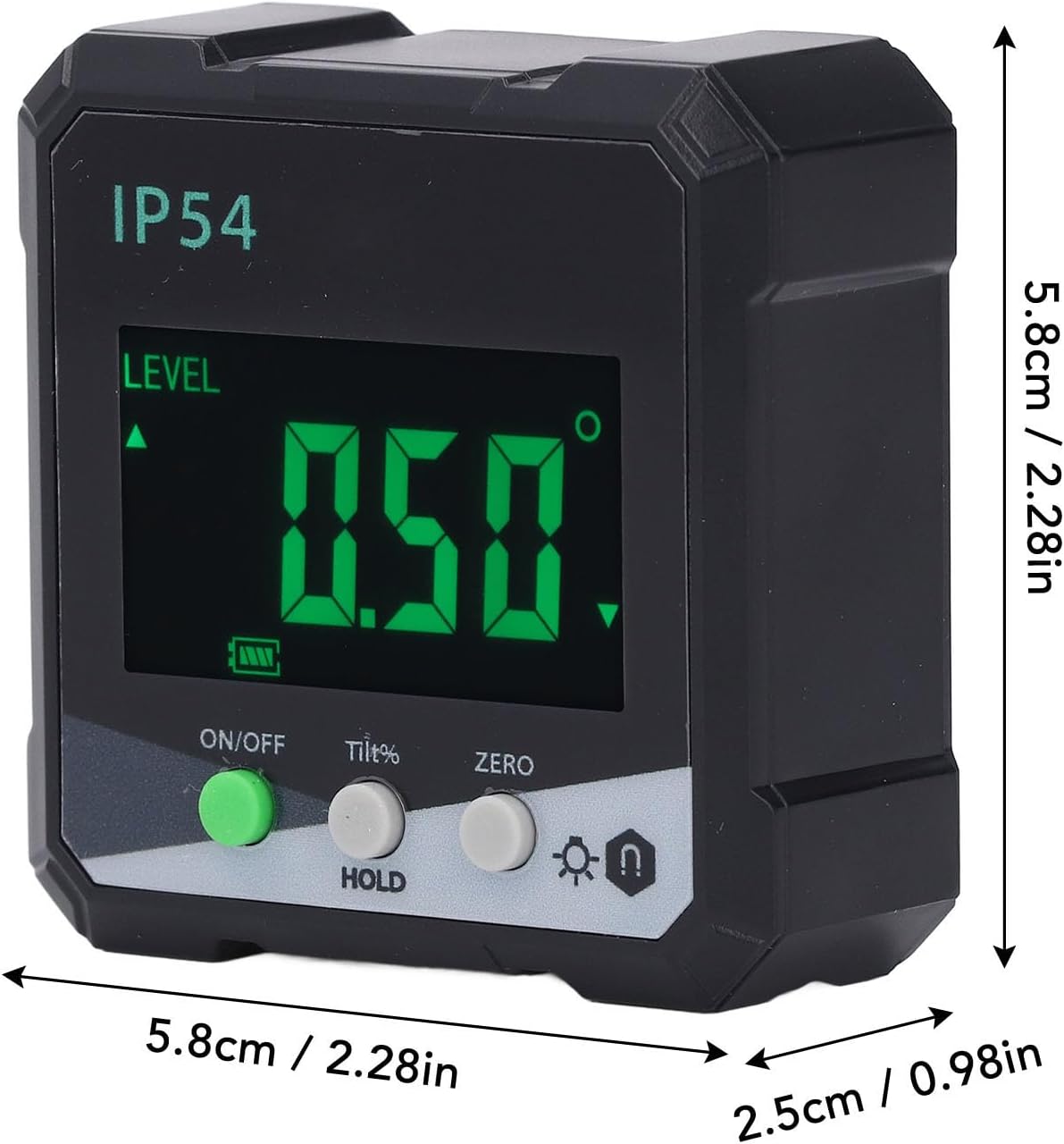
| Розміри | Approximately 5.8cm x 5.8cm x 2.5cm (2.28in x 2.28in x 0.98in) |

Image: The digital level box with its approximate dimensions (length, width, height) clearly indicated.
8. Гарантія та підтримка
For warranty information and customer support, please refer to the documentation provided at the point of purchase or contact your retailer. Garosa is committed to providing quality products and support.
For further assistance, you may visit the official Garosa store page on Amazon: Garosa Store.