
1. Вступ
Thank you for choosing the CHIVALZ A10a Thermal Printer. This compact and inkless portable printer is designed for convenient printing from your phone or laptop, supporting both 8.5'' x 11'' and A4 thermal paper. This manual provides essential information for the safe and efficient operation of your device. Please read it thoroughly before use and retain it for future reference.
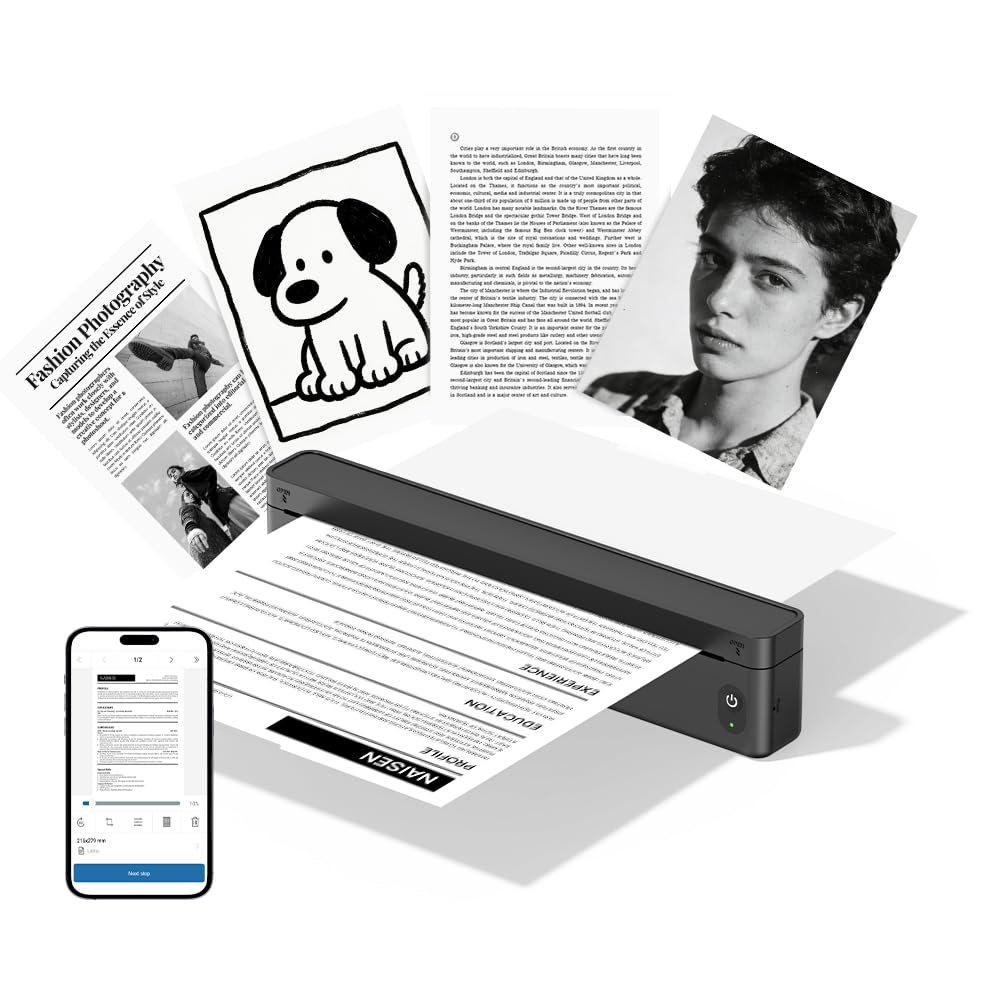
малюнок 1.1: The CHIVALZ A10a Thermal Printer. This image displays the compact, black thermal printer, highlighting its portable design suitable for various environments.
2. Вміст упаковки
Please check the package contents upon unpacking. If any items are missing or damaged, contact customer support immediately.
- CHIVALZ A10a Thermal Printer
- USB-кабель для зарядки
- Starter Roll of Thermal Paper
- Посібник користувача (цей документ)
3. Інформація про безпеку
To ensure safe operation and prevent damage to the printer, please observe the following safety precautions:
- Не піддавайте принтер впливу води, вологи або екстремальних температур.
- Уникайте падіння принтера та сильних ударів.
- Використовуйте лише наданий або рекомендований зарядний кабель.
- Не намагайтеся розбирати або ремонтувати принтер самостійно. Зверніться до кваліфікованого сервісного персоналу.
- Тримайте принтер подалі від дітей.
- Use only approved thermal paper to prevent damage to the print head.
4. Посібник із налаштування
4.1. Заряджання принтера
- Connect the USB charging cable to the printer's charging port.
- Підключіть інший кінець USB-кабелю до сумісного USB-адаптера живлення (не входить до комплекту) або USB-порту комп’ютера.
- The indicator light will show charging status (e.g., red for charging, green for fully charged). Allow approximately 2-3 hours for a full charge.
4.2. Завантаження термопаперу
- Gently open the paper compartment cover.
- Insert the thermal paper roll with the printing side facing up. Ensure the paper is aligned correctly and smoothly.
- Витягніть невеликий шматок паперу за межі ріжучого краю.
- Close the paper compartment cover firmly until it clicks into place.
4.3. Installing the Printing Application
For optimal performance and features, download the dedicated printing application for your CHIVALZ A10a printer. Refer to the packaging or a quick start guide for the specific app name and download instructions (usually available on app stores for iOS/Android or a website for Windows/macOS).
4.4. Підключення через Bluetooth
- Ensure the printer is charged and powered on. The Bluetooth indicator light should be blinking, indicating it's ready for pairing.
- On your phone or laptop, enable Bluetooth.
- шукати available devices. The printer should appear as "CHIVALZ A10a" or a similar name.
- Select the printer to pair. If prompted for a PIN, enter "0000" or "1234".
- Once paired, the Bluetooth indicator light on the printer will become solid.
5. Інструкція з експлуатації
5.1. Увімкнення/вимкнення живлення
- Увімкнення: Press and hold the power button for approximately 3 seconds until the indicator lights illuminate.
- Вимкнення живлення: Натисніть і утримуйте кнопку живлення приблизно 3 секунди, доки індикатори не згаснуть.
5.2. Printing from Your Device
- Ensure the printer is powered on and successfully connected via Bluetooth to your phone or laptop.
- Open the document, image, or content you wish to print in your dedicated printing application or standard print dialogue.
- Виберіть опцію друку.
- Choose "CHIVALZ A10a" from the list of available printers.
- Adjust print settings (e.g., paper size, orientation) as needed within the application.
- Confirm and initiate the print job.
6. Технічне обслуговування
6.1. Очищення друкуючої головки
Regular cleaning of the print head ensures optimal print quality. Clean the print head if print quality deteriorates or after every few paper roll changes.
- Вимкніть принтер і від’єднайте його від живлення.
- Відкрийте кришку відділення для паперу.
- Gently wipe the print head (the dark strip inside the compartment) with a soft, lint-free cloth lightly dampзмішаний ізопропіловим спиртом.
- Дайте друкуючій голівці повністю висохнути, перш ніж закривати кришку та вмикати принтер.
6.2. Paper Handling and Storage
- Use only high-quality thermal paper recommended for your printer.
- Store thermal paper in a cool, dry place away from direct sunlight and heat to preserve its printability.
- Avoid touching the thermal paper's surface excessively, as oils from your skin can affect print quality.
7. Вирішення проблем
If you encounter issues with your CHIVALZ A10a printer, refer to the following common problems and solutions:
| проблема | Можлива причина | Рішення |
|---|---|---|
| Принтер не вмикається. | Низький заряд батареї або відсутність живлення. | Charge the printer fully. Ensure the charging cable is securely connected. |
| Poor print quality (faint, blank lines). | Dirty print head; incorrect paper loading; old/damaged thermal paper. | Clean the print head (see Section 6.1). Ensure thermal paper is loaded correctly with the printing side up. Try a new roll of thermal paper. |
| Не вдається підключитися через Bluetooth. | Printer not in pairing mode; Bluetooth off on device; interference. | Ensure printer is on and Bluetooth indicator is blinking. Turn Bluetooth off and on again on your device. Move closer to the printer. Forget and re-pair the device. |
| Зминання паперу. | Неправильне завантаження паперу; сторонній предмет. | Turn off the printer. Open the paper compartment and carefully remove any jammed paper or obstructions. Reload paper correctly. |
| Printer stops printing mid-job. | Out of paper; low battery; connection lost. | Check paper supply and reload if necessary. Charge the printer. Verify Bluetooth connection. |
8. Технічні характеристики
Below are the technical specifications for the CHIVALZ A10a Thermal Printer:
| Особливість | Деталь |
|---|---|
| Назва моделі | A10a |
| Бренд | CHIVALZ |
| Розміри продукту (Д x Ш x В) | 27.5 Г x 7.6 Ш x 6.4 В сантиметрів |
| Технологія підключення | Bluetooth |
| Технологія друку | Теплові |
| колір | чорний |
| Вихід на принтер | Монохромний |
| Max Print Speed (B&W Pages per Minute) | 203 |
| Максимальний розмір носія | A4, 8.5'' X 11'' |
| Включені компоненти | Принтер |
9. Гарантія та підтримка
9.1. Гарантія на продукт
The CHIVALZ A10a Thermal Printer comes with a 1 рік обмеженої гарантії from the date of purchase. This warranty covers manufacturing defects and workmanship under normal use. It does not cover damage caused by misuse, accidents, unauthorized modifications, or failure to follow the instructions in this manual.
9.2. Підтримка клієнтів
For technical assistance, warranty claims, or any questions regarding your CHIVALZ A10a printer, please contact our customer support team:
- Електронна пошта: support@chivalz.net
- Please provide your model number (A10a) and a detailed description of your issue when contacting support.