
1. Вступ
Thank you for choosing the Ortis Above Ground Smart Pool Timer. This device is designed to automate the operation of your pool pump and salt system, enhancing energy efficiency and simplifying your pool maintenance routine. Featuring dual waterproof outlets, a clear LCD display, and flexible timing functions, this timer is built for reliable outdoor performance. Please read this manual thoroughly before installation and operation to ensure proper use and to maximize the lifespan of your product.
2. Інформація про безпеку
- Електрична безпека: Always ensure the timer is connected to a properly grounded outlet. Do not immerse the timer in water.
- Максимальне навантаження: The total current for all connected appliances must not exceed 15 Amperes (15A). Overloading can cause damage to the timer and connected devices, and poses a fire hazard.
- Використання на вулиці: This timer is designed for outdoor use and features waterproof outlets. However, ensure all connections are secure and protected from direct water spray.
- Відключення: Disconnect power before performing any maintenance or when the timer is not in use for extended periods.
- діти: Зберігати в недоступному для дітей. Це не іграшка.
- Пошкодження: Do not operate the timer if the cord, plug, or housing is damaged. Contact customer support for assistance.
3. Вміст упаковки
Будь ласка, перевірте упаковку на наявність наступних предметів:
- Ortis Above Ground Smart Pool Timer (Model KJ-139)
- Інструкція з експлуатації
4. Продукт закінчивсяview
Familiarize yourself with the components of your Ortis Smart Pool Timer.
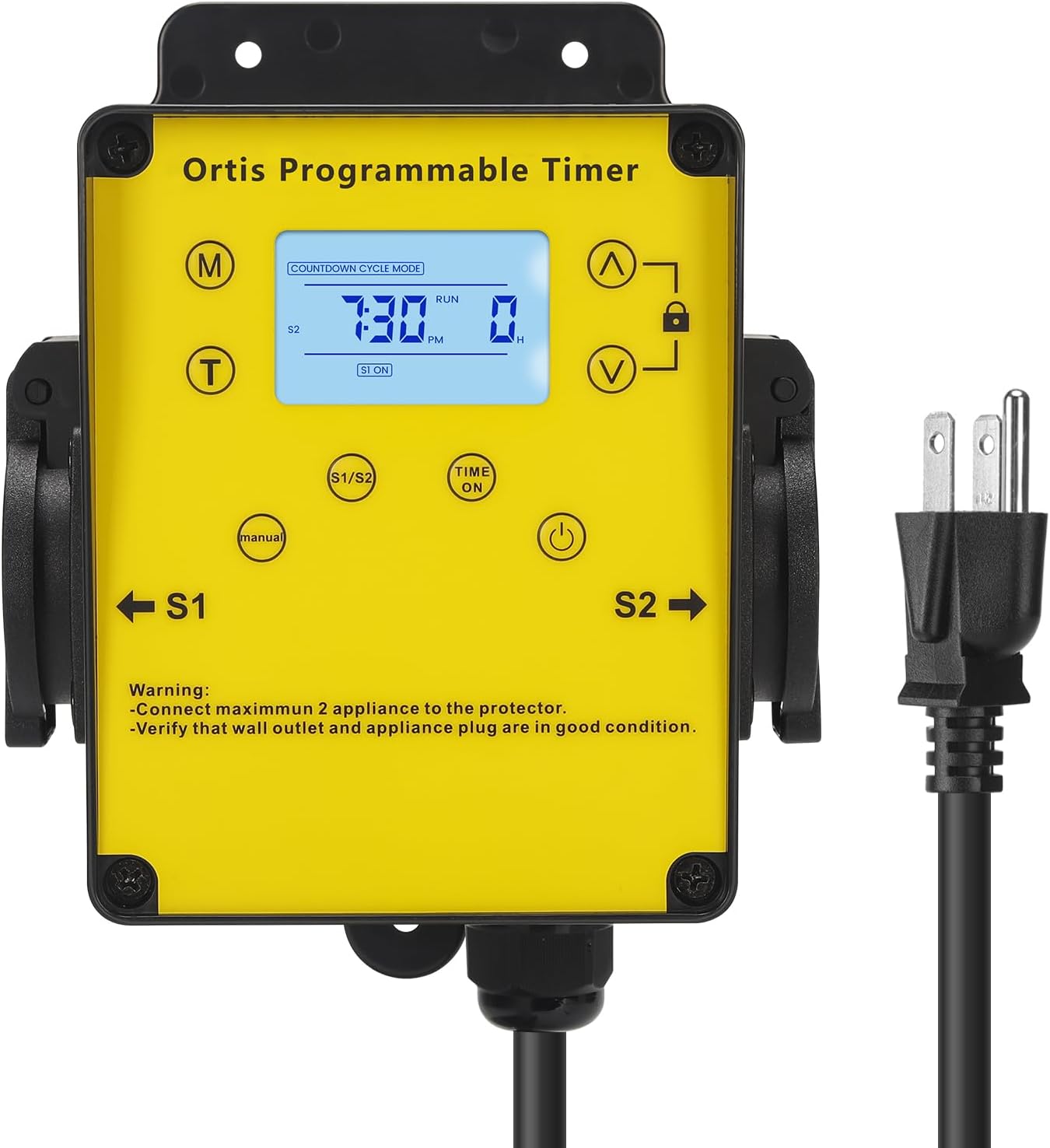
малюнок 4.1: Фронт view of the Ortis Smart Pool Timer, showing the LCD display, control buttons, and dual outlets (S1 and S2).
4.1. Компоненти
- РК-дисплей: Shows current time, mode, and operational status.
- (M) Mode Button: Cycles through different operating modes (Countdown, 24H Auto Cycle).
- (T) Time Button: Використовується для встановлення поточного часу.
- (^) Up Button: Збільшує значення.
- (V) Down Button: Зменшує значення.
- Кнопка блокування: Locks/unlocks the display to prevent accidental changes.
- (Manual) Button: Manually turns outlets S1/S2 ON or OFF.
- (Time ON) Button: Used in 24H Auto Cycle mode to set ON times.
- Кнопка (живлення): Turns the timer unit ON/OFF.
- S1 & S2 Outlets: Dual waterproof outlets for connecting appliances.
- Шнур живлення: Підключає таймер до розетки.

малюнок 4.2: Детальний view of the LCD screen, showing time, mode, and status indicators.

малюнок 4.3: View of the waterproof outlet covers, designed for outdoor protection.
5. Налаштування
5.1. Mounting the Timer
- Choose a suitable location near your pool or water feature, ensuring it is within reach of a grounded outdoor power outlet and your appliances.
- Mount the timer securely to a wall or sturdy post using appropriate screws (not included). Ensure it is at a height that allows for easy access to the display and buttons, and that the outlets face downwards to prevent water ingress.
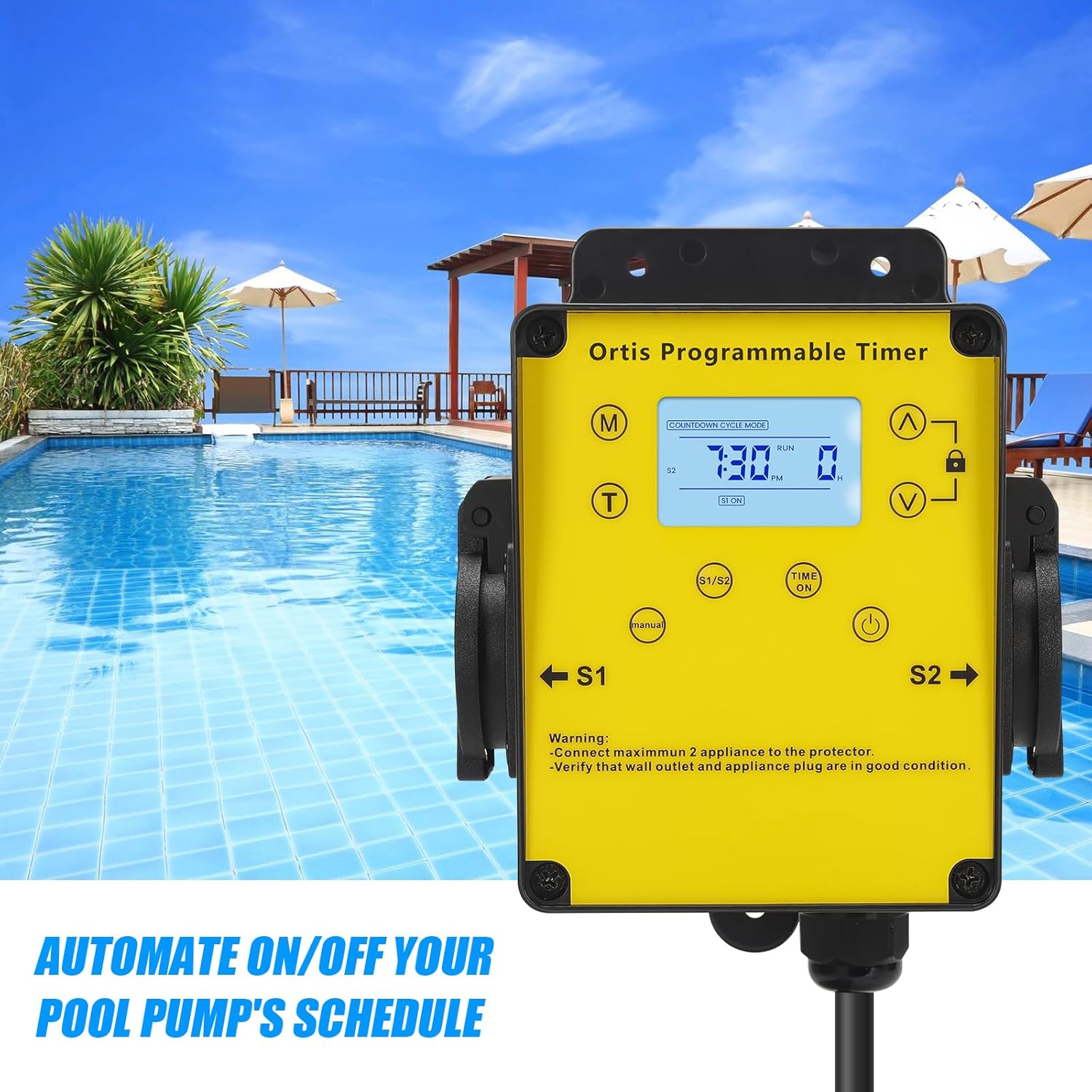
малюнок 5.1: The timer mounted on a wall, positioned for convenient access near a pool.
5.2. Підключення до живлення
- Plug the timer's power cord into a grounded 120V AC outdoor electrical outlet.
- The LCD display should illuminate. If not, press the Power button.
5.3. Підключення приладів
- Open the waterproof covers for outlets S1 and S2.
- Plug your pool pump into one outlet (e.g., S1) and your salt system or other appliance into the other outlet (e.g., S2).
- Ensure the total current draw of all connected appliances does not exceed 15A.
- Close the waterproof covers securely around the appliance plugs to maintain weather resistance.

малюнок 5.2: The timer with a pool pump and salt chlorinator connected to its dual outlets.
6. Інструкція з експлуатації
6.1. Встановлення поточного часу
- Натисніть і утримуйте (T) Time кнопку, доки не почнуть блимати цифри годин.
- Використовуйте (^) Up і (V) Down buttons to adjust the hour. Pay attention to AM/PM.
- Натисніть (T) Time button again to move to minute adjustment. Use (^) Up і (V) Down встановити хвилини.
- Натисніть (T) Time button one more time to confirm and exit time setting.
6.2. Режим зворотного відліку
This mode allows you to set a specific duration for the connected appliances to run before automatically turning off.
- Натисніть (M) Mode button until "COUNTDOWN CYCLE MODE" appears on the display.
- The hour digits for the countdown will flash. Use the (^) Up і (V) Down buttons to set the desired running hours.
- Натисніть (M) Mode button again to move to minute adjustment. Use (^) Up і (V) Down to set the desired running minutes.
- Натисніть (M) Mode button once more to confirm the countdown duration.
- The timer will now display the countdown. The connected appliances will turn ON and run for the set duration, then turn OFF automatically.
6.3. 24H Auto Cycle Mode
This mode allows you to program daily ON/OFF schedules for your appliances.
- Натисніть (M) Mode button until "24H AUTO CYCLE MODE" appears on the display.
- Натисніть (Time ON) button to enter program setting. The display will show "1 ON".
- Використовуйте (^) Up і (V) Down buttons to set the desired ON time (hour and minute). Press (Time ON) щоб перемикатися між годинами та хвилинами.
- After setting the ON time, press (Time ON) знову. На дисплеї з’явиться напис «1 ВИМК.».
- Використовуйте (^) Up і (V) Down buttons to set the desired OFF time (hour and minute). Press (Time ON) щоб перемикатися між годинами та хвилинами.
- You can set multiple ON/OFF programs (e.g., 2 ON, 2 OFF, etc.) by repeating steps 3-5. The timer supports multiple programs.
- Once all programs are set, press the (M) Mode button to exit program setting and activate the 24H Auto Cycle mode. The timer will now follow your programmed schedule daily.
6.4. Ручне заміщення
To manually turn the connected appliances ON or OFF, regardless of the programmed schedule:
- Натисніть (Вручну) button. Each press will cycle through ON, OFF, and AUTO modes for the outlets.
- In AUTO mode, the timer will follow the programmed schedule.
6.5. Функція блокування
Щоб запобігти випадковим змінам налаштувань:
- Натисніть і утримуйте Замок button for approximately 3 seconds to lock the keypad. A lock icon will appear on the display.
- Repeat the action to unlock the keypad. The lock icon will disappear.
7. Технічне обслуговування
- Прибирання: Disconnect the timer from power before cleaning. Wipe the exterior with a soft, damp тканина. Не використовуйте абразивні засоби чи розчинники.
- Огляд: Regularly inspect the power cord, plug, and outlets for any signs of damage or wear. Ensure waterproof covers are intact and properly sealed.
- Зберігання: If storing the timer for an extended period, disconnect it from power, clean it, and store it in a dry, cool place away from direct sunlight.
8. Вирішення проблем
| проблема | Можлива причина | Рішення |
|---|---|---|
| Timer display is off or not responding. | No power; Timer is off; Internal battery low. | Ensure the timer is plugged into a live outlet. Press the потужність button. If the problem persists, contact support. |
| Appliances not turning ON/OFF as programmed. | Incorrect program settings; Timer in Manual mode; Appliances not properly connected. | Verify program settings in 24H Auto Cycle mode. Ensure the timer is in AUTO mode (not Manual). Check appliance plugs are fully inserted into the timer outlets. |
| Appliances not receiving power in any mode. | Overload; Faulty appliance; Timer malfunction. | Check if the total load exceeds 15A. Test appliances directly in a wall outlet. If they work, the timer may be faulty. Contact support. |
| Клавіатура не реагує. | Клавіатура заблокована. | Натисніть і утримуйте Замок button for 3 seconds to unlock the keypad. |
9. Технічні характеристики
- модель: KJ-139
- Вхідний об'ємtage: 120V змінного струму, 60Hz
- Максимальне навантаження: 15А / 1800Вт
- Розетки: 2 заземлених розеток
- Режими роботи: Countdown, 24H Auto Cycle, Manual
- Дисплей: ЖК
- Розміри (В x Ш x Г): Приблизно 4.9 см x 3.3 см x 3.9 см
- Довжина шнура живлення: Приблизно 4.7 футів
- Екологічний рейтинг: Outdoor Rated, Waterproof Outlets

малюнок 9.1: Product dimensions of the Ortis Smart Pool Timer.
10. Гарантія та підтримка
10.1. Інформація про гарантію
Ortis products are manufactured to high-quality standards. This product is covered by a limited warranty against defects in materials and workmanship from the date of purchase. Please retain your proof of purchase for warranty claims. The warranty does not cover damage caused by misuse, improper installation, unauthorized repairs, or natural disasters.
10.2. Підтримка клієнтів
If you have any questions, require assistance with setup, or encounter any issues not covered in this manual, please contact Ortis customer support. Refer to the product packaging or the Ortis brand store on Amazon for contact details.