
1. Вступ
Thank you for choosing the GMKtec NucBox G3 Pro Mini PC. This compact and powerful device is designed for a wide range of applications, from daily office tasks and web browsing to video editing and light server operations. Featuring an Intel Core i3-10110U processor, expandable memory and storage, and versatile connectivity, the NucBox G3 Pro offers a stable and efficient computing experience. This manual provides essential information for setup, operation, maintenance, and troubleshooting to ensure optimal performance and longevity of your device.
2. Інформація про безпеку
- Завжди використовуйте наданий адаптер живлення, щоб запобігти пошкодженню пристрою.
- Не піддавайте пристрій впливу води, вологи або екстремальних температур.
- Уникайте розміщення пристрою під прямими сонячними променями або поблизу джерел тепла.
- Забезпечте належну вентиляцію, щоб запобігти перегріву. Не блокуйте вентиляційні отвори.
- Не намагайтеся самостійно відкривати або ремонтувати пристрій. Зверніться до кваліфікованого сервісного персоналу.
- Тримайте пристрій подалі від сильних магнітних полів.
3. Вміст упаковки
Будь ласка, поставте позначку у відповідному полі для наступних пунктів:
- GMKtec Mini PC Unit (NucBox G3 Pro) x 1
- Пакет гвинтів х 1
- Адаптер живлення x 1
- Кабель HDMI x 1
- Посібник користувача x 1
- Кронштейн VESA x 1

Image: Contents of the GMKtec NucBox G3 Pro retail package.
4. Продукт закінчивсяview
The GMKtec NucBox G3 Pro is a compact mini PC featuring an Intel Core i3-10110U processor, offering enhanced processing performance compared to previous generation models. It supports a wide range of uses from daily tasks to business applications. The device is designed for low power consumption (TDP 8W-15W) and low heat generation, ensuring stable operation.
Ключові характеристики:
- Процесор: Intel Core i3-10110U (2 Cores, 4 Threads, up to 4.1GHz, 6MB Cache)
- Пам'ять: 16GB DDR4 (8GB x 2) standard, expandable up to 64GB via 2 SO-DIMM slots.
- Зберігання: 256GB NVMe SSD standard, expandable up to 8TB via 2 M.2 slots (M.2 2280 PCIe Gen3x4 x1, M.2 2242 SATA3.0 x1).
- Вихід дисплея: Supports dual 4K@60Hz display output via HDMI ports.
- Підключення: Wi-Fi 6 (up to 1201 Mbps), Bluetooth 5.2, 2.5G LAN.
- Особливості: Wake On LAN, PXE Boot, RTC Wake, Auto Power On.
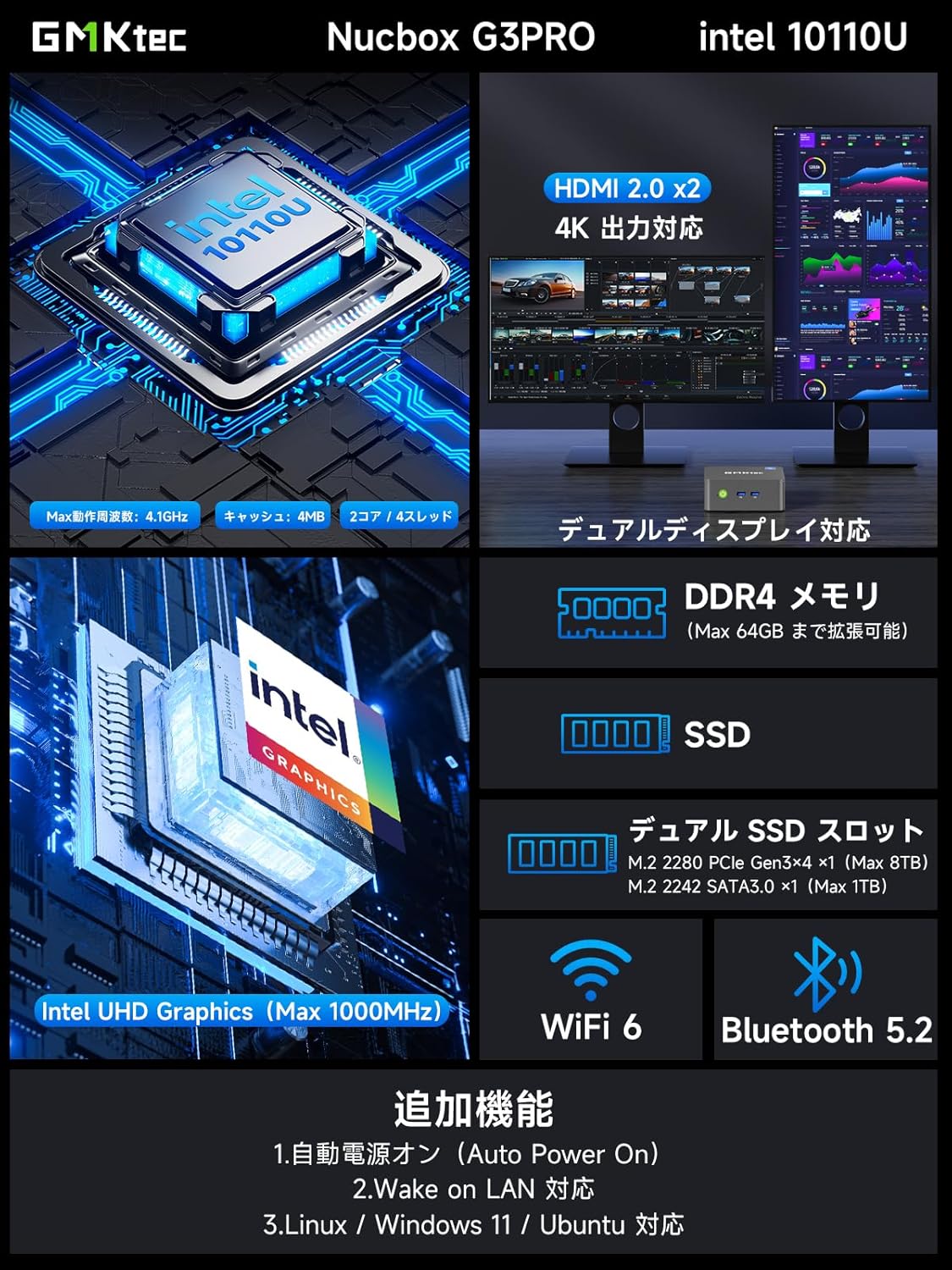
Зображення: Оверview of the GMKtec NucBox G3 Pro, highlighting ports, memory, storage, and wireless capabilities.
Порти та інтерфейси:
The NucBox G3 Pro offers a comprehensive set of ports for various peripherals and displays:
- USB 3.2 (Gen1) x 2
- USB 2.0 x 2
- HDMI x 2 (4K@60Hz output)
- 2.5G LAN (RJ45) x 1
- 3.5-мм аудіороз'єм x 1
- Кнопка живлення x 1
- DC IN x 1

Зображення: Детальне view of the NucBox G3 Pro's front and rear ports, including HDMI, USB, LAN, and audio jacks.
5. Налаштування
5.1 Початкове підключення
- Connect your monitor(s) to the HDMI ports on the back of the Mini PC using the provided HDMI cable.
- Підключіть клавіатуру та мишу до USB-портів.
- For wired internet access, connect an Ethernet cable to the 2.5G LAN port.
- Connect the power adapter to the DC IN port on the Mini PC, then plug it into a power outlet.
- Натисніть кнопку живлення на передній панелі міні-ПК, щоб увімкнути його.
5.2 Встановлення кріплення VESA
The NucBox G3 Pro supports VESA mounting, allowing you to attach it to the back of a compatible monitor or TV for a clutter-free workspace.
- Прикріпіть кронштейн VESA до задньої частини монітора за допомогою відповідних гвинтів.
- Secure the Mini PC to the VESA bracket.

Image: Demonstrates VESA mount installation and desktop placement options for the Mini PC.
6. Інструкція з експлуатації
6.1 Увімкнення/вимкнення живлення
- Увімкнення: Натисніть кнопку живлення на передній панелі.
- Вимкнення живлення: В операційній системі виберіть «Вимкнути систему». Або натисніть і утримуйте кнопку живлення протягом 5 секунд, щоб примусово вимкнути комп’ютер (не рекомендується для регулярного використання).
6.2 Конфігурація дисплея
The NucBox G3 Pro supports dual 4K displays. Connect your monitors to the HDMI ports. The operating system will automatically detect and configure the displays. You can adjust display settings (resolution, orientation, extended/duplicated desktop) through the Windows Display Settings.
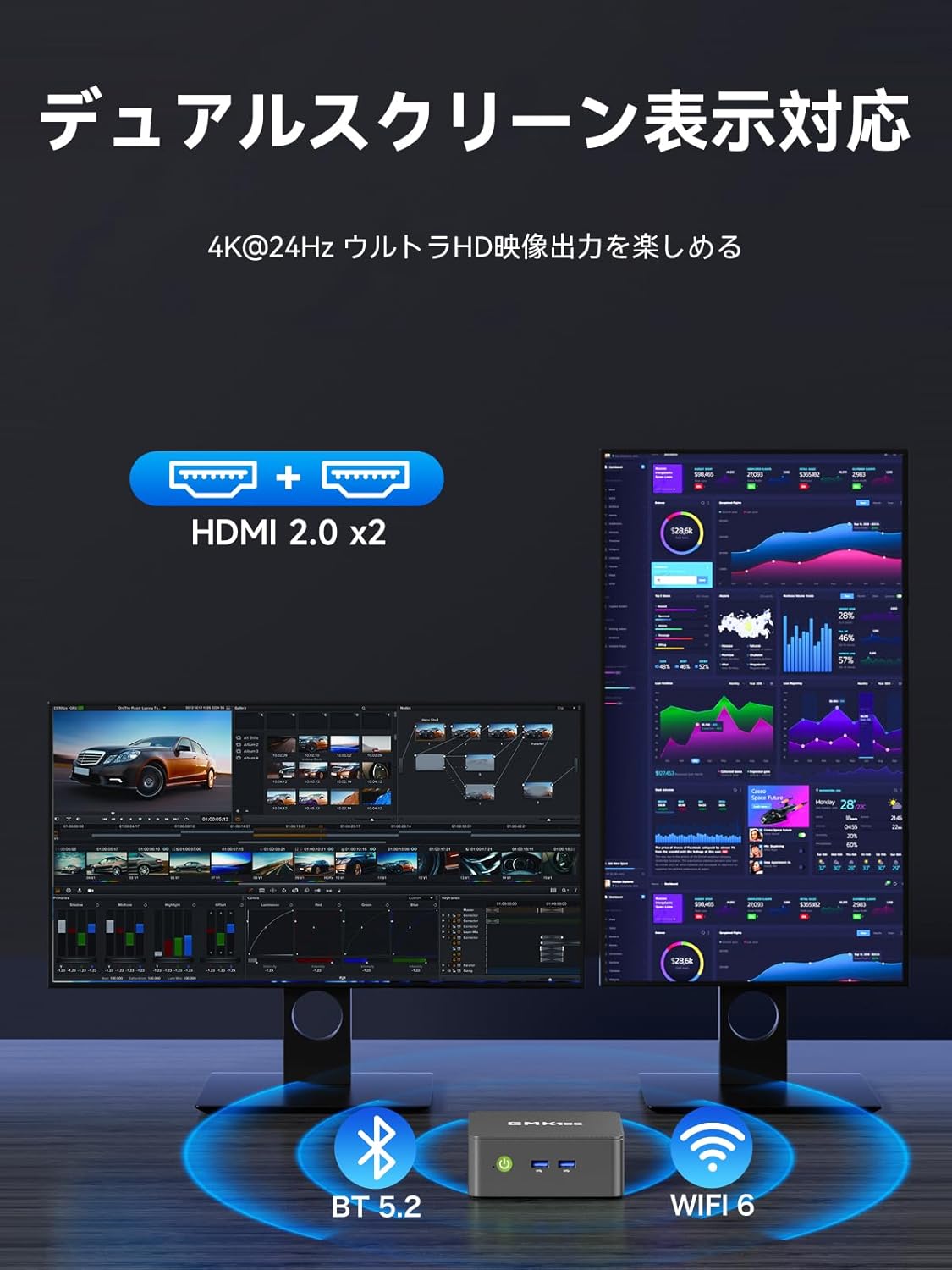
Image: Illustrates the dual-screen display capability of the Mini PC.
6.3 Operating Modes (TDP Adjustment)
The Mini PC features three adjustable TDP (Thermal Design Power) modes: 8W, 10W, and 15W. These modes allow you to balance performance and power consumption according to your needs (Quiet Mode, Power Saving Mode, Full Power Mode).
To adjust the operating mode:
- Power on the Mini PC and repeatedly press the 'ESC' key during startup to enter the BIOS setup screen.
- Navigate to the 'Advanced' tab using the arrow keys.
- Select 'Hardware Monitor' and press 'Enter'.
- Enter the 'System Smart Fan' menu.
- Select 'Enabled' for System Smart Fan.
- Under 'PWM Control System Fan Speed', you can choose from various fan speed percentages (20% to 100%) or 'OFF' to stop the fan. Adjust to your preferred speed.
- Once settings are complete, press 'F10' to save and exit.

Image: Shows the three operating modes (Silent, Balanced, Performance) and the BIOS screen for fan speed adjustment.
Video: Demonstrates how to adjust fan speed settings in the BIOS. Note: This video is for a similar GMKtec model (G10), but the BIOS fan control steps are generally applicable.
7. Технічне обслуговування
7.1 Очищення
Regularly clean the exterior of the Mini PC with a soft, dry cloth. Use compressed air to clear dust from the ventilation openings to maintain optimal airflow and cooling performance.
7.2 Розширення пам'яті та обсягу пам'яті
The NucBox G3 Pro allows for easy expansion of both RAM and SSD storage. It supports up to 64GB DDR4 RAM and up to 8TB SSD storage.
- Вимкніть пристрій і від'єднайте всі кабелі.
- Обережно зніміть нижню кришку міні-ПК.
- Locate the SO-DIMM slots for RAM or the M.2 slots for SSDs.
- Install or replace the components as needed, ensuring they are securely seated.
- Reattach the bottom cover and reconnect all cables.

Image: Illustrates the process of expanding storage with M.2 SSDs in the Mini PC.

Зображення: Розгорнуте view showing internal components like DDR4 memory, M.2 SSDs, cooling fan, and heat vents.
8. Вирішення проблем
- Немає живлення: Переконайтеся, що адаптер живлення надійно підключено як до міні-ПК, так і до справної розетки. Спробуйте іншу розетку.
- Немає дисплея: Check that the HDMI cable is securely connected to both the Mini PC and the monitor. Ensure the monitor is powered on and set to the correct input source.
- Немає підключення до Інтернету: For wired connections, check the Ethernet cable and router. For Wi-Fi, ensure the Wi-Fi adapter is enabled in Windows settings and connected to the correct network.
- Повільна продуктивність: Close unnecessary applications. Check for background processes. Ensure sufficient free storage space. Consider upgrading RAM or SSD if performance issues persist.
- Перегрів: Ensure the Mini PC has adequate ventilation. Clean dust from the vents. Adjust fan speed settings in BIOS if necessary (refer to Operating Instructions).
9. Технічні характеристики
| Особливість | Деталь |
|---|---|
| Бренд | GMKtec |
| Модель | NucBox G3 Pro |
| Операційна система | Windows 11 Pro |
| Модель процесора | Intel Core i3-10110U |
| Швидкість ЦП | До 4.1 ГГц |
| Графіка | Інтегрована графіка Intel UHD |
| Встановлена оперативна пам'ять | 16 GB DDR4 (expandable to 64 GB) |
| Швидкість пам'яті | 2400 МГц |
| Ємність зберігання | 256 GB NVMe SSD (expandable to 8 TB) |
| Інтерфейс жорсткого диска | PCIE x 2 (M.2 2280 PCIe Gen3x4 x1, M.2 2242 SATA3.0 x1) |
| Інтерфейс відеовиходу | HDMI x 2 (Supports 4K@60Hz) |
| USB порти | USB 3.2 (Gen1) x 2, USB 2.0 x 2 |
| Підключення до мережі | 2.5G локальна мережа, Wi-Fi 6, Bluetooth 5.2 |
| Розміри продукту | 114 x 106 x 42.5 мм |
| Вага продукту | 280 грами |
| Особливості | Пробудження по локальній мережі, завантаження PXE, пробудження за допомогою RTC, автоматичне ввімкнення |
10. Гарантія та підтримка
Your GMKtec NucBox G3 Pro Mini PC comes with a 1-year manufacturer's warranty. For technical support, warranty claims, or any inquiries regarding your product, please contact GMKtec customer service through the official channels or the seller from whom you purchased the device.
Seller: GMKtec-Official (1-year manufacturer's warranty)
Для отримання додаткової допомоги, будь ласка, відвідайте GMKtec Store on Amazon.