
1. Вступ
The IMILAB EC6 Dual 2K+2K is a plug-in outdoor security camera designed for comprehensive home surveillance. It features a unique dual-lens system, offering wide-angle coverage and intelligent tracking capabilities. This manual provides detailed instructions for setting up, operating, and maintaining your camera to ensure optimal performance and security.

Figure 1: IMILAB EC6 Dual 2K+2K Camera highlighting its dual-lens design for extensive coverage.
2. Що в коробці
Перевірте наявність усіх компонентів у вашій упаковці:
- IMILAB EC6 Dual 2K+2K Plug-in Camera x 1
- Mounting Kit x 1 (includes screws and expansion nuts)
- Power Cable 10ft & Adapter x 1
- User Manual & Card x 1

Figure 2: Contents of the IMILAB EC6 Dual 2K+2K camera package.
3. Налаштування
3.1 Фізичне встановлення
The EC6 Dual camera can be mounted on walls, ceilings, or columns. Ensure the installation location provides a clear view and stable Wi-Fi signal.
- Підготуйте монтажну поверхню: Use the provided positioning sticker to mark the drill holes on your chosen surface.
- Свердлити отвори: Drill holes approximately 30mm deep at the marked positions.
- Insert Expansion Nuts: Gently tap the four expansion nuts into the drilled holes.
- Прокладка кабелів: Embed the power cable and Ethernet cable (if using wired connection) into the bracket slot for a neat installation.
- Встановити камеру: Align the camera's mounting bracket with the holes and secure it using the screws. Tighten the nuts to ensure stability.
- Відрегулювати кут: Adjust the camera to your desired surveillance angle. The bullet camera (upper lens) can be tilted by hand up to 10 degrees. The turret camera (lower lens) can be panned and tilted using the app.

Figure 3: Versatile installation options for the EC6 Dual camera.
Video 1: EC6 Dual Setup Guide. This video demonstrates the unboxing, physical setup, app connection, and installation process for the IMILAB EC6 Dual camera.
3.2 Підключення програми
To connect your camera to the app:
- Завантажте додаток: Download the Xiaomi Home/Mi Home app from your smartphone's app store.
- Увімкнення: Connect the power cable to the camera and plug it into a power outlet. Wait for a voice prompt indicating initial activation.
- Додати пристрій: Open the app, click the '+' icon in the upper right corner, and select 'Scan'.
- Сканувати QR-код: Scan the QR code located on the label of the power cord.
- Select Connection Type: Choose between 'Wired Network Connection' or 'Wireless Connection (Wi-Fi)'.
3.2.1 Підключення до дротової мережі
- Connect an Ethernet cable from your router to the camera's Ethernet port.
- Дотримуйтесь підказок на екрані програми, щоб завершити підключення.

Figure 4: Power and Ethernet ports for wired connection.
3.2.2 Підключення Wi-Fi
- Select your Wi-Fi network from the list, enter the password, and click 'Next Step'.
- The app will automatically complete the Wi-Fi connection.
4. Інструкція з експлуатації
4.1 Dual Angle Surveillance
The EC6 Dual camera features two independent lenses for simultaneous monitoring of two angles. The lower lens can pan 360° and tilt 135° via the app, while the upper lens maintains a fixed view. This allows for comprehensive coverage and intelligent tracking of moving objects.

Figure 5: Dual angle surveillance providing two live feeds simultaneously.
4.2 2K+2K Day/Night Full-Color Vision
Both camera lenses support 2K resolution, delivering clear and detailed footage. Equipped with four LED lights and four infrared lights, the camera provides vivid full-color vision during the day and at night.

Figure 6: Clear 2K+2K live view with two-way audio and smart color night vision.
4.3 Smart Deterrence
The camera features subscription-free smart deterrence. Upon motion detection, it can automatically trigger a siren, spotlight, or a custom voice alert to deter potential threats.
- Сирена: Активує звуковий сигнал тривоги.
- У центрі уваги: Turns on bright LED lights.
- Custom Voice Alert: Plays a pre-recorded message.

Figure 7: Smart deterrence features in action.
Video 2: 'Catching Santa' - Demonstrates the camera's ability to detect and record activity, highlighting its dual-lens surveillance and deterrence features.
Video 3: 'You almost got me!' - Illustrates the camera's detection and two-way audio capabilities in a simulated scenario.
4.4 Двосторонній аудіозв'язок
Communicate with visitors or deter intruders in real-time using the built-in two-way audio feature accessible through the app.

Figure 8: Two-way audio functionality via the app.
4.5 Виявлення руху та сповіщення
Set up to two customizable motion zones within the Xiaomi Home/Mi Home app. The camera will continuously monitor these areas and send immediate push notifications to your phone when motion is detected, ensuring you stay connected and informed.

Figure 9: App interface for motion zones and notifications.
4.6 Гнучкі варіанти зберігання
The camera offers versatile storage solutions for your footage:
- Картка MicroSD: Supports local storage on a MicroSD card up to 256GB (not included) for continuous 24/7 recording and enhanced privacy.
- Хмарне сховище: A 3-month free trial is available for new users, providing cloud storage for motion-triggered clips.
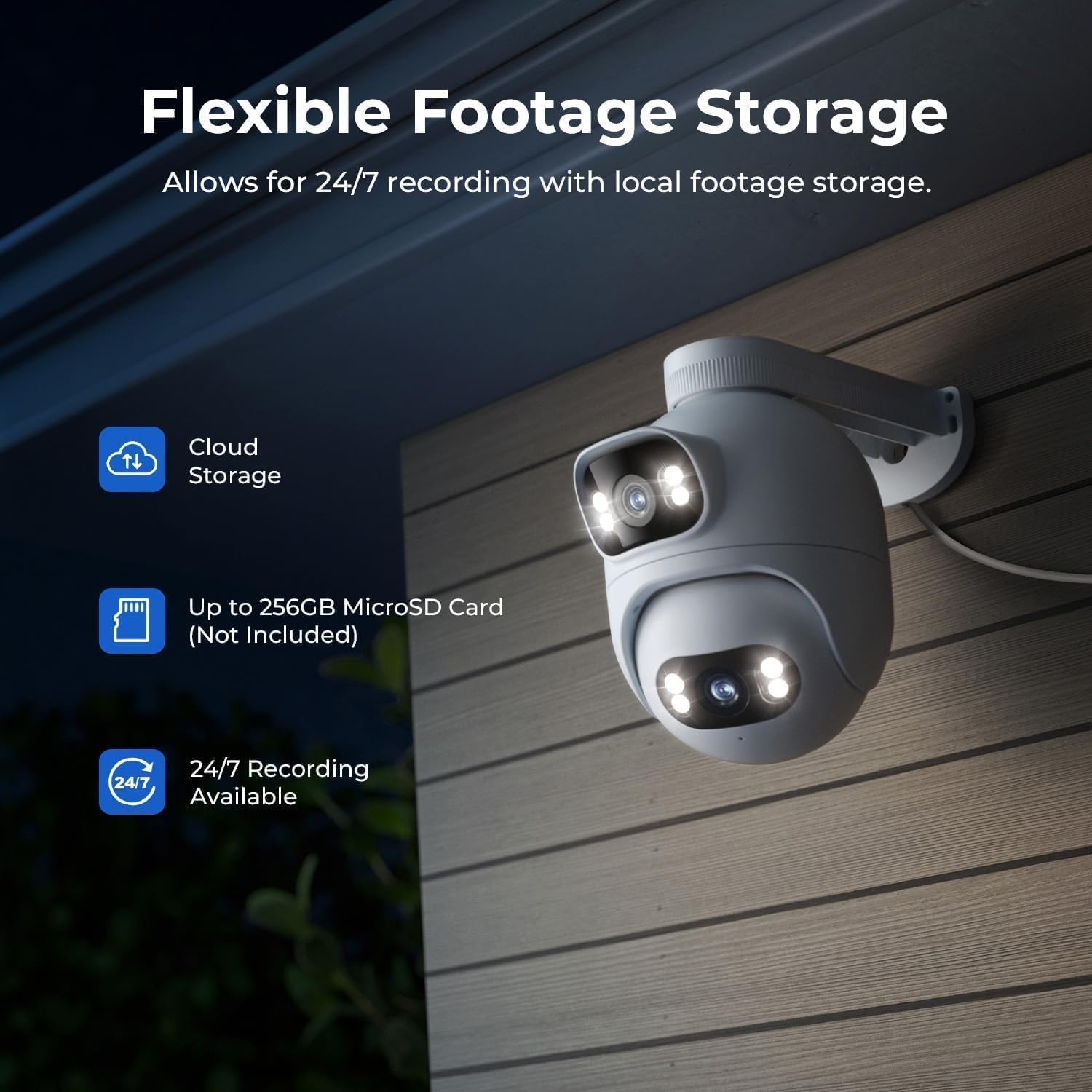
Figure 10: Flexible storage options for recorded footage.

Figure 11: Location of the MicroSD card slot.
Video 4: 'EC6 Dual 2K+2K Outdoor Camera, 24/7 Surveillance' - Highlights the camera's continuous recording and surveillance capabilities.
4.7 Дистанційне панорамування та нахил
Control the lower lens's pan (360°) and tilt (135°) movements remotely through the app. You can also set preset angles for quick access to specific viewлення областей.

Figure 12: 360-degree pan functionality.
4.8 Night Vision Settings
Adjust night vision settings in the app's 'Camera Settings' menu. Options include:
- Чорно-біле нічне бачення: Displays a black and white image.
- Кольорове нічне бачення: Displays a color image with spotlights on at night or in low light.
- Розумне кольорове нічне бачення: When a person is detected, the spotlights turn on automatically, providing a color image at night or in low light, while conserving power when no motion is detected.
5. Технічне обслуговування
- Прибирання: Regularly wipe the camera lenses with a soft, damp тканиною, щоб забезпечити чітке зображення. Уникайте абразивних засобів для чищення.
- Оновлення прошивки: Check the Xiaomi Home/Mi Home app periodically for firmware updates to ensure your camera has the latest features and security enhancements.
- Джерело живлення: Переконайтеся, що камера підключена до стабільного джерела живлення. Уникайте частих перебоїв з живленням.
- Перевірка кабелю: Periodically inspect the power and Ethernet cables for any signs of wear or damage.
6. Вирішення проблем
| проблема | Можлива причина | Рішення |
|---|---|---|
| Камера не вмикається | Адаптер живлення не підключений або несправний. | Перевірте підключення живлення. Спробуйте іншу розетку. |
| Неможливо підключитися до Wi-Fi | Неправильний пароль Wi-Fi; камера занадто далеко від маршрутизатора; перешкоди сигналу Wi-Fi. | Verify Wi-Fi password. Move camera closer to router. Reduce interference from other devices. Ensure 2.4GHz Wi-Fi is used. |
| Погана якість зображення | Dirty lens; low network bandwidth. | Clean the camera lens. Check your internet speed and network stability. |
| Виявлення руху не працює | Motion detection disabled; incorrect motion zone settings. | Enable motion detection in the app. Adjust motion zone sensitivity and areas. |
| Проблеми з двостороннім аудіо | Microphone/speaker muted; network issues. | Check app settings for audio mute. Ensure stable network connection. |
7. Технічні характеристики
| Особливість | Специфікація |
|---|---|
| Назва моделі | EC6 Dual 2K+2K |
| Номер моделі | CMSXJ68A |
| Роздільна здатність захоплення відео | 2+2 тис |
| Технологія підключення | Дротове, бездротове (Wi-Fi) |
| Особливості | Dual Lens, 24/7 Recording, 800LM Adjustable Lights, 360° PTZ, 3X Zoom, Local Storage, No Monthly Fee |
| Використання в приміщенні/зовні | Відкритий |
| Тип контролера | Amazon Alexa, Google Assistant, Xiaomi Home/Mi Home App |
| Тип кріплення | Wall/Ceiling/Pole Mount |
| Рівень водонепроникності | Водонепроникність (IP65) |
| Нічне бачення | Starlight, Color Night Vision |
| Тип флеш-пам'яті | Micro SD (до 256 ГБ) |
| Джерело живлення | Провідний електричний |
| Робоча температура | -30°C до 60°C |
8. Гарантія та підтримка
Your IMILAB EC6 Dual 2K+2K Outdoor Security Camera comes with a 2-річна гарантія виробникаКрім того, 30-денна політика безкоштовного повернення is available. For technical support, troubleshooting assistance, or warranty claims, please refer to the contact information provided in the 'User Manual & Card' included in your package or visit the official IMILAB webсайт.