
1. Вступ
The AIYIMA H4 is a high-fidelity portable DAC (Digital-to-Analog Converter) and headphone amplifier designed to elevate your audio experience. It integrates a premium ES9039Q2M DAC chip, supporting high-resolution audio playback up to 768kHz/32bit PCM and DSD512. With its dual 3.5mm single-ended and 4.4mm balanced headphone outputs, the H4 delivers powerful and clear sound, capable of driving a wide range of headphones.
This manual provides essential information for setting up, operating, and maintaining your AIYIMA H4 to ensure optimal performance and longevity.
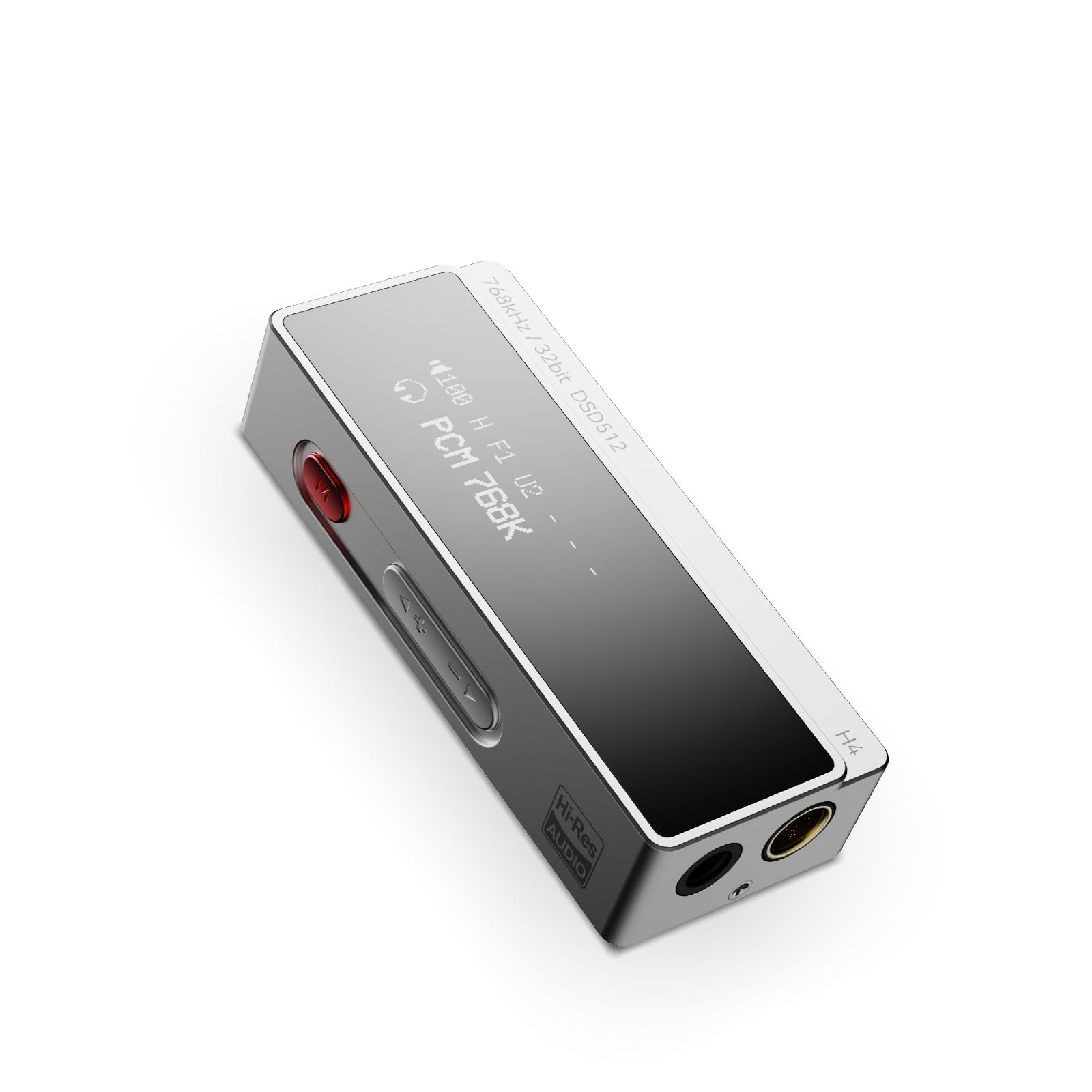
Figure 1: AIYIMA H4 Portable DAC Headphone Ampлібератор
2. Вміст упаковки
Будь ласка, перевірте упаковку на наявність наступних предметів:
- AIYIMA H4 Unit x 1
- Інструкція з експлуатації x 1
- USB Type-C to C Cable x 1
- USB A to Type-C Adapter x 1

Figure 2: AIYIMA H4 Package Contents
3. Продукт закінчивсяview
The AIYIMA H4 features a compact design with essential controls and connectivity options.
3.1. Ідентифікація компонента

Figure 3: Labeled Diagram of AIYIMA H4 Components
- Дисплей: 0.91-inch OLED screen showing current settings and audio information.
- Вхід USB Type-C: For connecting to source devices and power.
- Menu Button (Red): Used to access and navigate the device settings menu.
- Кнопки регулювання гучності (+/-): Adjusts the output volume. Also used for navigation in menu.
- 4.4-мм балансний вихід для навушників: Для збалансованого підключення навушників.
- 3.5mm Single-ended Headphone Output: For standard single-ended headphone connections. This port also supports S/PDIF output.
3.2. Ключові характеристики
- ES9039Q2M DAC Chip: High-performance DAC for superior audio decoding.
- Аудіо високої роздільної здатності: Supports up to 768kHz/32bit PCM and DSD512.
- Два виходи для навушників: 3.5mm single-ended and 4.4mm balanced outputs.
- Потужний вихід: Balanced output delivers up to 240mW into 32Ω.
- 8 Digital Filters: Customizable PCM digital filter modes for varied sound profiles.
- 2-Stage Підвищення: High/Low gain settings to match different headphone impedances.
- Компактний і легкий: Weighs approximately 22.5g for portability.

Figure 4: ES9039Q2M DAC Chip

Figure 5: Dual Headphone Output Ports
4. Налаштування
The AIYIMA H4 is designed for plug-and-play compatibility with various devices.
4.1. Підключення до вихідного пристрою
- Identify the USB port on your source device (smartphone, tablet, computer).
- Use the provided USB Type-C to C cable or USB A to Type-C adapter to connect the AIYIMA H4 to your source device.
- The H4 will power on automatically once connected to a compatible USB power source.
- Connect your headphones to either the 3.5mm single-ended or 4.4mm balanced output port on the H4.
The H4 is compatible with macOS, iPadOS, iOS, Android, and Windows operating systems. For Windows versions prior to Windows 10, driver installation may be required. Please refer to the AIYIMA official webсайт для завантаження драйверів, якщо необхідно.

Figure 6: Connecting H4 to a Smartphone

Figure 7: Connecting H4 to a Laptop

Figure 8: Multi-platform Compatibility
5. Інструкція з експлуатації
The AIYIMA H4 offers intuitive controls for audio playback and settings adjustments.
5.1. Увімкнення/вимкнення живлення
The device powers on automatically when connected to a USB power source. Disconnect the USB cable to power off the unit.
5.2. Регулювання гучності
Використовуйте + і - buttons on the side of the device to adjust the volume. The H4 features a 100-step precision volume control.
5.3. Навігація по меню та налаштування
Натисніть red Menu button щоб увійти в меню налаштувань. Використовуйте + і - buttons to navigate through the options and change values. Press the Menu button again to confirm a selection or exit a sub-menu.

Figure 9: H4 Display and Menu Options
Доступні параметри меню:
- Режим посилення: Select between High and Low gain settings. High gain is suitable for high-impedance or low-sensitivity headphones, while Low gain is for more sensitive headphones.
- Режим фільтрації: Choose from 8 different PCM digital filter modes to fine-tune the sound characteristics. Note: Digital filter modes are only active during PCM decoding and do not apply to DSD decoding.
- Режим продуктивності: Adjust performance settings (specific options may vary, refer to on-screen display).
- Тип виводу: Configure the output behavior.
- Режим S/PDIF: Enable or disable S/PDIF output via the 3.5mm port.
- Volume Control Mode: Adjust how volume is controlled.
- Режим HID: Human Interface Device mode settings.
- Яскравість дисплея: Налаштуйте яскравість OLED-дисплея.
- Інверсія дисплея: Invert the display colors.
6. Технічні характеристики
Detailed technical specifications for the AIYIMA H4.
| Особливість | Специфікація |
|---|---|
| Бренд | АЙІМА |
| Модель | H4 |
| Чіп ЦАП | ESS ES9039Q2M |
| Max PCM Support | 768 кГц/32 біт |
| Максимальна підтримка DSD | DSD512 |
| Виходи для навушників | 3.5mm Single-ended, 4.4mm Balanced |
| Збалансована вихідна потужність | 240 мВт при 32 Ом |
| Тип інтерфейсу | USB |
| Дисплей | 0.91-дюймовий OLED |
| Регулювання гучності | 100-step precision |
| Цифрові фільтри | 8 types (for PCM decoding only) |
| Налаштування посилення | 2-сtage (Високий/Низький) |
| вага | прибл. 22.5г |
| Країна походження | Китай |

Figure 10: AIYIMA H4 Lightweight Design
7. Технічне обслуговування
Proper care and maintenance will ensure the longevity and performance of your AIYIMA H4.
- Прибирання: Use a soft, dry, lint-free cloth to clean the device. Avoid using abrasive cleaners, solvents, or chemical sprays.
- Зберігання: Зберігайте H4 у прохолодному, сухому місці, подалі від прямих сонячних променів та екстремальних температур.
- Обробка: Avoid dropping the device or subjecting it to strong impacts. Do not attempt to disassemble or modify the unit, as this will void the warranty.
- вологість: Тримайте пристрій подалі від води та високої вологості.
8. Вирішення проблем
If you encounter any issues with your AIYIMA H4, please refer to the following troubleshooting guide:
8.1. Немає виходу звуку
- Ensure the H4 is properly connected to your source device and receiving power.
- Check that your headphones are securely plugged into the correct output port (3.5mm or 4.4mm).
- Verify the volume level on both the H4 and your source device. Increase the volume gradually.
- Confirm that the audio output settings on your source device are configured to use the AIYIMA H4 as the primary audio device.
- Спробуйте використати інший USB-кабель або адаптер.
8.2. Distorted or Poor Sound Quality
- Перевірте аудіо file quality and ensure it is not corrupted.
- Experiment with different digital filter modes in the H4's menu to see if it improves sound.
- Adjust the gain setting (High/Low) to match your headphones. Using too high a gain for sensitive headphones can cause distortion.
- Ensure the volume is not set too high, which can lead to clipping and distortion.
- Test with different headphones to rule out headphone issues.
8.3. Device Not Recognized by Computer
- For Windows 10 and older operating systems, ensure that the necessary drivers are installed. Drivers can typically be found on the AIYIMA official webсайт.
- Try connecting the H4 to a different USB port on your computer.
- Restart your computer and reconnect the H4.
- Переконайтеся, що USB-кабель не пошкоджено.
9. Гарантія та підтримка
The AIYIMA H4 comes with a Гарантія 24 місяців з дати покупки. Ця гарантія поширюється на виробничі дефекти та несправності за умов нормального використання.
For warranty claims, technical support, or any inquiries, please contact your retailer or visit the official AIYIMA website for customer service. Please retain your proof of purchase for warranty validation.