
вступ
Thank you for choosing the Cillso Smartwatch. This manual provides detailed instructions on how to set up, operate, and maintain your device. This smartwatch features a 1.95-inch HD display, Bluetooth calling capabilities, IP68 water resistance, comprehensive health monitoring including SpO2 and sleep tracking, over 100 sports modes, and integrated Alexa for voice control. Please read this manual carefully to ensure optimal performance and longevity of your smartwatch.
Налаштування
1. Заряджання смарт-годинника
Before initial use, fully charge your smartwatch. Connect the provided charging cable to the charging port on the back of the watch and to a standard USB power adapter (not included). A full charge typically takes approximately 2 години. The watch has a Акумулятор 300mAh, надання 5-7 днів звичайного використання і до 30 days of standby time.

Image: The smartwatch display indicating a 1.95-inch screen, 2 hours charging time, 5-7 days normal use, 30 days standby time, and a 300mAh battery capacity.
2. Встановлення та сполучення програм
- Завантажте додаток: Scan the QR code in the quick start guide or search for the companion app (e.g., 'GloryFit' as suggested by watch dial image) in your smartphone's app store (Android or iOS).
- Реєстрація/Увійти: Дотримуйтесь інструкцій на екрані, щоб створити обліковий запис або увійти.
- Підключення смарт-годинника: Ensure Bluetooth is enabled on your smartphone. Open the app, navigate to the device section, and select 'Add Device'. Choose your Cillso Smartwatch from the list of available devices. Confirm the pairing request on both your phone and the smartwatch.
Інструкція з експлуатації
1. Основна навігація
- Сенсорний екран: Проведіть пальцем вгору, вниз, ліворуч або праворуч, щоб переходити між меню та сповіщеннями. Торкніться, щоб вибрати елементи.
- Бічна кнопка: Press the side button to return to the home screen or to wake up the display.
2. Виклики через Bluetooth
Смарт-годинник підтримує Bluetooth 5.3 calling, allowing you to make and receive calls directly from your wrist when connected to your smartphone. It features a вбудований мікрофон and supports записи дзвінків і до 100 контактів.
- Відповідь на дзвінки: When an incoming call notification appears, tap the green phone icon to answer.
- Відхилення дзвінків: Торкніться червоного значка телефону, щоб відхилити вхідний дзвінок.
- Здійснення дзвінків: Щоб здійснити дзвінок, відкрийте панель набору номера або список контактів на вашому смарт-годиннику.
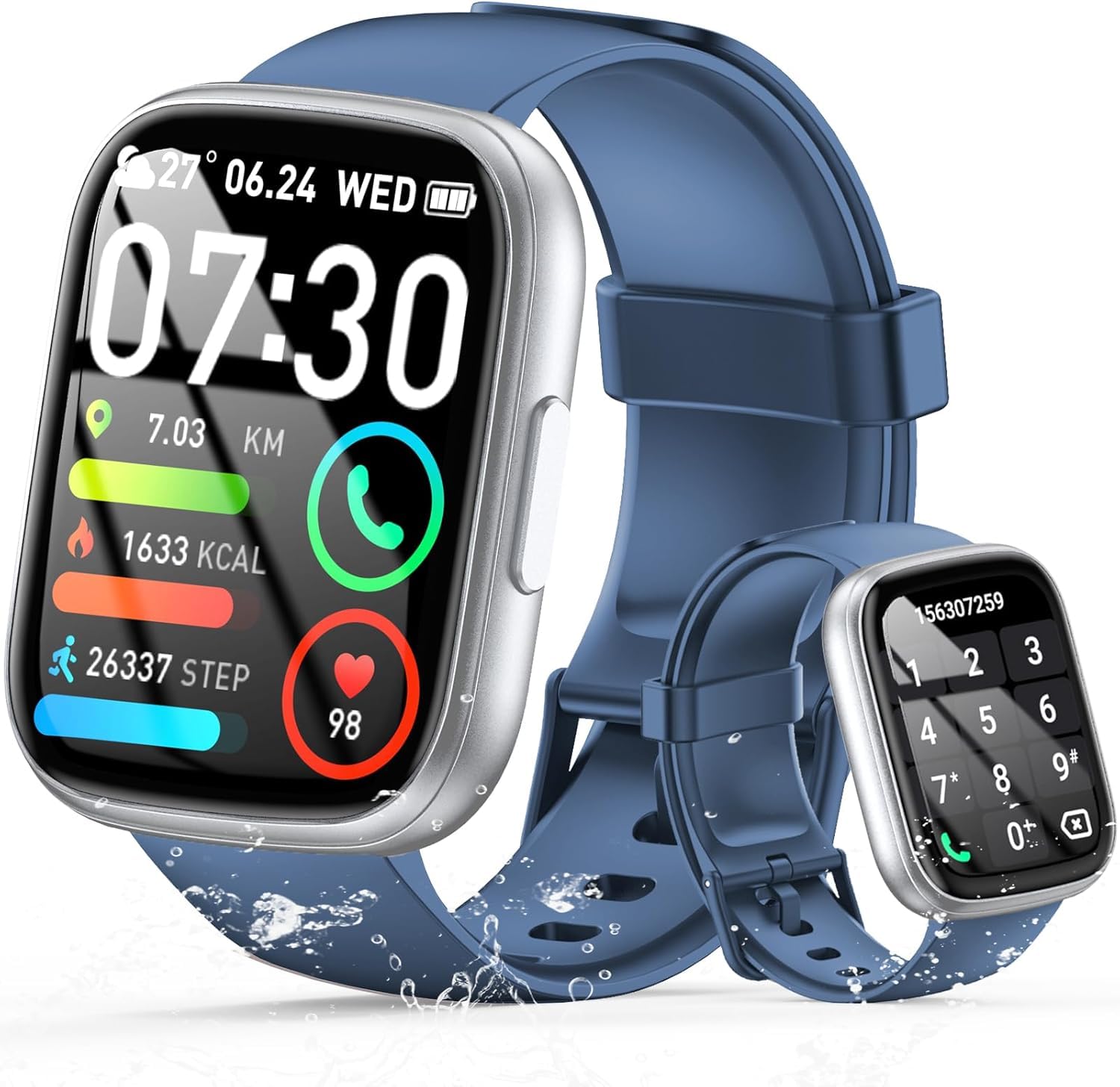
Image: The smartwatch displaying an incoming call, along with icons for built-in mic, Hi-Fi Spectra, call records, and 100 contacts. Examples of dial pad and contact list are also shown.
3. Моніторинг здоров'я
The smartwatch provides continuous health monitoring features to help you track your well-being.
- Монітор серцевого ритму: Годинник безперервно відстежує ваш пульс протягом дня. View дані про ваш пульс на годиннику або в додатку.
- Моніторинг кисню в крові (SpO2): Виміряйте рівень насичення крові киснем.
- Моніторинг сну: Tracks your sleep patterns, including deep sleep, light sleep, and wake times, to provide insights into your sleep quality.

Image: Visual representation of heart rate, blood oxygen (SpO2), and sleep monitoring graphs and data on the smartwatch and a person sleeping while wearing the watch.
4. Спортивні режими
Смарт-годинник підтримує over 100 sports modes to accurately track your workouts. Common modes include running, basketball, climbing, skipping, swimming, and badminton. It tracks metrics such as steps, distance, calories burned, and exercise duration.

Image: A person cycling with the smartwatch, illustrating various sports modes like running, basketball, climbing, skipping, swimming, and badminton. Also shows tracking for steps, distance, and calories.
5. Інтеграція з Alexa
с Alexa integrated, you can use voice commands to control music playback, check weather, set alarms, and more directly from your smartwatch.
6. Personalized Watch Dials
Customize your smartwatch with over 200 stylish watch faces available through the companion app. You can also upload your favorite photos to create personalized watch dials. The display features wide color gamut, AM LED technology, and color accuracy.

Зображення: Виставка смарт-годинниківasing multiple personalized watch dial options, highlighting wide color gamut, AM LED, and color accuracy features.
7. Багатофункціональні функції
- Керування музикою: Відтворюйте, призупиняйте, пропускайте треки та регулюйте гучність музики, що відтворюється на підключеному смартфоні.
- Керування камерою: Remotely control your smartphone's camera to frame, focus, and snap photos or start/stop video recording.
- Будильник: Встановіть будильники, щоб розбудити вас або нагадати про важливі події.
- Інші особливості: Includes weather forecasts, stopwatch, timer, and more.

Image: The smartwatch displaying interfaces for music control, remote camera control, and alarm clock settings, along with icons for other features like temperature, weather, and microphone.
Технічне обслуговування
1. прибирання
Wipe the smartwatch regularly with a soft, dry cloth. For stubborn dirt, use a slightly damp тканиною, а потім ретельно висушіть. Уникайте використання агресивних хімікатів або абразивних матеріалів.
2. Водостійкість (IP68)
The Cillso Smartwatch is IP68 водостійкий, meaning it is protected against dust ingress and can withstand immersion in water up to 1.5 meters for up to 30 minutes. It is suitable for daily use, hand washing, and light rain. However, it is not recommended for hot showers, saunas, or diving, as steam and high water pressure can compromise the seal.
3. Догляд за акумулятором
- Уникайте екстремальних температур, які можуть знизити термін служби акумулятора.
- Повністю зарядіть пристрій перед тривалими періодами бездіяльності.
- Використовуйте лише наданий зарядний кабель.
Усунення несправностей
- Годинник не вмикається: Переконайтеся, що годинник повністю заряджений. Підключіть його до зарядного пристрою щонайменше на 30 хвилин.
- Не вдається підключитися до телефону: Переконайтеся, що на вашому телефоні ввімкнено Bluetooth, а годинник знаходиться в зоні дії. Перезавантажте обидва пристрої та спробуйте знову підключитися через додаток.
- Неточні дані про стан здоров'я: Переконайтеся, що годинник щільно прилягає до зап'ястя, не надто туго і не надто вільно. Регулярно очищуйте датчики.
- Не отримано сповіщень: Check app permissions on your phone to ensure the companion app has access to notifications. Verify that notifications are enabled within the app settings.
- Алекса не відповідає: Ensure the watch is connected to your phone and has an active internet connection. Check Alexa settings within the companion app.
Технічні характеристики
| Номер моделі | B0GQGYDJS7 |
| Бренд | Cillso |
| Розмір екрана | 1.95 дюймів |
| Технологія підключення | Bluetooth 5.3 |
| Рейтинг водонепроникності | IP68 |
| Ємність акумулятора | 300 мАг (літій-полімерний) |
| Час зарядки | прибл. 2 години |
| Термін служби батареї при звичайному використанні | 7-10 днів |
| Час очікування | До 30 днів |
| Ємність пам'яті | 1 ГБ |
| Введення людського інтерфейсу | Мікрофон, сенсорний екран |
| Включені компоненти | Зарядний кабель |
Гарантія та підтримка
Warranty information for your Cillso Smartwatch is typically provided with your purchase documentation. Please refer to those materials for details regarding warranty coverage and terms. For technical support, product inquiries, or assistance with troubleshooting beyond this manual, please contact Cillso customer service through the contact information provided with your product or on the official Cillso webсайт.