
вступ
The Roku Hiro 32-inch 720p HD Smart TV offers an integrated Roku streaming experience. This television features an HD display for clear picture quality and speakers with enhanced audio. It supports Bluetooth for private listening with headphones and includes Wi-Fi for internet connectivity. The Roku operating system provides a customizable home screen, access to numerous streaming channels, and automatic updates, making it suitable for various living spaces.
Що в коробці
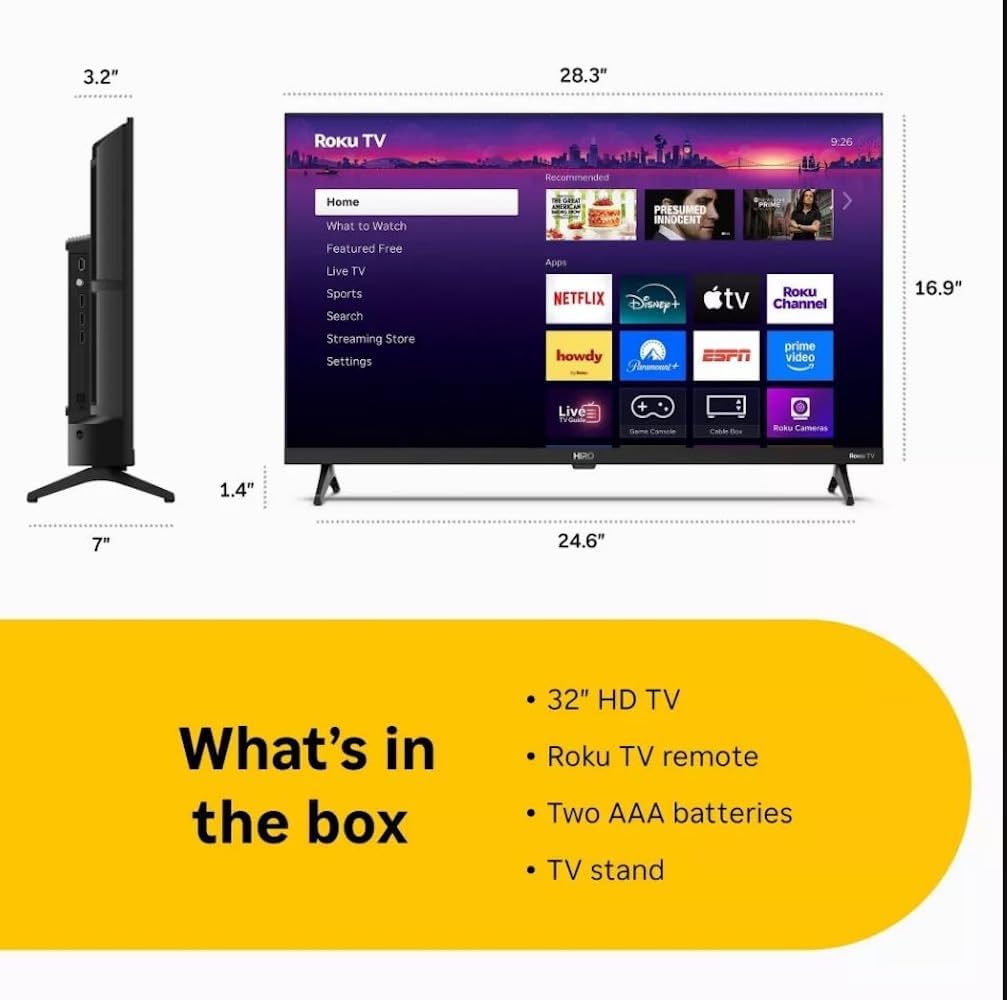
Diagram showing the dimensions of the Roku Hiro 32-inch TV and a list of included accessories: 32-inch HD TV, Roku TV remote, two AAA batteries, and TV stand.
- Hiro 32" 720p HD Smart TV Flat Screen LED Television with Roku TV
- Пульт дистанційного керування
- Підставка для телевізора
- Кабель живлення
- Посібник користувача
Налаштування
1. Установка підставки
Carefully place the TV screen-down on a soft, clean surface to prevent damage. Align the TV stand with the designated slots on the bottom of the TV. Secure the stand using the provided screws. Ensure the stand is firmly attached before proceeding.
2. Підключення пристроїв

Задня view of the Roku Hiro TV, showing the input/output ports including USB, HDMI, and antenna connections.
- Потужність: Підключіть кабель живлення до входу живлення телевізора, а потім до розетки.
- HDMI: Connect external devices such as Blu-ray players, game consoles, or cable boxes to the HDMI ports. This TV features 3 HDMI ports.
- USB: Використовуйте USB-порт для відтворення медіафайлів з USB-накопичувача.
- Оптичний звук: Connect an external sound system using an optical audio cable for enhanced sound.
- Антена/кабель: Підключіть антену або кабельне телебачення до радіочастотного входу для ефірного або кабельного телебачення.
3. Початкове налаштування
After connecting all necessary cables, power on the TV. Follow the on-screen instructions to:
- Виберіть свою мову.
- Підключіться до мережі Wi-Fi.
- Активуйте свій обліковий запис Roku (або створіть новий).
- Scan for available channels if an antenna is connected.
Інструкція з експлуатації
Функції дистанційного керування

Close-up of the Roku TV remote control, highlighting buttons for TV power, volume, mute, sleep timer, instant replay, options, and app shortcuts.
- Кнопка живлення: Вмикає або вимикає телевізор.
- Спрямований джойстик (D-Pad): Навігація по меню та вибір елементів.
- Кнопка ОК: Підтверджує вибір.
- Кнопка "Додому: Повернення на головний екран Roku.
- Кнопка Назад: Повернення до попереднього екрана.
- Збільшення/зменшення гучності: Регулює гучність телевізора.
- Кнопка вимкнення звуку: Вмикає або вимкнення звуку телевізора.
- Кнопки швидкого доступу до програм: Direct access to popular streaming services (e.g., Netflix, Disney+, Apple TV+, Prime Video).
- Таймер сну: Встановлює таймер для автоматичного вимкнення телевізора.
- Миттєвий повтор: Jumps back a few seconds in supported content.
- Опції: Accesses additional settings or information for the current content.
Navigating the Roku OS

The Roku TV home screen interface, showing recommended content and various streaming applications.
The Roku home screen provides access to all your streaming channels, inputs, and settings. Use the D-Pad on your remote to navigate through the menu options on the left and the app grid on the right. You can customize the order of your channels by highlighting an app, pressing the * (Options) button, and selecting 'Move channel'.
Потоковий вміст
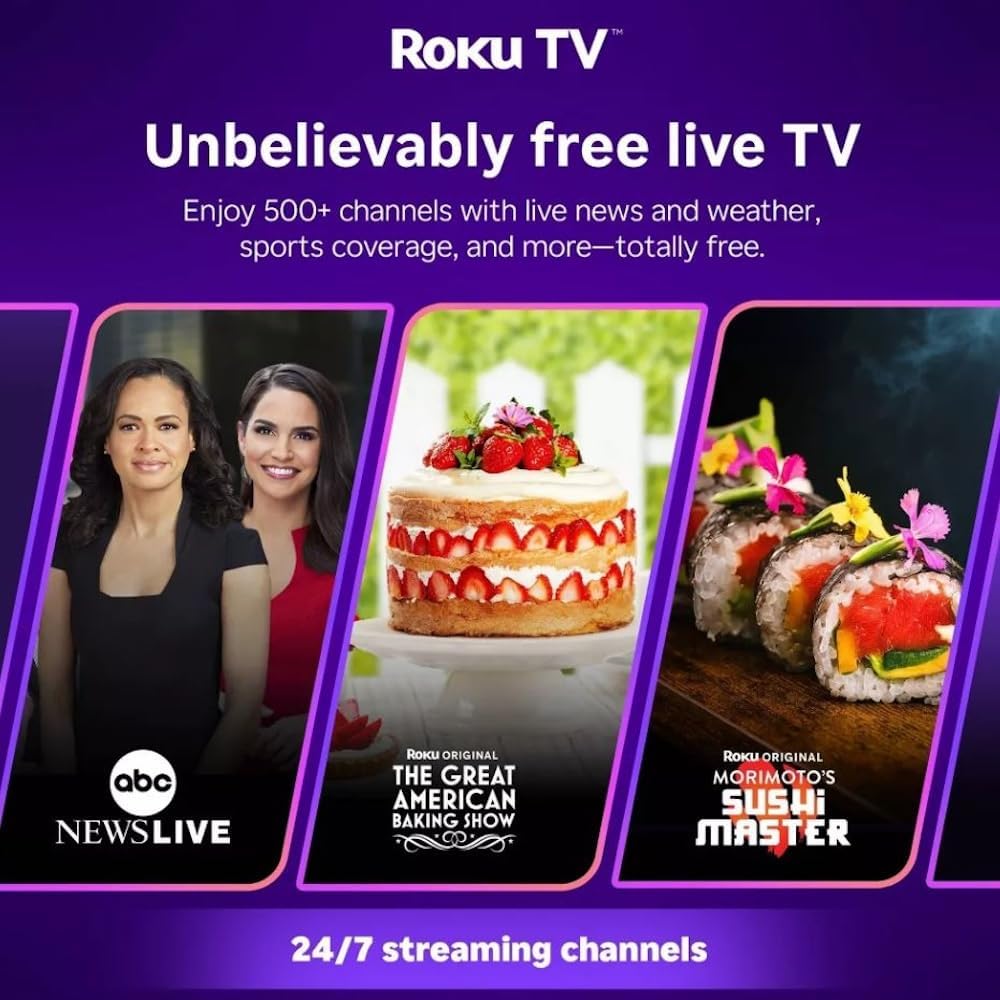
Roku TV interface promoting free live TV channels, featuring examples like ABC News Live, The Great American Baking Show, and Morimoto's Sushi Master.
Access a wide range of streaming services and free content through the Roku Channel Store. The Roku platform offers over 500 free channels, including live television, movies, and news. Use the 'Search' function on the home screen to find specific titles or channels.
Функції аудіо

Roku Hiro TV displaying the home screen with various streaming apps, emphasizing enhanced audio quality.
The TV features enhanced audio quality. For private listening, you can pair Bluetooth headphones directly with the TV. Navigate to Settings > Remotes & devices > Bluetooth devices > Pair new device to connect your headphones.
Технічне обслуговування
Чистка телевізора
- Завжди відключайте телевізор від мережі перед чищенням.
- Використовуйте м’яку тканину без ворсу, щоб обережно протерти екран і корпус.
- Для стійких плям злегка протрітьampПротріть тканину водою або м’яким, неабразивним засобом для чищення екранів. Не розпилюйте засіб для чищення безпосередньо на екран.
- Уникайте використання агресивних хімікатів, абразивних губок або розчинників.
Оновлення програмного забезпечення
The Roku TV automatically checks for and installs software updates when connected to the internet. To manually check for updates, go to Налаштування > Система > Оновлення програмного забезпечення.
Усунення несправностей
| проблема | Рішення |
|---|---|
| Немає живлення | Переконайтеся, що кабель живлення надійно підключено як до телевізора, так і до справної електричної розетки. Спробуйте іншу розетку. |
| Немає зображення, але звук є | Перевірте джерело вхідного сигналу. Натисніть кнопку додому button on the remote and select the correct input. Ensure all HDMI cables are securely connected. |
| Звуку немає, але зображення є | Перевірте рівень гучності та переконайтеся, що звук телевізора не вимкнено. Якщо використовується зовнішній аудіопристрій, перевірте підключення та налаштування. |
| Неможливо підключитися до Wi-Fi | Verify your Wi-Fi password. Restart your router and modem. Go to Налаштування > Мережа > Налаштувати з'єднання to reconfigure. |
| Пульт не працює | Замініть батарейки в пульті дистанційного керування. Переконайтеся, що між пультом дистанційного керування та ІЧ-датчиком телевізора немає перешкод. |
Технічні характеристики
| Назва моделі | H32C2C4 |
| Розмір екрана | 32 дюймів |
| Технологія дисплея | LED |
| роздільна здатність | 720p |
| Частота оновлення | 60 Гц |
| Операційна система | Roku OS |
| Технологія підключення | Bluetooth, HDMI, Optical Audio, USB, Wi-Fi |
| Total Number of HDMI Ports | 3 |
| Загальна кількість портів USB | 1 |
| Розміри продукту (Д x Ш x В) | 3.2" Г x 28.3" Ш x 16.9" В |
| Вага товару | 7.5 фунта |
| томtage | 120 вольт (перемінний струм) |
| Тип монтажу | Кріплення на стіл |
| Колір | чорний |
Інформація про гарантію
This Roku Hiro TV is covered by a 90-day Replacement Warranty. Please retain your proof of purchase for any warranty claims. For detailed terms and conditions, refer to the warranty documentation included with your product or visit the official Roku support webсайт.
Підтримка
For further assistance, troubleshooting guides, or to contact customer support, please visit the official Roku support website. You can find comprehensive FAQs and contact information there.